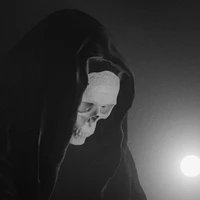

drbaph / HiDream-O1-Image-Dev-FP8

huggingface.co
Total runs: 1.0K
24-hour runs: 7
7-day runs: 135
30-day runs: -363
Model's Last Updated: May 10 2026
image-text-to-image

Introduction of HiDream-O1-Image-Dev-FP8

Model Details of HiDream-O1-Image-Dev-FP8

HiDream-O1-Image-Dev — FP8 Mixed (ComfyUI)

This is the FP8 mixed-precision quantization of HiDream-ai/HiDream-O1-Image-Dev — the distilled variant of HiDream-O1-Image — for use with ComfyUI . This is the most accessible variant: only ~10 GB VRAM and just 28 steps , making it the fastest way to run HiDream O1 locally.

ComfyUI_temp_mtcyk_00010_

Custom ComfyUI Node: Saganaki22/HiDream_O1-ComfyUI

Screenshot 2026-05-10 005045


Dev vs Full — Key Differences
Full Model Dev Model (this repo)
Inference Steps 50 28
Guidance Scale (CFG) 5.0 0.0 (disabled)
Shift 3.0 1.0
Scheduler FlowUniPCMultistepScheduler FlashFlowMatchEulerDiscreteScheduler
Speed Slower, more detail ~2× faster

The Dev model uses a custom Euler scheduler with built-in noise scaling tuned for fewer steps. CFG is disabled — negative prompts have no effect in Dev mode.


VRAM Requirements
Precision Approximate VRAM
BF16 17 – 20 GB
FP16 17 – 20 GB
FP8 Mixed (this repo) ~10 GB

This is the recommended variant for GPUs with less than 16 GB VRAM. Combined with the Dev model's 28-step schedule, it is the lowest-cost way to run HiDream O1 — roughly 2× faster and half the VRAM of the full BF16 model.

What is FP8 Mixed? Weights are stored in float8_e4m3fn . Sensitive layers (norms, embeddings, output heads) retain higher precision for stability. On RTX 40xx / H100 (Hopper/Ada), FP8 compute is hardware-accelerated. On older GPUs, weights dequantize on-the-fly — still saving VRAM, with a small speed penalty. Do not set config.json dtype to float8_e4m3fn ; keep it as bfloat16 — the node detects FP8 from the safetensors tensors directly.


Quick Start — ComfyUI
1. Install the Custom Node
cd ComfyUI/custom_nodes
git clone https://github.com/Saganaki22/HiDream_O1-ComfyUI.git
cd HiDream_O1-ComfyUI
python -m pip install -r requirements.txt

Or search for HiDream O1 in ComfyUI Manager .

Suggested transformers version: 4.57.1 – 5.3 (newer versions may break compatibility).

2. Download the Weights

Download the entire model folder (all files, not just the safetensors) and place it in ComfyUI/models/diffusion_models/ :

huggingface-cli download drbaph/HiDream-O1-Image-Dev-FP8 \
    --local-dir ComfyUI/models/diffusion_models/HiDream-O1-Image-Dev-fp8

The folder must contain the full Hugging Face support files alongside the weights: config.json , chat_template.json , generation_config.json , preprocessor_config.json , tokenizer.json , tokenizer_config.json , vocab.json , merges.txt , model.safetensors

3. Load in ComfyUI

Use the workflow provided in the custom node repository. The loader will detect dev in the folder name and automatically apply Dev settings (28 steps, no CFG, Euler scheduler). Point the model loader to HiDream-O1-Image-Dev-fp8 .

For the fastest inference on supported hardware, set precision to fp8_e4m3fn_fast in the model loader node.


About HiDream-O1-Image

HiDream-O1-Image is a natively unified image generative foundation model built on a Pixel-level Unified Transformer (UiT) — no external VAEs, no disjoint text encoders. It encodes raw pixels, text, and task-specific conditions in a single shared token space, supporting:

  • Text-to-image generation up to 2,048 × 2,048
  • Instruction-based image editing
  • Subject-driven personalization (multi-reference IP)
  • Long-text and multilingual text rendering

At only 9B parameters it matches or exceeds much larger open-source DiTs and leading closed-source models. It debuted at #8 in the Artificial Analysis Text to Image Arena (2026-05-05).


Key Features
  • 🧬 Pixel-Level Unified Transformer — end-to-end on raw pixels, no VAE, no disjoint text encoder
  • 🎨 One Model, Many Tasks — T2I, editing, personalization, storyboard generation
  • 28-Step Distilled Dev — ~2× faster than the full model with minimal quality trade-off
  • 💾 FP8 Quantized — ~half the VRAM of full-precision variants
  • 🖼️ Native High Resolution — direct synthesis up to 2,048 × 2,048

All Model Variants
Full Model
Repo Precision VRAM Steps
drbaph/HiDream-O1-Image-BF16 BF16 17–20 GB 50
drbaph/HiDream-O1-Image-FP16 FP16 17–20 GB 50
drbaph/HiDream-O1-Image-FP8 FP8 Mixed ~10 GB 50
Dev Model (distilled, faster)
Repo Precision VRAM Steps
drbaph/HiDream-O1-Image-Dev-BF16 BF16 17–20 GB 28
drbaph/HiDream-O1-Image-Dev-FP16 FP16 17–20 GB 28
drbaph/HiDream-O1-Image-Dev-FP8 (this repo) FP8 Mixed ~10 GB 28

License

The original HiDream-O1-Image model and code are released under the MIT License . This FP8 quantization inherits the same license.


Links

Runs of drbaph HiDream-O1-Image-Dev-FP8 on huggingface.co

1.0K
Total runs
7
24-hour runs
159
3-day runs
135
7-day runs
-363
30-day runs

More Information About HiDream-O1-Image-Dev-FP8 huggingface.co Model

More HiDream-O1-Image-Dev-FP8 license Visit here:

https://choosealicense.com/licenses/mit

HiDream-O1-Image-Dev-FP8 huggingface.co

HiDream-O1-Image-Dev-FP8 huggingface.co is an AI model on huggingface.co that provides HiDream-O1-Image-Dev-FP8's model effect (), which can be used instantly with this drbaph HiDream-O1-Image-Dev-FP8 model. huggingface.co supports a free trial of the HiDream-O1-Image-Dev-FP8 model, and also provides paid use of the HiDream-O1-Image-Dev-FP8. Support call HiDream-O1-Image-Dev-FP8 model through api, including Node.js, Python, http.

HiDream-O1-Image-Dev-FP8 huggingface.co Url

https://huggingface.co/drbaph/HiDream-O1-Image-Dev-FP8

drbaph HiDream-O1-Image-Dev-FP8 online free

HiDream-O1-Image-Dev-FP8 huggingface.co is an online trial and call api platform, which integrates HiDream-O1-Image-Dev-FP8's modeling effects, including api services, and provides a free online trial of HiDream-O1-Image-Dev-FP8, you can try HiDream-O1-Image-Dev-FP8 online for free by clicking the link below.

drbaph HiDream-O1-Image-Dev-FP8 online free url in huggingface.co:

https://huggingface.co/drbaph/HiDream-O1-Image-Dev-FP8

HiDream-O1-Image-Dev-FP8 install

HiDream-O1-Image-Dev-FP8 is an open source model from GitHub that offers a free installation service, and any user can find HiDream-O1-Image-Dev-FP8 on GitHub to install. At the same time, huggingface.co provides the effect of HiDream-O1-Image-Dev-FP8 install, users can directly use HiDream-O1-Image-Dev-FP8 installed effect in huggingface.co for debugging and trial. It also supports api for free installation.

HiDream-O1-Image-Dev-FP8 install url in huggingface.co:

https://huggingface.co/drbaph/HiDream-O1-Image-Dev-FP8

Url of HiDream-O1-Image-Dev-FP8

HiDream-O1-Image-Dev-FP8 huggingface.co Url

Provider of HiDream-O1-Image-Dev-FP8 huggingface.co

drbaph
ORGANIZATIONS

Other API from drbaph

huggingface.co

Total runs: 7.4K
Run Growth: 2.7K
Growth Rate: 36.10%
Updated:January 28 2026
huggingface.co

Total runs: 1.0K
Run Growth: -41
Growth Rate: -3.98%
Updated:March 13 2026
huggingface.co

Total runs: 511
Run Growth: -740
Growth Rate: -144.81%
Updated:March 07 2026
huggingface.co

Total runs: 122
Run Growth: 47
Growth Rate: 38.52%
Updated:February 12 2026
huggingface.co

Total runs: 98
Run Growth: 80
Growth Rate: 83.33%
Updated:March 17 2025
huggingface.co

Total runs: 0
Run Growth: 0
Growth Rate: 0.00%
Updated:March 17 2025
huggingface.co

Total runs: 0
Run Growth: 0
Growth Rate: 0.00%
Updated:January 28 2026
huggingface.co

Total runs: 0
Run Growth: 0
Growth Rate: 0.00%
Updated:June 13 2026
huggingface.co

Total runs: 0
Run Growth: 0
Growth Rate: 0.00%
Updated:January 28 2026
huggingface.co

Total runs: 0
Run Growth: 0
Growth Rate: 0.00%
Updated:April 13 2026
huggingface.co

Total runs: 0
Run Growth: 0
Growth Rate: 0.00%
Updated:June 04 2026
huggingface.co

Total runs: 0
Run Growth: 0
Growth Rate: 0.00%
Updated:March 17 2025
huggingface.co

Total runs: 0
Run Growth: 0
Growth Rate: 0.00%
Updated:June 14 2026
huggingface.co

Total runs: 0
Run Growth: 0
Growth Rate: 0.00%
Updated:September 10 2026