



Total runs:
73.4K
Run Growth:
-17.5K
Growth Rate:
-23.83%
Latent Consistency Model (LCM) LoRA was proposed in LCM-LoRA: A universal Stable-Diffusion Acceleration Module by Simian Luo, Yiqin Tan, Suraj Patil, Daniel Gu et al.
It is a distilled consistency adapter for
stable-diffusion-xl-base-1.0
that allows
to reduce the number of inference steps to only between
2 - 8 steps
.
| Model | Params / M |
|---|---|
| lcm-lora-sdv1-5 | 67.5 |
| lcm-lora-ssd-1b | 105 |
| lcm-lora-sdxl | 197M |
LCM-LoRA is supported in 🤗 Hugging Face Diffusers library from version v0.23.0 onwards. To run the model, first
install the latest version of the Diffusers library as well as
peft
,
accelerate
and
transformers
.
audio dataset from the Hugging Face Hub:
pip install --upgrade pip
pip install --upgrade diffusers transformers accelerate peft
Note: For detailed usage examples we recommend you to check out our official LCM-LoRA docs
The adapter can be loaded with it's base model
stabilityai/stable-diffusion-xl-base-1.0
. Next, the scheduler needs to be changed to
LCMScheduler
and we can reduce the number of inference steps to just 2 to 8 steps.
Please make sure to either disable
guidance_scale
or use values between 1.0 and 2.0.
import torch
from diffusers import LCMScheduler, AutoPipelineForText2Image

model_id = "stabilityai/stable-diffusion-xl-base-1.0"
adapter_id = "latent-consistency/lcm-lora-sdxl"

pipe = AutoPipelineForText2Image.from_pretrained(model_id, torch_dtype=torch.float16, variant="fp16")
pipe.scheduler = LCMScheduler.from_config(pipe.scheduler.config)
pipe.to("cuda")

# load and fuse lcm lora
pipe.load_lora_weights(adapter_id)
pipe.fuse_lora()

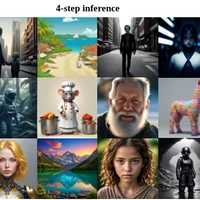
prompt = "Self-portrait oil painting, a beautiful cyborg with golden hair, 8k"

# disable guidance_scale by passing 0
image = pipe(prompt=prompt, num_inference_steps=4, guidance_scale=0).images[0]

LCM-LoRA can be used for inpainting as well.
import torch
from diffusers import AutoPipelineForInpainting, LCMScheduler
from diffusers.utils import load_image, make_image_grid

pipe = AutoPipelineForInpainting.from_pretrained(
    "diffusers/stable-diffusion-xl-1.0-inpainting-0.1",
    torch_dtype=torch.float16,
    variant="fp16",
).to("cuda")

# set scheduler
pipe.scheduler = LCMScheduler.from_config(pipe.scheduler.config)

# load LCM-LoRA
pipe.load_lora_weights("latent-consistency/lcm-lora-sdxl")
pipe.fuse_lora()

# load base and mask image
init_image = load_image("https://huggingface.co/datasets/huggingface/documentation-images/resolve/main/diffusers/inpaint.png").resize((1024, 1024))
mask_image = load_image("https://huggingface.co/datasets/huggingface/documentation-images/resolve/main/diffusers/inpaint_mask.png").resize((1024, 1024))

prompt = "a castle on top of a mountain, highly detailed, 8k"
generator = torch.manual_seed(42)
image = pipe(
    prompt=prompt,
    image=init_image,
    mask_image=mask_image,
    generator=generator,
    num_inference_steps=5,
    guidance_scale=4,
).images[0]
make_image_grid([init_image, mask_image, image], rows=1, cols=3)

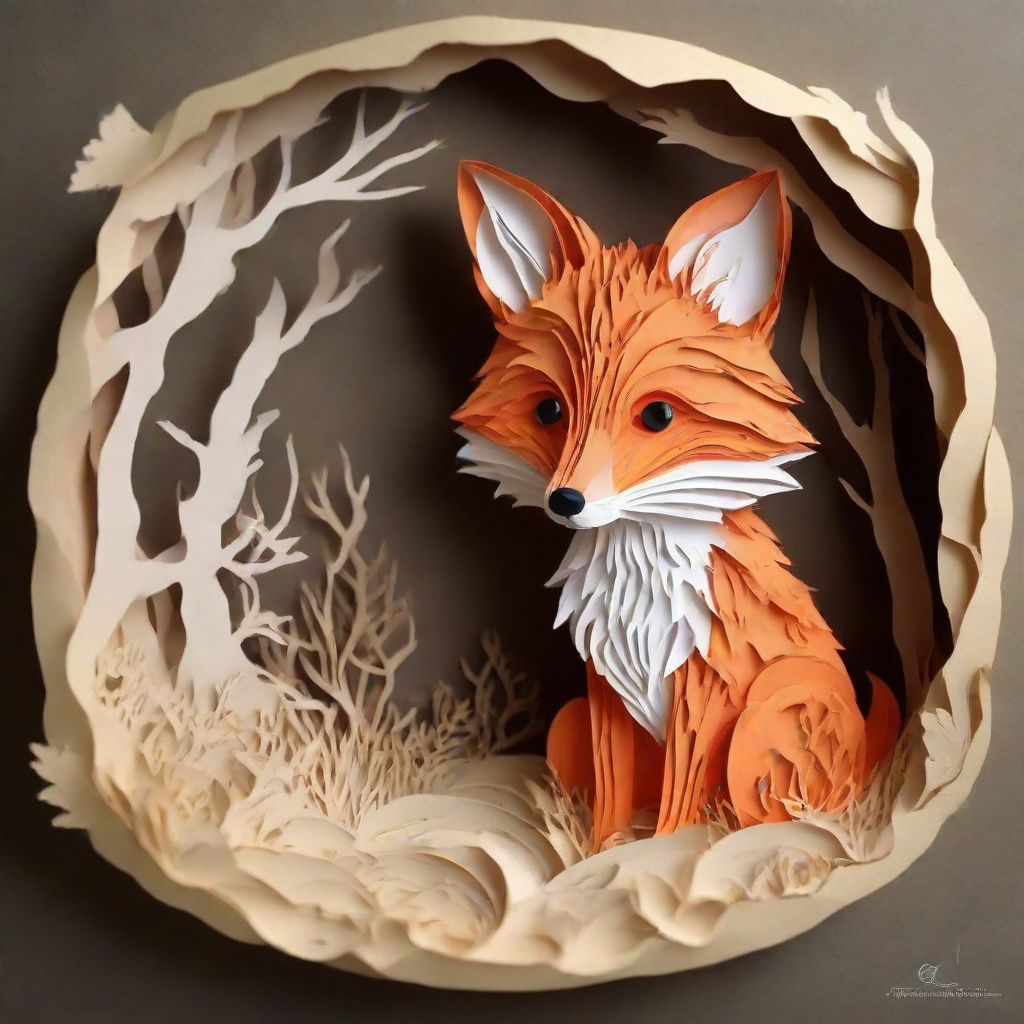
LCM-LoRA can be combined with other LoRAs to generate styled-images in very few steps (4-8). In the following example, we'll use the LCM-LoRA with the papercut LoRA . To learn more about how to combine LoRAs, refer to this guide .
import torch
from diffusers import DiffusionPipeline, LCMScheduler

pipe = DiffusionPipeline.from_pretrained(
    "stabilityai/stable-diffusion-xl-base-1.0",
    variant="fp16",
    torch_dtype=torch.float16
).to("cuda")

# set scheduler
pipe.scheduler = LCMScheduler.from_config(pipe.scheduler.config)

# load LoRAs
pipe.load_lora_weights("latent-consistency/lcm-lora-sdxl", adapter_name="lcm")
pipe.load_lora_weights("TheLastBen/Papercut_SDXL", weight_name="papercut.safetensors", adapter_name="papercut")

# Combine LoRAs
pipe.set_adapters(["lcm", "papercut"], adapter_weights=[1.0, 0.8])

prompt = "papercut, a cute fox"
generator = torch.manual_seed(0)
image = pipe(prompt, num_inference_steps=4, guidance_scale=1, generator=generator).images[0]
image
import torch
import cv2
import numpy as np
from PIL import Image

from diffusers import StableDiffusionXLControlNetPipeline, ControlNetModel, LCMScheduler
from diffusers.utils import load_image

image = load_image(
    "https://hf.co/datasets/huggingface/documentation-images/resolve/main/diffusers/input_image_vermeer.png"
).resize((1024, 1024))

image = np.array(image)

low_threshold = 100
high_threshold = 200

image = cv2.Canny(image, low_threshold, high_threshold)
image = image[:, :, None]
image = np.concatenate([image, image, image], axis=2)
canny_image = Image.fromarray(image)

controlnet = ControlNetModel.from_pretrained("diffusers/controlnet-canny-sdxl-1.0-small", torch_dtype=torch.float16, variant="fp16")
pipe = StableDiffusionXLControlNetPipeline.from_pretrained(
    "stabilityai/stable-diffusion-xl-base-1.0",
    controlnet=controlnet,
    torch_dtype=torch.float16,
    safety_checker=None,
    variant="fp16"
).to("cuda")

# set scheduler
pipe.scheduler = LCMScheduler.from_config(pipe.scheduler.config)

# load LCM-LoRA
pipe.load_lora_weights("latent-consistency/lcm-lora-sdxl")
pipe.fuse_lora()

generator = torch.manual_seed(0)
image = pipe(
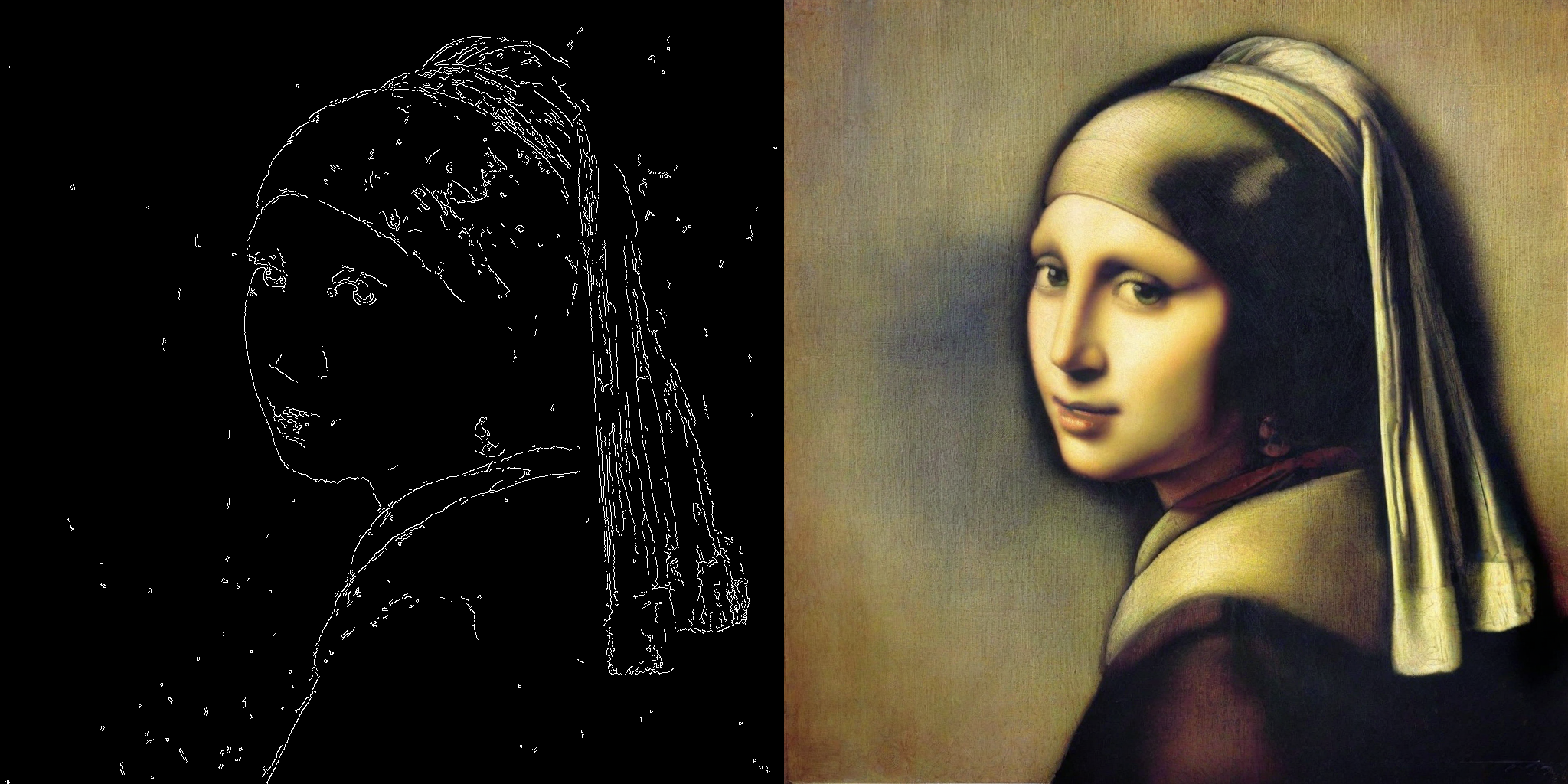
    "picture of the mona lisa",
    image=canny_image,
    num_inference_steps=5,
    guidance_scale=1.5,
    controlnet_conditioning_scale=0.5,
    cross_attention_kwargs={"scale": 1},
    generator=generator,
).images[0]
make_image_grid([canny_image, image], rows=1, cols=2)
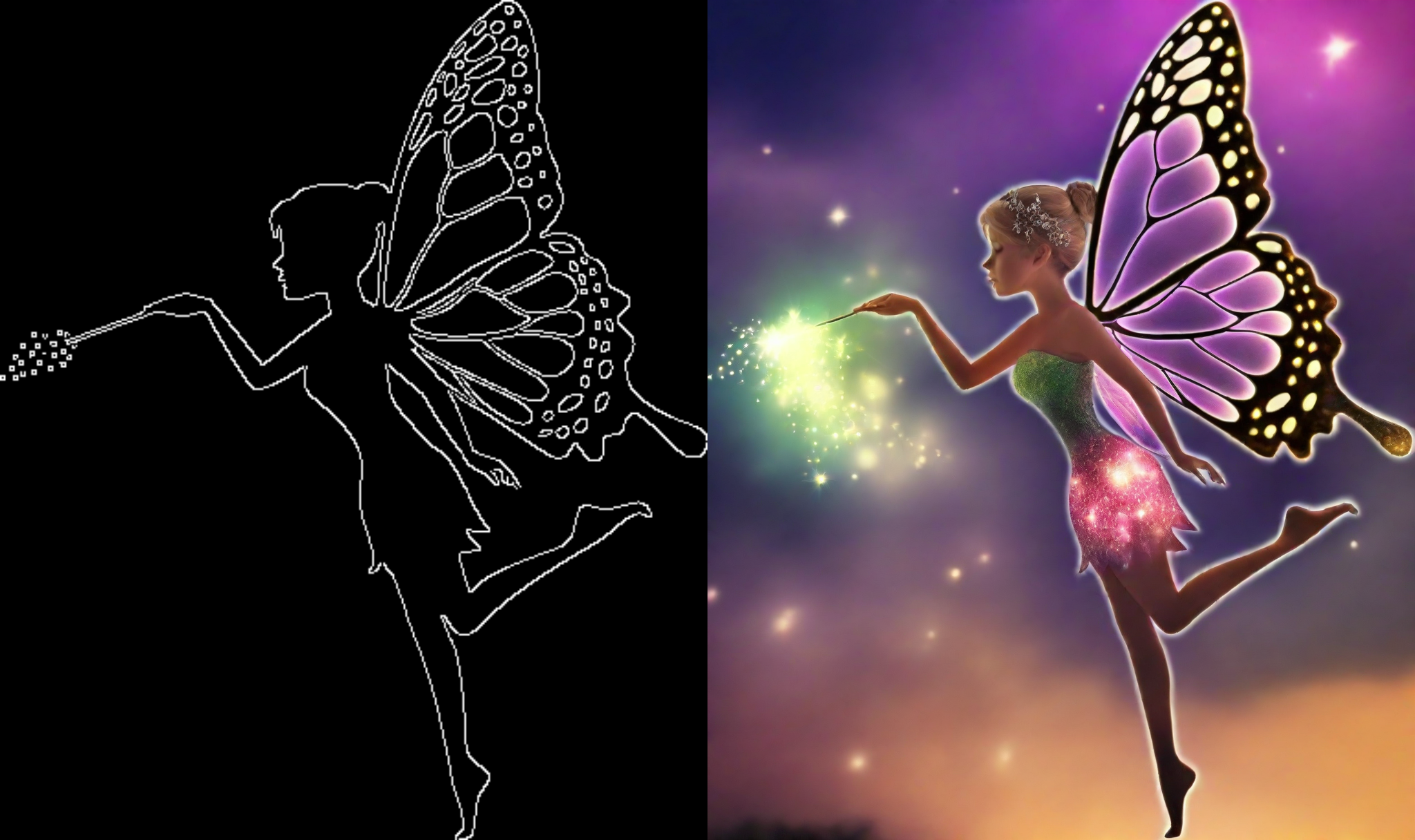
This example shows how to use the LCM-LoRA with the Canny T2I-Adapter and SDXL.
import torch
import cv2
import numpy as np
from PIL import Image

from diffusers import StableDiffusionXLAdapterPipeline, T2IAdapter, LCMScheduler
from diffusers.utils import load_image, make_image_grid

# Prepare image
# Detect the canny map in low resolution to avoid high-frequency details
image = load_image(
    "https://huggingface.co/Adapter/t2iadapter/resolve/main/figs_SDXLV1.0/org_canny.jpg"
).resize((384, 384))

image = np.array(image)

low_threshold = 100
high_threshold = 200

image = cv2.Canny(image, low_threshold, high_threshold)
image = image[:, :, None]
image = np.concatenate([image, image, image], axis=2)
canny_image = Image.fromarray(image).resize((1024, 1024))

# load adapter
adapter = T2IAdapter.from_pretrained("TencentARC/t2i-adapter-canny-sdxl-1.0", torch_dtype=torch.float16, varient="fp16").to("cuda")

pipe = StableDiffusionXLAdapterPipeline.from_pretrained(
    "stabilityai/stable-diffusion-xl-base-1.0",
    adapter=adapter,
    torch_dtype=torch.float16,
    variant="fp16",
).to("cuda")

# set scheduler
pipe.scheduler = LCMScheduler.from_config(pipe.scheduler.config)

# load LCM-LoRA
pipe.load_lora_weights("latent-consistency/lcm-lora-sdxl")

prompt = "Mystical fairy in real, magic, 4k picture, high quality"
negative_prompt = "extra digit, fewer digits, cropped, worst quality, low quality, glitch, deformed, mutated, ugly, disfigured"

generator = torch.manual_seed(0)
image = pipe(
    prompt=prompt,
    negative_prompt=negative_prompt,
    image=canny_image,
    num_inference_steps=4,
    guidance_scale=1.5,
    adapter_conditioning_scale=0.8,
    adapter_conditioning_factor=1,
    generator=generator,
).images[0]
make_image_grid([canny_image, image], rows=1, cols=2)
TODO
TODO