



Total runs:
560.1K
Run Growth:
-113.3K
Growth Rate:
-20.23%
Try Laguna XS.2 in Shimmer · Get an API key · Release blog post
Laguna XS.2-FP8 is a 33B total parameter Mixture-of-Experts model with 3B activated parameters per token designed for agentic coding and long-horizon work on a local machine. It uses Sliding Window Attention with per-head gating in 30 out of 40 layers for fast inference and low KV cache requirements.
This is the FP8 variant with an FP8-quantized KV cache. The BF16 , NVFP4 and INT4 variants are also available on Hugging Face.
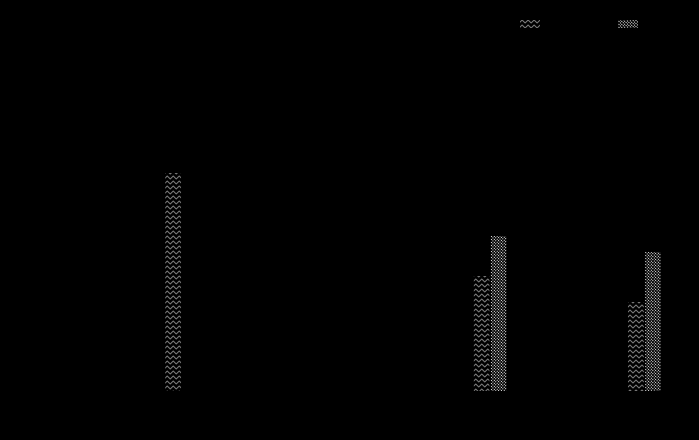
| Model | Size (total params.) | SWE-bench Verified | SWE-bench Multilingual | SWE-bench Pro (Public Dataset) | Terminal-Bench 2.0 |
|---|---|---|---|---|---|
| Laguna XS.2 (BF16) | 33B | 68.2% | 62.4% | 44.5% | 30.1% |
| Devstral Small 2 | 24B dense | 68.0% | 55.7% | - | 22.5% |
| Gemma 4 31B IT | 31B dense | 52.0% | 51.7% | 35.7% | 42.9% |
| Qwen3.5-35B-A3B | 35B | 69.2% | 60.3% | 44.6% | 40.5% |
| Qwen3.6-35B-A3B | 35B | 73.4% | 67.2% | 49.5% | 51.5% |
| Claude Haiku 4.5 | - | 73.3% | - | 39.5% | 29.8% |
| GPT-5.4 Nano | - | - | - | 52.4% | 46.3% |
We used the highest publicly-referenced scores for all comparison models across each benchmark. In almost all cases these were official scores published in release blog posts or equivalent, with the exception of Gemma 4 31B IT where the highest published scores were reported by the Qwen team and Claude Haiku 4.5 where the highest published (verified) scores for SWE-bench Pro and Terminal-Bench 2.0 are from their respective official leaderboards.
All benchmarking for Laguna XS.2 was completed using the Laude Institute’s Harbor Framework with our agent harness , using a maximum of 500 steps and sandboxed execution using 8 GB RAM/2 CPUs (with the exception of Terminal-Bench 2.0; see below). The same sampling parameters were used for all benchmarking: temperature=0.7 and top_k=20. Some base task images and verifiers were patched to fix infrastructure reliability issues inherent in task setup, such as rate limits on third-party dependencies in external registries used by the verifier. More details outlining these updates and other findings will follow in a future technical blog post.
Laguna XS.2 has launch-day support in vLLM and Transformers, and TRT-LLM thanks to the support of the team at NVIDIA.
The fastest way to get started is with our API, directly or using OpenRouter.
For complete usage instructions, see the main Laguna XS.2 model card .
Laguna XS.2 is supported in vLLM and Transformers, and TRT-LLM thanks to the support of the team at NVIDIA. Use Laguna-XS.2 with Ollama (with MLX support) and the mlx-lm framework for the best experience on your local machine.
The full vLLM recipe is on the main
Laguna XS.2 model card
. Quantization is detected automatically from
quantization_config
in this checkpoint, so the same command works with
poolside/Laguna-XS.2-FP8
substituted for the model ID. No extra flags required.
Please note that, during testing, we discovered that models with FP8-quantised KV caches can produce scrambled output when deployed on non-Hopper GPUs. We are actively investigating this issue with the vLLM team, but in the meantime, you can circumvent this issue by explicitly disabling FP8 KV cache (Laguna XS.2 has 40 layers, so list every layer in
--kv-cache-dtype-skip-layers):vllm serve poolside/Laguna-XS.2-FP8 \ --kv-cache-dtype-skip-layers $(seq 0 39) \ --max-model-len 131072 \ --reasoning-parser poolside_v1 \ --tool-call-parser poolside_v1The BF16 checkpoint is unaffected as it does not declare an FP8 KV cache.
The full Transformers recipe is on the main
Laguna XS.2 model card
. Substitute
poolside/Laguna-XS.2-FP8
for the model ID; quantization is detected automatically from
quantization_config
.
Requires building TensorRT-LLM from the upstream PR that adds Laguna XS.2 support ( NVIDIA/TensorRT-LLM#13559 ). Once that PR merges, the same code will work on a released
tensorrt-llmwheel.
The full TRT-LLM recipe, including the
laguna_minimal_overlay.sh
step needed for
transformers 4.57
compatibility, is on the main
Laguna XS.2 model card
.
Quantization is detected automatically from
quantization_config
in this checkpoint, so no extra flags are required:
from tensorrt_llm import LLM

# OVERLAY built from poolside/Laguna-XS.2-FP8 via laguna_minimal_overlay.sh
llm = LLM(model=OVERLAY, trust_remote_code=True)
Visit Ollama's model library to pull to your local machine.
Laguna XS.2 has native reasoning support and is designed to work best with
preserved thinking
, where
reasoning
content from prior assistant messages is preserved in the message history. This model will generally reason before calling tools and between tool calls.
import json
from openai import OpenAI

client = OpenAI(
  base_url="https://inference.poolside.ai/v1",
  api_key="...",
)

model = "poolside/laguna-xs.2"

tools = [{"type": "function", "function": {
  "name": "shell",
  "description": "Execute a bash command and return the output.",
  "parameters": {"type": "object", "properties": {"cmd": {"type": "string"}}, "required": ["cmd"]},
}}]

messages = [
  {"role": "system", "content": "You are a coding agent with access to a shell tool."},
  {"role": "user", "content": "Run uname -a"},
]

# Thinking is enabled by default when the server sets --default-chat-template-kwargs {"enable_thinking": True}
# When using the Poolside API (https://inference.poolside.ai/v1), this flag is set by default
response = client.chat.completions.create(
  model=model,
  messages=messages,
  tools=tools,
  stream=True,
)

reasoning, content, tool_calls = "", "", []
for chunk in response:
  delta = chunk.choices[0].delta
  if hasattr(delta, "reasoning_content") and delta.reasoning_content:
    reasoning += delta.reasoning_content
  if hasattr(delta, "content") and delta.content:
    content += delta.content
  if hasattr(delta, "tool_calls") and delta.tool_calls:
    for tc in delta.tool_calls:
      if tc.index >= len(tool_calls):
        tool_calls.append({"id": tc.id, "function": {"name": "", "arguments": ""}})
      if tc.function.name:
        tool_calls[tc.index]["function"]["name"] = tc.function.name
      if tc.function.arguments:
        tool_calls[tc.index]["function"]["arguments"] += tc.function.arguments

print(f"Reasoning: {reasoning}\nContent: {content}\nTool calls: {tool_calls}\n")

# Return reasoning in the next request for best performance
messages.append({
  "role": "assistant",
  "content": content,
  "reasoning_content": reasoning,
  "tool_calls": [{"id": tc["id"], "type": "function", "function": tc["function"]} for tc in tool_calls]
})

messages.append({
  "role": "tool",
  "tool_call_id": tool_calls[0]["id"],
  "content": json.dumps({"stdout": "Darwin arm64", "exit_code": "0"})
})

response = client.chat.completions.create(
  model=model,
  messages=messages,
  tools=tools,
  stream=True,
)

reasoning, content = "", ""
for chunk in response:
  delta = chunk.choices[0].delta
  if hasattr(delta, "reasoning_content") and delta.reasoning_content:
    reasoning += delta.reasoning_content
  if hasattr(delta, "content") and delta.content:
    content += delta.content

print(f"Reasoning: {reasoning}\nContent: {content}")
You can disable thinking by setting
enable_thinking
to
False
in a request or by not providing
--default-chat-template-kwargs {"enable_thinking": True}
or equivalent when starting the server.
from openai import OpenAI
client = OpenAI()

completion = client.chat.completions.create(
  model="poolside/laguna-xs.2",
  messages=[
    {"role": "user", "content": "Write a retry wrapper with exponential backoff."}
  ],
  extra_body={
    "chat_template_kwargs": { "enable_thinking": False },
  },
  stream=True
)

for chunk in completion:
    print(chunk.choices[0].delta)
For agentic coding use cases, we recommend enabling thinking and preserving reasoning in message history as outlined in the [Controlling reasoning] section.
This model is licensed under the Apache 2.0 License .
Laguna XS.2-FP8 is designed for software engineering and agentic coding use cases, and you are responsible for confirming that it is appropriate for your intended application. Laguna XS.2-FP8 is subject to the Apache 2.0 License , and should be used consistently with Poolside's Acceptable Use Policy . We advise against circumventing Laguna XS.2-FP8 safety guardrails without implementing substantially equivalent mitigations appropriate for your use case.
Please report security vulnerabilities or safety concerns to [email protected] .