































Table of Contents
- Key Points
- Getting Started with Python Text Summarization
- Advanced Summarization Techniques
- Step-by-Step Guide: Creating a Python Text Summarizer
- Advantages and Disadvantages of Python Text Summarization with Transformers
- Frequently Asked Questions
- Related Questions


Getting Started with Python Text Summarization
Setting Up Your Python Environment for Text Summarization
Before diving into the code, it's essential to set up your Python environment. This involves installing Python and the necessary libraries. I'll use VS Code for this project, which provides a user-friendly environment for coding.
Begin by opening your terminal within VS Code.
First, you need to install the Transformers library. This library provides pre-trained models and tools for various NLP tasks, including text summarization. To install Transformers, use the following command:
pip install transformersThis command uses pip, the Python Package installer, to download and install Transformers along with its dependencies. Make sure your pip is up to date to avoid any installation issues.
Once the installation is complete, you can proceed to create a new Python file where you'll write the code for your text Summarizer. This setup ensures you have everything you need to start summarizing text effectively.
Choosing a Pre-trained Model for Text Summarization
Selecting the right pre-trained model is crucial for achieving effective text summarization. Hugging Face's Model Hub offers a wide variety of models, each with its own strengths and weaknesses. These models have been trained on vast datasets, enabling them to generate coherent and contextually Relevant summaries.
To explore available models, visit the Hugging Face website and navigate to the models section. Here, you can filter models by task, such as summarization, to narrow down your options. Consider factors such as model size, training data, and performance metrics when making your selection.
For this guide, I recommend using the t5-small model due to its relatively small size and reasonable performance. This model is suitable for demonstration purposes and can be easily deployed on most systems. However, feel free to experiment with other models based on your specific requirements and resources. Larger models may offer better accuracy but require more computational power.
The Hugging Face Model Hub allows you to search for models by name or filter by task. For example, searching for "summarization" will display a list of models specifically designed for text summarization. Each model page provides details such as its description, training data, and usage examples, helping you make an informed decision.
Coding the Text Summarizer in Python
With the environment set up and a pre-trained model selected, it's time to write the Python code for the text summarizer. This involves importing the necessary libraries, loading the pre-trained model, and implementing the summarization logic.
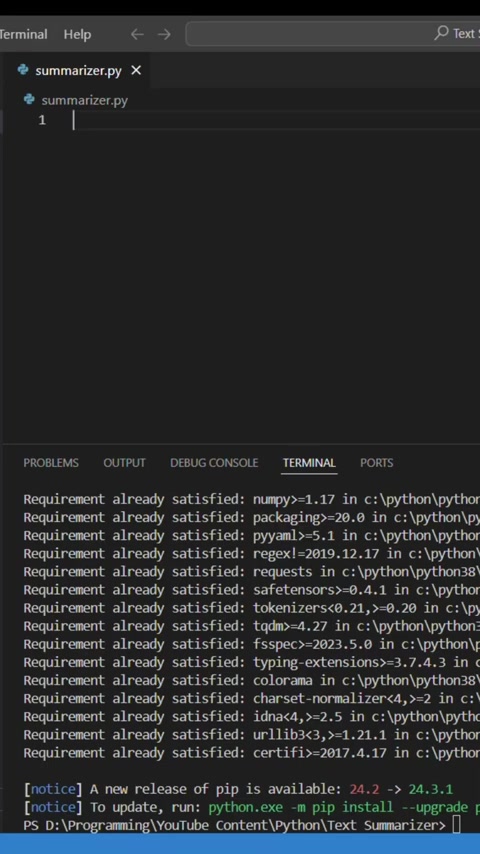
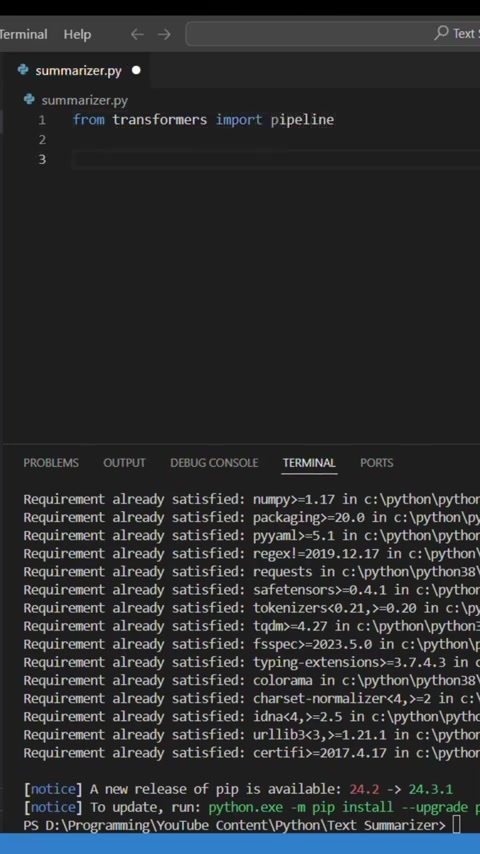
Begin by creating a new Python file, such as summarizer.py, in your project directory. Open this file in VS Code, then proceed to import the pipeline function from the Transformers library:
from transformers import pipelineNext, load the pre-trained model using the pipeline function. Specify the summarization task and the model name as arguments:
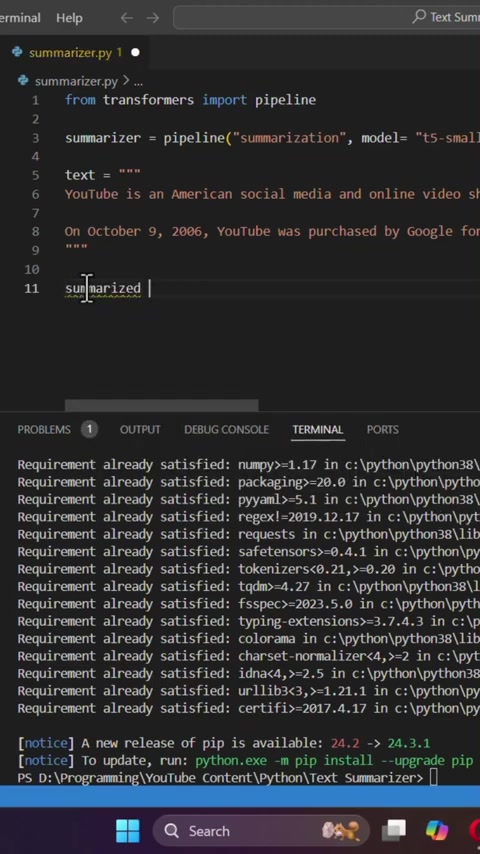
summarizer = pipeline("summarization", model="t5-small")This line of code initializes a summarization pipeline using the t5-small model. The pipeline function automatically downloads and caches the model, making it ready for use.
Now, specify the input text that you want to summarize. This can be a STRING containing the text from a file, web page, or any other source:
text = """YouTube is an American social media and online video sharing platform owned by Google. It was launched on February 14, 2005, by Steve Chen, Chad Hurley, and Jawed Karim. On October 9, 2006, YouTube was purchased by Google for $1.65 billion..."""Finally, summarize the text using the summarizer pipeline. You can specify additional parameters such as min_length and max_length to control the length of the generated summary:
summarized_text = summarizer(text, min_length=50, max_length=500)
print(summarized_text)
This code invokes the summarizer pipeline on the input text, generating a summary with a minimum length of 50 words and a maximum length of 500 words. The summarized text is then printed to the console.
By combining these steps, you can create a simple yet effective text summarizer in Python. This tool can be used to quickly extract key information from large documents, saving time and effort.
Advanced Summarization Techniques
Controlling Summary Length and Style
While the basic summarization pipeline provides a good starting point, you may want to fine-tune the output to better suit your needs. The Transformers library offers several parameters that allow you to control the length, style, and content of the generated summary.
One important parameter is min_length, which specifies the minimum number of words in the summary. Setting this parameter ensures that the summary contains enough information to be Meaningful. Similarly, the max_length parameter sets the maximum number of words, preventing the summary from becoming too verbose.
summarized_text = summarizer(text, min_length=50, max_length=500)These parameters can be adjusted to achieve the desired balance between conciseness and informativeness. Experiment with different values to find the optimal settings for your specific use case.
In addition to length, you can also influence the style and content of the summary by choosing different pre-trained models. Some models are trained to generate abstractive summaries, which rephrase the original text in their own words. Others produce extractive summaries, which select and combine key sentences from the original text.
By carefully selecting the model and tuning the parameters, you can create summaries that are both accurate and easy to understand. This level of control allows you to tailor the summarization process to meet the unique requirements of each document.
Choosing the Right Model: T5 vs. BART vs. Pegasus
The choice of pre-trained model significantly influences the quality and style of the generated summaries. Three popular models for text summarization are T5, BART, and Pegasus, each offering unique strengths and characteristics.
T5 (Text-to-Text Transfer Transformer) is a versatile model that can be used for a wide range of NLP tasks, including summarization. It is trained to convert all NLP problems into a text-to-text format, making it highly flexible and adaptable. T5 is known for generating coherent and contextually relevant summaries, making it a good general-purpose choice.
BART (Bidirectional and Auto-Regressive Transformer) is specifically designed for sequence-to-sequence tasks such as summarization. It uses a bidirectional encoder to understand the input text and an autoregressive decoder to generate the summary. BART is particularly effective at generating abstractive summaries that rephrase the original text.
Pegasus is a model specifically pre-trained for abstractive summarization. It achieves state-of-the-art results on several summarization benchmarks by using a Novel pre-training objective that focuses on generating summaries from masked input text. Pegasus is an excellent choice if you prioritize accuracy and abstractiveness.
Here's a table summarizing the key differences between these models:
| Model | Description | Strengths | Weaknesses |
|---|---|---|---|
| T5 | Versatile text-to-text model suitable for a wide range of NLP tasks. | Flexibility, coherence, contextual relevance. | May not be as specialized for summarization as BART or Pegasus. |
| BART | Sequence-to-sequence model designed for abstractive summarization. | Abstractiveness, bidirectional understanding. | Can be computationally intensive. |
| Pegasus | Model pre-trained specifically for abstractive summarization. | Accuracy, abstractiveness, state-of-the-art performance. | May require more training data and computational power than smaller models. |
When choosing a model, consider your specific requirements and resources. T5 is a good general-purpose option, while BART and Pegasus are better suited for abstractive summarization tasks where accuracy and fluency are paramount.




Most people like





































Report
Please select a reason for reporting
- 13 Reasons to Switch from Snapchat to Text Messaging
- 7 Powerful Speech to Text Apps to Boost Productivity
- 10 Best Speech to Text Tools for Effortless Transcription
- 13 Free Tools to Easily Transcribe Audio to Text
- 15 Surprising Ways Google's Speech-to-Text Boosts Productivity
- 7 Best Free Online Audio to Text Transcription Tools
- 9 Tips to Transcribe Speech to Text Faster and Better
- 13 Best Speech to Text Software for Windows 10 in 2023
- 7 Tips for Choosing the Best Transcriber for Audio to Text
- 11 Reasons Why Dragon Speech-to-Text Apps are Game-Changers
- 6 Secrets to Enhance Your Speech to Text Transcription
- 6 Brilliant Ways to Boost Productivity with Talk-to-Text on Your MacBook
- 6 Ways Transcription Software Converts Audio to Text
- 8 Tips to Transcribe Speech to Text Like a Pro
- 6 Reasons IBM Watson Speech to Text is a Game-Changer
- 14 Powerful Ways Talk-to-Text Improves Your Workflow
- 12 Top Windows Speech-to-Text Software for Efficient Transcription
- 12 Game-Changing Benefits of Apple's Speech to Text Technology
- 9 Powerful Use Cases for AWS Speech to Text Technology
- 10 Easy Steps to Transcribe YouTube Videos to Text
- transcription audio en texte
- online audio transcription
- free audio file transcription
- free ai audio transcription
- audio transcription service
- audio transcription online free
- audio transcription free online
- audio to transcription software
- audio and transcript
- ai audio transcription free
- voice recording to text converter
- translate voice recording to text
- record voice to text
- audio recording to text converter
- voice recording and transcription
- chatgpt voice to text
- gmail voice to text
- speech to text reader
- speech to text ai free
- speech to talk
- Twitter/X API Alternatives for AI Agents and Developers in 2026
- ChatGPT Knows Ford. It Just Doesn't Quote Ford
- Meshy AI: How to Create 3D Models from Text and Images
- How SEO and Marketing Dashboards Empower Agencies to Drive Results
- How to Use AI Tools to Find Internal Linking Opportunities Across a Business Website
- Discover Your Perfect Haircut with AI Hairstyle Apps
- Free Reputation Calculator Tools: How They're Adapting to Score AI Visibility, Not Just Rankings
- Design Professional Flyers for Free on Your Phone
- Best Free Flyer Maker Apps for Android: Design Like a Pro
- How to Know If Your Business Is Ready for an AI Customer Service Agent
- Revolutionizing Email Marketing Agency with AI
- How Upgrading Low-Res Footage Transformed My Video Workflow: A Creator’s Hands-On Review
- Top 8 Live Chat Software for Small Businesses in 2023
- Download Website Source Code: A Comprehensive Guide
- Top 10 AI Marketing Tools Content Creators Need in 2025
- Top 5 Cold Email Software: Maximize Your Outreach in 2025
- Testing Audio-Visual Realism: An In-Depth Look at Modern Facial Re-Animation
- Inside Motion Sync: A Real-World Test of AI Character Animation
- Twitter/X API Alternatives for AI Agents and Developers in 2026
- Your Business Data Could Be Worth Up to $4M. Find Out Without Uploading a Single File.

Copyright ©2026 toolify