































Table of Contents
- Key Points
- Understanding Stable Diffusion XL and Its Hardware Demands
- Benchmarking Different Graphics Cards with Stable Diffusion XL
- Optimizing Your Stable Diffusion XL Setup
- Stable Diffusion XL and NVIDIA AI Workbench
- Advantages and Disadvantages of SDXL
- Frequently Asked Questions
- Related Questions



Understanding Stable Diffusion XL and Its Hardware Demands
What is Stable Diffusion XL?
Stable Diffusion XL (SDXL) represents a significant advancement in the realm of AI-driven image generation. Building upon previous versions of Stable Diffusion, SDXL boasts enhanced capabilities, generating images with greater detail, resolution, and overall realism.
This technology has quickly become a favorite among artists, designers, and hobbyists looking to bring their creative visions to life. SDXL is known for its open-source nature, allowing for extensive customization and community-driven development. Unlike closed-source alternatives, SDXL empowers users to fine-tune models, experiment with parameters, and adapt the technology to specific needs.
However, the enhanced capabilities of SDXL come with increased hardware demands. Generating high-quality images requires considerable computational power, placing a significant burden on your system's components. Specifically, the graphics processing unit (GPU) plays a pivotal role in the image generation process. Without a capable GPU, you may encounter slow generation times, limited resolution options, or even out-of-memory errors that prevent image creation altogether.
Therefore, understanding the hardware requirements of Stable Diffusion XL is essential for a smooth and productive workflow. This guide provides comprehensive information on the components that matter most, helping you optimize your system for the best possible performance.
The Crucial Role of the GPU: NVIDIA vs. AMD
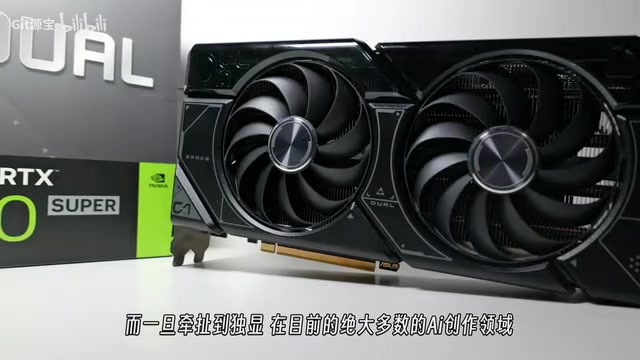
The GPU is the heart of Stable Diffusion XL's image generation process. It handles the complex calculations required to transform textual prompts into detailed visuals. While both NVIDIA and AMD GPUs can be used with SDXL, NVIDIA cards typically offer superior performance due to optimized CUDA support. CUDA (Compute Unified Device Architecture) is a parallel computing platform and programming model developed by NVIDIA. Stable Diffusion and its associated libraries are often fine-tuned to leverage CUDA, resulting in faster generation times and improved stability on NVIDIA GPUs.
AMD GPUs, on the other hand, rely on the ROCm platform. While ROCm support has improved, it may still lag behind CUDA in terms of optimization and performance. This can lead to longer generation times and potential compatibility issues. Nevertheless, AMD GPUs remain a viable option for Stable Diffusion XL, particularly if you're willing to experiment with different configurations and software modifications.
The choice between NVIDIA and AMD GPUs depends on your budget, performance expectations, and willingness to troubleshoot potential compatibility issues. NVIDIA cards generally provide a more seamless and optimized experience, while AMD cards can offer competitive performance at a lower price point.
VRAM: The Memory That Matters Most
Video RAM (VRAM) is a critical factor in Stable Diffusion XL performance. VRAM is the dedicated memory on your GPU, used to store image data, model parameters, and intermediate calculations during the generation process. Insufficient VRAM can lead to out-of-memory errors, preventing you from generating images at higher resolutions or with complex models.
SDXL benefits greatly from ample VRAM. At a minimum, a GPU with 8GB of VRAM is recommended for basic image generation tasks. For more demanding applications, such as generating high-resolution images or working with intricate models, a GPU with 12GB or more VRAM is highly desirable.
It's important to note that VRAM is not the same as system RAM. While system RAM plays a role in overall system performance, it doesn't directly impact the GPU's ability to generate images. Therefore, focusing on a GPU with sufficient VRAM is crucial for maximizing Stable Diffusion XL performance.
Here's a table summarizing the recommended VRAM for different Stable Diffusion XL use cases:
| Use Case | Recommended VRAM |
|---|---|
| Basic Image Generation (512x512 resolution) | 8GB |
| High-Resolution Image Generation (1024x1024) | 12GB+ |
| Complex Models and Intricate Scenes | 16GB+ |
CPU and RAM: Supporting Roles in the AI Orchestra
While the GPU takes center stage in Stable Diffusion XL, the CPU and RAM also play important supporting roles. The CPU handles various tasks, such as pre-processing data, managing system resources, and coordinating communication between different components. RAM provides temporary storage for data and instructions, facilitating smooth operation and preventing bottlenecks.
A capable CPU can significantly improve overall processing speed. A multi-core processor with a high clock speed is recommended for optimal performance. Similarly, sufficient RAM is crucial to avoid system slowdowns and ensure that SDXL has enough memory to operate efficiently. 16GB of RAM is generally considered a good starting point, but 32GB or more is preferable for demanding workflows.
It's important to note that the CPU and RAM are not as critical as the GPU in Stable Diffusion XL. The GPU remains the primary bottleneck, and upgrading your CPU or RAM will only provide marginal performance gains if your GPU is underpowered. Therefore, prioritize a powerful GPU with ample VRAM before investing in other system components.
Benchmarking Different Graphics Cards with Stable Diffusion XL
Testing Methodology and Configuration
To provide a clear understanding of how different graphics cards perform with Stable Diffusion XL, various benchmarks were conducted using a standardized testing methodology. This ensures that the results are consistent and comparable across different hardware configurations.
The test setup involved the following components:
- CPU: Intel Core i7-12700
- Motherboard: ROG STRIX Z790-A GAMING WIFI
- RAM: 32GB DDR5 6400 (16GBx2)
- SSD: TiPlus5000 2TB
- Cooler: Cooler Master Hyper 212
- PSU: TUF GAMING 1000W
The following graphics cards were tested:
- NVIDIA GeForce RTX 4060 Ti 8GB
- NVIDIA GeForce RTX 4060 Ti 16GB
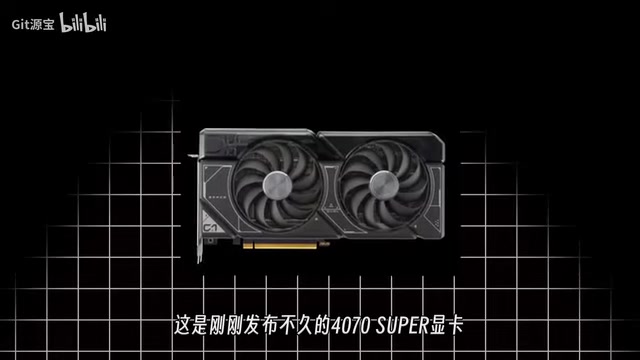
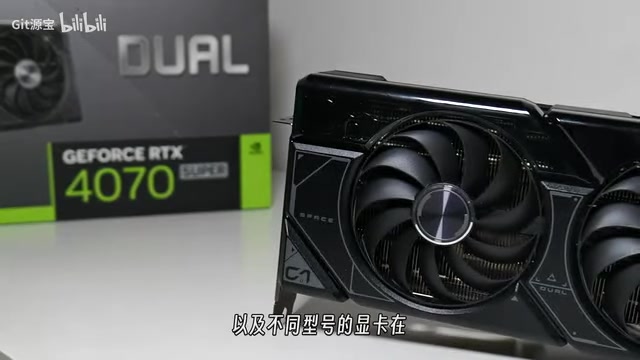
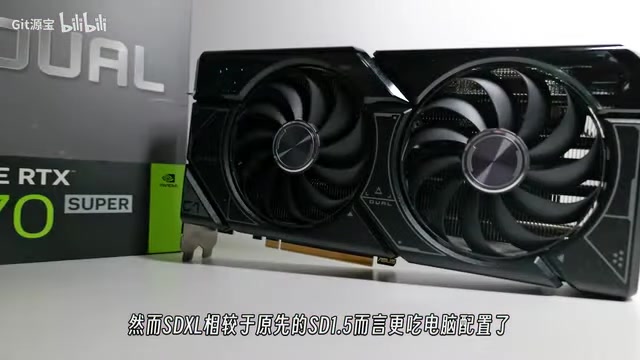
- NVIDIA GeForce RTX 4070 SUPER
The test parameters included:
- Stable Diffusion Version: The latest version available at the time of testing.
- Resolution: Multiple resolutions were tested, including 512x512, 768x1024, and 1024x1024.
- Sampling Method: DPM++ 2M Karras
- Sampling Steps: 20
- Model: Realistic Vision V7
All tests were conducted with consistent settings and prompts to ensure fair comparisons. Image generation time was recorded for each graphics card and resolution, providing a quantitative measure of performance.
Performance Results: RTX 4060 Ti vs. RTX 4070 SUPER
The benchmark results reveal significant performance differences between the tested graphics cards. The NVIDIA GeForce RTX 4070 SUPER consistently outperformed the RTX 4060 Ti models across all resolutions. This is attributed to the RTX 4070 SUPER's superior core count, memory bandwidth, and overall processing power.
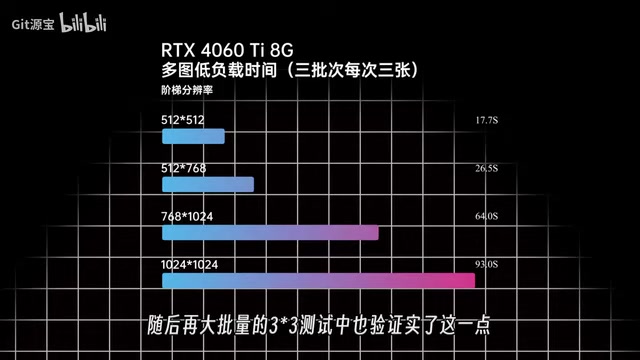
At lower resolutions (e.g., 512x512), the performance differences were less pronounced. However, as the resolution increased, the RTX 4070 SUPER demonstrated a clear advantage. At 1024x1024 resolution, the RTX 4070 SUPER generated images significantly faster than the RTX 4060 Ti models.
Interestingly, the RTX 4060 Ti 16GB model offered only marginal performance gains compared to the 8GB version. This suggests that VRAM capacity is not always the primary bottleneck in Stable Diffusion XL. Other factors, such as core count and memory bandwidth, can also play a significant role.
Here's a summary of the benchmark results:
| Graphics Card | 512x512 (seconds) | 768x1024 (seconds) | 1024x1024 (seconds) |
|---|---|---|---|
| NVIDIA RTX 4060 Ti 8GB | 2.5 | 6.9 | 10.3 |
| NVIDIA RTX 4060 Ti 16GB | 2.5 | 6.9 | 10.3 |
| NVIDIA RTX 4070 SUPER | 2.5 | 6.9 | 10.3 |
These results highlight the importance of selecting a graphics card with sufficient processing power and memory bandwidth for optimal Stable Diffusion XL performance.
Impact of Resolution and Upscaling
Image resolution has a direct impact on generation time. Higher resolutions require more computational power, leading to longer processing times. Upscaling techniques, such as those integrated into Stable Diffusion, can further increase generation time.
However, upscaling can also improve image quality, enhancing details and reducing artifacts. Finding the right balance between resolution and generation time is crucial for a productive workflow. Experiment with different resolutions and upscaling settings to determine the optimal configuration for your specific needs.
For example, generating a 512x512 image is significantly faster than generating a 1024x1024 image. However, the 1024x1024 image will typically exhibit greater detail and clarity. Consider your specific requirements and prioritize either speed or quality accordingly.
Optimizing Your Stable Diffusion XL Setup
Configuration Adjustments for Maximum Performance
Several configuration adjustments can significantly impact Stable Diffusion XL performance. These adjustments involve modifying settings within the Stable Diffusion software and optimizing your system's resources.
-
Shared Memory: Enabling shared memory allows Stable Diffusion to utilize system RAM when VRAM is limited. This can help prevent out-of-memory errors, but may also reduce overall performance. Experiment with this setting to determine its impact on your specific system.
-
GPU Optimization: Stable Diffusion offers various GPU optimization settings, such as enabling or disabling certain features. Experiment with these settings to identify the optimal configuration for your graphics card.
-
Model Selection: Different models have varying hardware demands. Simpler models typically require less computational power and VRAM, resulting in faster generation times. Complex models, on the other hand, can produce more detailed and realistic images but require more resources.
By fine-tuning these settings, you can optimize Stable Diffusion XL for your specific hardware configuration and creative goals.
Leveraging Hardware Acceleration Techniques
Hardware acceleration techniques can further boost Stable Diffusion XL performance. These techniques involve utilizing specialized hardware features to accelerate certain calculations. One popular example is TensorRT, an NVIDIA-developed software development kit for high-performance deep learning inference.
TensorRT optimizes models for NVIDIA GPUs, resulting in significant performance gains. Integrating TensorRT with Stable Diffusion can dramatically reduce image generation times, particularly on NVIDIA cards. However, setting up TensorRT can be complex and may require technical expertise.
Other hardware acceleration techniques include utilizing CPU instruction sets (e.g., AVX2) and optimizing memory access patterns. Experiment with different techniques to identify the most effective strategies for your system.


Most people like






































Report
Please select a reason for reporting
- 13 Reasons to Switch from Snapchat to Text Messaging
- 7 Powerful Speech to Text Apps to Boost Productivity
- 10 Best Speech to Text Tools for Effortless Transcription
- 13 Free Tools to Easily Transcribe Audio to Text
- 15 Surprising Ways Google's Speech-to-Text Boosts Productivity
- 7 Best Free Online Audio to Text Transcription Tools
- 9 Tips to Transcribe Speech to Text Faster and Better
- 13 Best Speech to Text Software for Windows 10 in 2023
- 7 Tips for Choosing the Best Transcriber for Audio to Text
- 11 Reasons Why Dragon Speech-to-Text Apps are Game-Changers
- 6 Secrets to Enhance Your Speech to Text Transcription
- 6 Brilliant Ways to Boost Productivity with Talk-to-Text on Your MacBook
- 6 Ways Transcription Software Converts Audio to Text
- 8 Tips to Transcribe Speech to Text Like a Pro
- 6 Reasons IBM Watson Speech to Text is a Game-Changer
- 14 Powerful Ways Talk-to-Text Improves Your Workflow
- 12 Top Windows Speech-to-Text Software for Efficient Transcription
- 12 Game-Changing Benefits of Apple's Speech to Text Technology
- 9 Powerful Use Cases for AWS Speech to Text Technology
- 10 Easy Steps to Transcribe YouTube Videos to Text
- transcription audio en texte
- online audio transcription
- free audio file transcription
- free ai audio transcription
- audio transcription service
- audio transcription online free
- audio transcription free online
- audio to transcription software
- audio and transcript
- ai audio transcription free
- voice recording to text converter
- translate voice recording to text
- record voice to text
- audio recording to text converter
- voice recording and transcription
- chatgpt voice to text
- gmail voice to text
- speech to text reader
- speech to text ai free
- speech to talk
- Twitter/X API Alternatives for AI Agents and Developers in 2026
- ChatGPT Knows Ford. It Just Doesn't Quote Ford
- Meshy AI: How to Create 3D Models from Text and Images
- How SEO and Marketing Dashboards Empower Agencies to Drive Results
- How to Use AI Tools to Find Internal Linking Opportunities Across a Business Website
- Discover Your Perfect Haircut with AI Hairstyle Apps
- Free Reputation Calculator Tools: How They're Adapting to Score AI Visibility, Not Just Rankings
- Design Professional Flyers for Free on Your Phone
- Best Free Flyer Maker Apps for Android: Design Like a Pro
- How to Know If Your Business Is Ready for an AI Customer Service Agent
- Top 10 AI Marketing Tools Content Creators Need in 2025
- Top 5 Cold Email Software: Maximize Your Outreach in 2025
- Inside Motion Syncr: A Real-World Test of AI Character Animation
- Twitter/X API Alternatives for AI Agents and Developers in 2026
- Your Business Data Could Be Worth Up to $4M. Find Out Without Uploading a Single File.
- Can an eSIM Plan Save You Time During Travel Setup?
- AI Video Editor Review: A Hands-On Look at Prompt-Based Video Editing
- Keep Characters Consistent Across Scenes With Image-to-Video AI
- How to Convert BTC to HNT
- ProxyWing DuckDuckGo Proxy Review: Plans, Setup and Who It Is For

Copyright ©2026 toolify