































Craft Your Own CPU Keychain!


Table of Contents
- Introduction to DIY CPU Keychain
- Materials Needed
- Metal Drill Bit
- Drill
- CPU
- Surface for Drilling
- Vise
- Center Punch
- Hammer
- Goggles
- Sandpaper
- Key Ring
- Step-by-Step Guide
- Marking the Desired Area
- Using the Center Punch
- Drilling the Hole
- Smoothing the Surface
- Attaching the Key Ring
- Tips and Tricks
- Choosing the Right CPU
- Safety Precautions
- Aesthetics Matters
- Alternative Materials
- Pros and Cons of DIY CPU Keychain
- Personal Experience and Final Thoughts
- FAQ
Introduction to DIY CPU Keychain
In today's tech-savvy world, personalization is key, even down to the smallest accessories. One such accessory that has gained popularity is the DIY CPU keychain. This article serves as a comprehensive guide on how to create your very own unique CPU keychain, adding a touch of tech Flair to your everyday carry.
Materials Needed
To embark on this DIY journey, Gather the following materials:
- Metal Drill Bit: For drilling through the CPU.
- Drill: To create the hole in the CPU.
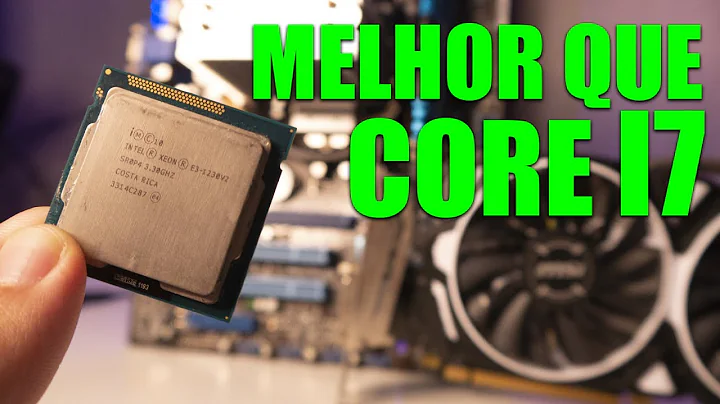
- CPU: The main component of the keychain.
- Surface for Drilling: A stable platform for drilling.
- Vise: To secure the CPU during drilling.
- Center Punch: For marking the drilling spot.
- Hammer: To create a guide for drilling.
- Goggles: For eye protection during drilling.
- Sandpaper: To smooth the edges of the drilled hole.
- Key Ring: For attaching the finished keychain.
Step-by-Step Guide
Follow these steps to craft your DIY CPU keychain:
Marking the Desired Area
Before drilling, mark the desired area on the CPU using a center punch. Consider the orientation for aesthetics.
Using the Center Punch
With the CPU secured, gently tap the center punch with a hammer to create a guide for drilling.
Drilling the Hole
Carefully drill through the marked spot on the CPU using a metal drill bit, ensuring stability with a vise.
Smoothing the Surface
After drilling, use sandpaper to lightly sand the edges of the hole for a polished finish.
Attaching the Key Ring
Insert the key ring into the drilled hole, and your DIY CPU keychain is complete!
Tips and Tricks
Here are some handy tips to enhance your DIY CPU keychain experience:
- Choosing the Right CPU: Opt for older or unused CPUs for this project.
- Safety Precautions: Always wear goggles to protect your eyes during drilling.
- Aesthetics Matters: Take Care to maintain the visual appeal of your keychain.
- Alternative Materials: Experiment with different materials for unique designs.
Pros and Cons of DIY CPU Keychain
Pros:
- Personalized accessory.
- Utilizes old or unused hardware.
- Affordable and creative.
Cons:
- Requires precision drilling.
- Risk of damaging the CPU.
- Limited design options.
Personal Experience and Final Thoughts
Crafting a DIY CPU keychain is not only a fun project but also a way to repurpose old hardware into something functional and stylish. With the right tools and attention to detail, you can create a unique accessory that showcases your passion for technology. So, Roll up your sleeves, unleash your creativity, and embark on this DIY journey today!
FAQ
Q: Can I use any type of CPU for this project? A: While you can technically use any CPU, older or unused CPUs are recommended for this project to avoid damaging valuable hardware.
Q: Is it difficult to drill through the CPU? A: With the right tools and precautions, drilling through the CPU can be manageable. However, it requires precision and patience.
Q: Can I customize the design of my DIY CPU keychain? A: Yes, you can customize the design by choosing different drilling locations and adding embellishments to personalize your keychain further.





Most people like







































Report
Please select a reason for reporting
- 13 Reasons to Switch from Snapchat to Text Messaging
- 7 Powerful Speech to Text Apps to Boost Productivity
- 10 Best Speech to Text Tools for Effortless Transcription
- 13 Free Tools to Easily Transcribe Audio to Text
- 15 Surprising Ways Google's Speech-to-Text Boosts Productivity
- 7 Best Free Online Audio to Text Transcription Tools
- 9 Tips to Transcribe Speech to Text Faster and Better
- 13 Best Speech to Text Software for Windows 10 in 2023
- 7 Tips for Choosing the Best Transcriber for Audio to Text
- 11 Reasons Why Dragon Speech-to-Text Apps are Game-Changers
- 6 Secrets to Enhance Your Speech to Text Transcription
- 6 Brilliant Ways to Boost Productivity with Talk-to-Text on Your MacBook
- 6 Ways Transcription Software Converts Audio to Text
- 8 Tips to Transcribe Speech to Text Like a Pro
- 6 Reasons IBM Watson Speech to Text is a Game-Changer
- 14 Powerful Ways Talk-to-Text Improves Your Workflow
- 12 Top Windows Speech-to-Text Software for Efficient Transcription
- 12 Game-Changing Benefits of Apple's Speech to Text Technology
- 9 Powerful Use Cases for AWS Speech to Text Technology
- 10 Easy Steps to Transcribe YouTube Videos to Text
- transcription audio en texte
- online audio transcription
- free audio file transcription
- free ai audio transcription
- audio transcription service
- audio transcription online free
- audio transcription free online
- audio to transcription software
- audio and transcript
- ai audio transcription free
- voice recording to text converter
- translate voice recording to text
- record voice to text
- audio recording to text converter
- voice recording and transcription
- chatgpt voice to text
- gmail voice to text
- speech to text reader
- speech to text ai free
- speech to talk
- Meshy AI: How to Create 3D Models from Text and Images
- How SEO and Marketing Dashboards Empower Agencies to Drive Results
- How to Use AI Tools to Find Internal Linking Opportunities Across a Business Website
- Discover Your Perfect Haircut with AI Hairstyle Apps
- Free Reputation Calculator Tools: How They're Adapting to Score AI Visibility, Not Just Rankings
- Design Professional Flyers for Free on Your Phone
- Best Free Flyer Maker Apps for Android: Design Like a Pro
- How to Know If Your Business Is Ready for an AI Customer Service Agent
- Revolutionizing Storytelling: From Novels to Screenplays with AI
- Create Engaging Animated Explainer Videos with a Free AI Tool
- Automate Lead Generation: A Comprehensive Guide with AI Agents
- Revideo.io: The Future of Reverse Video Search Technology
- Revolutionizing Email Marketing Agency with AI
- Breaking the Character Drift Dilemma: A Practical Test of Smart Shot
- Meshy AI: How to Create 3D Models from Text and Images
- ASOMobile Helps Teams Benchmark App Store Screenshots Against Competitors
- How to Match LMS Software With Your Organization's Training Plan
- How to Convert BTC to HNT
- Unleashing the Power of AI: Cognizant's Roadmap for Transformation
- Frame to Video Review: A Practical Look at Turning Two Still Frames Into Motion

Copyright ©2026 toolify