































Upgrade Your Computer for Amazing Performance: A Step-by-Step Guide


Table of Contents
- Introduction
- Upgrading the System
- Components to Upgrade
- 3.1 Power Supply Unit
- 3.2 RAM (Random Access Memory)
- 3.3 CPU Cooler
- 3.4 Graphics Card
- testing the Upgraded System
- 4.1 Gaming Performance
- 4.1.1 GTA 5
- 4.1.2 Fallout 4
- 4.1.3 Tomb Raider
- 4.1.4 DOOM (2016)
- 4.1 Gaming Performance
- Conclusion
- FAQ
🖥️ Upgrading Your Computer for Better Performance
Are you tired of your computer lagging behind in performance? Do you want to upgrade your system to enjoy the latest games and applications? In this article, we will discuss the process of upgrading your computer to enhance its speed and capabilities. From power supply units to graphics cards, we will explore the various components that can be upgraded to optimize your system. So let's dive in and transform your old computer into a powerful machine!
1. Introduction
In this fast-paced digital era, technology is constantly evolving. What was once a cutting-edge computer system may now struggle to keep up with modern software requirements. Upgrading your computer is a cost-effective way to extend its lifespan and improve its overall performance.
2. Upgrading the System
Before diving into the specific components, it's essential to understand the overall upgrading process. Upgrading a computer involves replacing or adding new hardware components to enhance its capabilities. This can include upgrading the power supply unit (PSU), RAM (Random Access Memory), CPU cooler, and graphics card.
3. Components to Upgrade
3.1 Power Supply Unit
The power supply unit is responsible for providing electricity to your computer components. Upgrading to a higher wattage PSU ensures that your system has enough power to run demanding applications and components without overheating or shutting down.
3.2 RAM (Random Access Memory)
RAM plays a crucial role in determining your computer's multitasking capabilities. Upgrading your RAM allows your system to handle more data simultaneously, resulting in faster performance and smoother multitasking experiences.
3.3 CPU Cooler
The CPU cooler is responsible for keeping your processor cool during operation. Upgrading to a more efficient cooler can prevent overheating and improve overall system stability. This is particularly important for users who plan to overclock their CPUs for better performance.
3.4 Graphics Card
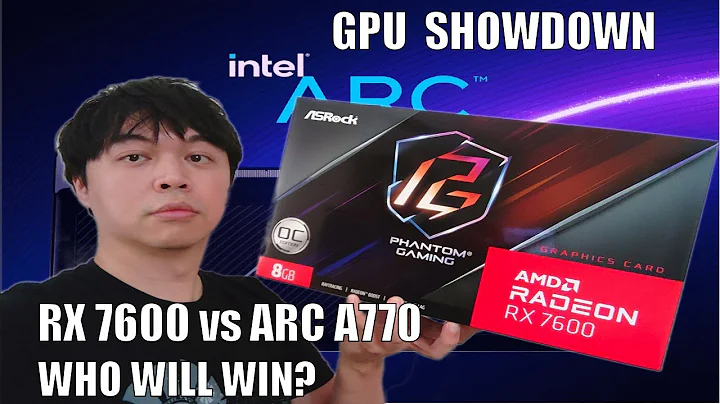
A powerful graphics card is essential for smooth gaming and graphic-intensive tasks. Upgrading to a modern graphics card with higher memory and processing power can significantly enhance your gaming experience and improve graphics-related workloads.
4. Testing the Upgraded System
After upgrading the components, it's important to evaluate the performance improvements. Testing the upgraded system will give you insights into the effectiveness of the upgrades and help you identify any further optimizations that may be necessary.
4.1 Gaming Performance
4.1.1 GTA 5
One of the most popular games of this generation, GTA 5, provides a real-world testing ground for your upgraded system. With the new components in place, you can expect improved frame rates, smoother gameplay, and enhanced visual fidelity.
4.1.2 Fallout 4
Fallout 4, a post-apocalyptic action role-playing Game, puts your system to the test with its demanding graphics and open-world environment. Upgrading your components should result in a more stable frame rate and a more immersive gaming experience.
4.1.3 Tomb Raider
Tomb Raider is a visually stunning game that challenges your system's graphics capabilities. With the upgrades implemented, you can enjoy faster load times, higher frame rates, and more detailed environments.
4.1.4 DOOM (2016)
DOOM, a fast-paced first-person shooter, requires a capable system to provide a seamless gaming experience. The upgraded components should allow you to play DOOM at higher resolutions and settings, with smoother gameplay and minimal stuttering.
5. Conclusion
Upgrading your computer can breathe new life into an old system, allowing you to enjoy the latest software and games without lag or performance issues. By upgrading components such as the power supply unit, RAM, CPU cooler, and graphics card, you can significantly enhance your system's performance and ensure a better overall user experience.
Remember, upgrading your computer requires careful consideration of compatibility and budget. Always research and choose components that best suit your needs and Align with your budget constraints. With the right upgrades, you can turn your outdated computer into a high-performing machine that meets your modern-day requirements.
6. FAQ
Q1. Are computer upgrades expensive? A1. The cost of computer upgrades depends on the components you choose. While some upgrades can be affordable, others may require a more significant investment. It's essential to set a budget and prioritize the upgrades based on your needs.
Q2. Can I upgrade my computer myself, or do I need professional help? A2. Upgrading your computer can be a DIY project if you have basic technical knowledge. However, if you are unsure or uncomfortable with the process, it's always advisable to seek professional help to avoid damaging your system.
Q3. How often should I upgrade my computer? A3. The frequency of computer upgrades depends on your specific requirements and budget. Generally, it is recommended to upgrade every 3-5 years to keep up with technological advancements. However, this can vary based on individual needs and the rate at which technology evolves.
Q4. Will upgrading my computer void the warranty? A4. Upgrading specific components, such as RAM or the graphics card, usually does not void the warranty. However, it's always prudent to check the warranty terms and conditions to ensure that the upgrades you plan to make will not affect the warranty coverage.
Q5. Can upgrading my computer improve its resale value? A5. Yes, upgrading your computer can enhance its resale value, especially if you focus on components that are in high demand. Buyers often prioritize systems with upgraded components, as they offer better performance and longevity.
Q6. What are some online resources to help me choose the right components for upgrading? A6. There are several online resources to assist you in choosing the right components for your computer upgrades. Some popular websites include PCPartPicker, Tom's Hardware, and AnandTech. These platforms provide comprehensive reviews, compatibility checks, and expert advice to help you make informed decisions.
Q7. Are there any risks involved in computer upgrades? A7. While computer upgrades are generally safe, there are some risks involved, such as damaging components during installation or encountering compatibility issues. It's important to follow proper installation procedures, use reliable components, and ensure compatibility before proceeding with the upgrades.
Q8. What should I do with the old components after upgrading? A8. After upgrading, you can choose to sell, donate, or recycle your old computer components. Selling them online or locally can help you recover some of the costs incurred during the upgrade process. Donating or recycling the components can contribute to environmental sustainability and help those in need.
Q9. Can upgrading my computer improve its gaming performance? A9. Yes, upgrading key components like the graphics card and RAM can significantly enhance your computer's gaming performance. Higher frame rates, smoother gameplay, and improved graphics quality can be expected with these upgrades.
Q10. Are there any downsides to upgrading a computer? A10. While computer upgrades offer numerous benefits, there can be a few downsides to consider. For instance, upgrading specific components may require additional power, resulting in increased electricity consumption. Additionally, certain upgrades may require compatibility checks and research, which can be time-consuming. However, with proper planning and research, these downsides can be minimized.
Resources:







Most people like




































Report
Please select a reason for reporting
- 13 Reasons to Switch from Snapchat to Text Messaging
- 7 Powerful Speech to Text Apps to Boost Productivity
- 10 Best Speech to Text Tools for Effortless Transcription
- 13 Free Tools to Easily Transcribe Audio to Text
- 15 Surprising Ways Google's Speech-to-Text Boosts Productivity
- 7 Best Free Online Audio to Text Transcription Tools
- 9 Tips to Transcribe Speech to Text Faster and Better
- 13 Best Speech to Text Software for Windows 10 in 2023
- 7 Tips for Choosing the Best Transcriber for Audio to Text
- 11 Reasons Why Dragon Speech-to-Text Apps are Game-Changers
- 6 Secrets to Enhance Your Speech to Text Transcription
- 6 Brilliant Ways to Boost Productivity with Talk-to-Text on Your MacBook
- 6 Ways Transcription Software Converts Audio to Text
- 8 Tips to Transcribe Speech to Text Like a Pro
- 6 Reasons IBM Watson Speech to Text is a Game-Changer
- 14 Powerful Ways Talk-to-Text Improves Your Workflow
- 12 Top Windows Speech-to-Text Software for Efficient Transcription
- 12 Game-Changing Benefits of Apple's Speech to Text Technology
- 9 Powerful Use Cases for AWS Speech to Text Technology
- 10 Easy Steps to Transcribe YouTube Videos to Text
- transcription audio en texte
- online audio transcription
- free audio file transcription
- free ai audio transcription
- audio transcription service
- audio transcription online free
- audio transcription free online
- audio to transcription software
- audio and transcript
- ai audio transcription free
- voice recording to text converter
- translate voice recording to text
- record voice to text
- audio recording to text converter
- voice recording and transcription
- chatgpt voice to text
- gmail voice to text
- speech to text reader
- speech to text ai free
- speech to talk
- How SEO and Marketing Dashboards Empower Agencies to Drive Results
- How to Use AI Tools to Find Internal Linking Opportunities Across a Business Website
- Discover Your Perfect Haircut with AI Hairstyle Apps
- Free Reputation Calculator Tools: How They're Adapting to Score AI Visibility, Not Just Rankings
- Design Professional Flyers for Free on Your Phone
- Best Free Flyer Maker Apps for Android: Design Like a Pro
- How to Know If Your Business Is Ready for an AI Customer Service Agent
- Revolutionizing Storytelling: From Novels to Screenplays with AI
- Create Engaging Animated Explainer Videos with a Free AI Tool
- Stop Multi-Subscribing: Benchmark Top AI Visual Models in One Canvas
- AI & Elections: Defending Democracy Against Misinformation
- Navigating Political Discourse: AI, Deepfakes, and Reality Checks
- Detecting Political Bias in News Articles: A Powerful AI Algorithm
- AI Bias Unveiled: Political Leanings in ChatGPT & Beyond
- Revolutionize Learning: Discover Quizzes AI for Engaging Interactive Quizzes
- From AI-Generated to Audience-Ready: How Quillbot Humanize AI Is Changing the Content Editing Process
- Building an AI Writing Stack in 2026: LLMs, Detectors, and Humanizers
- 7 Top AI-Powered Database Assistant Platforms
- An Objective Look at Modern Web-Based Visual Modifications
- My Honest Experience with VideoAI: The Secret Weapon for Creators Who Need Character Voices

Copyright ©2026 toolify