




Total runs:
1.1M
Run Growth:
934.2K
Growth Rate:
82.69%
MiniCPM-V 4.5 is the latest and most capable model in the MiniCPM-V series. The model is built on Qwen3-8B and SigLIP2-400M with a total of 8B parameters. It exhibits a significant performance improvement over previous MiniCPM-V and MiniCPM-o models, and introduces new useful features. Notable features of MiniCPM-V 4.5 include:
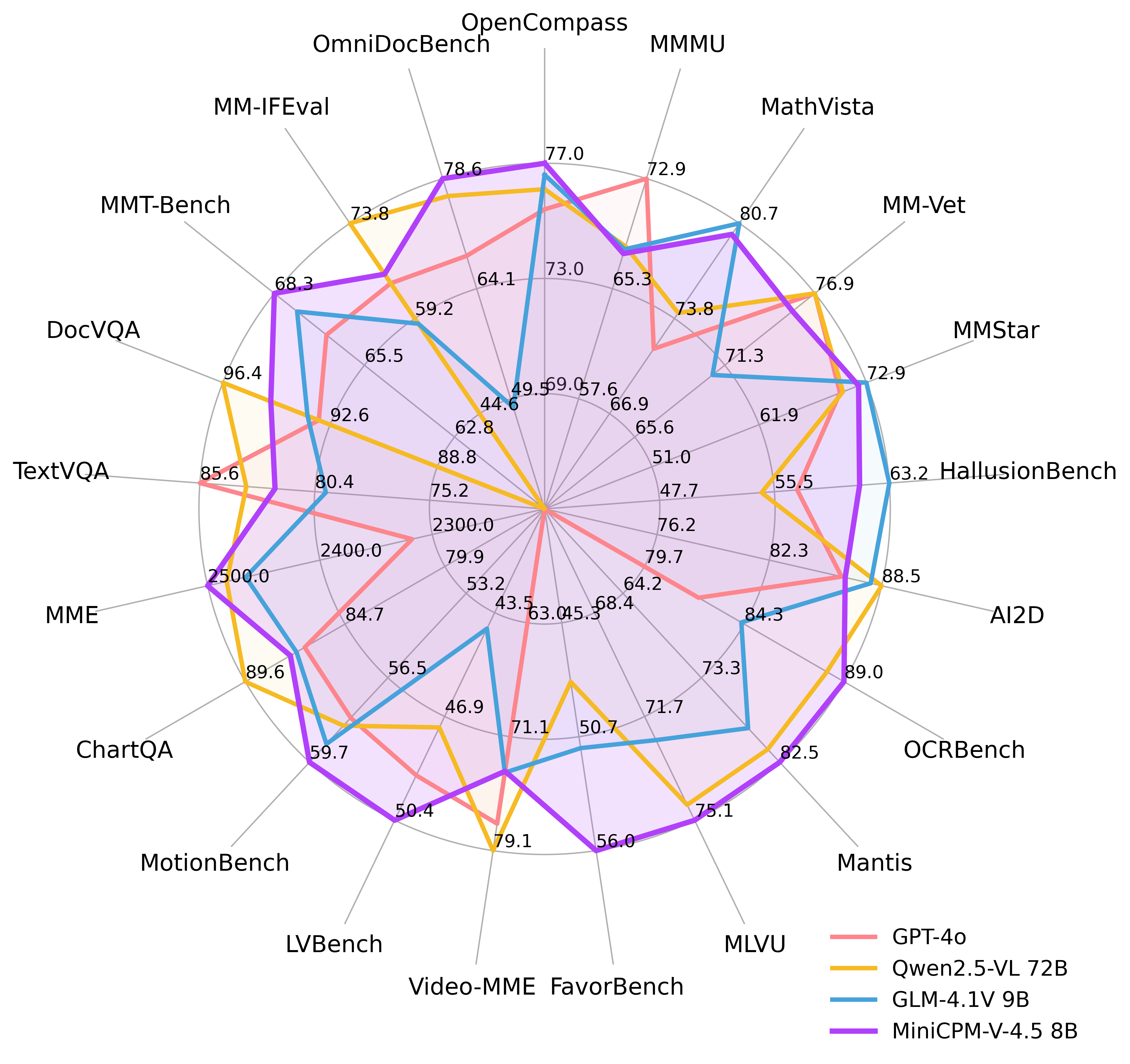
🔥 State-of-the-art Vision-Language Capability. MiniCPM-V 4.5 achieves an average score of 77.2 on OpenCompass, a comprehensive evaluation of 8 popular benchmarks. With only 8B parameters, it surpasses widely used proprietary models like GPT-4o-latest, Gemini-2.0 Pro, and strong open-source models like Qwen2.5-VL 72B for vision-language capabilities, making it the most performant MLLM under 30B parameters.
🎬 Efficient High Refresh Rate and Long Video Understanding. Powered by a new unified 3D-Resampler over images and videos, MiniCPM-V 4.5 can now achieve 96x compression rate for video tokens, where 6 448x448 video frames can be jointly compressed into 64 video tokens (normally 1,536 tokens for most MLLMs). This means that the model can percieve significantly more video frames without increasing the LLM inference cost. This brings state-of-the-art high refresh rate (up to 10FPS) video understanding and long video understanding capabilities on Video-MME, LVBench, MLVU, MotionBench, FavorBench, etc., efficiently.
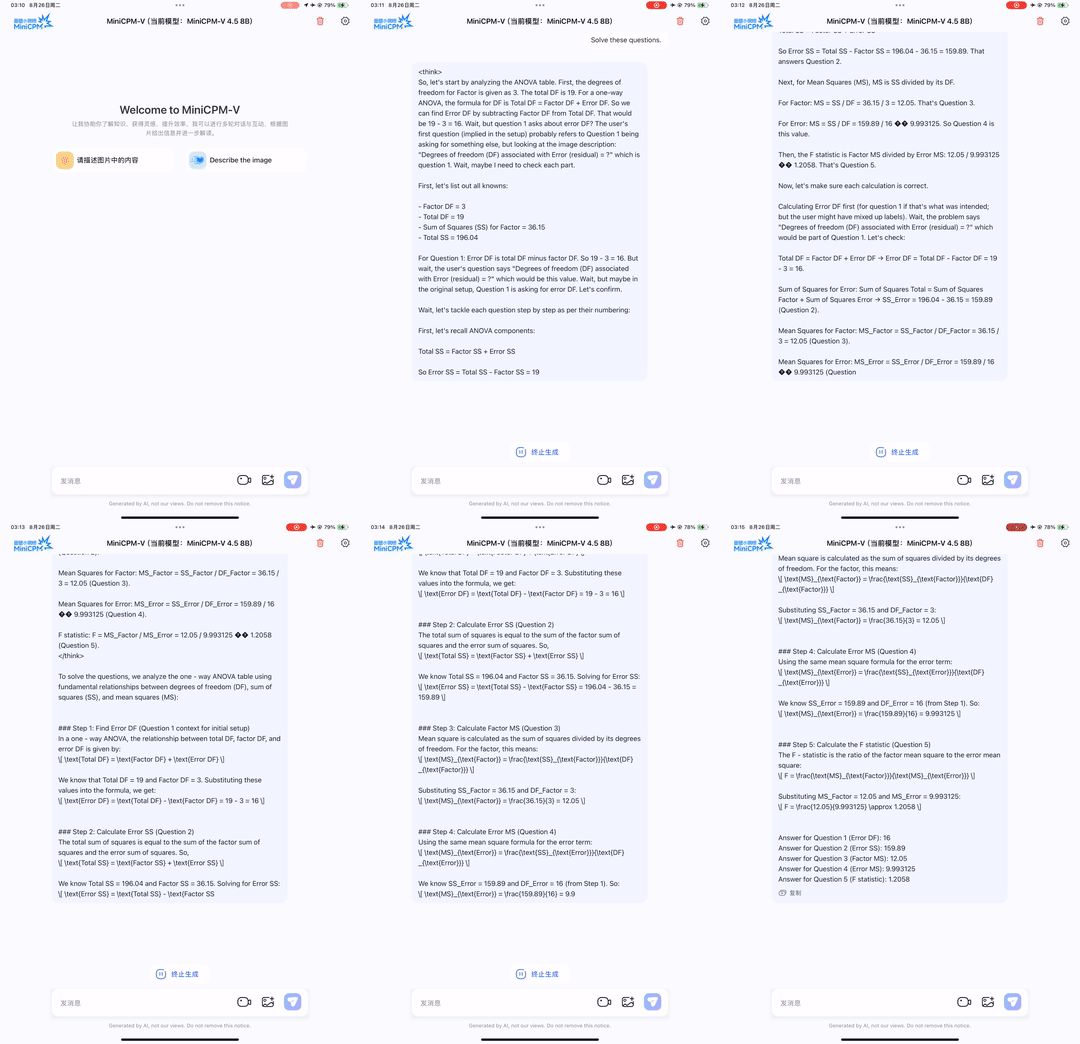
⚙️ Controllable Hybrid Fast/Deep Thinking. MiniCPM-V 4.5 supports both fast thinking for efficient frequent usage with competitive performance, and deep thinking for more complex problem solving. To cover efficiency and performance trade-offs in different user scenarios, this fast/deep thinking mode can be switched in a highly controlled fashion.
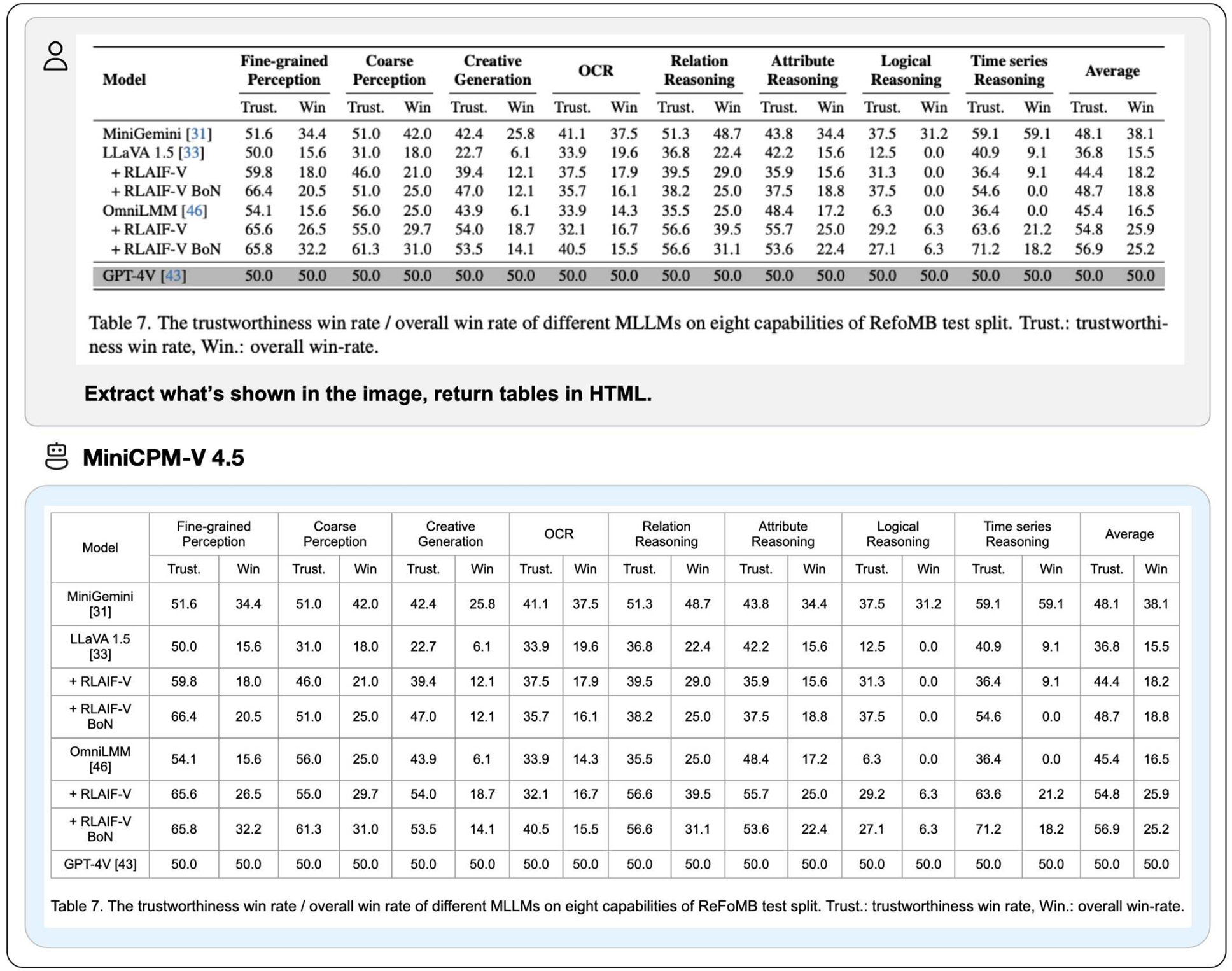
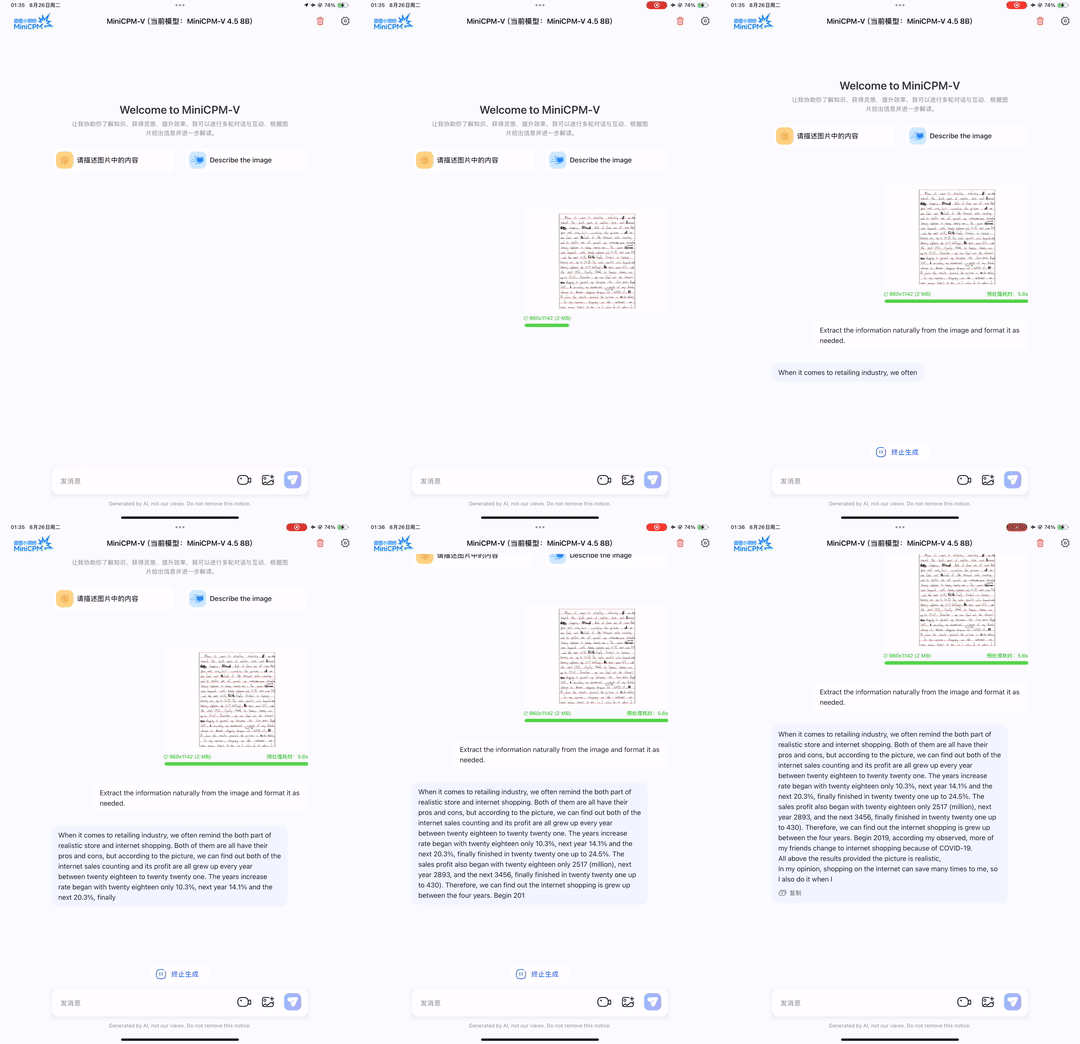
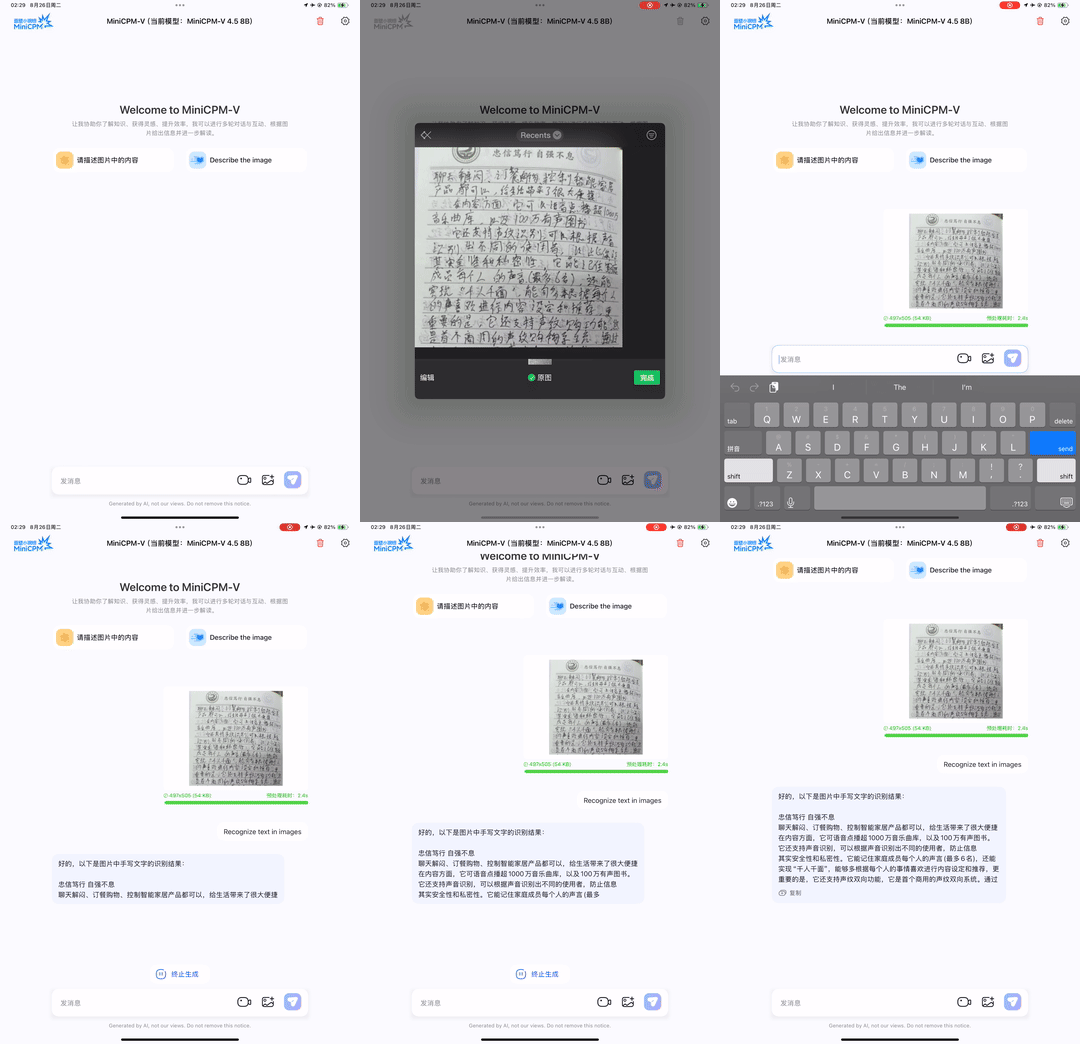
💪 Strong OCR, Document Parsing and Others. Based on LLaVA-UHD architecture, MiniCPM-V 4.5 can process high-resolution images with any aspect ratio and up to 1.8 million pixels (e.g., 1344x1344), using 4x less visual tokens than most MLLMs. The model achieves leading performance on OCRBench, surpassing proprietary models such as GPT-4o-latest and Gemini 2.5 . It also achieves state-of-the-art performance for PDF document parsing capability on OmniDocBench among general MLLMs. Based on the the latest RLAIF-V and VisCPM techniques, it features trustworthy behaviors , outperforming GPT-4o-latest on MMHal-Bench, and supports multilingual capabilities in more than 30 languages.
💫 Easy Usage. MiniCPM-V 4.5 can be easily used in various ways: (1) llama.cpp and ollama support for efficient CPU inference on local devices, (2) int4 , GGUF and AWQ format quantized models in 16 sizes, (3) SGLang and vLLM support for high-throughput and memory-efficient inference, (4) fine-tuning on new domains and tasks with Transformers and LLaMA-Factory , (5) quick local WebUI demo , (6) optimized local iOS app on iPhone and iPad, and (7) online web demo on server . See our Cookbook for full usages!

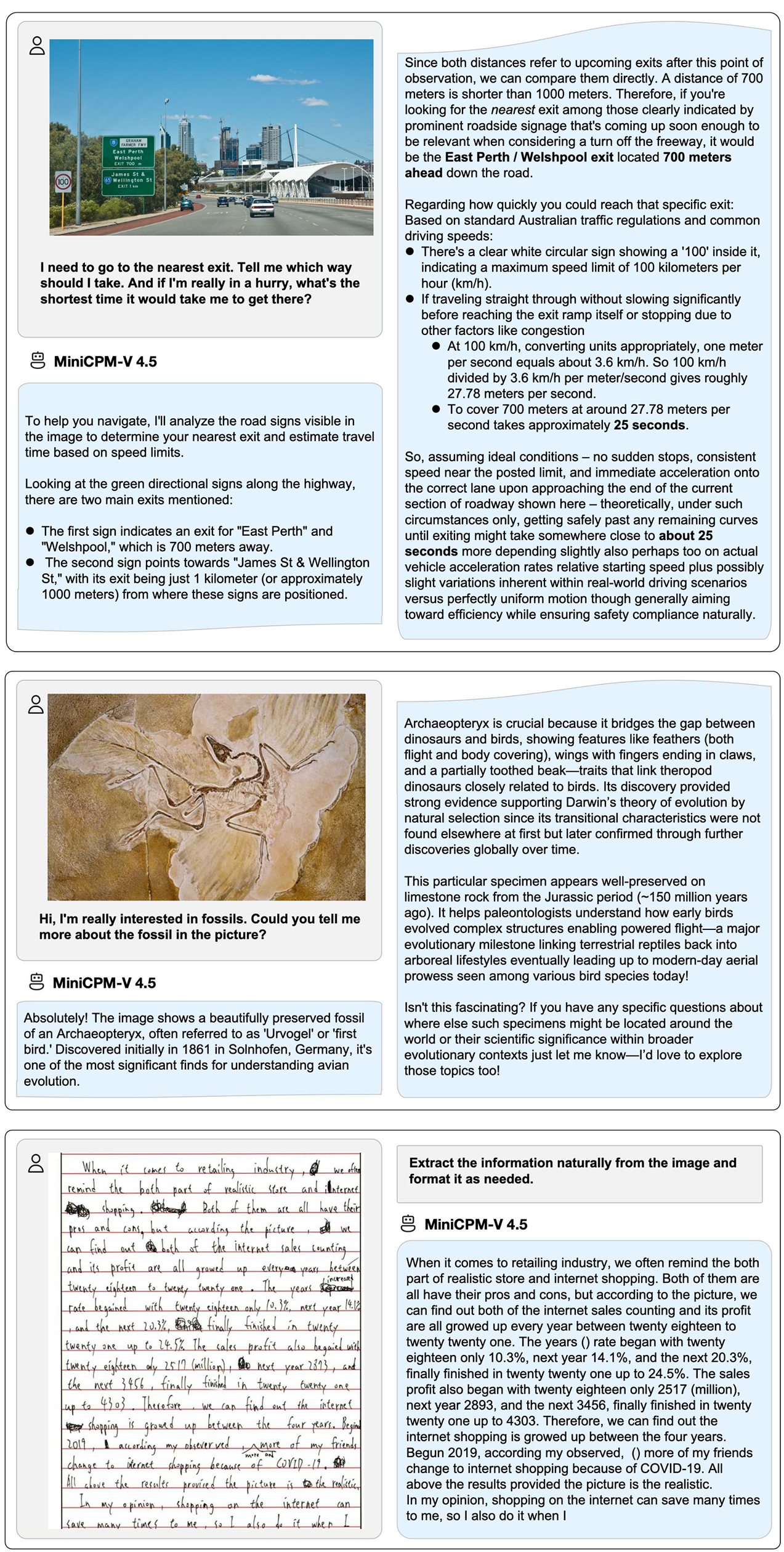
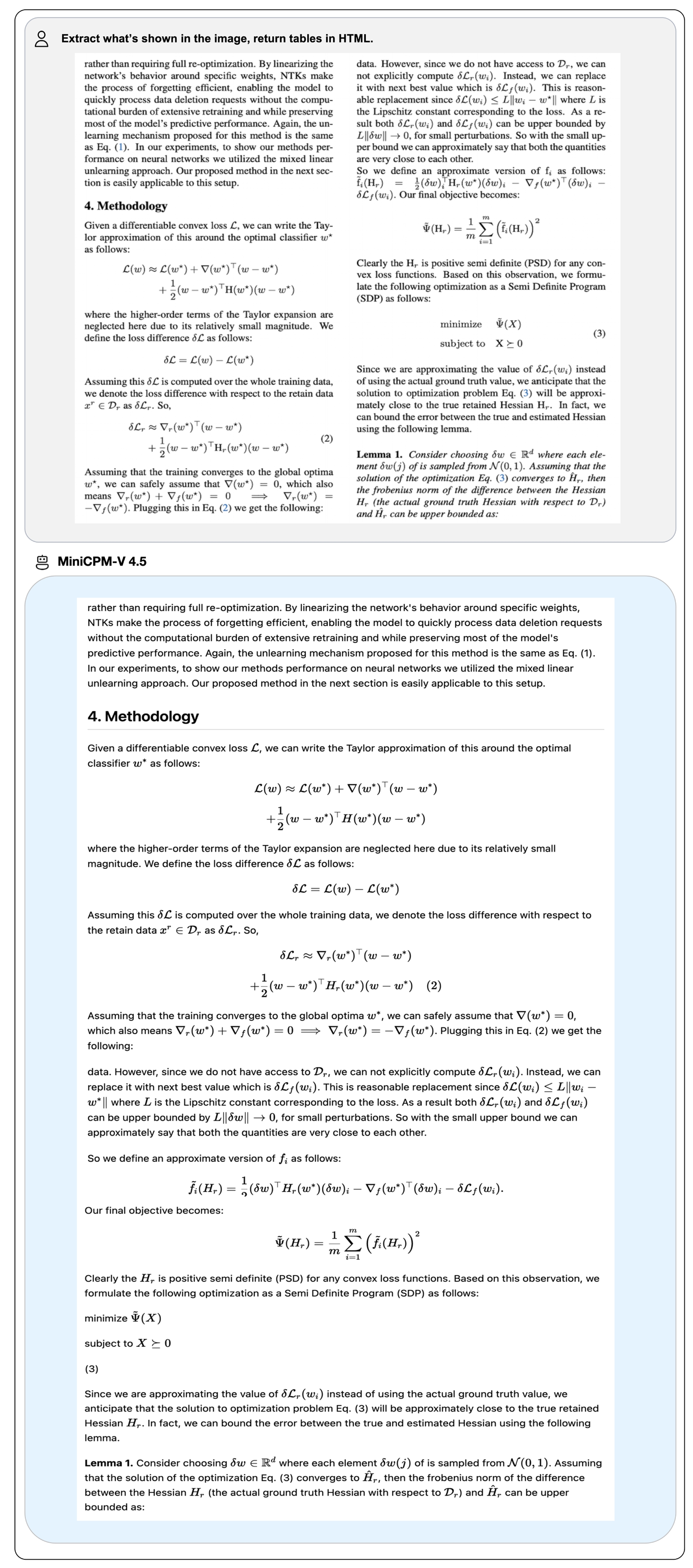
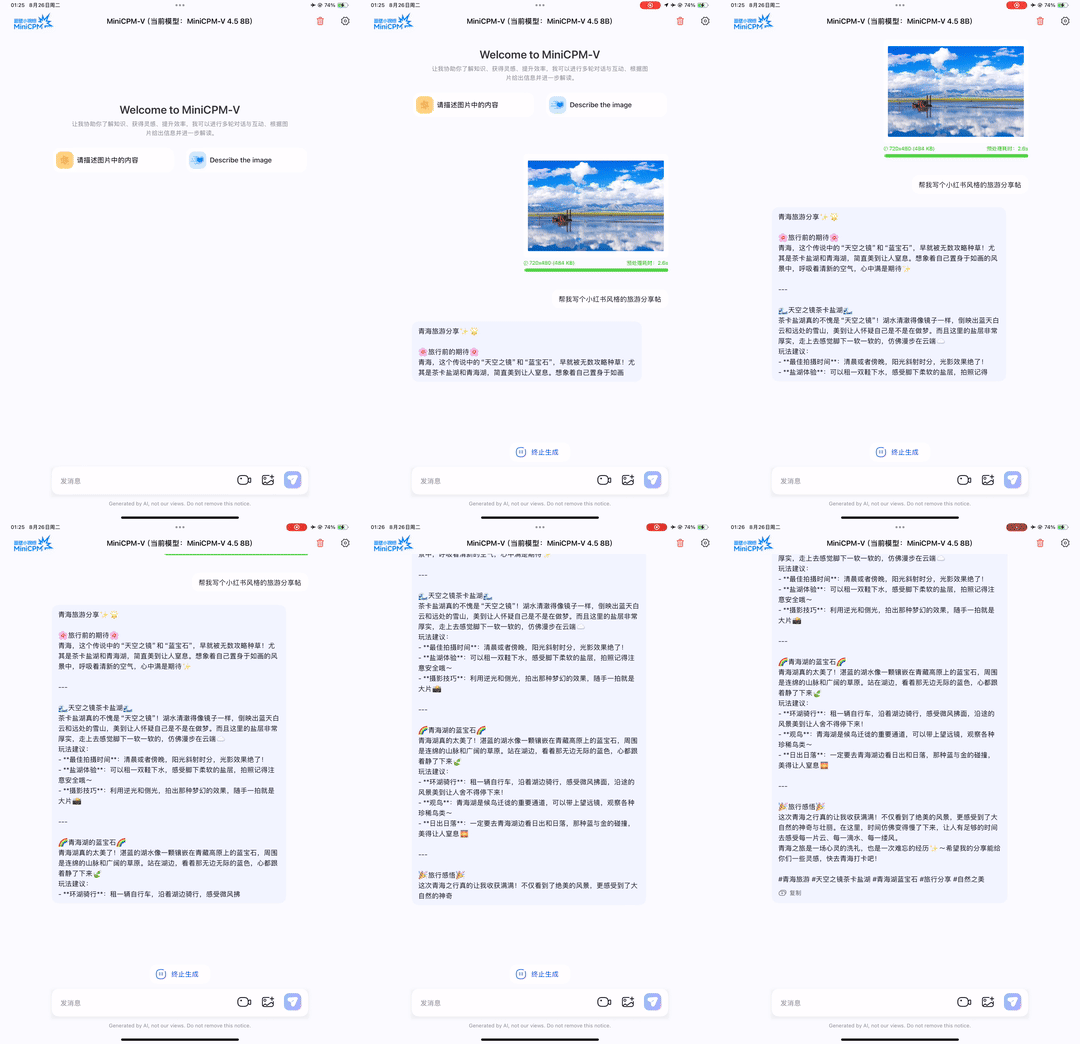
We deploy MiniCPM-V 4.5 on iPad M4 with iOS demo . The demo video is the raw screen recording without edition.
import torch
from PIL import Image
from transformers import AutoModel, AutoTokenizer

torch.manual_seed(100)

model = AutoModel.from_pretrained('openbmb/MiniCPM-V-4_5', trust_remote_code=True, # or openbmb/MiniCPM-o-2_6
    attn_implementation='sdpa', torch_dtype=torch.bfloat16) # sdpa or flash_attention_2, no eager
model = model.eval().cuda()
tokenizer = AutoTokenizer.from_pretrained('openbmb/MiniCPM-V-4_5', trust_remote_code=True) # or openbmb/MiniCPM-o-2_6

image = Image.open('./assets/minicpmo2_6/show_demo.jpg').convert('RGB')

enable_thinking=False # If `enable_thinking=True`, the long-thinking mode is enabled.

# First round chat
question = "What is the landform in the picture?"
msgs = [{'role': 'user', 'content': [image, question]}]

answer = model.chat(
    msgs=msgs,
    tokenizer=tokenizer,
    enable_thinking=enable_thinking
)
print(answer)

# Second round chat, pass history context of multi-turn conversation
msgs.append({"role": "assistant", "content": [answer]})
msgs.append({"role": "user", "content": ["What should I pay attention to when traveling here?"]})

answer = model.chat(
    msgs=msgs,
    tokenizer=tokenizer
)
print(answer)
You will get the following output:
# round1
The landform in the picture is karst topography. Karst landscapes are characterized by distinctive, jagged limestone hills or mountains with steep, irregular peaks and deep valleys—exactly what you see here These unique formations result from the dissolution of soluble rocks like limestone over millions of years through water erosion.

This scene closely resembles the famous karst landscape of Guilin and Yangshuo in China’s Guangxi Province. The area features dramatic, pointed limestone peaks rising dramatically above serene rivers and lush green forests, creating a breathtaking and iconic natural beauty that attracts millions of visitors each year for its picturesque views.

# round2
When traveling to a karst landscape like this, here are some important tips:

1. Wear comfortable shoes: The terrain can be uneven and hilly.
2. Bring water and snacks for energy during hikes or boat rides.
3. Protect yourself from the sun with sunscreen, hats, and sunglasses—especially since you’ll likely spend time outdoors exploring scenic spots.
4. Respect local customs and nature regulations by not littering or disturbing wildlife.

By following these guidelines, you'll have a safe and enjoyable trip while appreciating the stunning natural beauty of places such as Guilin’s karst mountains.
## The 3d-resampler compresses multiple frames into 64 tokens by introducing temporal_ids.
# To achieve this, you need to organize your video data into two corresponding sequences:
#   frames: List[Image]
#   temporal_ids: List[List[Int]].

import torch
from PIL import Image
from transformers import AutoModel, AutoTokenizer
from decord import VideoReader, cpu    # pip install decord
from scipy.spatial import cKDTree
import numpy as np
import math

model = AutoModel.from_pretrained('openbmb/MiniCPM-V-4_5', trust_remote_code=True,  # or openbmb/MiniCPM-o-2_6
    attn_implementation='sdpa', torch_dtype=torch.bfloat16) # sdpa or flash_attention_2, no eager
model = model.eval().cuda()
tokenizer = AutoTokenizer.from_pretrained('openbmb/MiniCPM-V-4_5', trust_remote_code=True)  # or openbmb/MiniCPM-o-2_6

MAX_NUM_FRAMES=180 # Indicates the maximum number of frames received after the videos are packed. The actual maximum number of valid frames is MAX_NUM_FRAMES * MAX_NUM_PACKING.
MAX_NUM_PACKING=3  # indicates the maximum packing number of video frames. valid range: 1-6
TIME_SCALE = 0.1

def map_to_nearest_scale(values, scale):
    tree = cKDTree(np.asarray(scale)[:, None])
    _, indices = tree.query(np.asarray(values)[:, None])
    return np.asarray(scale)[indices]


def group_array(arr, size):
    return [arr[i:i+size] for i in range(0, len(arr), size)]

def encode_video(video_path, choose_fps=3, force_packing=None):
    def uniform_sample(l, n):
        gap = len(l) / n
        idxs = [int(i * gap + gap / 2) for i in range(n)]
        return [l[i] for i in idxs]
    vr = VideoReader(video_path, ctx=cpu(0))
    fps = vr.get_avg_fps()
    video_duration = len(vr) / fps

    if choose_fps * int(video_duration) <= MAX_NUM_FRAMES:
        packing_nums = 1
        choose_frames = round(min(choose_fps, round(fps)) * min(MAX_NUM_FRAMES, video_duration))

    else:
        packing_nums = math.ceil(video_duration * choose_fps / MAX_NUM_FRAMES)
        if packing_nums <= MAX_NUM_PACKING:
            choose_frames = round(video_duration * choose_fps)
        else:
            choose_frames = round(MAX_NUM_FRAMES * MAX_NUM_PACKING)
            packing_nums = MAX_NUM_PACKING

    frame_idx = [i for i in range(0, len(vr))]
    frame_idx =  np.array(uniform_sample(frame_idx, choose_frames))

    if force_packing:
        packing_nums = min(force_packing, MAX_NUM_PACKING)

    print(video_path, ' duration:', video_duration)
    print(f'get video frames={len(frame_idx)}, packing_nums={packing_nums}')

    frames = vr.get_batch(frame_idx).asnumpy()

    frame_idx_ts = frame_idx / fps
    scale = np.arange(0, video_duration, TIME_SCALE)

    frame_ts_id = map_to_nearest_scale(frame_idx_ts, scale) / TIME_SCALE
    frame_ts_id = frame_ts_id.astype(np.int32)

    assert len(frames) == len(frame_ts_id)

    frames = [Image.fromarray(v.astype('uint8')).convert('RGB') for v in frames]
    frame_ts_id_group = group_array(frame_ts_id, packing_nums)

    return frames, frame_ts_id_group


video_path="video_test.mp4"
fps = 5 # fps for video
force_packing = None # You can set force_packing to ensure that 3D packing is forcibly enabled; otherwise, encode_video will dynamically set the packing quantity based on the duration.
frames, frame_ts_id_group = encode_video(video_path, fps, force_packing=force_packing)

question = "Describe the video"
msgs = [
    {'role': 'user', 'content': frames + [question]},
]


answer = model.chat(
    msgs=msgs,
    tokenizer=tokenizer,
    use_image_id=False,
    max_slice_nums=1,
    temporal_ids=frame_ts_id_group
)
print(answer)
👏 Welcome to explore key techniques of MiniCPM-V 4.5 and other multimodal projects of our team:
VisCPM | RLHF-V | LLaVA-UHD | RLAIF-V
If you find our work helpful, please consider citing our papers 📝 and liking this project ❤️!
@article{yao2024minicpm,
  title={MiniCPM-V: A GPT-4V Level MLLM on Your Phone},
  author={Yao, Yuan and Yu, Tianyu and Zhang, Ao and Wang, Chongyi and Cui, Junbo and Zhu, Hongji and Cai, Tianchi and Li, Haoyu and Zhao, Weilin and He, Zhihui and others},
  journal={Nat Commun 16, 5509 (2025)},
  year={2025}
}