































Table of Contents
- Key Points
- Creating Consistent AI Characters
- Advanced Techniques for Enhanced Realism
- Step-by-Step Guide to Creating AI Images with Consistent Characters
- Pricing
- Advantages and Disadvantages of Using Flux for AI Image Creation
- Core Features
- Use Cases
- FAQ
- Related Questions


Creating Consistent AI Characters
The Challenge of Consistent Characters in AI Images
One of the biggest hurdles in AI image generation is maintaining consistency in character appearance. Without specific techniques, AI tends to produce variations, making it difficult to create a cohesive visual narrative. Traditional methods often result in inconsistent facial features, hairstyles, and overall character design. This guide focuses on overcoming these challenges using advanced AI Tools and methods.
Using advanced AI models and image masking, you can now integrate the same characters into diverse images, ensuring a coherent and professional visual style. This technology allows for extensive control over character representation, making it invaluable for content creators aiming for a personalized touch.
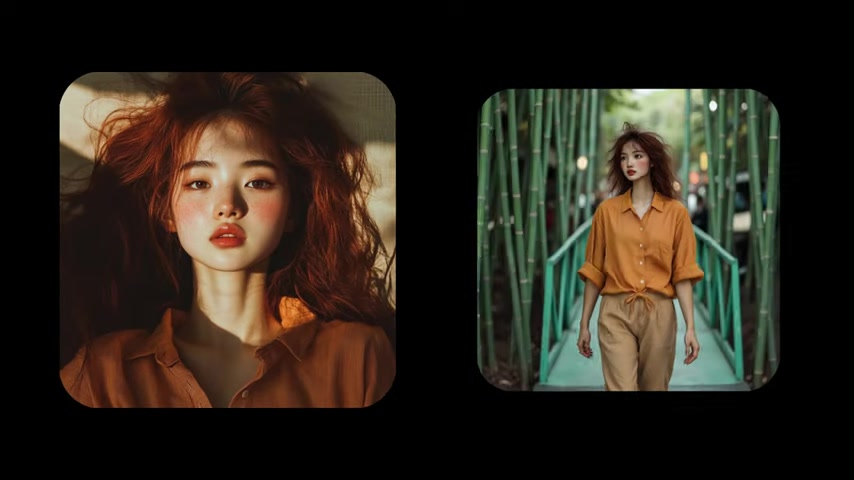
Normally, if you try to generate an image with a consistent character inside, the AI injects that person's face onto everyone inside that photo. This is not desirable when you want multiple unique characters. The following techniques explain how to deal with it.
Introducing Flux for AI Character Modeling
Flux emerges as a powerful solution for training AI to recognize and reproduce specific characters. By providing a small dataset of images, Flux enables the creation of custom AI models capable of generating consistent and personalized visuals. This technology opens up new avenues for content creation, making it easier to bring unique character designs to life.
To start creating consistent AI Characters, begin with a dataset of about 10 images of your character. These images should have:
- Good quality: High resolution images give the AI more data to analyze
- Similar appearance: Varying the appearance can confuse the AI
Remember, a strong foundation in the training data will result in a more accurate and consistent AI model.
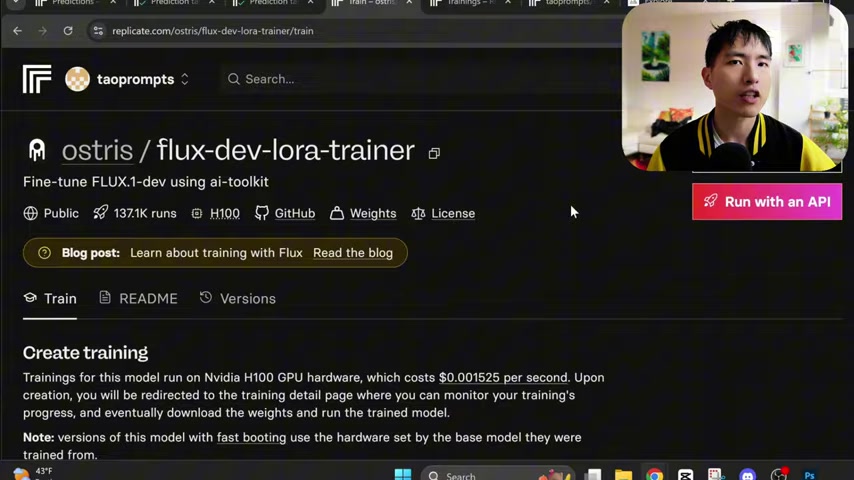
Setting up Replicate.com for Model Training
Replicate.com serves as the platform for training the AI models. Replicate lets you run AI models remotely without needing powerful local hardware. Here’s how to set it up:
- Explore Models: Search for "ostris flux" and select ostris/flux-dev-lora-trainer model.
- Create training: Fine-tune FLUX.1-dev using ai-toolkit.
- Specify destination: Add a new model name like flux_char_girl.
- Upload training images: Upload a zip file containing all character images.
- Add a trigger WORD: Use a sequence of letters like “flmcw”.
- Add Text Description: Add “photo of an flmcw woman”.
- Adjust training steps to 1500 to increase Caption quality for complex features.
- Adjust lower rank for visual details.
Once complete, kick off the training process. Note that this will normally take 20 to 30 minutes.
Advanced Techniques for Enhanced Realism
Integrating Real People into AI-Generated Scenes
This method isn't limited to solely AI-generated characters. It can also seamlessly integrate real people into AI-created environments. By training the AI on images of yourself or others, you can insert those individuals into fantastical or realistic settings, blurring the lines between reality and artificial creation.
In this case, he put himself in with a fictional lady.
- Custom training data: Train the AI on photos of the person you want to include.
- Image Masking: Use image masking to define where the real person should appear in the final image. This gives you control over placement and ensures a natural integration.
Whether you want to place yourself on a distant planet or create a scene with historical figures, this technique allows for the seamless fusion of real and AI-generated elements.
Maintaining Consistent Clothing Across Images
A common concern is ensuring that characters maintain the same clothing across different scenes. Consistency in attire adds to the believability of your AI-generated characters.
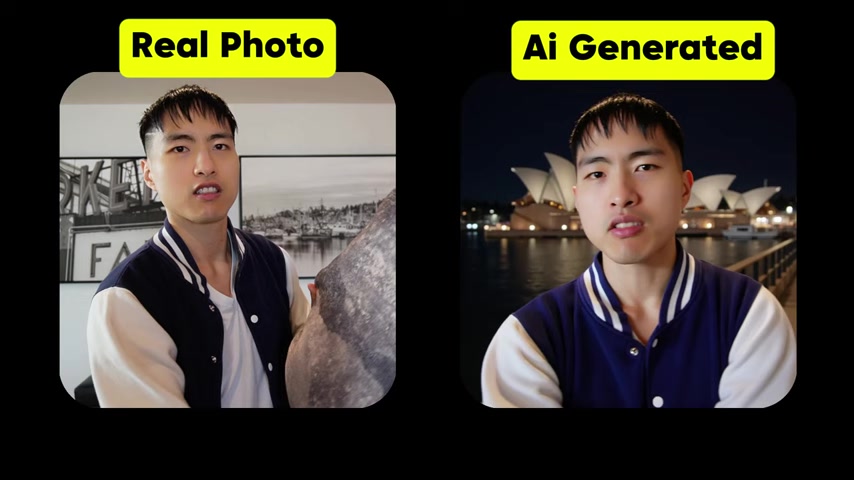
I'll show you how to keep their clothes the same.
To achieve this, it's essential to:
- Use Consistent Training Data: The best approach is to use training photos where the character is already wearing the desired clothing. The AI will learn to associate that clothing with the character.
- Detailed Prompts: Explicitly state the desired clothing in your prompts. For example, specify "wearing a blue and white jacket" to reinforce the AI's understanding of the character's attire.
By combining consistent training data with detailed prompts, you can significantly improve the likelihood of your AI characters retaining the same clothing across multiple images.
Creating Image Masks
Image masks are essential for directing the AI on where to insert new characters into existing photos. These masks are black and white images where the white areas indicate where the new character should be placed.
- Use Photopea (photopea.com). It is a free web based image editor.
- Drag and drop an original image.
- Create a new layer with the folded square icon.
- Select the paint brush from the toolbar.
- Increase the brush size.
- Select the white color to be paint with.
- Change the ink color to black and paint to background.
- Export as .PNG file.
Step-by-Step Guide to Creating AI Images with Consistent Characters
Step 1: Creating AI Character Models
First, you must train the AI model, gathering around ten photos to be used to create the character using Flux. The photos must have good quality and should have a similar appearance.
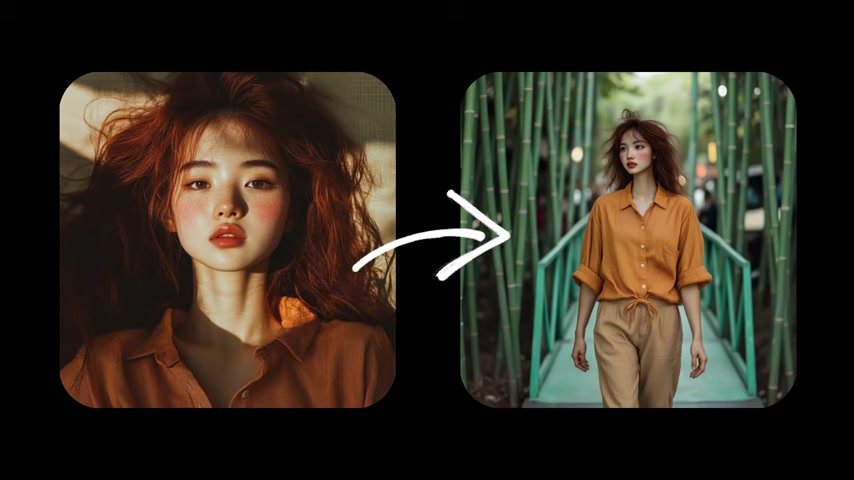
The first thing we need to do is to create AI character models using Flux.
Step 2: Run the AI
Once we have created the AI Character model, it is time to run the AI. Upload your photos and let AI do their work. You can then compare them.
And so if you run the AI, it injects me into the photo, and here's a comparison of what the before and after looks like.
- Add Image Mask
- Run the AI.


Most people like





































Report
Please select a reason for reporting
- 13 Reasons to Switch from Snapchat to Text Messaging
- 7 Powerful Speech to Text Apps to Boost Productivity
- 10 Best Speech to Text Tools for Effortless Transcription
- 13 Free Tools to Easily Transcribe Audio to Text
- 15 Surprising Ways Google's Speech-to-Text Boosts Productivity
- 7 Best Free Online Audio to Text Transcription Tools
- 9 Tips to Transcribe Speech to Text Faster and Better
- 13 Best Speech to Text Software for Windows 10 in 2023
- 7 Tips for Choosing the Best Transcriber for Audio to Text
- 11 Reasons Why Dragon Speech-to-Text Apps are Game-Changers
- 6 Secrets to Enhance Your Speech to Text Transcription
- 6 Brilliant Ways to Boost Productivity with Talk-to-Text on Your MacBook
- 6 Ways Transcription Software Converts Audio to Text
- 8 Tips to Transcribe Speech to Text Like a Pro
- 6 Reasons IBM Watson Speech to Text is a Game-Changer
- 14 Powerful Ways Talk-to-Text Improves Your Workflow
- 12 Top Windows Speech-to-Text Software for Efficient Transcription
- 12 Game-Changing Benefits of Apple's Speech to Text Technology
- 9 Powerful Use Cases for AWS Speech to Text Technology
- 10 Easy Steps to Transcribe YouTube Videos to Text
- transcription audio en texte
- online audio transcription
- free audio file transcription
- free ai audio transcription
- audio transcription service
- audio transcription online free
- audio transcription free online
- audio to transcription software
- audio and transcript
- ai audio transcription free
- voice recording to text converter
- translate voice recording to text
- record voice to text
- audio recording to text converter
- voice recording and transcription
- chatgpt voice to text
- gmail voice to text
- speech to text reader
- speech to text ai free
- speech to talk
- ChatGPT Knows Ford. It Just Doesn't Quote Ford
- Meshy AI: How to Create 3D Models from Text and Images
- How SEO and Marketing Dashboards Empower Agencies to Drive Results
- How to Use AI Tools to Find Internal Linking Opportunities Across a Business Website
- Discover Your Perfect Haircut with AI Hairstyle Apps
- Free Reputation Calculator Tools: How They're Adapting to Score AI Visibility, Not Just Rankings
- Design Professional Flyers for Free on Your Phone
- Best Free Flyer Maker Apps for Android: Design Like a Pro
- How to Know If Your Business Is Ready for an AI Customer Service Agent
- Revolutionizing Storytelling: From Novels to Screenplays with AI
- Your Business Data Could Be Worth Up to $4M. Find Out Without Uploading a Single File.
- Can an eSIM Plan Save You Time During Travel Setup?
- AI Video Editor Review: A Hands-On Look at Prompt-Based Video Editing
- Keep Characters Consistent Across Scenes With Image-to-Video AI
- How to Convert BTC to HNT
- ProxyWing DuckDuckGo Proxy Review: Plans, Setup and Who It Is For
- ChatGPT Knows Ford. It Just Doesn't Quote Ford
- Automate Lead Generation: A Comprehensive Guide with AI Agents
- Revideo.io: The Future of Reverse Video Search Technology
- Revolutionizing Email Marketing Agency with AI

Copyright ©2026 toolify