































Table of Contents
- Key Points
- Unlocking the Power of AI Image Generation
- Exploring Napkin AI: Visual Storytelling Made Easy
- Vizly Diagram AI: Crafting Diagrams with Ease
- Canva's AI Image Generator: Versatility and Creativity Combined
- AI Image Generator: Advantages and Disadvantages
- AI Image Generators Comparison
- Transforming Text into Visuals: Diverse Use Cases
- Frequently Asked Questions (FAQ)
- Related Questions



Unlocking the Power of AI Image Generation
The Rise of AI in Visual Communication
In an increasingly visual world, effective communication is paramount. Whether you're in academia, business, or marketing, the ability to convey your message through engaging images is essential. The good news is that creating compelling visuals has become significantly easier thanks to AI image generation technology.

With the help of modern tools, producing professional-quality images is no longer the domain of skilled designers. The text to image conversion is now accessible for everyone. Today, the advancement in AI image generation makes it easy to create professional-looking images with the help of AI image generators and transform text to image using text prompts.
Introducing Three User-Friendly AI Image Generators
Let's explore three platforms that are revolutionizing how we create visuals: Napkin AI, Vizly, and Canva. These AI image generators empower you to transform your ideas into stunning realities simply by providing a text description of the image you want to create. These platforms are exceptionally user-friendly, making Text to Image conversion accessible to individuals of all skill levels, even those with no prior design experience.

These 3 platforms includes: Napkin AI, Vizly and Canva
Exploring Napkin AI: Visual Storytelling Made Easy
Napkin AI for Visual Storytelling
Napkin AI is a visual AI that is designed for business storytelling. To start, simply visit the website (napkin.ai) to explore its capabilities. Napkin AI offers a straightforward interface where you can input text, and the platform transforms your words into visually engaging diagrams, flowcharts, and images. Napkin AI excels at simplifying complex information, making it ideal for presentations, reports, and social media content. Napkin AI can help you generate text for you if you have no text ideas.
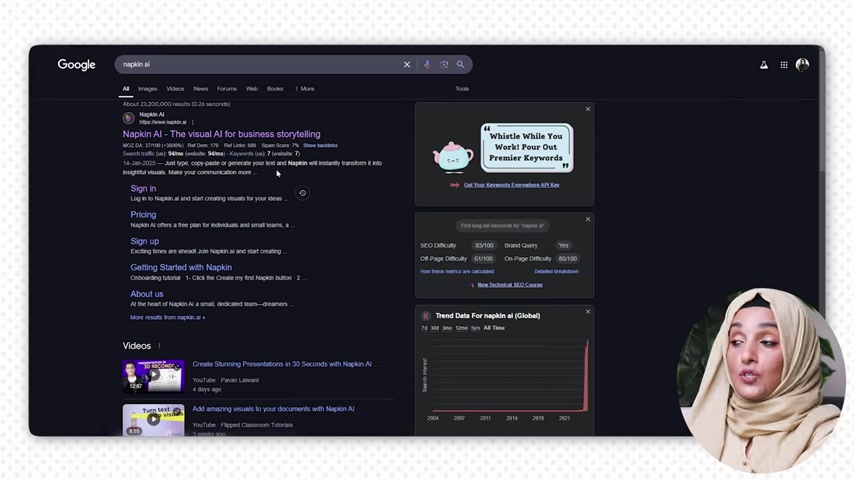
When you take the cursor to this sign, this is about to generate visual. You can even change the colors and customize it according to the document and also the custom color which you want to keep.
How to Use Napkin AI: A Step-by-Step Guide
Here’s how to use Napkin AI to create stunning visuals from your text:
- Sign In:
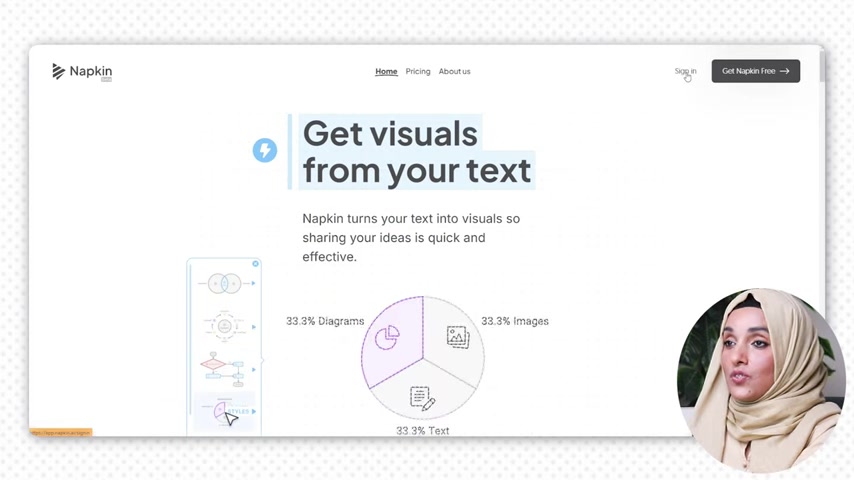
Start by signing in to Napkin AI. You can sign in easily with your Google account.
- Generate Text with AI or Use Blank: You can either Prompt the AI to generate text for you, or generate a blank napkin.
- Write the Text. Add a prompt to generate text content
- Generate Visuals: After the AI Image Generator has written the text, take the cursor to the text about which you want to generate the image and click on the prompt to generate visuals. A prompt will appear for generating visuals when your cursor hovers the text.
- Customize: After the AI image generator has written the text, take the cursor to the text about which you want to generate the image and click on the prompt to generate visuals.
- Change Aspect Ration. To change the display of the visual, you can change the aspect ration so that the visual displays properly.
- Download: The visual can be downloaded in high-quality once you are done editing the visual.


Most people like




































Report
Please select a reason for reporting
- 13 Reasons to Switch from Snapchat to Text Messaging
- 7 Powerful Speech to Text Apps to Boost Productivity
- 10 Best Speech to Text Tools for Effortless Transcription
- 13 Free Tools to Easily Transcribe Audio to Text
- 15 Surprising Ways Google's Speech-to-Text Boosts Productivity
- 7 Best Free Online Audio to Text Transcription Tools
- 9 Tips to Transcribe Speech to Text Faster and Better
- 13 Best Speech to Text Software for Windows 10 in 2023
- 7 Tips for Choosing the Best Transcriber for Audio to Text
- 11 Reasons Why Dragon Speech-to-Text Apps are Game-Changers
- 6 Secrets to Enhance Your Speech to Text Transcription
- 6 Brilliant Ways to Boost Productivity with Talk-to-Text on Your MacBook
- 6 Ways Transcription Software Converts Audio to Text
- 8 Tips to Transcribe Speech to Text Like a Pro
- 6 Reasons IBM Watson Speech to Text is a Game-Changer
- 14 Powerful Ways Talk-to-Text Improves Your Workflow
- 12 Top Windows Speech-to-Text Software for Efficient Transcription
- 12 Game-Changing Benefits of Apple's Speech to Text Technology
- 9 Powerful Use Cases for AWS Speech to Text Technology
- 10 Easy Steps to Transcribe YouTube Videos to Text
- transcription audio en texte
- online audio transcription
- free audio file transcription
- free ai audio transcription
- audio transcription service
- audio transcription online free
- audio transcription free online
- audio to transcription software
- audio and transcript
- ai audio transcription free
- voice recording to text converter
- translate voice recording to text
- record voice to text
- audio recording to text converter
- voice recording and transcription
- chatgpt voice to text
- gmail voice to text
- speech to text reader
- speech to text ai free
- speech to talk
- ChatGPT Knows Ford. It Just Doesn't Quote Ford
- Meshy AI: How to Create 3D Models from Text and Images
- How SEO and Marketing Dashboards Empower Agencies to Drive Results
- How to Use AI Tools to Find Internal Linking Opportunities Across a Business Website
- Discover Your Perfect Haircut with AI Hairstyle Apps
- Free Reputation Calculator Tools: How They're Adapting to Score AI Visibility, Not Just Rankings
- Design Professional Flyers for Free on Your Phone
- Best Free Flyer Maker Apps for Android: Design Like a Pro
- How to Know If Your Business Is Ready for an AI Customer Service Agent
- Revolutionizing Storytelling: From Novels to Screenplays with AI
- ProxyWing DuckDuckGo Proxy Review: Plans, Setup and Who It Is For
- ChatGPT Knows Ford. It Just Doesn't Quote Ford
- Automate Lead Generation: A Comprehensive Guide with AI Agents
- Revideo.io: The Future of Reverse Video Search Technology
- Revolutionizing Email Marketing Agency with AI
- Breaking the Character Drift Dilemma: A Practical Test of Smart Shot
- Meshy AI: How to Create 3D Models from Text and Images
- ASOMobile Helps Teams Benchmark App Store Screenshots Against Competitors
- How to Match LMS Software With Your Organization's Training Plan
- How to Convert BTC to HNT

Copyright ©2026 toolify