































Table of Contents
- Key Points
- The AI-Augmented Full Stack Web Developer Roadmap
- Revolutionizing the Web Development Workflow with AI
- How to Leverage AI in Web Development Projects
- Pricing Considerations for AI-Enhanced Development
- Pros and Cons of Using AI in Web Development
- Key Features of an AI-Driven Development Workflow
- Practical Use Cases: Where AI Shines
- FAQ
- Related Questions



The AI-Augmented Full Stack Web Developer Roadmap
Understanding the Layers of Web Applications
Every web application comprises three fundamental layers: the front-end, the back-end, and the database.

Understanding each layer is essential for full-stack development.
- Front-End: This is what users see and interact with directly. It’s the visual interface built using HTML, CSS, and JavaScript. The front-end handles user input, displays data, and creates an engaging user experience. A well-designed front-end is crucial for user satisfaction and overall application success.
- Back-End: This is the engine that drives the application. The back-end processes user requests, manages data, and handles the application’s logic. It resides on a server and interacts with the database to retrieve and store information. Common back-end technologies include Java, Node.js, and Python.
- Database: This is where all the application's data is stored. A database can be structured (SQL) or unstructured (NoSQL), and it’s responsible for storing and retrieving data efficiently. The database is the backbone of any data-driven application, ensuring that information is readily available and secure.
The ability to effectively manage these layers makes you a well rounded full stack web developer.
The Traditional Front-End: HTML, CSS, and JavaScript
Traditionally, front-end development involves mastering HTML, CSS, and JavaScript.

These technologies form the foundation of any interactive web page. Here's a breakdown:
- HTML (HyperText Markup Language): Provides the structure and content of a web page. Think of it as the skeleton that holds everything together. You use HTML tags to create elements like text, images, and forms.
- CSS (Cascading Style Sheets): Controls the presentation and styling of a web page. CSS determines the colors, fonts, layouts, and overall visual appeal of your website. It makes your website look modern and unique.
- JavaScript: Adds interactivity and dynamic behavior to a web page. JavaScript allows you to create animations, handle user events, and communicate with the back-end to update content in real-time.
The traditional approach involves learning the syntax and best practices of each language individually. However, as AI becomes more integrated into web development, this approach needs to evolve. Focus on understanding the core concepts while leveraging AI Tools to generate and optimize code. Use project-based learning to enhance your knowledge by building websites and webapps.
Here's a comparison of how these technologies work together:
| Technology | Function | Example |
|---|---|---|
| HTML | Structure and content | <p>This is a paragraph.</p> |
| CSS | Styling and presentation | p { color: blue; Font-size: 16px; } |
| JavaScript | Interactivity and dynamic behavior | document.getElementById("myButton").addEventListener("click", myFunction); |
| AI Code Generation | Code assistance, suggestions, and optimizations | Generates code snippets, helps debug, and provides best practice suggestions |
Mastering Server-Side Programming and Frameworks
The back-end is where the real action happens. It involves server-side programming languages and frameworks that handle the application’s logic, manage data, and interact with the database.

Choosing the right language and framework is crucial for building a scalable and efficient application.
Some popular choices include:
- Java with Spring Boot: Java is a robust and widely-used language for enterprise applications. Spring Boot simplifies Java development by providing a streamlined, convention-over-configuration approach, and has many open source libraries that you can make use of when developing.
- JavaScript with Node.js: Node.js allows you to use JavaScript on the server-side, creating a seamless full-stack environment. Express.js is a popular framework for Node.js that simplifies building web applications and APIs.
- Python with Django: Python is known for its readability and ease of use, making it a great choice for web development. Django is a high-level framework that provides a full suite of tools for building complex web applications quickly, and is another open-source library.
The choice of language and framework depends on your project requirements and personal preferences. Each option has its strengths and weaknesses, so it’s essential to evaluate them carefully.
Remember that it is useful to master Prompt engineering skills so you can easily optimize your server-side language when working with AI co-pilots.
Database Design Principles: SQL and NoSQL
The database layer is where all your application’s data resides.

Choosing the right database and understanding database design principles is critical for data management and application performance. There are two primary types of databases:
- SQL (Structured Query Language) Databases: These are relational databases that store data in tables with predefined schemas. SQL databases are ideal for applications that require structured data and ACID (Atomicity, Consistency, Isolation, Durability) compliance.
- NoSQL (Not Only SQL) Databases: These databases store data in a variety of formats, including documents, key-value pairs, and graphs. NoSQL databases are well-suited for applications that require flexible schemas and high scalability.
Some popular database options include MySQL, PostgreSQL, MongoDB, and Cassandra. Each database has its strengths and weaknesses, so it’s important to choose one that aligns with your application’s needs.
As a 2025 web developer it is important that you master how to construct queries with the assistance of AI copilots. With prompt engineering, it is important that you understand the fundamental concepts of query optimisation and ensure the code given by the AI is highly efficient.
Revolutionizing the Web Development Workflow with AI
Collaboration with AI: The New Paradigm
Artificial intelligence is not a competitor but a collaborator.
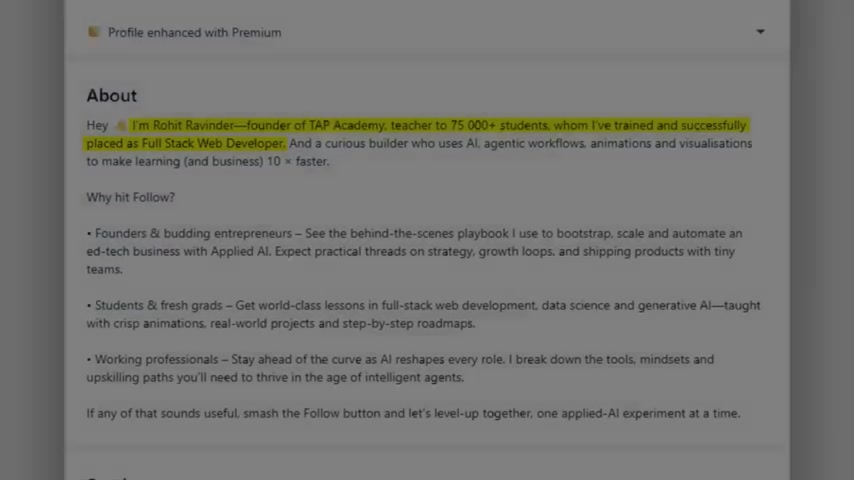
AI has revolutionized the software industry and the modern day approach developers are beginning to take to build full stack applications.
-
AI-Powered Code Generation: Tools like Cursor, utilize generative AI models to help code out entire end-to-end applications by means of a single prompt.
-
Prompt Engineering for Database Management: Plain english is all that is needed to manage and optimise a database, and the AI handles complex queries for you.
The approach required is not competition but a collaboration. Here is an outline for collaborating with the AI:
- Start with simple web-app scaffolding.
- Master the Reverse Engineering Skill, by questioning the code given by the AI.
- Optimise for Security and Scalability. Do not blindly follow generated code. Read the code, understand the data-structures, and data-flow.
- Take ownership and manage the architecture, even though the AI may have built the code out.
How to Leverage AI in Web Development Projects
Building Web Apps with AI Tools like Cursor
One powerful tool for AI-assisted coding is Cursor.

Cursor is an IDE that incorporates AI to help you write, debug, and optimize code. Here’s how to use it:
- Install Cursor: Download and install Cursor from its official website. It’s available for multiple platforms, including Windows, macOS, and Linux.
- Create a New Project: Open Cursor and create a new project. Choose the appropriate language and framework for your project.
- Start Coding: Begin writing your code. As you type, Cursor will provide real-time suggestions and auto-completions to help you code faster and more accurately.
- Use AI Assistance: Use the built-in AI assistant to generate code snippets, debug errors, and optimize your code. Simply type your request in plain English, and Cursor will provide relevant solutions.
- Test and Deploy: Once you’re satisfied with your code, test your application thoroughly. Use Cursor’s built-in debugging tools to identify and fix any issues. Finally, deploy your application to a hosting platform of your choice.
Optimizing SQL Queries with AI
Slow SQL queries can significantly impact your application’s performance.

AI can help you optimize these queries for faster execution. Here’s how:
- Identify Slow Queries: Use database monitoring tools to identify queries that are taking too long to execute.
- Use AI for Optimization: Input the slow query into an AI-powered query optimization tool. These tools use machine learning algorithms to analyze the query and suggest optimizations.
- Implement Suggestions: Review the AI-generated suggestions and implement them in your query. This may involve adding indexes, rewriting the query, or restructuring the database.
- Test Performance: After implementing the suggestions, test the performance of the query to ensure that it’s running faster.
By leveraging AI, you can identify and fix performance bottlenecks, resulting in a more responsive and efficient application.


Most people like




































Report
Please select a reason for reporting
- 13 Reasons to Switch from Snapchat to Text Messaging
- 7 Powerful Speech to Text Apps to Boost Productivity
- 10 Best Speech to Text Tools for Effortless Transcription
- 13 Free Tools to Easily Transcribe Audio to Text
- 15 Surprising Ways Google's Speech-to-Text Boosts Productivity
- 7 Best Free Online Audio to Text Transcription Tools
- 9 Tips to Transcribe Speech to Text Faster and Better
- 13 Best Speech to Text Software for Windows 10 in 2023
- 7 Tips for Choosing the Best Transcriber for Audio to Text
- 11 Reasons Why Dragon Speech-to-Text Apps are Game-Changers
- 6 Secrets to Enhance Your Speech to Text Transcription
- 6 Brilliant Ways to Boost Productivity with Talk-to-Text on Your MacBook
- 6 Ways Transcription Software Converts Audio to Text
- 8 Tips to Transcribe Speech to Text Like a Pro
- 6 Reasons IBM Watson Speech to Text is a Game-Changer
- 14 Powerful Ways Talk-to-Text Improves Your Workflow
- 12 Top Windows Speech-to-Text Software for Efficient Transcription
- 12 Game-Changing Benefits of Apple's Speech to Text Technology
- 9 Powerful Use Cases for AWS Speech to Text Technology
- 10 Easy Steps to Transcribe YouTube Videos to Text
- transcription audio en texte
- online audio transcription
- free audio file transcription
- free ai audio transcription
- audio transcription service
- audio transcription online free
- audio transcription free online
- audio to transcription software
- audio and transcript
- ai audio transcription free
- voice recording to text converter
- translate voice recording to text
- record voice to text
- audio recording to text converter
- voice recording and transcription
- chatgpt voice to text
- gmail voice to text
- speech to text reader
- speech to text ai free
- speech to talk
- ChatGPT Knows Ford. It Just Doesn't Quote Ford
- Meshy AI: How to Create 3D Models from Text and Images
- How SEO and Marketing Dashboards Empower Agencies to Drive Results
- How to Use AI Tools to Find Internal Linking Opportunities Across a Business Website
- Discover Your Perfect Haircut with AI Hairstyle Apps
- Free Reputation Calculator Tools: How They're Adapting to Score AI Visibility, Not Just Rankings
- Design Professional Flyers for Free on Your Phone
- Best Free Flyer Maker Apps for Android: Design Like a Pro
- How to Know If Your Business Is Ready for an AI Customer Service Agent
- Revolutionizing Storytelling: From Novels to Screenplays with AI
- ChatGPT Knows Ford. It Just Doesn't Quote Ford
- Automate Lead Generation: A Comprehensive Guide with AI Agents
- Revideo.io: The Future of Reverse Video Search Technology
- Revolutionizing Email Marketing Agency with AI
- Breaking the Character Drift Dilemma: A Practical Test of Smart Shot
- Meshy AI: How to Create 3D Models from Text and Images
- ASOMobile Helps Teams Benchmark App Store Screenshots Against Competitors
- How to Match LMS Software With Your Organization's Training Plan
- How to Convert BTC to HNT
- Unleashing the Power of AI: Cognizant's Roadmap for Transformation

Copyright ©2026 toolify