































Table of Contents
- Key Points
- Understanding AI-Powered Face Recognition
- Implementing Face Recognition with Artificial Neural Networks
- Step-by-Step Guide to Building a Face Recognition System in Python
- Cost Considerations
- Evaluating MLP, SVM, and Decision Tree Models for Face Recognition
- Core Features of the Face Recognition System
- Real-World Use Cases
- FAQ
- Related Questions


Understanding AI-Powered Face Recognition
What is Face Recognition?
Face recognition is a biometric technique that identifies or verifies an individual's identity from an image or a video. It relies on algorithms to detect, analyze, and compare facial features to stored data. Unlike face detection, which only identifies the presence of a face, face recognition attempts to match the face to a known identity.

This article looks at face recognition as a machine-learning problem.
Face recognition systems typically involve several stages:
- Face Detection: Locating faces within an image or video frame.
- Feature Extraction: Identifying and extracting key facial features.
- Classification: Matching the extracted features to a database of known faces using machine learning or other classification methods.
Face recognition systems have found applications in security, access control, surveillance, and even in everyday smartphone features like facial unlock. This Blend of computer vision and machine learning is continually advancing, improving accuracy and efficiency.
The Yale Face Database: A Foundation for Research
The Yale Face Database is a widely used dataset in face recognition research. It contains 165 grayscale images of 15 individuals. Each individual has approximately 11 images, varying in facial expression, lighting conditions, and pose. This variability makes it an ideal dataset for training and evaluating face recognition algorithms.

- Number of Subjects: 15
- Images per Subject: Approximately 11
- Total Images: 165
- Variations: Facial expressions (normal, happy, sad, angry, surprised, sleepy, wink), lighting conditions (left light, center light, right light), and pose (with glasses, without glasses).
The Yale Face Database allows researchers and developers to test their algorithms under diverse conditions, making it valuable for assessing the robustness of face recognition systems. Many tutorials and implementations use this database as a starting point, and it serves as a great foundation for understanding the challenges in face recognition.
Implementing Face Recognition with Artificial Neural Networks
Setting up the Environment
To start, you will need a Python environment equipped with essential libraries for data manipulation and machine learning.

These include:
- NumPy: For numerical operations and array handling.
- scikit-learn (sklearn): For machine learning algorithms, PCA, and model evaluation.
- matplotlib: For plotting graphs and visualizing results.
A convenient platform for this is Google Colab. Google Colab provides a free, cloud-based environment where you can run Python code, install necessary libraries, and access computational resources without local setup.
Here's an example to mount Google Drive and unzip the necessary datasets using Google Colab, to get started:
from google.colab import drive
drive.mount('/content/drive')

import os
import zipfile

local_zip = '/content/drive/My Drive/yalefaces.zip'

zip_ref = zipfile.ZipFile(local_zip, 'r')
zip_ref.extractall('/tmp/yalefaces')
zip_ref.close()
Data Loading and Preprocessing
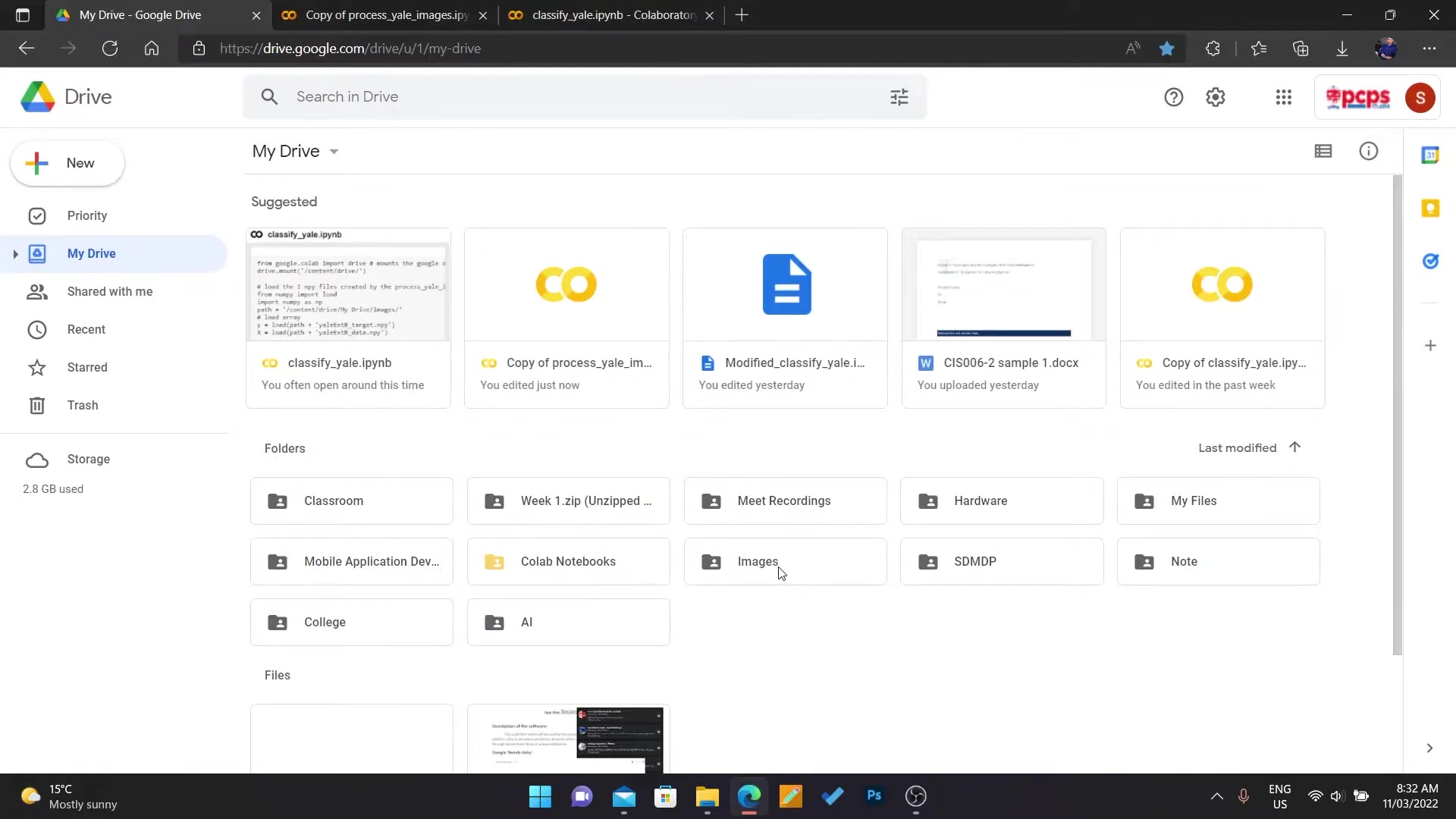
The initial step involves loading the images from the Yale Face Database and preprocessing them to ensure uniformity. The preprocessing involves:
-
Resizing: Ensure all images are of the same size. Standardizing the size improves the consistency and performance of the machine learning algorithms.
-
Grayscale Conversion: Convert color images to grayscale, reducing the complexity of the data and focusing on the structural information.
-
Normalization: Scale pixel values to a standard range (e.g., 0 to 1). Normalization helps the model converge faster and prevents certain features from dominating the learning process.
import os
import cv2
import numpy as np
from PIL import Image

image_dir = '/tmp/yalefaces/yalefaces'

face_list = []
labels = []

for filename in os.listdir(image_dir):
    if filename.startswith('subject'):
        id_num = int(filename.split('.')[0].replace('subject', '')) - 1
        for image_file in os.listdir(os.path.join(image_dir, filename)):
            image_path = os.path.join(image_dir, filename, image_file)
            img = Image.open(image_path).convert('L')
            img_numpy = np.array(img, 'uint8')
            face_list.append(img_numpy)
            labels.append(id_num)
Feature Extraction with Principal Component Analysis (PCA)
Since Artificial Neural Networks can be computationally expensive with high-dimensional data, Principal Component Analysis (PCA) is employed to reduce the dimensionality of the feature space. PCA identifies the principal components that capture the most variance in the data.
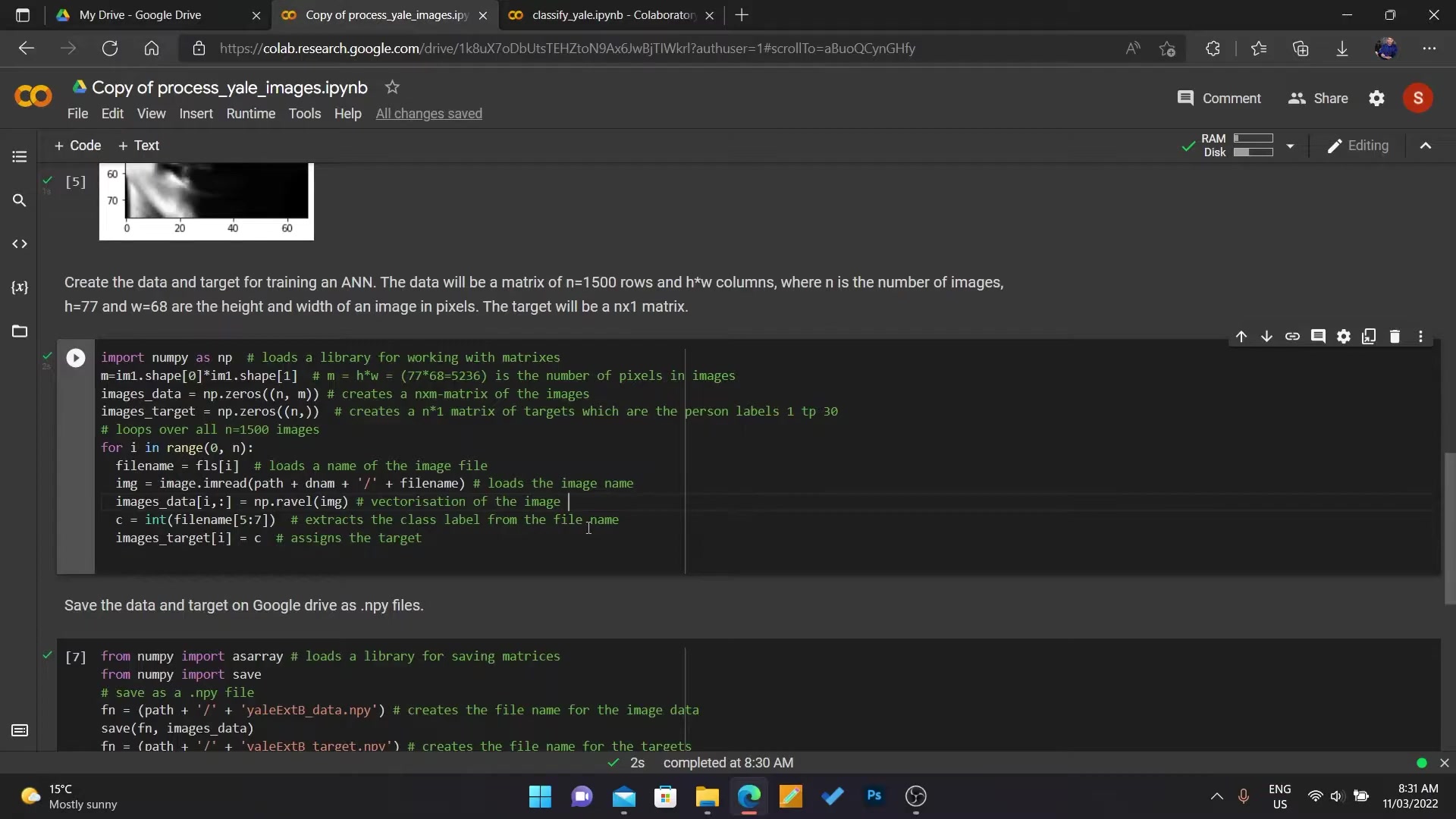
By projecting the images onto these components, the amount of data is reduced while retaining critical information.
from sklearn.decomposition import PCA

faces_train = np.asarray(face_list)
labels_train = np.asarray(labels)

num_components = 200

pca = PCA(n_components=num_components, whiten=True)

x_train_pca = pca.fit_transform(faces_train)
This helps improve model performance and reduce computational costs.
Model Training with Multi-Layer Perceptron (MLP)
A Multi-Layer Perceptron (MLP) neural network is then used for face classification. MLP consists of multiple layers of interconnected nodes that learn to map inputs to outputs.
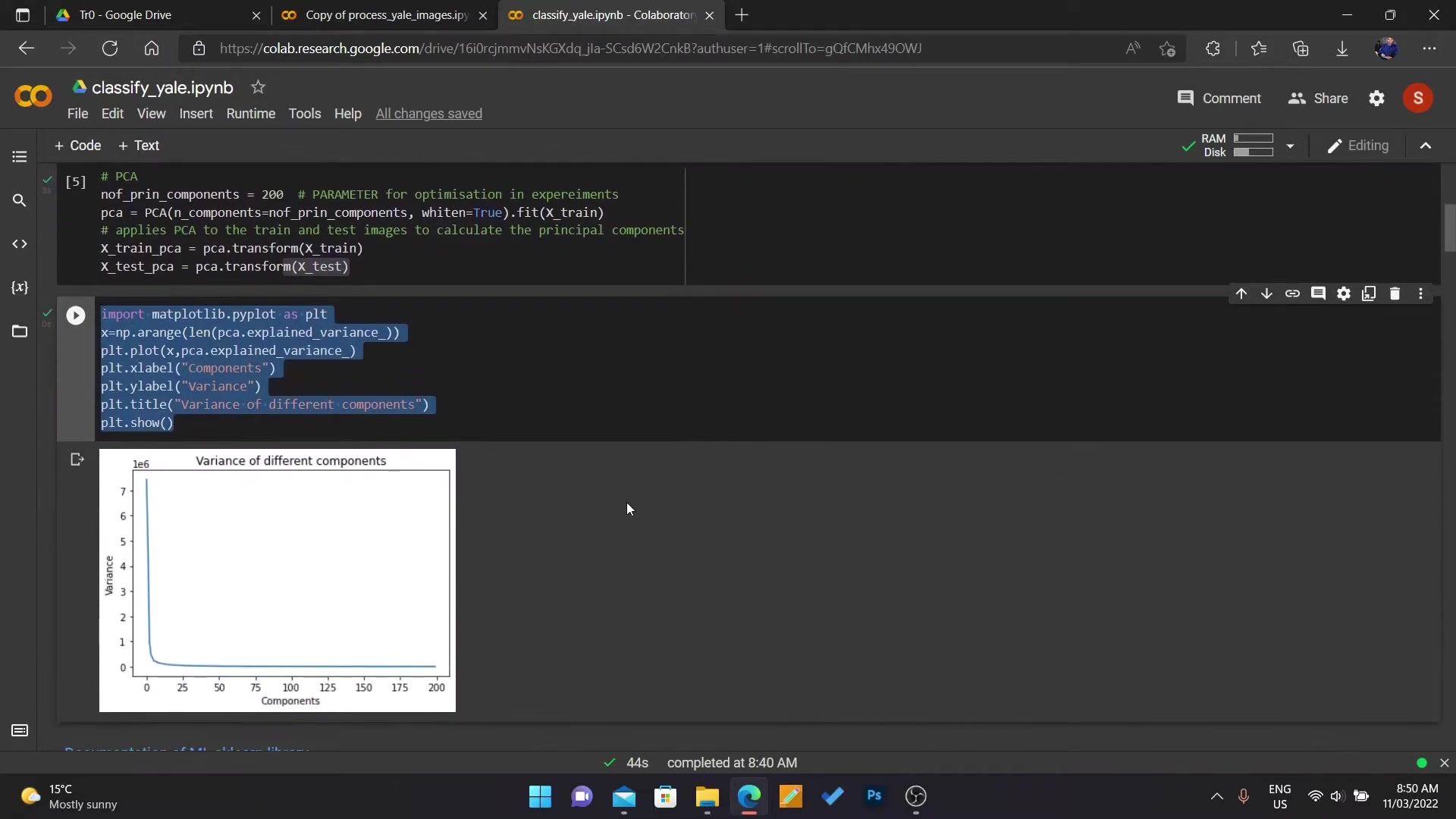
The network is trained to recognize different faces based on the PCA-transformed image data.
from sklearn.neural_network import MLPClassifier

mlp = MLPClassifier(hidden_layer_sizes=(200,), solver='adam', activation='logistic', batch_size=32,
                    verbose=True, early_stopping=True)

mlp.fit(x_train_pca, labels_train)
Key Parameters:
- Hidden Layer Size: Number of neurons in the Hidden layer.
- Solver: Optimization algorithm used for training (e.g., ‘adam’).
- Activation: Activation function for the neurons (e.g., ‘logistic’).
- Early Stopping: Prevents overfitting by stopping training when validation performance decreases.
Model Evaluation: Confusion Matrix and Accuracy
The model is evaluated using a confusion matrix, which provides insights into the types of errors the model is making.
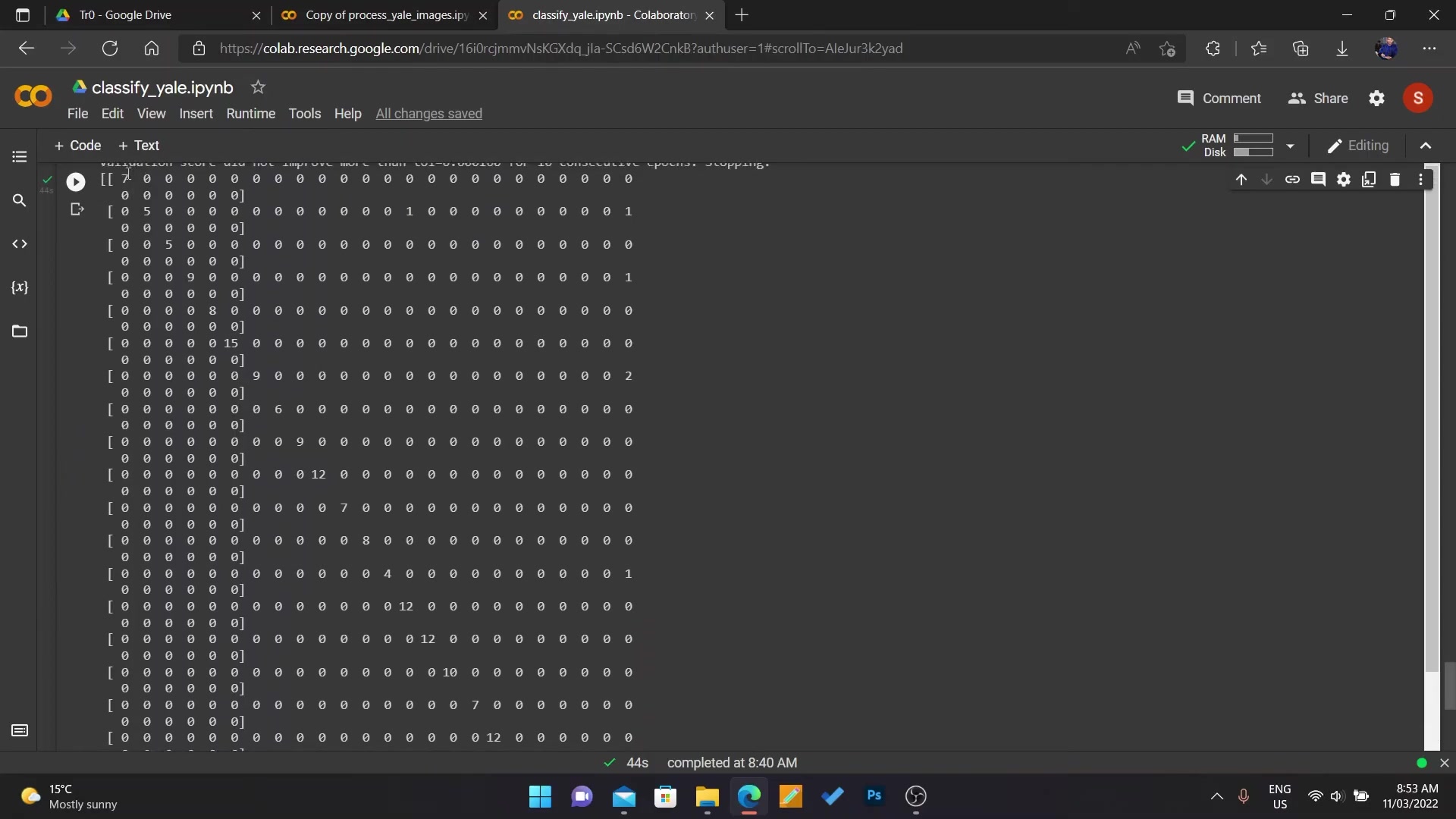
It displays the counts of true positives, true negatives, false positives, and false negatives, providing a clear picture of model performance.
from sklearn.metrics import confusion_matrix

pred = mlp.predict(x_train_pca)
matrix = confusion_matrix(labels_train, pred)

print(matrix)
Accuracy, precision, recall, and F1-score are also computed to assess overall performance. Accuracy measures the overall correctness of the model, while precision and recall focus on the model's ability to correctly identify positive instances and avoid false negatives, respectively. F1-score balances precision and recall, offering a comprehensive performance metric.



Most people like







































Report
Please select a reason for reporting
- 13 Reasons to Switch from Snapchat to Text Messaging
- 7 Powerful Speech to Text Apps to Boost Productivity
- 10 Best Speech to Text Tools for Effortless Transcription
- 13 Free Tools to Easily Transcribe Audio to Text
- 15 Surprising Ways Google's Speech-to-Text Boosts Productivity
- 7 Best Free Online Audio to Text Transcription Tools
- 9 Tips to Transcribe Speech to Text Faster and Better
- 13 Best Speech to Text Software for Windows 10 in 2023
- 7 Tips for Choosing the Best Transcriber for Audio to Text
- 11 Reasons Why Dragon Speech-to-Text Apps are Game-Changers
- 6 Secrets to Enhance Your Speech to Text Transcription
- 6 Brilliant Ways to Boost Productivity with Talk-to-Text on Your MacBook
- 6 Ways Transcription Software Converts Audio to Text
- 8 Tips to Transcribe Speech to Text Like a Pro
- 6 Reasons IBM Watson Speech to Text is a Game-Changer
- 14 Powerful Ways Talk-to-Text Improves Your Workflow
- 12 Top Windows Speech-to-Text Software for Efficient Transcription
- 12 Game-Changing Benefits of Apple's Speech to Text Technology
- 9 Powerful Use Cases for AWS Speech to Text Technology
- 10 Easy Steps to Transcribe YouTube Videos to Text
- transcription audio en texte
- online audio transcription
- free audio file transcription
- free ai audio transcription
- audio transcription service
- audio transcription online free
- audio transcription free online
- audio to transcription software
- audio and transcript
- ai audio transcription free
- voice recording to text converter
- translate voice recording to text
- record voice to text
- audio recording to text converter
- voice recording and transcription
- chatgpt voice to text
- gmail voice to text
- speech to text reader
- speech to text ai free
- speech to talk
- Meshy AI: How to Create 3D Models from Text and Images
- How SEO and Marketing Dashboards Empower Agencies to Drive Results
- How to Use AI Tools to Find Internal Linking Opportunities Across a Business Website
- Discover Your Perfect Haircut with AI Hairstyle Apps
- Free Reputation Calculator Tools: How They're Adapting to Score AI Visibility, Not Just Rankings
- Design Professional Flyers for Free on Your Phone
- Best Free Flyer Maker Apps for Android: Design Like a Pro
- How to Know If Your Business Is Ready for an AI Customer Service Agent
- Revolutionizing Storytelling: From Novels to Screenplays with AI
- Create Engaging Animated Explainer Videos with a Free AI Tool
- Meshy AI: How to Create 3D Models from Text and Images
- ASOMobile Helps Teams Benchmark App Store Screenshots Against Competitors
- How to Match LMS Software With Your Organization's Training Plan
- Revolutionizing Email Marketing Agency with AI
- How to Convert BTC to HNT
- Unleashing the Power of AI: Cognizant's Roadmap for Transformation
- Frame to Video Review: A Practical Look at Turning Two Still Frames Into Motion
- NVIDIA NIM: Revolutionizing Supply Chain Data Analysis with AI
- Top AI Tools That Help Brands Stand Out Offline (Not Just Online)
- Top 5 Cold Email Software: Maximize Your Outreach in 2025

Copyright ©2026 toolify