































Table of Contents
- Key Points
- Introduction to AI in Lesson Planning
- Detailed Components of an AI-Generated Lesson Plan
- Creating Lesson Plans with Google Bard
- The Landscape of AI Tools in Education
- Frequently Asked Questions
- Related Questions



Creating Lesson Plans with Google Bard
Accessing Google Bard
The first step is to access Google Bard, an AI Tool designed to assist with creative and analytical tasks. To access Google Bard, follow these steps:
- Launch Chrome: Begin by launching the Chrome browser on your device
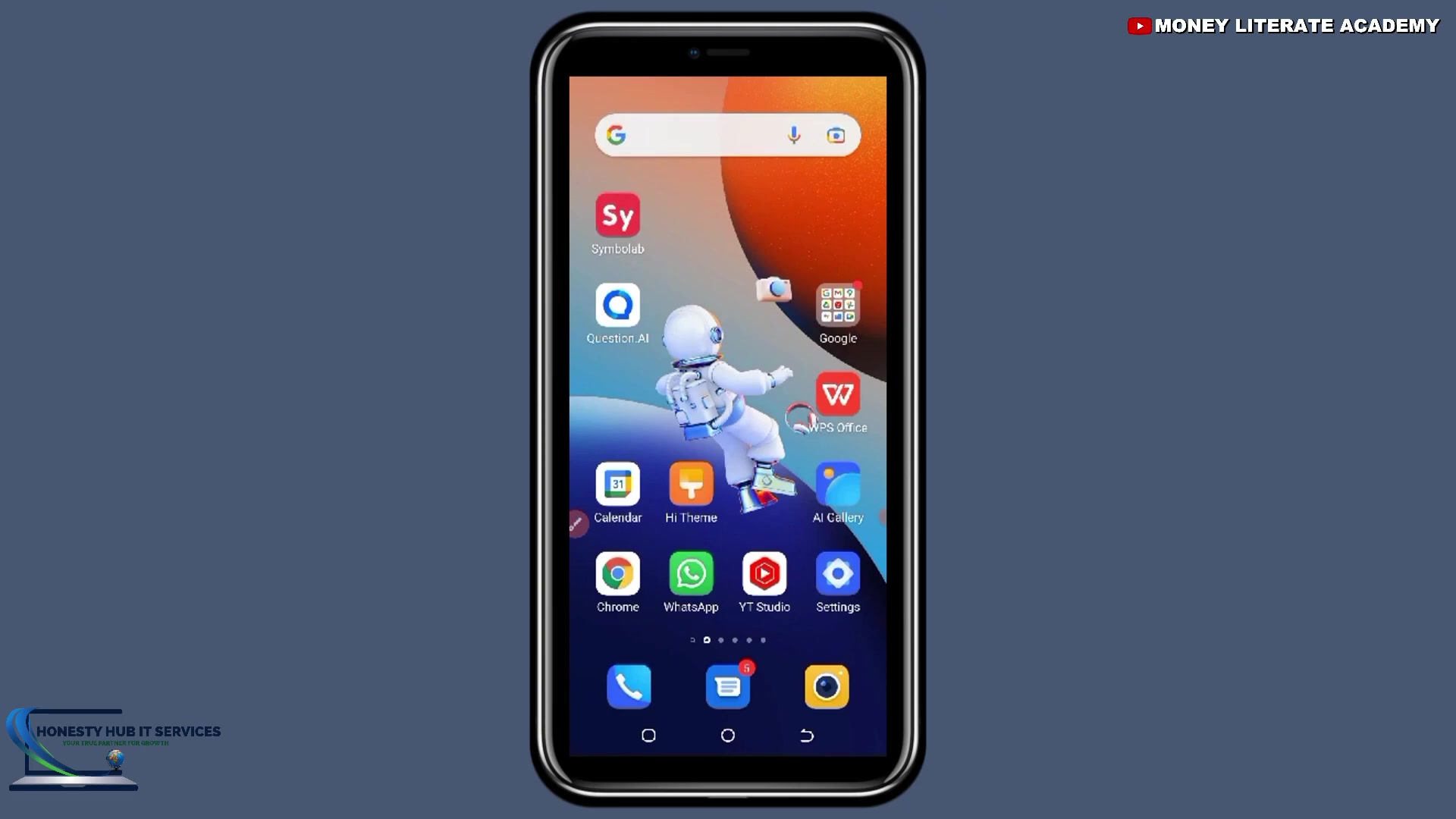
.
- Go to Google: Navigate to the Google Search Engine.
- Search for Bard: In the search bar, type bard.google.com and press Enter .
- Sign In: On the Google Bard page, click the Sign In button .
- Enter your Password After Selecting the Email you want to access Bard from you will then be asked to enter your password for authentication .
- Verify you are not a Robot: This will require you to click a box to confirm the same .
- Access Google Bard: Once you've signed in, you'll be directed to the Google Bard interface, ready to start creating lesson plans .
Crafting Effective Prompts
To get the best results from Google Bard, it's crucial to craft effective prompts. Prompts are instructions or questions you provide to the AI to guide its output. Here are some tips for crafting effective prompts:
- Be Specific: Clearly specify what you want the AI to generate. For example, instead of asking "Create a lesson plan," ask "Create a lesson plan for Basic 6, Culture."
- Provide Context: Include relevant details such as the grade level, subject, and topic to help the AI tailor the lesson plan to your needs.
- Use Keywords: Incorporate relevant keywords to improve the accuracy and relevance of the AI's output.
- Experiment: Don't be afraid to experiment with different prompts to see what works best.
By crafting effective prompts, you can harness the power of Google Bard to create customized lesson plans that meet your specific requirements.
Generating Lesson Plans
Once you've accessed Google Bard and crafted your Prompt, you can generate a lesson plan by following these steps:
- Enter the Prompt: In the Google Bard interface, enter your prompt in the provided text box. For example, you might enter "Make me a lesson plan Basic 6 Culture."
- Submit the Prompt: Click the send button to submit your prompt.
- Review the Output: Google Bard will generate a lesson plan based on your prompt. Take the time to carefully review the output to ensure it meets your needs and aligns with your teaching style.
- Refine the Output: If necessary, you can refine the output by providing additional instructions or feedback to Google Bard. This allows you to customize the lesson plan to suit your specific requirements.
Here a Step-by-step guide for that:
- Click on the sign in button on the website.
- After selecting on it, then you need to sign up with your email.
- I’m going to sign up .
- So, I’ll enter my password .
- After entering your password click on next
- So it’s loading.
- So, I’m not a robot.
- It will now direct you to the website.
- Then we have the website here So this shows that i have logged in.
- So, here you are going to enter the prompt here.
Customizing and Editing Lesson Plans
After generating a lesson plan with Google Bard, you can customize and edit it to suit your preferences and teaching style. Google Bard offers several editing options:
- Edit Text: You can directly edit the text of the lesson plan to make changes to the content, wording, or formatting.
- Add or Remove Sections: You can add or remove sections to tailor the lesson plan to your specific needs.
- Incorporate Multimedia: You can incorporate multimedia resources such as images, videos, and audio clips to enhance student engagement.
- Adjust Activities: You can adjust the activities and assessments to align with your teaching objectives and student learning styles.
By customizing and editing lesson plans generated by Google Bard, you can ensure they are tailored to your specific classroom environment and student needs. You also have options to pin, rename, or delete the lesson plan on the user interface.





Most people like

































Report
Please select a reason for reporting
- 13 Reasons to Switch from Snapchat to Text Messaging
- 7 Powerful Speech to Text Apps to Boost Productivity
- 10 Best Speech to Text Tools for Effortless Transcription
- 13 Free Tools to Easily Transcribe Audio to Text
- 15 Surprising Ways Google's Speech-to-Text Boosts Productivity
- 7 Best Free Online Audio to Text Transcription Tools
- 9 Tips to Transcribe Speech to Text Faster and Better
- 13 Best Speech to Text Software for Windows 10 in 2023
- 7 Tips for Choosing the Best Transcriber for Audio to Text
- 11 Reasons Why Dragon Speech-to-Text Apps are Game-Changers
- 6 Secrets to Enhance Your Speech to Text Transcription
- 6 Brilliant Ways to Boost Productivity with Talk-to-Text on Your MacBook
- 6 Ways Transcription Software Converts Audio to Text
- 8 Tips to Transcribe Speech to Text Like a Pro
- 6 Reasons IBM Watson Speech to Text is a Game-Changer
- 14 Powerful Ways Talk-to-Text Improves Your Workflow
- 12 Top Windows Speech-to-Text Software for Efficient Transcription
- 12 Game-Changing Benefits of Apple's Speech to Text Technology
- 9 Powerful Use Cases for AWS Speech to Text Technology
- 10 Easy Steps to Transcribe YouTube Videos to Text
- transcription audio en texte
- online audio transcription
- free audio file transcription
- free ai audio transcription
- audio transcription service
- audio transcription online free
- audio transcription free online
- audio to transcription software
- audio and transcript
- ai audio transcription free
- voice recording to text converter
- translate voice recording to text
- record voice to text
- audio recording to text converter
- voice recording and transcription
- chatgpt voice to text
- gmail voice to text
- speech to text reader
- speech to text ai free
- speech to talk
- Meshy AI: How to Create 3D Models from Text and Images
- How SEO and Marketing Dashboards Empower Agencies to Drive Results
- How to Use AI Tools to Find Internal Linking Opportunities Across a Business Website
- Discover Your Perfect Haircut with AI Hairstyle Apps
- Free Reputation Calculator Tools: How They're Adapting to Score AI Visibility, Not Just Rankings
- Design Professional Flyers for Free on Your Phone
- Best Free Flyer Maker Apps for Android: Design Like a Pro
- How to Know If Your Business Is Ready for an AI Customer Service Agent
- Revolutionizing Storytelling: From Novels to Screenplays with AI
- Create Engaging Animated Explainer Videos with a Free AI Tool
- Meshy AI: How to Create 3D Models from Text and Images
- ASOMobile Helps Teams Benchmark App Store Screenshots Against Competitors
- How to Match LMS Software With Your Organization's Training Plan
- Revolutionizing Email Marketing Agency with AI
- How to Convert BTC to HNT
- Unleashing the Power of AI: Cognizant's Roadmap for Transformation
- Frame to Video Review: A Practical Look at Turning Two Still Frames Into Motion
- NVIDIA NIM: Revolutionizing Supply Chain Data Analysis with AI
- Top AI Tools That Help Brands Stand Out Offline (Not Just Online)
- Top 5 Cold Email Software: Maximize Your Outreach in 2025

Copyright ©2026 toolify