






Table of Contents
- Key Points
- Understanding Augment Code
- Delving Deeper: AI Training and Data Usage
- Installing and Setting Up Augment Code
- Augment Code Pricing Plans
- Pros and Cons of Augment Code
- Core Features
- Frequently Asked Questions
- Related Questions



Understanding Augment Code
What is Augment Code?
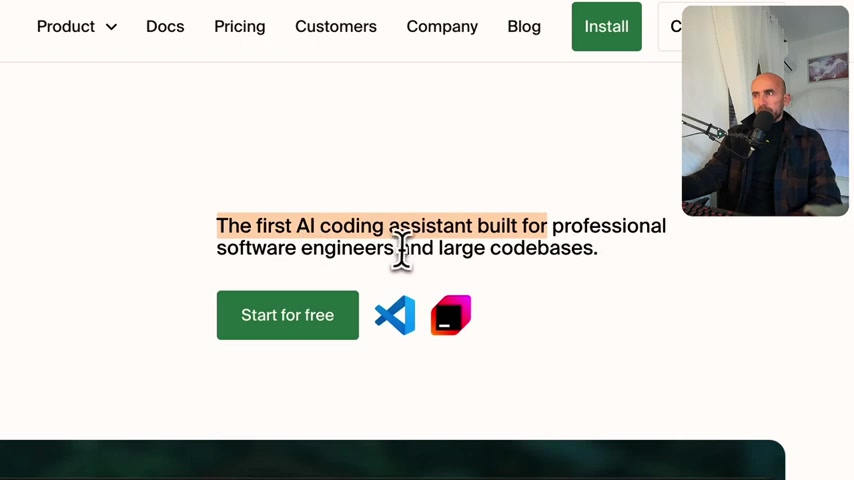
Augment Code is an AI-powered coding platform aimed at enhancing developer productivity. It's designed to understand entire codebases, providing insights and suggestions tailored to your project's structure. Augment Code analyzes your project and proactively offers assistance. The platform aims to truly fit the way teams are working. The tool is built for software engineers and large codebases. It also offers an AI coding assistant, and it's available as an extension for VS Code. The goal is to provide developer AI for real work.
Augment Code Pricing Plans
Augment Code provides different tiers. It allows for different kinds of access based on the needs and use cases of the software engineer or engineering team.

It is important to understand what each tier includes and what it costs to determine which works best for you and your team. Here are the current pricing plans:
- Community Plan: Priced at $0 per month. This option is ideal for individuals starting with AI-powered engineering.
- Professional Plan: Priced at $30 per user per month. This plan is geared towards individuals or small teams aiming for fast production.
- Enterprise Plan: Priced at $60 per active user per month. It's best for organizations with high-volume, security, or support needs.
Plan highlights also vary between the tiers. The community plan offers 3,000 chat messages, unlimited completions, instructions, next edits, and community support. The Professional plan offers email and community support as well as unlimited access for all the plan highlights. The Enterprise plan also has unlimited access, but with added isolated environments, a Slack integration, custom terms, invoicing, and dedicated support.
Highlights of the Community Plan
The community plan offers multiple features that are useful for developers and software engineers. Let's look at the features of the community plan:
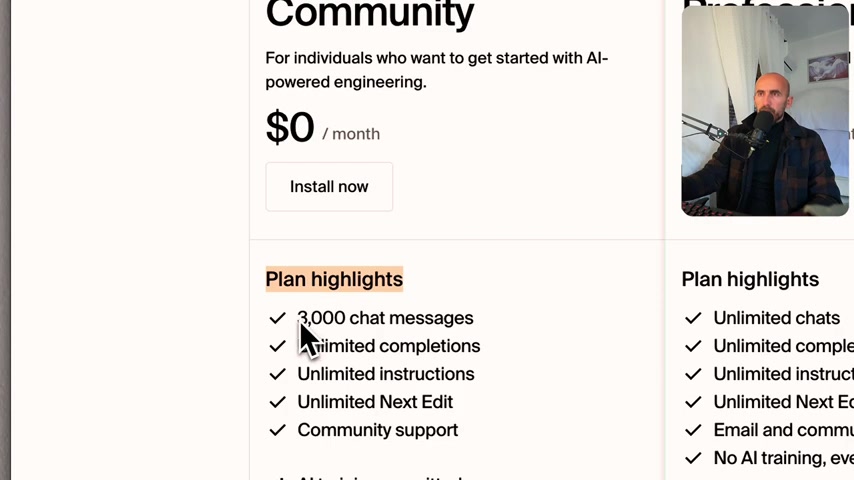
- 3,000 chat messages
- Unlimited completions
- Unlimited instructions
- Unlimited Next Edit
- Community Support
- AI Training Permitted
It’s important to note that the Community Plan lets your code usage and data help to make the AI models even better. By using the Community Plan, you're entering into a win-win type situation.
Delving Deeper: AI Training and Data Usage
Understanding AI Training in the Community Plan
When using the community plan, it’s important to understand where the data is used and how it trains the AI.
Here are some of the key data points to consider. The free community plan is possible because real-world usage and data help make their AI models even better. Think of it as a win-win where you get the most accurate developer AI while helping us improve! If you prefer to not have your data used in training, check out our paid plans.
Installing and Setting Up Augment Code
Installation Steps
Let's install Augment Code so that you can use developer AI on your software engineering team.
First, you will click on the Install Now button within the Community Plan or the Start For Free button within the Professional Plan. The website will ask you to log in through Google, Microsoft, or GitHub. Once you're logged in, you can download the extension for VS Code or JetBrains IDEs. After downloading the extension, VS Code will Prompt a window to pop up where you can install the extension. From there, you must trust the publisher and install the extension. Then, sign into Augment with the appropriate credentials.
Upon opening a project in VS Code, Augment will scan your codebase so that it can generate code suggestions. After that, it’s ready for use!
Augment Code Pricing Plans
Detailed Breakdown of Pricing and Features
Augment Code pricing caters to various needs, from individual developers to large enterprises.
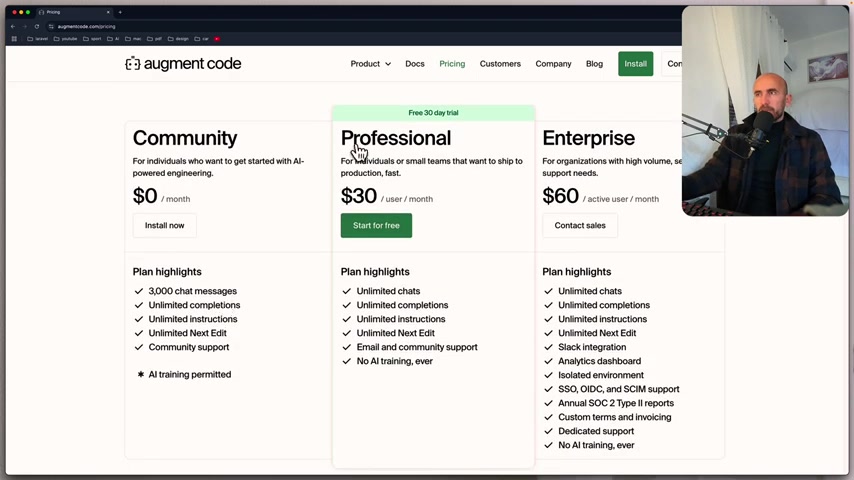
Here's a breakdown of the available plans:
| Feature | Community Plan ($0/month) | Professional Plan ($30/user/month) | Enterprise Plan ($60/active user/month) |
|---|---|---|---|
| Chat Messages | 3,000 | Unlimited | Unlimited |
| Completions | Unlimited | Unlimited | Unlimited |
| Instructions | Unlimited | Unlimited | Unlimited |
| Next Edit | Unlimited | Unlimited | Unlimited |
| Community Support | Yes | Yes | Yes |
| Email Support | No | Yes | Yes |
| AI Training | Permitted | No | No |
| Slack Integration | No | No | Yes |
| Analytics Dashboard | No | No | Yes |
| Isolated Environment | No | No | Yes |
| SSO, OIDC, SCIM Support | No | No | Yes |
| Annual SOC 2 Type II Reports | No | No | Yes |
| Custom Terms & Invoicing | No | No | Yes |
| Dedicated Support | No | No | Yes |


Most people like






























Report
Please select a reason for reporting
- 13 Reasons to Switch from Snapchat to Text Messaging
- 7 Powerful Speech to Text Apps to Boost Productivity
- 10 Best Speech to Text Tools for Effortless Transcription
- 13 Free Tools to Easily Transcribe Audio to Text
- 15 Surprising Ways Google's Speech-to-Text Boosts Productivity
- 7 Best Free Online Audio to Text Transcription Tools
- 9 Tips to Transcribe Speech to Text Faster and Better
- 13 Best Speech to Text Software for Windows 10 in 2023
- 7 Tips for Choosing the Best Transcriber for Audio to Text
- 11 Reasons Why Dragon Speech-to-Text Apps are Game-Changers
- 6 Secrets to Enhance Your Speech to Text Transcription
- 6 Brilliant Ways to Boost Productivity with Talk-to-Text on Your MacBook
- 6 Ways Transcription Software Converts Audio to Text
- 8 Tips to Transcribe Speech to Text Like a Pro
- 6 Reasons IBM Watson Speech to Text is a Game-Changer
- 14 Powerful Ways Talk-to-Text Improves Your Workflow
- 12 Top Windows Speech-to-Text Software for Efficient Transcription
- 12 Game-Changing Benefits of Apple's Speech to Text Technology
- 9 Powerful Use Cases for AWS Speech to Text Technology
- 10 Easy Steps to Transcribe YouTube Videos to Text
- transcription audio en texte
- online audio transcription
- free audio file transcription
- free ai audio transcription
- audio transcription service
- audio transcription online free
- audio transcription free online
- audio to transcription software
- audio and transcript
- ai audio transcription free
- voice recording to text converter
- translate voice recording to text
- record voice to text
- audio recording to text converter
- voice recording and transcription
- chatgpt voice to text
- gmail voice to text
- speech to text reader
- speech to text ai free
- speech to talk
- How AI Contract Analysis Helps Reduce Legal Risks
- How to Use AI for Finance Questions Without Risking Hallucinated Answers
- Best AI Humanizers for SEO Content Writers in 2026
- How SEO and Marketing Dashboards Empower Agencies to Drive Results
- Discover Your Perfect Haircut with AI Hairstyle Apps
- Twitter/X API Alternatives for AI Agents and Developers in 2026
- ChatGPT Knows Ford. It Just Doesn't Quote Ford
- Meshy AI: How to Create 3D Models from Text and Images
- How to Use AI Tools to Find Internal Linking Opportunities Across a Business Website
- Free Reputation Calculator Tools: How They're Adapting to Score AI Visibility, Not Just Rankings
- AI Music Generation: A Practical Guide to Creating AI Songs
- AI Music Composition & Analysis: A Comprehensive Guide
- Generate Your Own AI Music for Free with ChatGPT
- AI Music Generators: Suno vs. Stable Audio vs. Udio
- Suno AI New Features: Edit Music Like a Pro!
- Top AI Video Generators for Stunning Animations in 2024
- Create Faceless YouTube Videos: AI Avatar & Voice Guide
- Create Captivating AI News Videos: Step-by-Step Guide
- TikTok as a Social Media Platform: Its Impact, Features, Advantages, and Disadvantages
- Top Social Media Management Tools: Save Time & Boost Business

Copyright ©2026 toolify