































Table of Contents
- Key Points
- Introduction to Automated Flashcard Creation
- Setting up the Development Environment
- Step-by-Step Guide: Automating Flashcard Creation with Python
- Pricing
- Pros and Cons of Automating Flashcard Creation
- Core Features of Automated Flashcard Creation
- Use Cases: Automating Flashcard Creation in Various Fields
- Frequently Asked Questions
- Related Questions



Introduction to Automated Flashcard Creation
Why Automate Flashcard Creation?
Creating flashcards manually can be a time-consuming process. Automating this task with Python not only saves you time but also reduces the cognitive load, allowing you to focus more on the material itself. This is especially useful for anyone dealing with large volumes of information, such as language learners, medical students, or those preparing for professional certifications. By using Python to create Anki flashcards, you turn a repetitive chore into an efficient part of your daily memorization routine. Python, in combination with Anki's spaced repetition system, becomes a powerful tool to manage and retain vast quantities of information.
Overview of Anki and its Benefits
Anki is more than just a flashcard program; it's a powerful, intelligent tool for spaced repetition learning. Its algorithm schedules reviews based on how well you remember each card, ensuring that you review what you're about to forget just before you do. This method maximizes retention while minimizing review time. Anki is also highly customizable, allowing you to create cards with text, images, audio, and even video. By automating the flashcard creation process, you can rapidly populate Anki with new material, keeping your learning fresh and effective.
Setting up the Development Environment
Installing Necessary Dependencies
Before diving into the code, setting up your development environment ensures a smooth process. The key is to install all the dependencies your Python script will rely on.
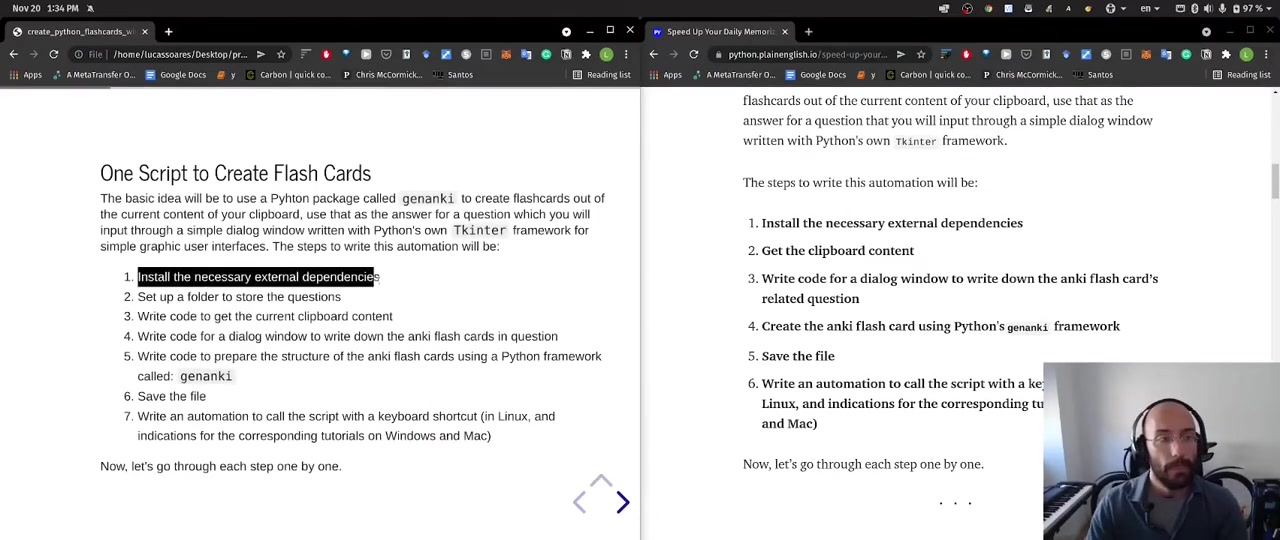
These are Tkinter for GUI creation and genanki for building the structure of the anki flash cards with python:
- Tkinter is Python's standard GUI (Graphical User Interface) Package. We’ll use Tkinter to create a simple dialog box for inputting questions related to your flashcards. This interface allows you to quickly add context to the answers pulled from your clipboard.
- Genanki is a Python library that facilitates creating Anki decks programmatically. It handles the complex structure of Anki cards, allowing you to define models, fields, and templates directly from your Python code. Genanki streamlines the process of converting your data into a format Anki can understand.
To install these dependencies, use the following pip command:
pip install tkinter genankiThis command ensures that both Tkinter and Genanki are installed in your Python environment. With the dependencies in place, you're set to create a Python application for Anki flashcard creation.
Understanding the genanki Framework
To fully leverage the power of genanki, it’s helpful to understand how it structures Anki flashcards. Genanki uses three core concepts:
- Models: Models define the fields (like 'Front' and 'Back') and the card templates (how the front and back are displayed). A model is essentially the blueprint for your flashcards.
- Notes: Notes are instances of a model. Each note contains the actual data for the fields defined in the model. A note represents a single flashcard.
- Decks: Decks are collections of notes. Decks help you organize your flashcards into different subjects or categories.
The following table illustrates the structure of each key element:
| Element | Description | Properties |
|---|---|---|
| Model | Defines the type of flashcard, including the fields it will contain and the card template. | name, fields (list of field names), templates (how the card will look) |
| Note | Represents a single flashcard with data for each field defined in the model. | model, fields (actual content for each field) |
| Deck | A collection of flashcards (notes) that are grouped together for study. | deck_id (unique identifier), name (name of the deck) |
With a solid understanding of how genanki structures Anki cards, you're better prepared to adapt and customize the script for your unique learning needs. This knowledge empowers you to automate the creation of flashcards with Clarity.
Step-by-Step Guide: Automating Flashcard Creation with Python
Step 1: Setting up a Folder for Questions
The best way to keep your Python script organized is to establish a structured project directory. Create a folder to store the question prompts you'll be using with your flashcards. Doing so keeps everything neat and ensures your script can reliably access necessary files. This also makes your setup more portable and easier to share or deploy.
Step 2: Writing Code to Get Clipboard Content
The primary step in our flashcard automation process involves creating a Python script to capture the content you've copied to your clipboard. To achieve this, you can use the clipboard package. Here's the basic structure of how to get your script to get your current clipboard content:
import clipboard

content = clipboard.paste()
content = content.strip('
')
This is how you will extract the reference answer for every question in your anki flashcard.
Step 3: Writing Code for a Dialog Window to Write Down the Anki Flash Cards in Question
Now that the current content from the clipboard is available to copy to your Python app, the next step is to write the code for a dialog window so that you can write down the anki flash cards questions.
Create a simple dialog window using Tkinter so that it asks what the right question is.
import tkinter as tk
from tkinter import simpledialog

r = tk.Tk()
r.withdraw()

question = simpledialog.askstring(title="Anki question", prompt="What's your question?")
In three lines of code you can write a dialog window and ask: 'What's your question?' That way you will write down the question for the current clipboard content without living the current environment you are in.
Step 4: Preparing the Structure of Anki Flashcards using genanki
Here's where the magic of genanki truly shines. The goal is to use this tool to make the Anki flash cards and to add it to the Anki app.
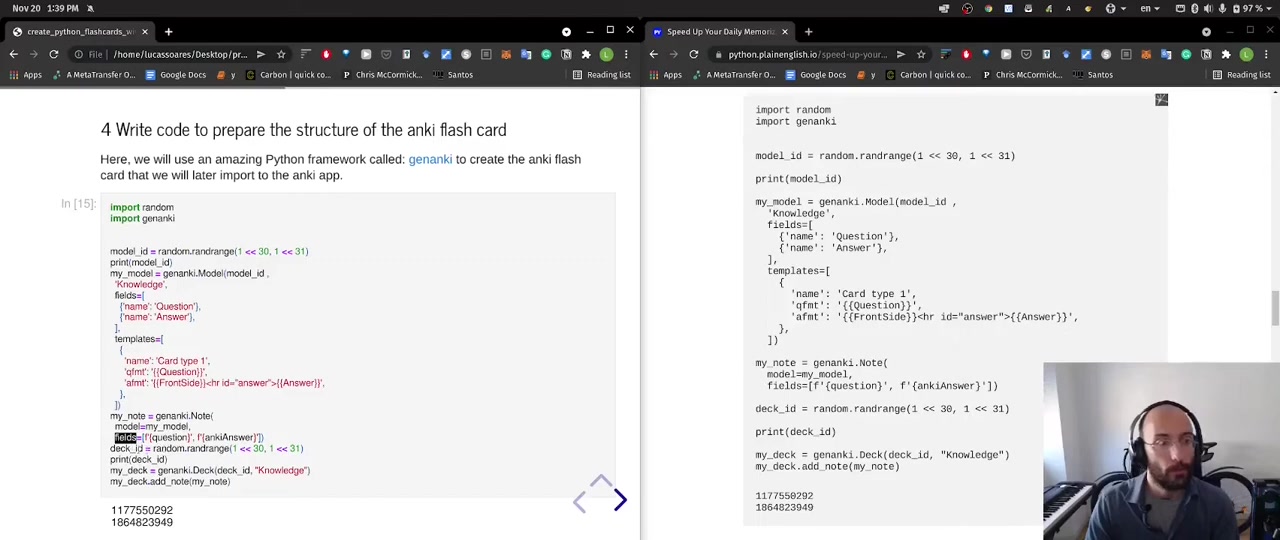
Let's take a look at the Python code snippet to do just that:
import random
import genanki

model_id = random.randrange(1 << 30, 1 << 31)
print(model_id)

my_model = genanki.Model(
    model_id,
    'Knowledge',
    fields=[
        {'name': 'Question'},
        {'name': 'Answer'},
    ],
    templates=[
        {
            'name': 'Card type 1',
            'qfmt': '{{Question}}',
            'afmt': '{{FrontSide}}<hr id=answer>{{Answer}}',
        },
    ])

my_note = genanki.Note(
    model=my_model,
    fields=[question, answer])

deck_id = random.randrange(1 << 30, 1 << 31)

print(deck_id)

my_deck = genanki.Deck(
    deck_id,
    'Knowledge')
my_deck.add_note(my_note)

1177559292
1864623949
This is how to prepare the basic structure of the anki flash card for Python. Here there are 3 key things to look at:
- Create the model to define the fields and cards for the type of note.
- Create a flashcard with
genanki.Note()using the question and answer. - Create a deck with 'Knowledge' and add that note.
Step 5: Save the file to the specified folder
Finally, we will save the file into the specified folder. Here is how we will save the file with python:
import datetime

my_package = genanki.Package(my_deck)

folder = "/home/lucassoares/Desktop/projects/self_track/data/anki_questions"
message = my_package.write_to_file(folder + "/anki_questions" + str(datetime.date.today()) + ".apkg")

print(message)








Most people like
































Report
Please select a reason for reporting
- 13 Reasons to Switch from Snapchat to Text Messaging
- 7 Powerful Speech to Text Apps to Boost Productivity
- 10 Best Speech to Text Tools for Effortless Transcription
- 13 Free Tools to Easily Transcribe Audio to Text
- 15 Surprising Ways Google's Speech-to-Text Boosts Productivity
- 7 Best Free Online Audio to Text Transcription Tools
- 9 Tips to Transcribe Speech to Text Faster and Better
- 13 Best Speech to Text Software for Windows 10 in 2023
- 7 Tips for Choosing the Best Transcriber for Audio to Text
- 11 Reasons Why Dragon Speech-to-Text Apps are Game-Changers
- 6 Secrets to Enhance Your Speech to Text Transcription
- 6 Brilliant Ways to Boost Productivity with Talk-to-Text on Your MacBook
- 6 Ways Transcription Software Converts Audio to Text
- 8 Tips to Transcribe Speech to Text Like a Pro
- 6 Reasons IBM Watson Speech to Text is a Game-Changer
- 14 Powerful Ways Talk-to-Text Improves Your Workflow
- 12 Top Windows Speech-to-Text Software for Efficient Transcription
- 12 Game-Changing Benefits of Apple's Speech to Text Technology
- 9 Powerful Use Cases for AWS Speech to Text Technology
- 10 Easy Steps to Transcribe YouTube Videos to Text
- transcription audio en texte
- online audio transcription
- free audio file transcription
- free ai audio transcription
- audio transcription service
- audio transcription online free
- audio transcription free online
- audio to transcription software
- audio and transcript
- ai audio transcription free
- voice recording to text converter
- translate voice recording to text
- record voice to text
- audio recording to text converter
- voice recording and transcription
- chatgpt voice to text
- gmail voice to text
- speech to text reader
- speech to text ai free
- speech to talk
- How SEO and Marketing Dashboards Empower Agencies to Drive Results
- How to Use AI Tools to Find Internal Linking Opportunities Across a Business Website
- Discover Your Perfect Haircut with AI Hairstyle Apps
- Free Reputation Calculator Tools: How They're Adapting to Score AI Visibility, Not Just Rankings
- Design Professional Flyers for Free on Your Phone
- Best Free Flyer Maker Apps for Android: Design Like a Pro
- How to Know If Your Business Is Ready for an AI Customer Service Agent
- Revolutionizing Storytelling: From Novels to Screenplays with AI
- Create Engaging Animated Explainer Videos with a Free AI Tool
- Stop Multi-Subscribing: Benchmark Top AI Visual Models in One Canvas
- DeepL Translator: The AI-Powered Translation Tool
- AI Video Upscaling: Top Tools Compared for Enhanced Quality
- Bridging the Gap: How One Indie Developer Solved the "Art Asset Nightmare" Using AI Style Transfer
- How I Direct Consistent AI Clips: A Hands-On Guide to Multi-Model Generation
- My Honest Review of VideoAI: The Ultimate Character Voice Generator I've Been Using Lately
- Why do so many AI tools underdeliver for online stores?
- My Brand New Logo: AI-Powered Logo Design for Startups
- Create Stunning Logos with Free AI Logo Generator!
- AI Logo Maker: Design a Stunning Logo in Minutes
- Elevate Your Zoom Experience with Enhanced Name Tags by Warmly

Copyright ©2026 toolify