































Table of Contents
- Key Points
- Understanding the Need for Browser Automation Upgrades
- Application Modeller Conversion Tool's Advantages and Functionality
- Step-by-Step Guide to Using the Conversion Tool
- Pricing for Blue Prism Application Modeler Conversion
- Blue Prism Application Modeler Conversion Tool: Weighing the Pros and Cons
- Explore Key Features of the Application Modeler Conversion Tool
- Application Modeller Conversion Tool: Strategic Use Cases for Implementation
- Frequently Asked Questions (FAQ)
- Related Questions About Robotic Process Automation (RPA)


Understanding the Need for Browser Automation Upgrades
The Shift from Internet Explorer
For many years, Internet Explorer dominated the internet space,
and browser-based RPA automation on Blue Prism relied heavily on spying techniques tailored for it. These techniques, such as HTML Mode and Active Accessibility Mode, were optimized for Internet Explorer's architecture. However, with the rise of competitors like Chrome, Firefox, and Edge, the need to upgrade automation technology became apparent. Legacy systems automated using Internet Explorer can become obsolete and unsupported as more modern browsers take center stage. This creates a critical need for tools and methods to seamlessly transition existing RPA processes to these newer platforms. The Application Modeler Conversion Tool bridges this gap, ensuring that your automation investments remain valuable and effective. Modern browsers offer enhanced security, performance, and features that can greatly benefit RPA processes.
Blue Prism's Solution: The Application Modeler Conversion Tool
Blue Prism introduced the Application Modeler Conversion Tool to address the growing need for browser migration.

This tool offers a way to convert existing browser-based automation processes from Internet Explorer to modern browsers, all while incorporating new spying techniques. This new spying technique provides a more reliable and robust mechanism for interacting with web elements in modern browsers. It allows for more resilient automation processes that are less likely to break due to changes in the target application's user interface.
Application Modeller Conversion Tool's Advantages and Functionality
Key Benefits of the Application Modeler Conversion Tool
The Application Modeler Conversion Tool offers several benefits that make it a valuable asset for Blue Prism users:
- Bulk Conversion:

Quickly convert multiple application modeler elements and attributes from Internet Explorer to modern browsers like Chrome, Firefox, or Edge. This saves significant time and effort compared to manually re-spying and editing each element.
- XML Structure Conversion: The tool converts the XML structure of existing RPA objects and processes that support Internet Explorer, allowing them to function on modern browsers using the new spying techniques.
- Freely Available on DX Exchange: The tool is available free of charge on the Blue Prism DX Exchange, making it accessible to all Blue Prism users. This promotes wider adoption and smoother transitions to modern browsers.
- Enables Continued Automation: Provides a new opportunity to move forward and continue automation, making it possible to upgrade automation technology seamlessly.
How the Conversion Tool Works
The conversion tool utilizes a three-pronged approach:
- Loads an Application Manager Operations .HTML File: This file, generated within Blue Prism, provides the structure of the actions of any navigate stage and allows you to load all the IDs that need to be converted to modern solutions.
- Loads a Conversion Rules File: This file contains the rules that will be used to convert the existing browser-based automations in Internet Explorer to modern browser solutions. Conversion rules are different between the old and new versions.
- Loads a Blue Prism Release or Business Object (.BO) file: You must release or choose the original file.
Step-by-Step Guide to Using the Conversion Tool
Accessing the Application Modeler Conversion Tool
The Application Modeler Conversion Tool can be accessed through Blue Prism's Digital Exchange (DX) platform. To download the application modeler conversion tool from digitalexchange.blueprism.com you have to have a profile registered under a Blue Prism account, which will enable you to download the tool.
Once you are ready to use the tool it must first be downloaded.
Setting up the Stage for Conversion
After downloading the tool there are several important considerations to take. There are three major steps to the process:
- Once downloaded, a page will Prompt you to load an application manager operations HTML file. The .HTML is the output of an object file, and contains instructions for how it navigates to a certain page or application. You can generate an HTML documentation file for an existing or dummy process to give the conversion tool a solid base for understanding
- Load a conversion rules file. These are sets of rules that help the tool to Translate old settings into new ones for modern engines.
- Finally, you should load the .BO or object file, or the release, that needs to be converted into a useable state for Blue Prism's conversion tool.
It is worth noting that it will always be important to cross-check any code generated through the Modeler Application Conversion Tool before putting it into production.
Pricing for Blue Prism Application Modeler Conversion
Cost-Effective Automation Migration
The Blue Prism Application Modeler Conversion Tool stands out as an invaluable asset, especially considering its cost.
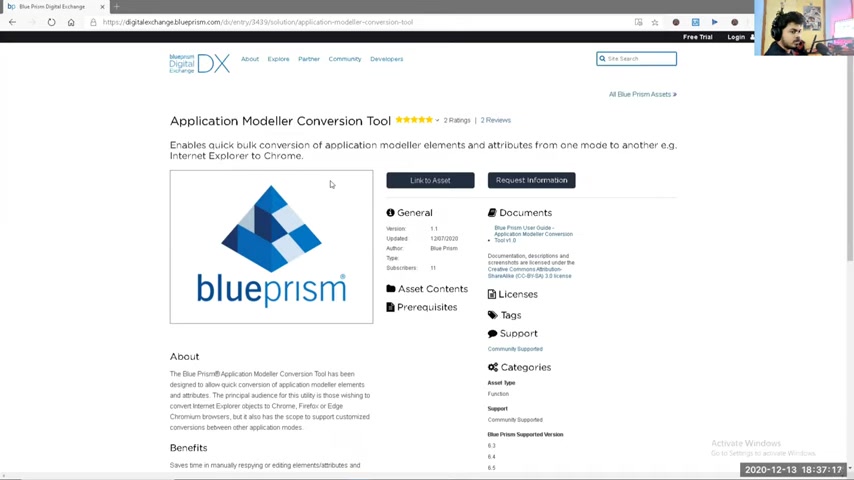
The tool is available for free within the Blue Prism Digital Exchange. This no-cost accessibility significantly reduces the financial burden typically associated with upgrading and migrating automation processes. While other RPA migration options might entail hefty licensing fees or complex pricing structures, Blue Prism provides this tool freely, empowering users to enhance their browser-based automation capabilities without incurring additional costs. Remember it saves valuable time.







Most people like


























Report
Please select a reason for reporting
- 13 Reasons to Switch from Snapchat to Text Messaging
- 7 Powerful Speech to Text Apps to Boost Productivity
- 10 Best Speech to Text Tools for Effortless Transcription
- 13 Free Tools to Easily Transcribe Audio to Text
- 15 Surprising Ways Google's Speech-to-Text Boosts Productivity
- 7 Best Free Online Audio to Text Transcription Tools
- 9 Tips to Transcribe Speech to Text Faster and Better
- 13 Best Speech to Text Software for Windows 10 in 2023
- 7 Tips for Choosing the Best Transcriber for Audio to Text
- 11 Reasons Why Dragon Speech-to-Text Apps are Game-Changers
- 6 Secrets to Enhance Your Speech to Text Transcription
- 6 Brilliant Ways to Boost Productivity with Talk-to-Text on Your MacBook
- 6 Ways Transcription Software Converts Audio to Text
- 8 Tips to Transcribe Speech to Text Like a Pro
- 6 Reasons IBM Watson Speech to Text is a Game-Changer
- 14 Powerful Ways Talk-to-Text Improves Your Workflow
- 12 Top Windows Speech-to-Text Software for Efficient Transcription
- 12 Game-Changing Benefits of Apple's Speech to Text Technology
- 9 Powerful Use Cases for AWS Speech to Text Technology
- 10 Easy Steps to Transcribe YouTube Videos to Text
- transcription audio en texte
- online audio transcription
- free audio file transcription
- free ai audio transcription
- audio transcription service
- audio transcription online free
- audio transcription free online
- audio to transcription software
- audio and transcript
- ai audio transcription free
- voice recording to text converter
- translate voice recording to text
- record voice to text
- audio recording to text converter
- voice recording and transcription
- chatgpt voice to text
- gmail voice to text
- speech to text reader
- speech to text ai free
- speech to talk
- Create Engaging Animated Explainer Videos with a Free AI Tool
- Stop Multi-Subscribing: Benchmark Top AI Visual Models in One Canvas
- Best Seedance 2.5 API Provider: Every Price on the Market, Checked at Source
- AI OnlyFans: How to Generate $30,000/Month (Legally)
- Transform Your Script into an Engaging Video with AI Video Maker!
- AI Marketing Automation: A Comprehensive Guide for Small Businesses
- Midjourney Alternative for Anime Art Creators: Why PixAI May Be Better for Character Workflows
- 10 Things Most People Get Wrong About AI Image Search
- AI Girlfriend Apps: Top Choices Redefining Relationships 2025
- How to Reduce Quoting Errors in Salesforce with AI-Assisted Quote Creation
- Revideo.io: The Future of Reverse Video Search Technology
- Mastering Cold Calling: The Buffoon Technique for Client Acquisition
- Top AI Image Generators: Photo-Realistic Results in 2025
- Top 5 AI Image Generators: Create Stunning Visuals Easily
- Mastering Camera Angle Control: Top 4 AI Image & Video Generators for Cinematic Precision
- Top 4 AI Tools to Generate Flawless Digital Personas in 2026
- Why AI Language Tutors Underperform in Low-Resource Languages (And How to Work Around It)
- Top 5 AI Detector Tools: Ensuring Originality in Your Content
- How to Tell If an AI Study Tool Is Actually Helping You Learn (6 Checks for 2026)
- From Auto-Cuts to Generative Clips: Top 4 AI Video Editor Platforms Tested

Copyright ©2026 toolify