































Table of Contents
- Key Points
- Getting Started with Your AI Coding Agent
- Conclusion: Embarking on the AI Coding Journey
- How to Use the AI Coding Agent
- Pros and Cons of Creating an AI Coding Agent from Scratch
- FAQ
- Related Questions


Getting Started with Your AI Coding Agent
Understanding the AI Coding Agent
The AI coding agent uses the Anthropic API's Claude model to provide conversational AI that can read, list, and edit files.
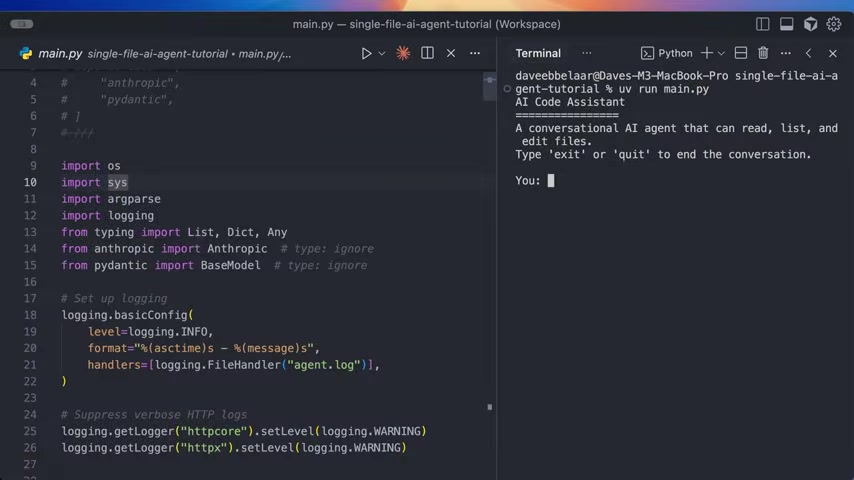
The key capabilities and features are:
- Read File: Reads the contents of a specified file.
- List Files: Lists the files and directories within a given directory.
- Edit File: Edits or creates files.
The agent operates in a chat loop, where it decides when to use tools or answer questions directly, using tool results to shape responses. All agent interactions are logged to agent.log.
This project has been created to demonstrate how AI coding agents work. This ensures that the code remains manageable and easy to grasp. By keeping the codebase concise, the mechanics of how the agent parses responses, executes tools, and maintains conversational context become much clearer.
Initial Setup: Cloning the GitHub Repository
To get started, clone the project's GitHub repository, where the source code lives, to follow along effectively.
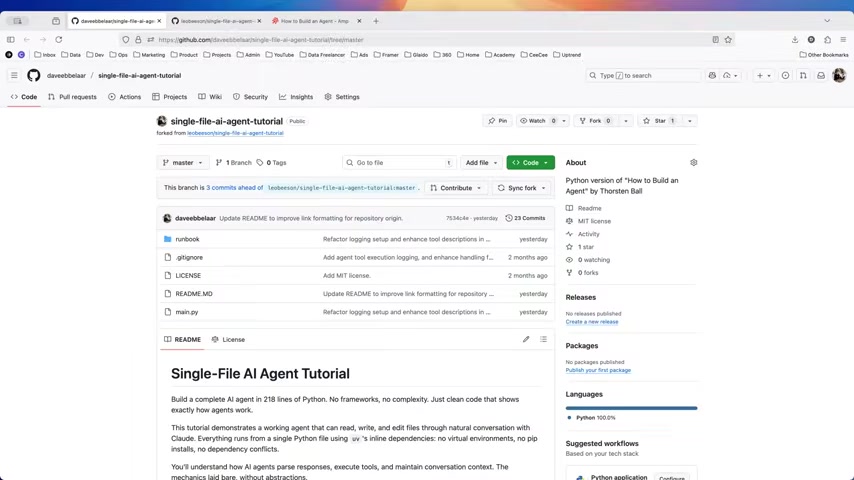
The repository, daveebbelaar/single-file-ai-agent-Tutorial, contains all the files needed to build the agent. The repository and this video use the work of Francis Bisson, who initially created this repository as a means for others to get started easily with AI agents.
To get started cloning:
- Navigate to the project's GitHub repository.
- Click the Code button and copy the repository URL.
- Use
git clonein your terminal to download the project files to your local machine. For example:git clone https://github.com/daveebbelaar/single-file-ai-agent-tutorial.git
Once cloned, open the project in your preferred IDE. VS Code or Cursor is preferable.
Setting Up Python and Dependencies
After cloning the repository, set up your Python environment to run the AI coding agent. This project requires Python 3.12 or higher and some dependencies. The video recommends using UV for dependency management.
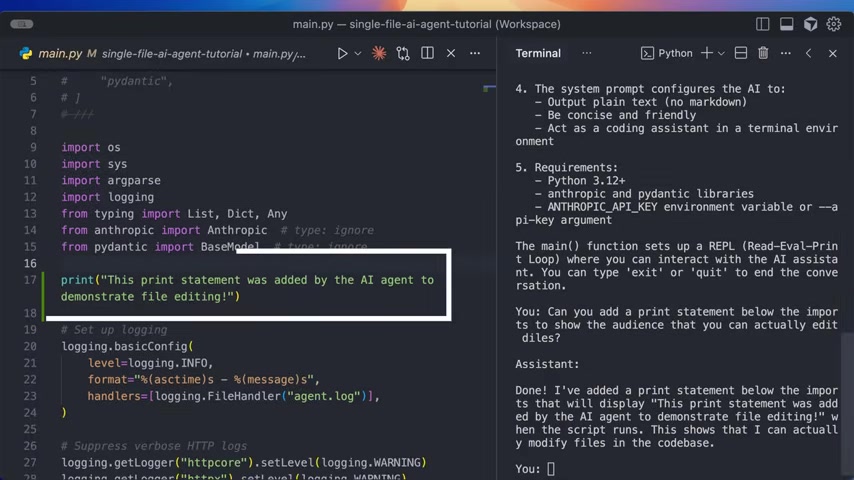
- Install Python 3.12+: Ensure you have Python 3.12 or later installed.
- Install UV: UV, an extremely fast Python package and project manager, is a tool that will replace PIP.
- UV can be installed in accordance to UV installation docs.
- Using UV or PIP to install: To install dependencies, navigate to the project directory in your terminal and run:
uv run main.py
UV streamlines the dependency installation process and ensures a fast, consistent environment.
Obtaining an Anthropic API Key
The AI coding agent is powered by the Anthropic API and Claude Sonnet 4.5 to function.
You'll need an API key to run the agent. Here's how to get one:
- Go to Anthropic Console: Navigate to the Anthropic console at
console.anthropic.com. - API Keys Section: Look for the API Keys option in the left menu.
- Create a Key: Follow the instructions to generate your API key.
Once you have the key, it will be necessary to store the API in your environment variable to connect the AI agent with Anthropic. Here is how it is done.
export ANTHROPIC_API_KEY="your-api-key-here"
Navigating the Project Files
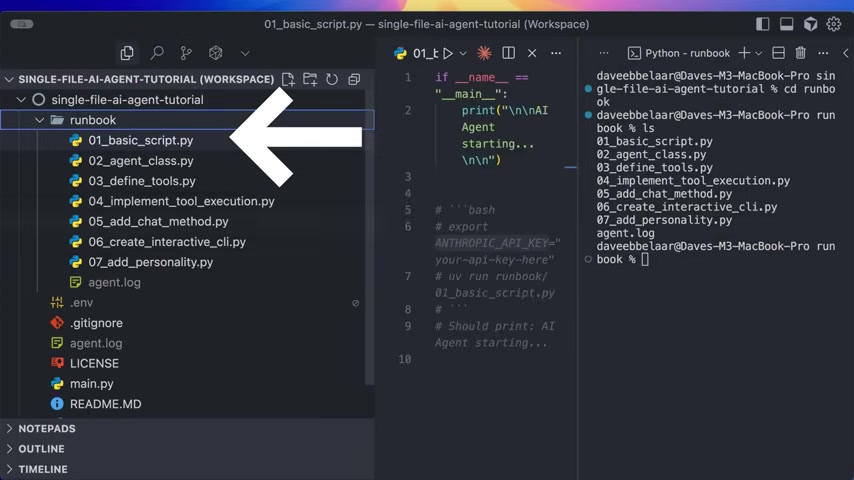
The AI coding agent project is intentionally simple, containing only a few core files:
.env: Holds environment-specific variables for configuration..gitignore: Specifies intentionally untracked files that Git should ignore.agent.log: Logs all interactions and operations performed by the AI agent.LICENSE: Contains the licensing details for the project.main.py: Contains the primary Python code for the AI coding agent.





Most people like


































Report
Please select a reason for reporting
- 13 Reasons to Switch from Snapchat to Text Messaging
- 7 Powerful Speech to Text Apps to Boost Productivity
- 10 Best Speech to Text Tools for Effortless Transcription
- 13 Free Tools to Easily Transcribe Audio to Text
- 15 Surprising Ways Google's Speech-to-Text Boosts Productivity
- 7 Best Free Online Audio to Text Transcription Tools
- 9 Tips to Transcribe Speech to Text Faster and Better
- 13 Best Speech to Text Software for Windows 10 in 2023
- 7 Tips for Choosing the Best Transcriber for Audio to Text
- 11 Reasons Why Dragon Speech-to-Text Apps are Game-Changers
- 6 Secrets to Enhance Your Speech to Text Transcription
- 6 Brilliant Ways to Boost Productivity with Talk-to-Text on Your MacBook
- 6 Ways Transcription Software Converts Audio to Text
- 8 Tips to Transcribe Speech to Text Like a Pro
- 6 Reasons IBM Watson Speech to Text is a Game-Changer
- 14 Powerful Ways Talk-to-Text Improves Your Workflow
- 12 Top Windows Speech-to-Text Software for Efficient Transcription
- 12 Game-Changing Benefits of Apple's Speech to Text Technology
- 9 Powerful Use Cases for AWS Speech to Text Technology
- 10 Easy Steps to Transcribe YouTube Videos to Text
- transcription audio en texte
- online audio transcription
- free audio file transcription
- free ai audio transcription
- audio transcription service
- audio transcription online free
- audio transcription free online
- audio to transcription software
- audio and transcript
- ai audio transcription free
- voice recording to text converter
- translate voice recording to text
- record voice to text
- audio recording to text converter
- voice recording and transcription
- chatgpt voice to text
- gmail voice to text
- speech to text reader
- speech to text ai free
- speech to talk
- Meshy AI: How to Create 3D Models from Text and Images
- How SEO and Marketing Dashboards Empower Agencies to Drive Results
- How to Use AI Tools to Find Internal Linking Opportunities Across a Business Website
- Discover Your Perfect Haircut with AI Hairstyle Apps
- Free Reputation Calculator Tools: How They're Adapting to Score AI Visibility, Not Just Rankings
- Design Professional Flyers for Free on Your Phone
- Best Free Flyer Maker Apps for Android: Design Like a Pro
- How to Know If Your Business Is Ready for an AI Customer Service Agent
- Revolutionizing Storytelling: From Novels to Screenplays with AI
- Create Engaging Animated Explainer Videos with a Free AI Tool
- Meshy AI: How to Create 3D Models from Text and Images
- ASOMobile Helps Teams Benchmark App Store Screenshots Against Competitors
- How to Match LMS Software With Your Organization's Training Plan
- Revolutionizing Email Marketing Agency with AI
- How to Convert BTC to HNT
- Unleashing the Power of AI: Cognizant's Roadmap for Transformation
- Frame to Video Review: A Practical Look at Turning Two Still Frames Into Motion
- NVIDIA NIM: Revolutionizing Supply Chain Data Analysis with AI
- Top AI Tools That Help Brands Stand Out Offline (Not Just Online)
- Top 5 Cold Email Software: Maximize Your Outreach in 2025

Copyright ©2026 toolify