































Table of Contents
- Key Points
- Introduction to No-Code AI Chat Assistants
- World of AI Solutions
- How to Build a Chat Assistant with VectorShift
- Pros and Cons of VectorShift's No-Code AI
- FAQ
- Related Questions


Introduction to No-Code AI Chat Assistants
The Need for AI Chat Assistants
In today's data-rich environment, the ability to quickly search, analyze, and extract insights from various documents is crucial. PDFs, text files, HTML, and PowerPoints often contain valuable information, but their rigid format can make accessing this data challenging. AI chat assistants offer a solution by allowing users to interact with these documents in a conversational manner, streamlining the process of information retrieval and analysis. This is now easier than ever before with no-code solutions like VectorShift.
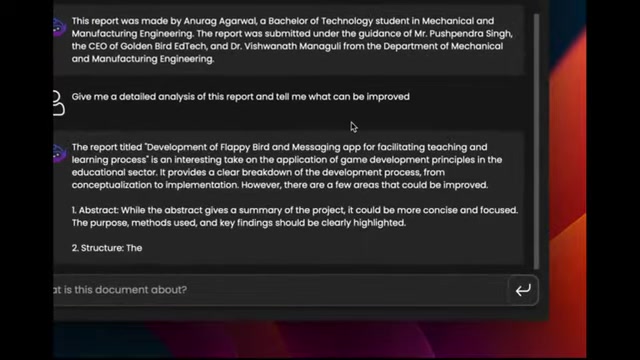
The rigidity of traditional data containment methods like PDFs make it extremely hard to perform search, analysis, and derive data, but AI chat assistants can remedy this.
Understanding VectorShift: A No-Code AI Platform
VectorShift is a no-code AI automation platform that empowers users to build AI search engines, assistants, chatbots, and automations without requiring coding expertise. It provides an integrated framework with drag-and-drop components and customizable deployment interfaces. VectorShift is designed to automate real-world use cases of AI by making it easier to build AI Tools.
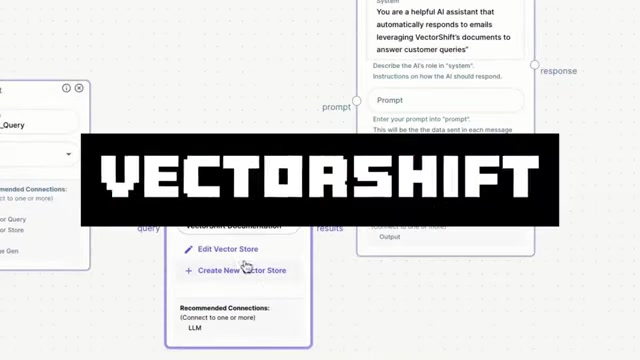
The platform utilizes a visual pipeline interface to connect various AI models and data sources, providing a user-friendly approach to AI development.
World of AI Solutions
Introducing World of AI Solutions
To further explore your AI endeavors, it is also important to note that the creator of this Tutorial has launched an AI solutions service that can be found at World of AI Solutions.

This organization is a consultation business made to help other companies harness the potential of AI. Whether that be in software engineering, machine learning, or AI consulting this service can offer solutions for a range of AI applications, all customized to meet your unique needs and goals. By visiting the site, you can discover a Patreon link for more insight into this consulting service.
How to Build a Chat Assistant with VectorShift
Creating a VectorShift Account
Before diving into building your AI chat assistant, you'll need to create a VectorShift account. To do this, head over to the VectorShift website and click on the 'Get Started' button.
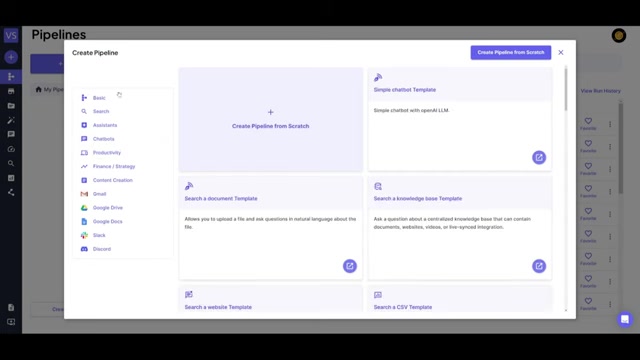
Follow the prompts to sign up using your email address or by connecting with Google or GitHub. Once your account is created, you'll be directed to the Pipelines page.
Navigating the Pipeline Page
The Pipelines page is your central hub for managing AI automations in VectorShift. Here, you can create new pipelines, manage existing ones, and explore pre-built automation templates from the community. To begin building your chat assistant, click on the 'New' button to create a pipeline from scratch. This opens up a drag-and-drop UI where you'll construct your workflow.
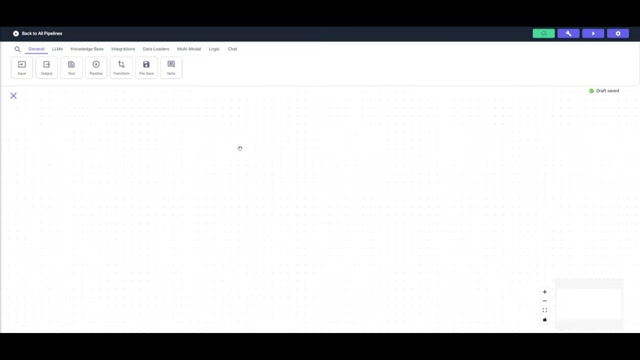
Constructing the AI Chat Assistant Pipeline
To build your AI chat assistant, follow these steps:
-
Add Input and Output Nodes: Begin by placing an input node and an output node onto the canvas. These nodes are fundamental for any workflow, as they define how information enters and exits the pipeline.
-
Incorporate a Large Language Model: From the LLMs section, add an OpenAI LLM node. This node is crucial as it will act as the backbone of your workflow, processing the documents with natural language processing. Select the 'gpt-4-turbo' model to have access to this state-of-the-art LLM, and provide a system prompt by inputting into the prompt section the question and file you want to Prompt. This helps improve analytics and insights for the data set.
-
Add a Chat File Reader Node: To enable interaction with documents, incorporate a Chat File Reader node from the Chat category. This node facilitates the creation of a temporary vector database, allowing you to chat directly with the files.
-
Incorporate a Chat Memory Node: Further improve the quality of results, it is also important to incorporate a Chat Memory node that is also found in the Chat section. This will allow semantic memory and also remember previous chat interactions.
Connect the Nodes:
- The chat file reader to the file
- The Chat Memory to the History
- The Question to the Input node.
Deployment
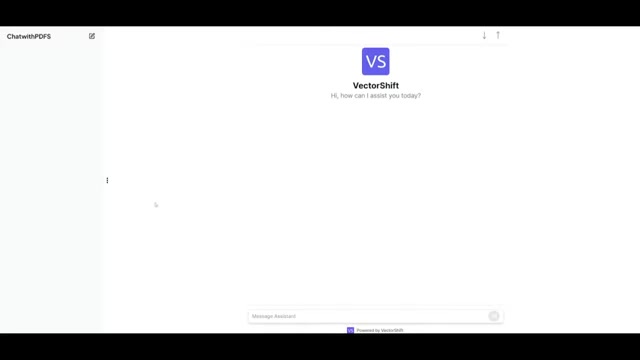
After that, click the deploy button and open the shareable link.
Now your automated and no-code AI chat assistant has been built!







Most people like






























Report
Please select a reason for reporting
- 13 Reasons to Switch from Snapchat to Text Messaging
- 7 Powerful Speech to Text Apps to Boost Productivity
- 10 Best Speech to Text Tools for Effortless Transcription
- 13 Free Tools to Easily Transcribe Audio to Text
- 15 Surprising Ways Google's Speech-to-Text Boosts Productivity
- 7 Best Free Online Audio to Text Transcription Tools
- 9 Tips to Transcribe Speech to Text Faster and Better
- 13 Best Speech to Text Software for Windows 10 in 2023
- 7 Tips for Choosing the Best Transcriber for Audio to Text
- 11 Reasons Why Dragon Speech-to-Text Apps are Game-Changers
- 6 Secrets to Enhance Your Speech to Text Transcription
- 6 Brilliant Ways to Boost Productivity with Talk-to-Text on Your MacBook
- 6 Ways Transcription Software Converts Audio to Text
- 8 Tips to Transcribe Speech to Text Like a Pro
- 6 Reasons IBM Watson Speech to Text is a Game-Changer
- 14 Powerful Ways Talk-to-Text Improves Your Workflow
- 12 Top Windows Speech-to-Text Software for Efficient Transcription
- 12 Game-Changing Benefits of Apple's Speech to Text Technology
- 9 Powerful Use Cases for AWS Speech to Text Technology
- 10 Easy Steps to Transcribe YouTube Videos to Text
- transcription audio en texte
- online audio transcription
- free audio file transcription
- free ai audio transcription
- audio transcription service
- audio transcription online free
- audio transcription free online
- audio to transcription software
- audio and transcript
- ai audio transcription free
- voice recording to text converter
- translate voice recording to text
- record voice to text
- audio recording to text converter
- voice recording and transcription
- chatgpt voice to text
- gmail voice to text
- speech to text reader
- speech to text ai free
- speech to talk
- How SEO and Marketing Dashboards Empower Agencies to Drive Results
- How to Use AI Tools to Find Internal Linking Opportunities Across a Business Website
- Discover Your Perfect Haircut with AI Hairstyle Apps
- Free Reputation Calculator Tools: How They're Adapting to Score AI Visibility, Not Just Rankings
- Design Professional Flyers for Free on Your Phone
- Best Free Flyer Maker Apps for Android: Design Like a Pro
- How to Know If Your Business Is Ready for an AI Customer Service Agent
- Revolutionizing Storytelling: From Novels to Screenplays with AI
- Create Engaging Animated Explainer Videos with a Free AI Tool
- Stop Multi-Subscribing: Benchmark Top AI Visual Models in One Canvas
- NVIDIA NIM: Revolutionizing Supply Chain Data Analysis with AI
- Top AI Tools That Help Brands Stand Out Offline (Not Just Online)
- Top 5 Cold Email Software: Maximize Your Outreach in 2025
- Magic School AI: Revolutionizing Quiz & Assessment Generation
- Create Your Own Email Bot and Automate Your Email Tasks
- Beyond Pure Prompts: Optimizing Production with 'Text With Reference' Generation
- Stop Using Boring TTS: My Honest Deep Dive Into VideoAI and the Hunt for the Perfect Custom Voices
- AI & Elections: Defending Democracy Against Misinformation
- Navigating Political Discourse: AI, Deepfakes, and Reality Checks
- Detecting Political Bias in News Articles: A Powerful AI Algorithm

Copyright ©2026 toolify