































Table of Contents
- Key Points
- Essential Components for a High-Performance Server
- Putting It All Together: Assembling the Server
- Testing the Server: Benchmarks and Real-World Game Scenarios
- Pricing of Components
- Advantages and Disadvantages of Using Dual Xeon Gold CPUs
- Key Features of the High-Performance Server
- Ideal Use Cases
- Frequently Asked Questions (FAQ)
- Related Questions


Essential Components for a High-Performance Server
Choosing the Right CPU: Intel Xeon Gold
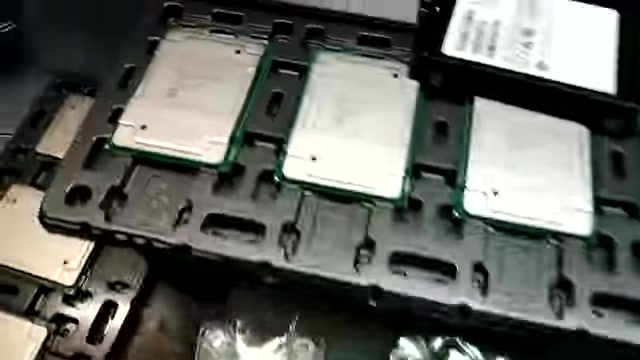
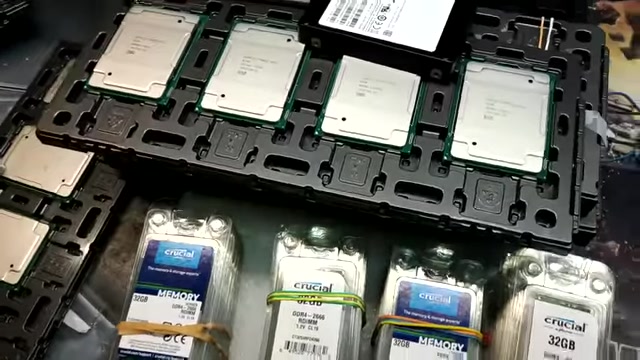
The central processing unit (CPU) is the brain of any server. For high-performance tasks, especially those involving gaming, selecting a powerful CPU is crucial. The Intel Xeon Gold series processors are designed to handle demanding workloads, offering a balance of core count, clock speed, and reliability. Specifically, the Xeon Gold 6246 and similar models provide ample processing power for servers.
When selecting a CPU, consider the number of cores and threads it offers. More cores allow the server to handle multiple tasks simultaneously, while threads enable each core to process multiple instructions concurrently. A CPU with a high clock speed ensures that each task is executed quickly.
The Intel Xeon Gold processors offer:
- High Core Count: Enables efficient multitasking and handling of numerous concurrent connections.
- High Clock Speed: Ensures fast execution of individual tasks.
- Reliability: Designed for continuous operation, which is crucial for server uptime.
Optimizing RAM Configuration for Stability and Speed
Random Access Memory (RAM) is vital for server performance, as it stores data that the CPU needs to access quickly. A sufficient amount of RAM prevents bottlenecks and ensures smooth operation, particularly when running multiple applications or handling large datasets.
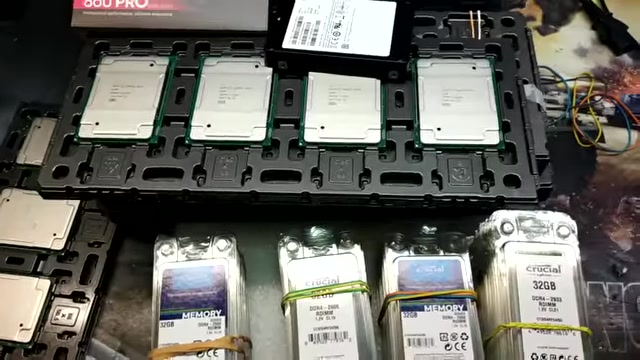
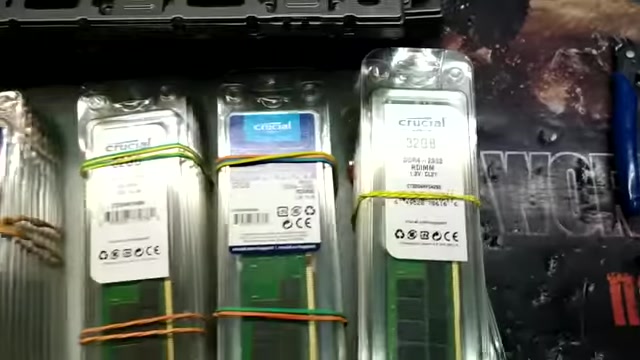
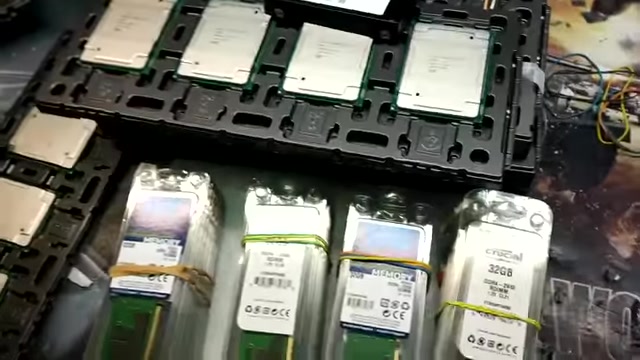
For a high-performance server, 32GB RAM sticks and above are recommended, particularly when paired with a high-core count CPU. Using DDR4-2666 RDIMM or DDR4-2933 RDIMM memory can further enhance performance.
Key considerations for RAM configuration:
- Capacity: Determines the amount of data the server can handle simultaneously.
- Speed: Affects the rate at which data can be accessed from memory.
- Error Correction Code (ECC): Enhances data integrity by detecting and correcting errors. Server-grade RAM typically includes ECC to prevent data corruption.
Utilizing a Crucial memory server configuration with appropriate speed and capacity is essential for optimal performance.
Selecting Fast SSDs for Rapid Data Access
The storage drive impacts server performance by influencing how quickly data can be read and written. Solid-state drives (SSDs) offer significantly faster data access compared to traditional hard disk drives (HDDs).
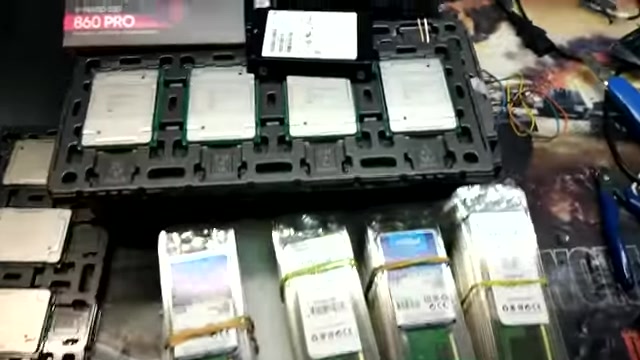
For a high-performance server, the Samsung 860 PRO V-NAND SSD is an excellent choice. These SSDs use SATA 6 Gb/s interfaces and provide impressive read and write speeds, ensuring that applications and data load quickly.
When selecting SSDs, consider:
- Read and Write Speeds: Indicate how quickly data can be read from and written to the drive.
- Capacity: Determines the amount of data that can be stored on the drive.
- Endurance: Measures the lifespan of the SSD, which is crucial for servers that operate continuously.
Integrating a GPU for Gaming and Graphical Applications
While CPUs handle general processing tasks, the graphics processing unit (GPU) is designed to accelerate graphical computations. Integrating a GPU into a server is essential for gaming, video editing, and other graphical applications.
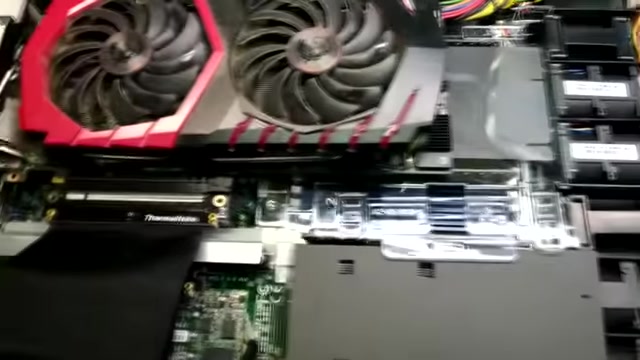
NVIDIA GeForce GTX 1070 and similar models can provide substantial graphical processing power. When integrating a GPU, consider the following:
- Video Memory (VRAM): Determines the amount of graphical data the GPU can handle.
- Clock Speed: Affects the speed at which the GPU processes graphical computations.
- Compatibility: Ensure that the GPU is compatible with the server's motherboard and power supply.
Integrating a GPU not only enhances graphical performance but also unlocks capabilities such as hardware encoding and decoding of video, making the server more versatile.
Putting It All Together: Assembling the Server
Building a Gaming Monster Server with Dual Xeon Gold Processors
Building a server involves more than just selecting components; it requires meticulous assembly. This project centers around constructing a server with dual Intel Xeon Gold 6242 CPUs, 64 threads at 2.80 GHz. These CPUs are high-performance chips designed for demanding workloads. Pairing these processors with ample memory, fast storage, and a capable GPU creates a server that can handle a wide range of tasks, from gaming to video editing.
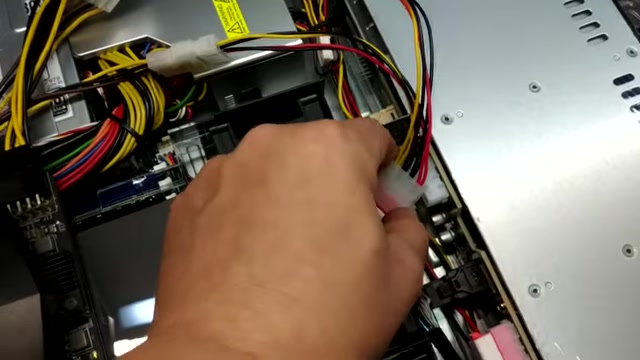
Steps to building the server:
- Install CPUs: Begin by installing the Xeon Gold CPUs into the motherboard's CPU sockets. Ensure proper alignment and secure the heatsinks.
- Install RAM: Populate the RAM slots with the appropriate DDR4 modules, ensuring they are properly seated. Use dual channel mode.
- Mount SSDs: Secure the Samsung 860 PRO V-NAND SSDs into the drive bays and connect them to the motherboard via SATA cables.
- Install GPU: Insert the NVIDIA GeForce GTX 1070 into the PCIe slot and connect the necessary power cables.
- Connect Power Supply: Ensure all components are connected to the power supply unit (PSU) with the appropriate cables.
- Install Operating System: Choose a server operating system like Windows Server or a Linux distribution tailored for server tasks. Configure RAID if needed.
- Configure BIOS Settings: Adjust settings for boot order, memory timings, and other parameters to optimize performance.
Troubleshooting and Maintenance
- Temperature Monitoring: Continuously monitor CPU and GPU temperatures to prevent overheating.
- Driver Updates: Keep drivers up to date for all components to ensure compatibility and optimal performance.
- Regular Backups: Implement a backup strategy to protect against data loss.
Testing the Server: Benchmarks and Real-World Game Scenarios
Running Cinebench R15 for CPU Benchmarking
To assess the server's CPU performance, benchmarking tools like Cinebench R15 provide valuable insights. This benchmark measures CPU rendering capabilities, indicating how well the CPU handles complex workloads.

Steps to run Cinebench R15:
- Download and Install Cinebench: Obtain the Cinebench R15 benchmark from a reputable source and install it on the server.
- Configure Settings: Set the benchmark to test the CPU rendering capabilities. Some settings like OpenGL.
- Run the Benchmark: Execute the benchmark and observe the score achieved. A higher score indicates better CPU performance.
These are Cinebench R15 results:
- Open GL 5,247 cb.
- Open GL - Again: 5,184 cb.
Real-World Game Testing: World of Tanks
testing server performance in real-world scenarios is critical for ensuring its ability to handle demanding applications. A popular choice for evaluating gaming server performance is World of Tanks.
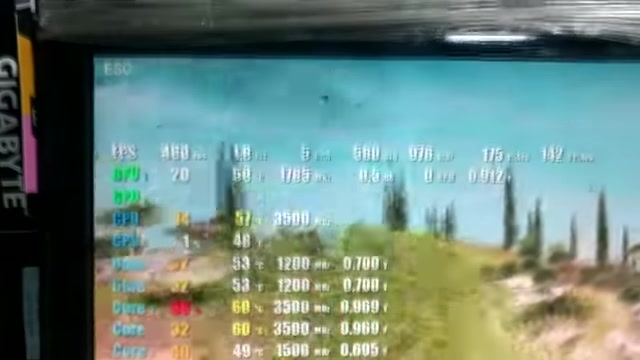
Steps for real-world Game testing:
- Install and Configure the Game: Install World of Tanks on the server and configure the graphics settings to a suitable level. A GTX 1070 has been install as graphics card for playing World of Tanks .
- Monitor Performance: While playing the game, monitor the FPS (frames per second) and other performance metrics using tools like FPS Monitor.
- Analyze Results: Assess the game's responsiveness and smoothness to determine if the server can handle the game's requirements.
By evaluating the server's performance in a real-world gaming scenario, you can gain a better understanding of its capabilities and identify any potential bottlenecks. This ensures the server can deliver an optimal gaming experience. At the end of benchmark the score was: 88,196!
Pricing of Components
Cost Breakdown for the High-Performance Server
The cost of building a high-performance server can vary significantly based on the specific components chosen. Here’s a rough estimate of the cost for the key components used in this setup, not including the price of a graphics card
:
| Component | Estimated Cost (USD) |
|---|---|
| Dual Intel Xeon Gold CPUs | $11,000 |
| 128GB DDR4 RAM | Varies |
| Samsung 860 PRO SSD | Varies |
| GPU (NVIDIA GTX 1070) | Varies |
Note: The price of GPUs is highly volatile, prices depend on your location and retailer. In addition, memory and storage drive costs depend on the exact configuration selected.
Key Features of the High-Performance Server
Highlights of the Server Build
This server build focuses on delivering balanced performance across multiple dimensions. Key features include:
- Dual Intel Xeon Gold CPUs: Provides exceptional processing power for demanding workloads.
- 128 GB DDR4-2666 RDIMM: Enables fast data access and supports heavy multitasking.
- Samsung 860 PRO V-NAND SSD: Delivers rapid storage speeds.
- NVIDIA GeForce GTX 1070 GPU: Enhances gaming and graphical performance.
- Single Unit Form Factor: Achieved by extensive modifications of the system.
By combining these features, the server is well-equipped to handle a variety of tasks, including gaming, video editing, and content creation.
Ideal Use Cases
Where This Server Shines
This server configuration is particularly well-suited for:
- High-End Gaming: Delivers smooth and responsive gaming experiences.
- Video Editing: Facilitates the creation and rendering of high-resolution video content.
- Content Creation: Supports content creation tasks with excellent throughput for the multiple processes involved.







Most people like
































Report
Please select a reason for reporting
- 13 Reasons to Switch from Snapchat to Text Messaging
- 7 Powerful Speech to Text Apps to Boost Productivity
- 10 Best Speech to Text Tools for Effortless Transcription
- 13 Free Tools to Easily Transcribe Audio to Text
- 15 Surprising Ways Google's Speech-to-Text Boosts Productivity
- 7 Best Free Online Audio to Text Transcription Tools
- 9 Tips to Transcribe Speech to Text Faster and Better
- 13 Best Speech to Text Software for Windows 10 in 2023
- 7 Tips for Choosing the Best Transcriber for Audio to Text
- 11 Reasons Why Dragon Speech-to-Text Apps are Game-Changers
- 6 Secrets to Enhance Your Speech to Text Transcription
- 6 Brilliant Ways to Boost Productivity with Talk-to-Text on Your MacBook
- 6 Ways Transcription Software Converts Audio to Text
- 8 Tips to Transcribe Speech to Text Like a Pro
- 6 Reasons IBM Watson Speech to Text is a Game-Changer
- 14 Powerful Ways Talk-to-Text Improves Your Workflow
- 12 Top Windows Speech-to-Text Software for Efficient Transcription
- 12 Game-Changing Benefits of Apple's Speech to Text Technology
- 9 Powerful Use Cases for AWS Speech to Text Technology
- 10 Easy Steps to Transcribe YouTube Videos to Text
- transcription audio en texte
- online audio transcription
- free audio file transcription
- free ai audio transcription
- audio transcription service
- audio transcription online free
- audio transcription free online
- audio to transcription software
- audio and transcript
- ai audio transcription free
- voice recording to text converter
- translate voice recording to text
- record voice to text
- audio recording to text converter
- voice recording and transcription
- chatgpt voice to text
- gmail voice to text
- speech to text reader
- speech to text ai free
- speech to talk
- How SEO and Marketing Dashboards Empower Agencies to Drive Results
- How to Use AI Tools to Find Internal Linking Opportunities Across a Business Website
- Discover Your Perfect Haircut with AI Hairstyle Apps
- Free Reputation Calculator Tools: How They're Adapting to Score AI Visibility, Not Just Rankings
- Design Professional Flyers for Free on Your Phone
- Best Free Flyer Maker Apps for Android: Design Like a Pro
- How to Know If Your Business Is Ready for an AI Customer Service Agent
- Revolutionizing Storytelling: From Novels to Screenplays with AI
- Create Engaging Animated Explainer Videos with a Free AI Tool
- Stop Multi-Subscribing: Benchmark Top AI Visual Models in One Canvas
- My Brand New Logo: AI-Powered Logo Design for Startups
- Create Stunning Logos with Free AI Logo Generator!
- AI Logo Maker: Design a Stunning Logo in Minutes
- Elevate Your Zoom Experience with Enhanced Name Tags by Warmly
- Top 5 AI Logo Makers in 2025: Design a Stunning Brand
- Creative Fabrica's AI Tools: Flow, Studio, and Font Generator
- Create Stunning Logos with Canva's Free AI Logo Generator
- Create Professional and Memorable Logos with LogoMaker.ai
- Design Your Own Font: A Step-by-Step Guide with Vectornator Pro
- AI Font Generator: Revolutionizing Typeface Design with AI

Copyright ©2026 toolify