






















BuildShip & FlutterFlow: Streamlined AI Assistant Integration

Updated on Sep 07,2025

Integrating AI assistants into FlutterFlow projects has never been easier, thanks to BuildShip. This integration unlocks real-time, interactive AI experiences, streamlining development and boosting user engagement. This article explores how to leverage BuildShip to add a streaming AI assistant to your FlutterFlow applications, no custom code is needed.

Key Points

Easily integrate AI assistants with streaming into FlutterFlow projects.

Utilize BuildShip for a no-code backend builder.

Harness streaming responses in a chat interface for real-time AI interaction.

Update BuildShip's AI assistant template in the FlutterFlow marketplace.

Configure Firebase for BuildShip and FlutterFlow connectivity.

Deploy a responsive AI assistant that understands data and tools.

Introduction to AI Assistant Integration with BuildShip and FlutterFlow

The Power of AI Assistants in FlutterFlow

Integrating AI assistants into mobile applications has become increasingly popular, allowing developers to enhance user experiences with intelligent features. FlutterFlow, a no-code platform for building native mobile apps, offers flexibility and ease of use, but integrating real-time AI interactions, particularly with streaming responses, presented a challenge.
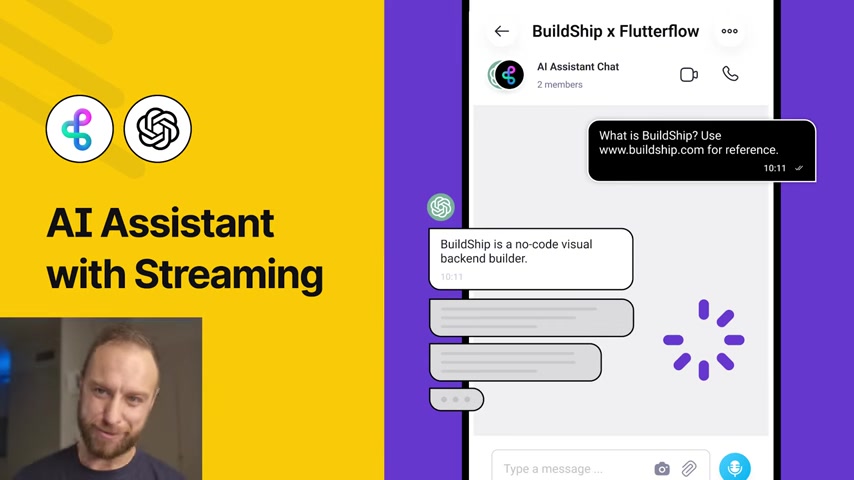
This is where BuildShip comes in, providing a no-code visual backend builder that streamlines the process.

Streaming responses in a chat interface represent a significant leap forward in real-time AI interaction. Instead of waiting for the complete response, users receive immediate feedback, making the interaction feel more dynamic and natural. BuildShip has developed an innovative workaround using Firebase to bridge the gap and deliver streamed responses directly to your FlutterFlow frontend.

This integration eliminates the need for complicated custom code, making AI accessible to developers of all skill levels. By leveraging BuildShip and FlutterFlow together, you can create a seamless and engaging AI-powered experience for your users. This integration has become a number one request with the community, and this solution fills that gap.

What is BuildShip?

BuildShip is a no-code visual backend builder that allows developers to create and manage backend logic without writing code. It provides a visual interface for designing APIs, managing databases, and integrating with third-party services.
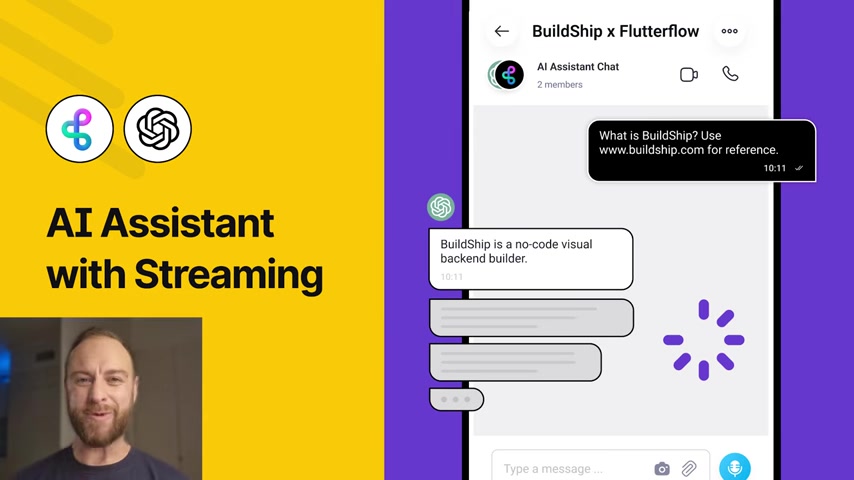
With BuildShip, you can build scalable and robust backends for your FlutterFlow applications using a drag-and-drop interface. This not only accelerates the development process but also empowers non-technical team members to contribute to backend development. The platform streamlines backend tasks, scheduled tasks, backend cloud functions and more.

Key Features of BuildShip include:

  • Nodeverse: A library of pre-built nodes with AI capabilities to generate custom workflows.
  • Flexibility with Code: Can implement Javascript and Typescript.
  • Serverless Deployment: Utilizes Google Cloud Platform to offer deployment to reduce infrastructure costs and complexity.
  • Templates and AI-Generated Nodes: Generates custom nodes based on AI directives.

Buildship is easy to integrate with various tools like Stripe, Sendgrid and WhatApp. As well as AI models from OpenAI and databases like FireBase and Supabase.

Considerations for Streamlined Integration

Ensuring Scalability and Reliability

As you integrate BuildShip and FlutterFlow for AI assistant capabilities, focusing on scalability and reliability is crucial for long-term success. Firebase, while offering numerous benefits, requires thoughtful configuration to handle increased loads and ensure seamless data management. Implement robust error-handling mechanisms within your BuildShip workflows to manage potential issues with OpenAI API calls or Firebase data streams gracefully. Regularly monitor Firebase usage metrics and optimize database queries to prevent performance bottlenecks as your user base grows. Additionally, consider leveraging BuildShip's serverless deployment options to automatically scale your backend infrastructure based on demand, reducing the risk of service disruptions during peak usage periods.

Balancing Functionality with Maintainability

While the no-code nature of BuildShip and FlutterFlow enables rapid development, you need to have a strategy to maintain and iterate on your application over time. Adhere to consistent naming conventions and commenting practices within your BuildShip workflows and FlutterFlow components to improve the code's readability and maintainability. Utilize BuildShip's version control features to track changes and revert to previous states if needed. Conduct thorough testing and code reviews for any updates to your AI assistant logic to catch any potential issues before they impact your users. Additionally, consider documenting your integration strategy and providing comprehensive training materials to team members to ensure knowledge is shared effectively within your organization.

Embracing a data-driven approach to further optimize and enhance this integration strategy is also vital. Implement detailed analytics tracking within your AI assistant to capture user interactions, question patterns, and satisfaction levels. Use this data to fine-tune your OpenAI prompts, refine the structure and presentation of AI-generated responses, and personalize the user experience. Regularly test new features and UX improvements with A/B testing methodologies to identify the most effective strategies for enhancing user engagement and business outcomes. You may want to consider the following structure to maintain a productive workplace.

Category Data Points Use Cases
User Interaction Click-through rates, conversation depth, session duration Identify content gaps, improve navigation, optimize AI model response time
Prompt Efficacy Rate of successful conversions, Prompt usage patterns Tailor prompts to optimize for specific goals, improve the accuracy of automated recommendations, identify areas for training and documentation enhancements
Satisfaction Customer satisfaction surveys, Net Promoter Scores (NPS), ratings, reviews Uncover pain points, improve training documentation, refine UI/UX, gauge the impact of new feature releases

Step-by-Step Guide to Integrating AI Assistant into FlutterFlow with BuildShip

Step 1: Start with the Streaming AI Assistant Template in BuildShip

Begin by accessing the Streaming AI Assistant for FlutterFlow template within BuildShip. This template includes a custom OpenAI Assistant streaming node that utilizes Firebase to convey streamed responses back to FlutterFlow. This template provides the framework for setting up everything that's needed for an effective streaming AI assistant.

Step 2: Configure OpenAI API Key and Assistant ID

Add your OpenAI API key and Assistant ID to the BuildShip template. These credentials are required for BuildShip to access and utilize the OpenAI services. Make sure to enable billing so you can test the app thoroughly.

You can obtain these credentials from the OpenAI platform:

  1. Go to platform.openai.com.
  2. Navigate to the Assistants section to find or create your Assistant ID.
  3. Access the API Keys section to generate or retrieve your API key.

Step 3: Configure Firebase Project

Firebase is a vital part of this integration. Firebase is a Google product that stores responses to the FlutterFlow app for a natural back and forth with the application. To make sure everything is set up and working, you'll need to make some changes.

Here are the steps to properly integrate Firebase.

  1. Go to console.firebase.google.com.
  2. Start a new project. After clicking into the project, you'll need to take some extra steps.
  3. Give FlutterFlow Access - Under 'Users and Permissions' make Firebase an Editor.
  4. Enable Authentication - Under 'Build' select Authentication, and enable email/password. Even if Firebase Auth isn't in your project, both BuildShip and FlutterFlow need basic access.
  5. Choose FireStore Database - Under 'Build' Select FireStore and create a database.

Those are the initial Firebase instructions. However, you'll need to take some additional steps to make sure everything is set up.

Buildship needs to have appropriate access in Google Cloud Console, so it can write steam responses to our FireStore database. You'll need the Project ID and the Collection name for Buildship. Grant Buildship these two roles: Cloud Datastore User and Firebase Admin SDK Administration Service Agent.

There are Buildship settings that also need configuration. Grab the Firebase Project ID and copy it into the Firebase Project ID in Buildship. Then update the service account permissions. If everything is set up correctly, Firebase will turn green!

Step 4: Clone the FlutterFlow Template

To make things even easier, Buildship has updated the AI assistant template in the FlutterFlow marketplace. Clone this app template in FlutterFlow and the complementary backend template on BuildShip to seamlessly ship AI Assistant apps with streaming responses fast.

  1. In FlutterFlow, navigate to the marketplace.
  2. Search for the “Streaming AI Assistant Template with BuildShip”.
  3. Clone the project to your FlutterFlow workspace.

Once you have the template open in FlutterFlow, navigate to your settings screen. Enter the FireBase project ID and hit “Connect”. Then regenerate the configuration files.

Step 5: Update the API Call in FlutterFlow

After setting up the Firebase project and regenerating the configuration files, you need to link the app to the API call. Then head back to the FlutterFlow project and head into API calls to make sure everything is set up correctly.

Here are the steps to make sure the API call works.

  • Go to API calls on the left hand side menu.
  • Replace the base URL with the base URL from the Bulidship workflow. It can be easy to make a mistake with the last slash, it’s extremely important, so double-check that. Save the configuration.
  • Be sure all JSON paths and variables are set up correctly.
  • If everything is set up correctly it should work and the AI assistant will understand.

Pricing

BuildShip Pricing

Buildship has a monthly cost, here is what it looks like, at the time of writing:

Plan Price Feature
Free $0 2 Workflows, 5000 Task executions, Community Support
Pro $49/mo Unlimited Workflows, 25,000 Task executions, Priority Support
Scale $199/mo Unlimited Workflows, 250,000 Task executions, Premium Support
Custom* Custom Completely Customizable, Enterprise Level Support

All plans offer core features such as Nodeverse, Database Integration, API Builder, Templates, Git Sync, Scheduled Tasks, Custom Node and Functionalities, and Authentication.

FlutterFlow Pricing

FlutterFlow has a monthly cost, here is what it looks like, at the time of writing:

Plan Price Feature
Free $0 Limited features, FlutterFlow Branding
Standard $30/mo Connect to Firebase, Download Code, Remove FlutterFlow Branding
Pro $70/mo Everything in standard + API Calls, Custom Code, Team Collaboration

All plans offer core features such as UI Builder, Firebase Integration, Custom Functions, Code Generation, and Version Control.

Pros and Cons

👍 Pros

Simplified AI Integration

Faster Development

Enhanced User Experience

No-Code Approach

👎 Cons

Dependency on BuildShip and FlutterFlow

Potential Cost

Complexity in Advanced Customizations

Learning Curve

Core Features of BuildShip and FlutterFlow Integration

Key Capabilities

The integration offers seamless incorporation of AI and streaming data in apps, offering these key capabilities:

  • Streaming AI Assistant: Real-time AI interactions within FlutterFlow applications.
  • No-Code Backend Builder: Streamlines backend logic creation with BuildShip’s visual interface.
  • Firebase Integration: Bridges BuildShip and FlutterFlow using Firebase for efficient data streaming.
  • Template-Based Setup: Simplifies setup with pre-built templates in the FlutterFlow marketplace.

Use Cases for AI Assistant Integration with BuildShip and FlutterFlow

Use Cases

Here is a list of potential applications for the BuildShip and FlutterFlow Integration:

  • Customer Support Chatbots: Build responsive chatbots that provide real-time assistance.
  • Interactive Learning Apps: Create engaging learning experiences with AI-driven feedback.
  • Real-Time Data Analysis: Develop apps that analyze and present data streams in real-time.
  • Personalized Recommendations: Offer tailored product or content recommendations based on user behavior.

FAQ

What is BuildShip?
BuildShip is a no-code visual backend builder that lets you create and manage backend logic without writing code. It provides a visual interface for designing APIs, managing databases, and integrating with third-party services.
What is FireBase?
Firebase is a Google platform that provides a variety of tools and services for building and managing mobile and web applications. It is used for authentication, database, storage and more.
What is FlutterFlow?
FlutterFlow is a no-code app builder that builds native mobile apps.
Do I need coding to do this?
No, because it's no-code, you don't.

Related Questions

How can I improve the performance of my FlutterFlow app?
To improve the performance of your FlutterFlow app, consider optimizing images, minimizing API calls, and using efficient data structures. Also, make sure to reduce the amount of widgets on the screen. Profile your app's performance with Flutter's debugging tools to identify and fix bottlenecks. When everything else fails, you can hire a specialist or work with an experienced person to help solve any problems that come up.

Most people like














