































Table of Contents
- Key Points
- Unlocking Efficiency: ChatGPT and Question Paper Generation
- Maximizing ChatGPT's Potential: Tips and Best Practices
- Step-by-Step Guide: Crafting Question Papers with ChatGPT
- The Double-Edged Sword: Weighing the Pros and Cons of ChatGPT
- Frequently Asked Questions
- Exploring Further: Related Topics and Applications



Unlocking Efficiency: ChatGPT and Question Paper Generation
The Challenge of Traditional Question Paper Creation
For educators, crafting effective question Papers is a critical but often demanding task.
Designing assessments that accurately reflect the syllabus and challenge students requires careful consideration of various factors. These can include the type of questions (multiple-choice, short answer, Essay), the level of difficulty, and the coverage of key concepts. The traditional method often involves hours of brainstorming, writing, and reviewing questions, which can be particularly burdensome for teachers with already packed schedules. Moreover, ensuring that the questions are aligned with learning objectives and that they adequately assess different levels of understanding adds another layer of complexity. Without leveraging modern tools, educators risk spending excessive time on administrative tasks, potentially detracting from their primary focus: fostering student learning and engagement.
How ChatGPT Streamlines the Question Paper Creation Process
ChatGPT emerges as a powerful solution to the challenges inherent in traditional question paper creation.
By harnessing the capabilities of AI, educators can significantly reduce the time and effort required to design comprehensive assessments. ChatGPT can assist in generating various types of questions based on specific syllabus inputs, enabling educators to quickly develop a diverse range of assessment materials. This AI-driven approach allows teachers to input their syllabus or key topics, and ChatGPT then generates relevant questions, formatted appropriately. The system’s ability to understand and interpret syllabus information ensures that the generated questions are closely aligned with the learning objectives. The result is a more efficient and streamlined process, enabling educators to focus on refining and tailoring the questions rather than spending countless hours on initial creation. Let's explore the steps to use ChatGPT.
Step-by-Step Guide: Crafting Question Papers with ChatGPT
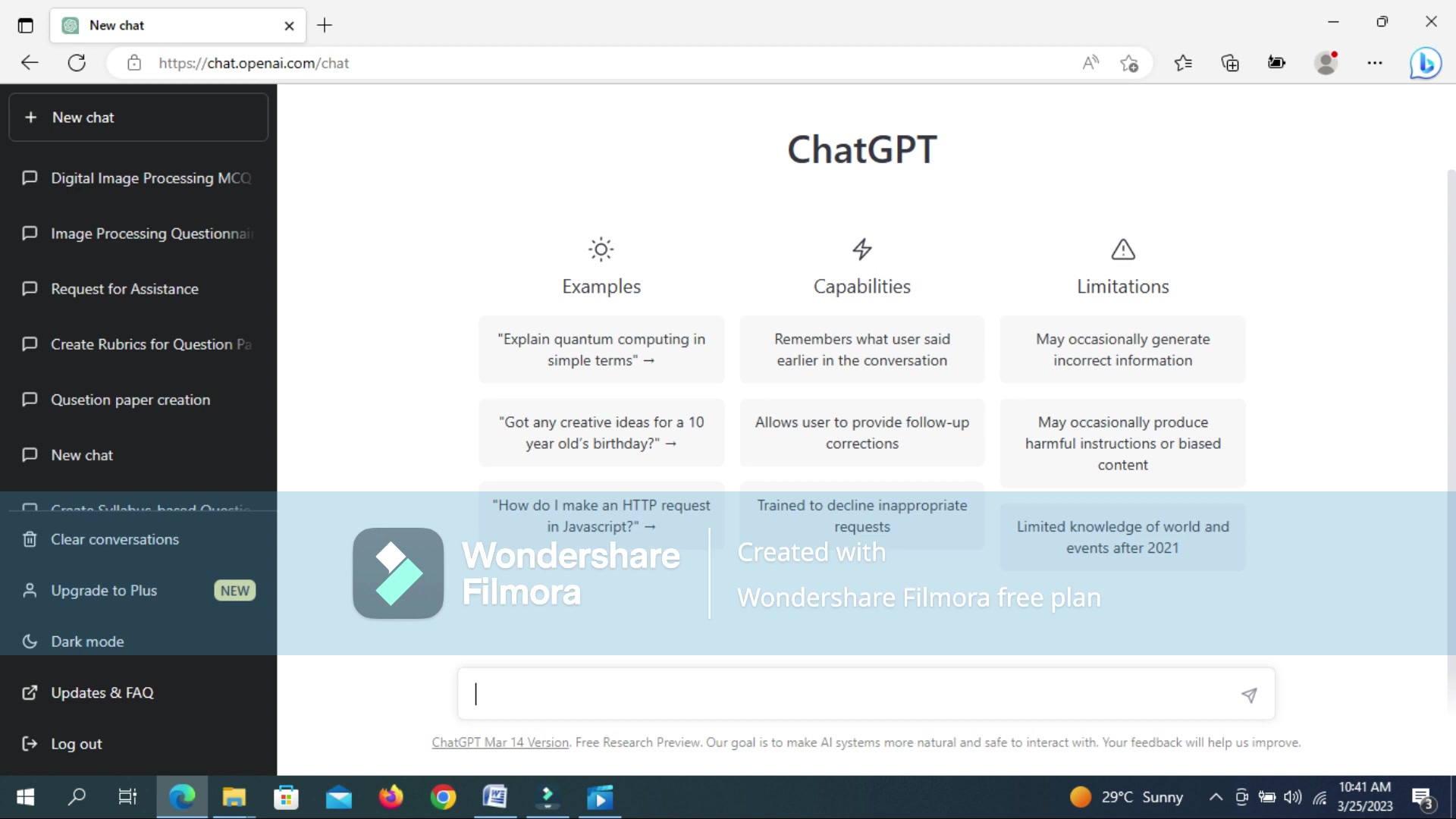
Step 1: Accessing the ChatGPT Interface
To begin, navigate to the ChatGPT interface using a web browser.
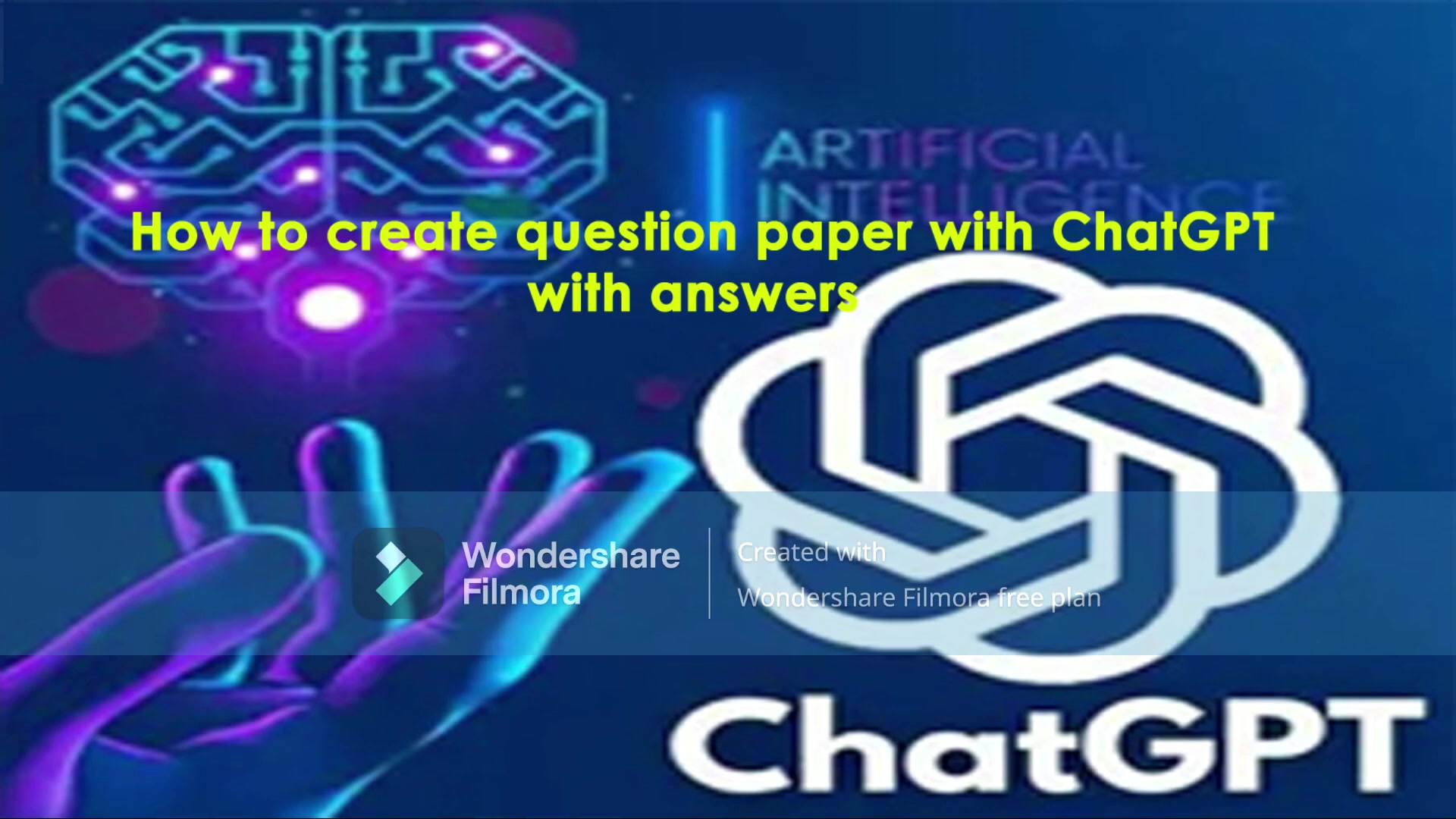
Ensure you have an account set up; free access is often available. Once logged in, you’ll find a clean, intuitive layout ready to accept your prompts. Familiarize yourself with the chat window where you’ll interact with the AI to generate your question paper. Check the left side of the screen to find New chat section.
Step 2: Inputting the Syllabus
The foundation of a good question paper lies in its alignment with the syllabus. Copy and paste the syllabus content into the ChatGPT chat window.
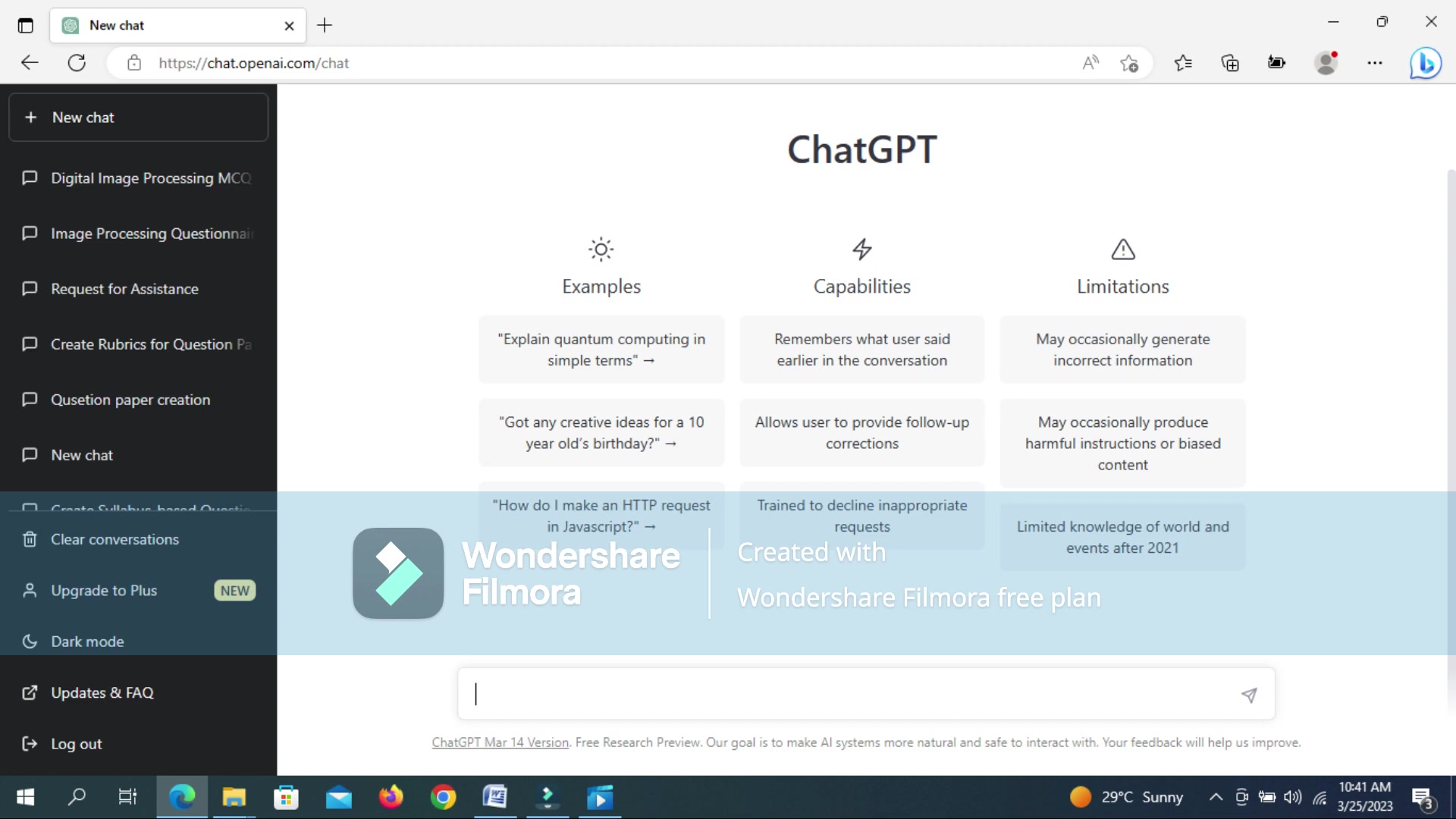
Be as detailed as possible; the more information you provide, the more relevant and targeted the generated questions will be. Clear module descriptions, learning objectives, and key concepts are essential for optimal results.
Step 3: Specifying Question Requirements
Instruct ChatGPT on the specific types of questions you need.
This could include multiple-choice questions (MCQs), short answer questions, essay questions, or a mix. Provide clear instructions on the number of questions per type, the marks allocated to each question, and any specific guidelines you want to incorporate. For example: "Generate 5 MCQs from each module, each worth 1 mark, and 5 short answer questions from each module, each worth 5 marks."
Step 4: Generating the Question Paper
Once you’ve provided the syllabus content and specified the question requirements, instruct ChatGPT to generate the question paper.
The AI will process the information and create a set of questions based on your instructions. Be patient; the generation process may take a few moments depending on the complexity and length of the syllabus.
Step 5: Reviewing and Refining the Questions
After ChatGPT generates the questions, it's crucial to carefully review and refine them.
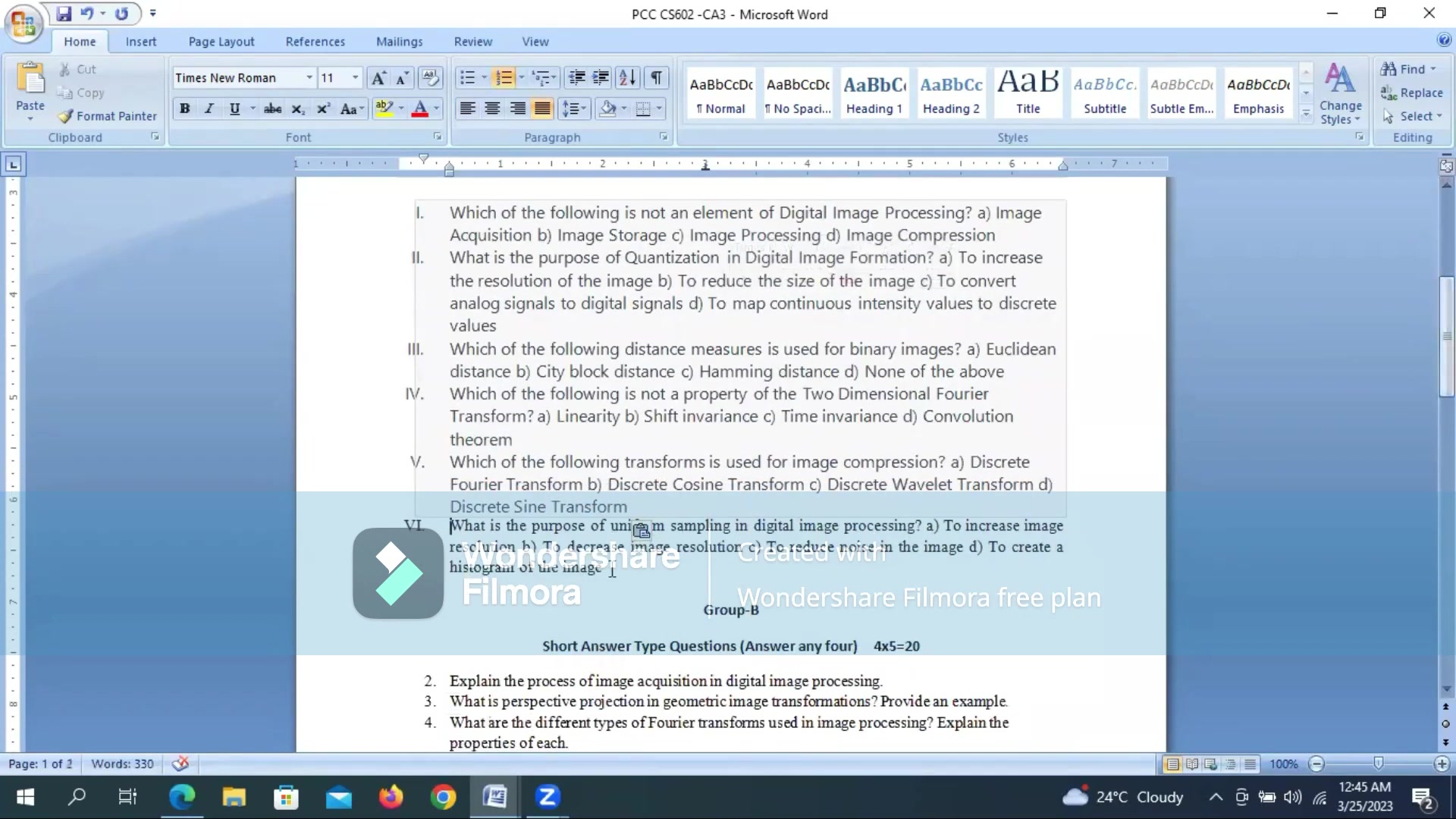
While AI is powerful, it may not always capture the nuances or specific requirements of your course. Check for accuracy, clarity, and relevance. Edit questions as needed to ensure they are appropriate for your students and aligned with your teaching style. This step is vital for maintaining the quality and effectiveness of your assessment.
Step 6: Compiling and Formatting the Question Paper
Once you’re satisfied with the generated questions, compile them into a well-structured question paper.
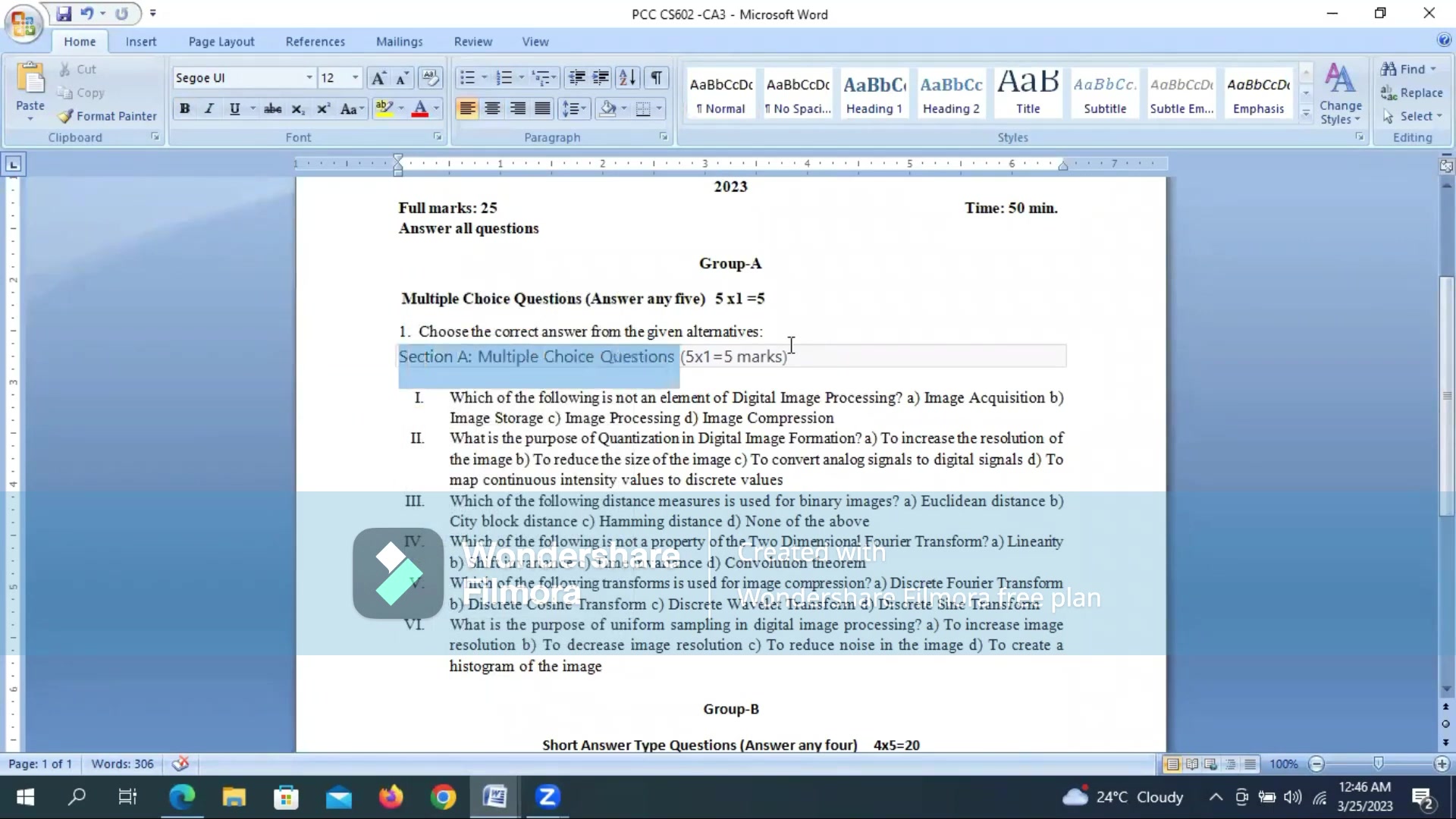
Use a WORD processor to format the questions, add instructions, and organize the sections. Include the course name, duration of the exam, total marks, and any other relevant information. A clear and professional presentation enhances the overall quality of the assessment.
Step 7: Adding Answers with ChatGPT's Assistance
Instruct ChatGPT to provide answers or model answers for the questions that you created. To do that you can add the the end of the Prompt "At the end of the question paper please provide answers for all the questions".








Most people like
































Report
Please select a reason for reporting
- 13 Reasons to Switch from Snapchat to Text Messaging
- 7 Powerful Speech to Text Apps to Boost Productivity
- 10 Best Speech to Text Tools for Effortless Transcription
- 13 Free Tools to Easily Transcribe Audio to Text
- 15 Surprising Ways Google's Speech-to-Text Boosts Productivity
- 7 Best Free Online Audio to Text Transcription Tools
- 9 Tips to Transcribe Speech to Text Faster and Better
- 13 Best Speech to Text Software for Windows 10 in 2023
- 7 Tips for Choosing the Best Transcriber for Audio to Text
- 11 Reasons Why Dragon Speech-to-Text Apps are Game-Changers
- 6 Secrets to Enhance Your Speech to Text Transcription
- 6 Brilliant Ways to Boost Productivity with Talk-to-Text on Your MacBook
- 6 Ways Transcription Software Converts Audio to Text
- 8 Tips to Transcribe Speech to Text Like a Pro
- 6 Reasons IBM Watson Speech to Text is a Game-Changer
- 14 Powerful Ways Talk-to-Text Improves Your Workflow
- 12 Top Windows Speech-to-Text Software for Efficient Transcription
- 12 Game-Changing Benefits of Apple's Speech to Text Technology
- 9 Powerful Use Cases for AWS Speech to Text Technology
- 10 Easy Steps to Transcribe YouTube Videos to Text
- transcription audio en texte
- online audio transcription
- free audio file transcription
- free ai audio transcription
- audio transcription service
- audio transcription online free
- audio transcription free online
- audio to transcription software
- audio and transcript
- ai audio transcription free
- voice recording to text converter
- translate voice recording to text
- record voice to text
- audio recording to text converter
- voice recording and transcription
- chatgpt voice to text
- gmail voice to text
- speech to text reader
- speech to text ai free
- speech to talk
- How SEO and Marketing Dashboards Empower Agencies to Drive Results
- How to Use AI Tools to Find Internal Linking Opportunities Across a Business Website
- Discover Your Perfect Haircut with AI Hairstyle Apps
- Free Reputation Calculator Tools: How They're Adapting to Score AI Visibility, Not Just Rankings
- Design Professional Flyers for Free on Your Phone
- Best Free Flyer Maker Apps for Android: Design Like a Pro
- How to Know If Your Business Is Ready for an AI Customer Service Agent
- Revolutionizing Storytelling: From Novels to Screenplays with AI
- Create Engaging Animated Explainer Videos with a Free AI Tool
- Stop Multi-Subscribing: Benchmark Top AI Visual Models in One Canvas
- 5 Data Problems That Stall AI Projects in Financial Compliance
- Master Storyboard Drawing: Expert Tips for Non-artists
- The Future of Smart Glasses: Explained & Assembling Guide
- DeepL Translator: The AI-Powered Translation Tool
- AI Video Upscaling: Top Tools Compared for Enhanced Quality
- Bridging the Gap: How One Indie Developer Solved the "Art Asset Nightmare" Using AI Style Transfer
- How I Direct Consistent AI Clips: A Hands-On Guide to Multi-Model Generation
- My Honest Review of VideoAI: The Ultimate Character Voice Generator I've Been Using Lately
- Why do so many AI tools underdeliver for online stores?
- My Brand New Logo: AI-Powered Logo Design for Startups

Copyright ©2026 toolify