































Table of Contents
- Key Points
- A Detailed Comparison of Frontend Code Generation
- Testing Front End Technologies
- How to Use:
- Pros and Cons of ChatGPT and DeepSeek R1
- FAQ
- Related Questions



A Detailed Comparison of Frontend Code Generation
Introduction to ChatGPT and DeepSeek R1
ChatGPT, developed by OpenAI, has gained widespread recognition for its natural language processing capabilities. DeepSeek R1, on the other hand, is emerging as a strong competitor, particularly known for its cost-effectiveness. Both models offer unique strengths in frontend code generation, but how do they stack up in real-world applications? This section provides a comprehensive overview, emphasizing their distinct characteristics and areas of expertise.
Canvas Capabilities and HTML/React Rendering
Recent updates from OpenAI have enabled canvas support for OpenAI models, including the ability to render HTML and React web pages. This enhancement puts OpenAI more directly in competition with models such as DeepSeek that already offered the ability to run HTML code.
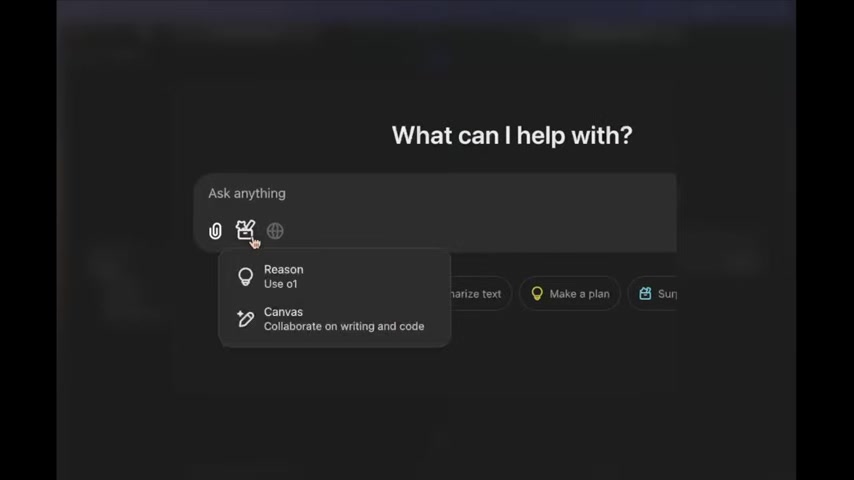
These updates coincidentally arrive at a time when comparisons between the two models are crucial for understanding their specific capabilities and limitations.
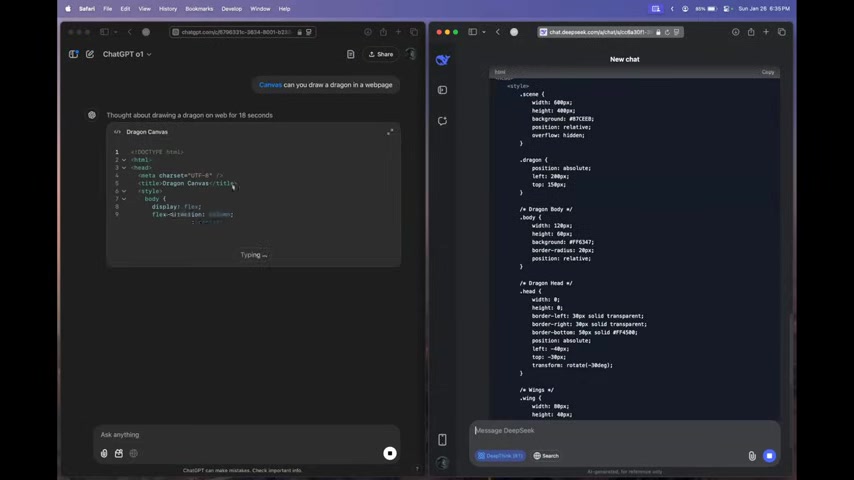
The Initial Prompt: Drawing a Dragon in a Webpage
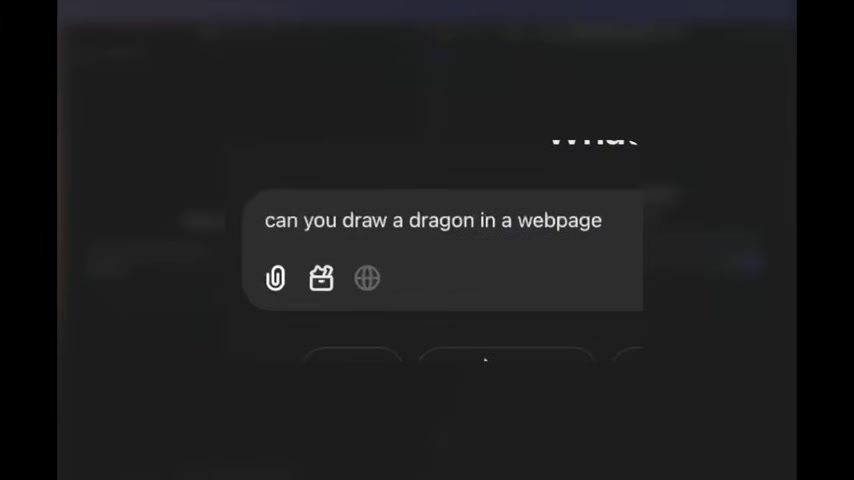
To initiate the comparison, a straightforward Prompt was used: "Can you draw a dragon in a webpage?"
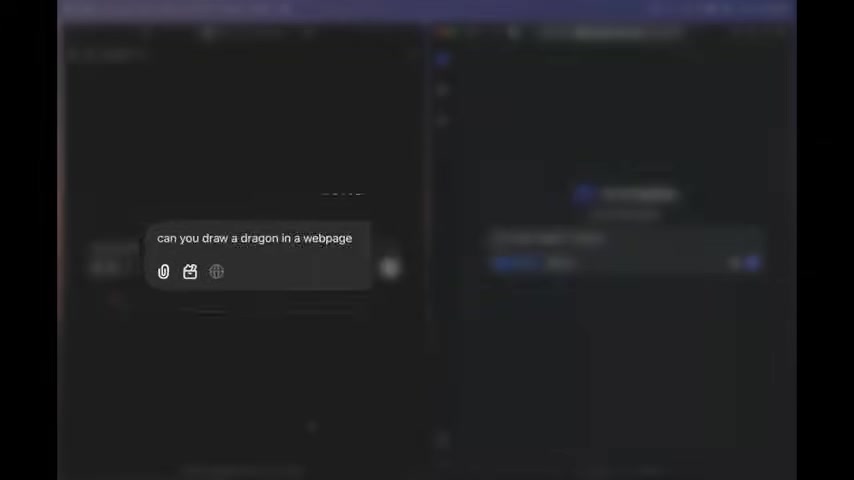
This prompt was fed into both ChatGPT and DeepSeek R1. The objective was to observe how each model interprets and executes the request, particularly focusing on their ability to render graphics and structure code within a webpage environment. This simple test sets the stage for a more detailed analysis.
Comparing the Dragon Renderings: DeepSeek R1 vs. OpenAI
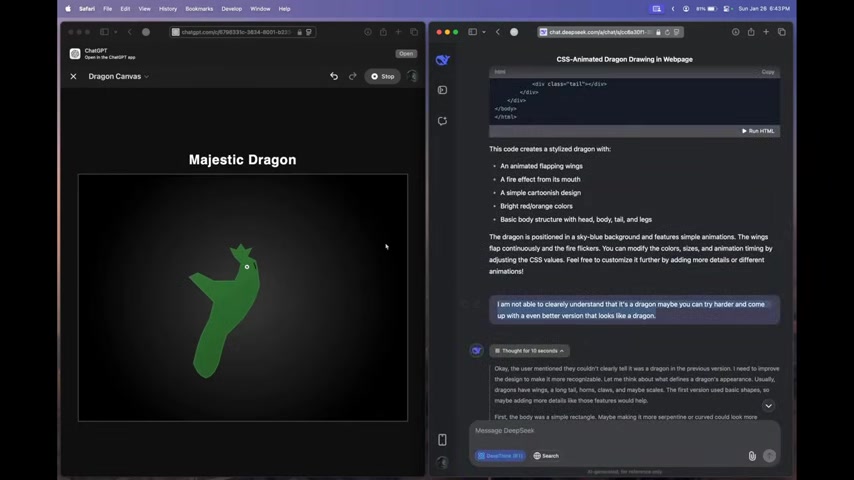
The initial results revealed stark differences. DeepSeek R1 produced a stylized dragon with animated flapping wings and a fire effect.
While not exceptionally detailed, the rendering was recognizable and incorporated simple animations. OpenAI, on the other hand, presented a more abstract depiction of a dragon, which struggled to capture the essence of the request.
This early comparison highlighted DeepSeek R1's proficiency in generating visually appealing and functional code for web applications, contrasting with OpenAI's more generalized approach.
Feedback and Iteration: Prompt Engineering
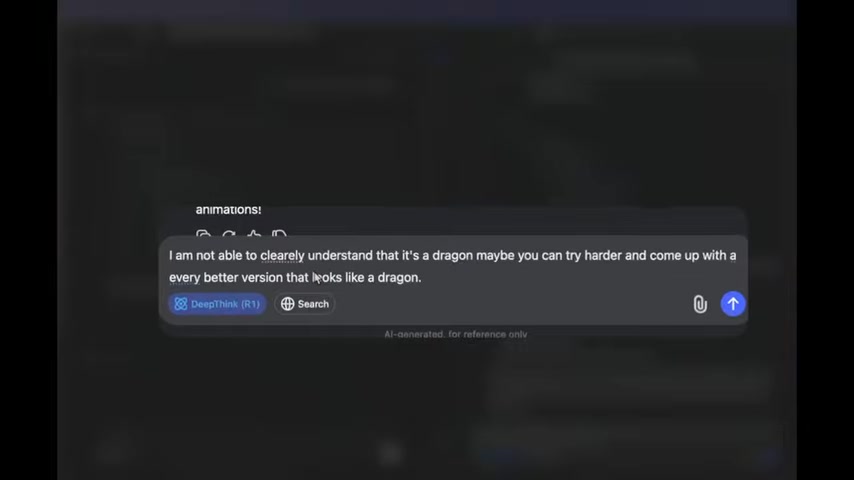
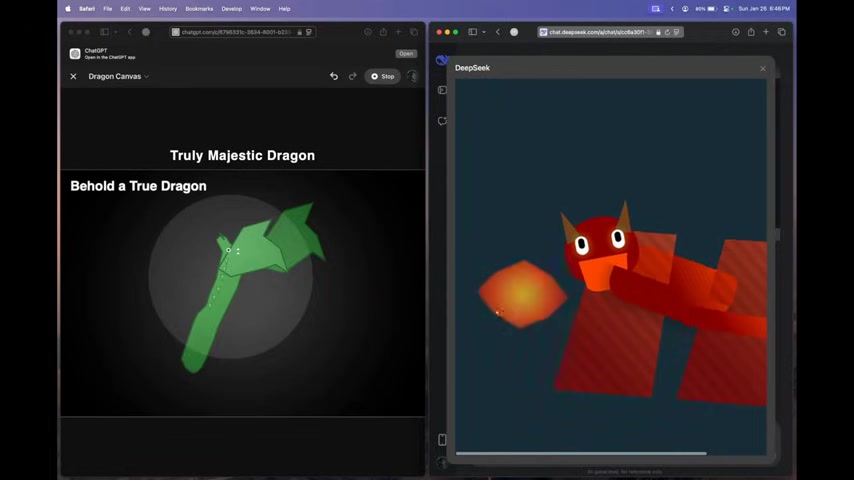
To further challenge the models, feedback was provided on the initial dragon renderings. Both models were asked to improve their output and adhere more closely to the prompt. DeepSeek R1 demonstrated adaptability, refining its initial design based on feedback.
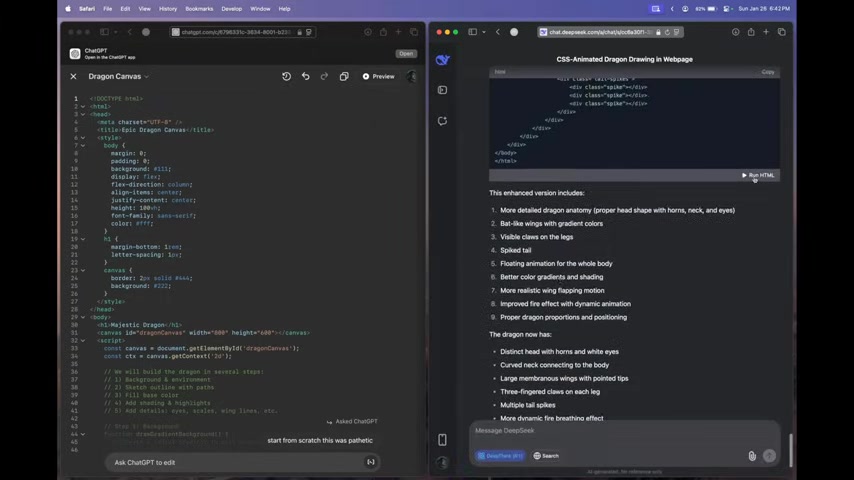
OpenAI, however, still struggled to produce a satisfactory visual representation, underscoring potential limitations in its graphic rendering capabilities. The exercise emphasizes the importance of iterative prompt engineering to extract the best performance from each AI model.
The Importance of Visual Representation
DeepSeek R1's ability to render aesthetically pleasing visuals directly translates to its utility in applications requiring a strong visual component. Its responsiveness to feedback and generation of recognizable images showcases potential in design-centric tasks, such as creating user interfaces or graphical elements for web applications. This capability significantly broadens DeepSeek R1's potential applications in frontend development.
Testing Game Mechanics: Building a Super Mario Game
The models were then challenged to create a functional Super Mario Game in a webpage.
This required each model to not only render graphics but also implement game mechanics, physics, and user controls. The task assessed each model’s ability to create an interactive and engaging user experience. This task reveals more realistic development use case for the average developer.
Super Mario Game: Dissecting the Outcomes
Once again, DeepSeek R1 produced a playable Super Mario game with functional elements and graphics.
The game included basic controls, levels, and enemies, showcasing the model's competence in handling complex tasks. OpenAI, while generating code, struggled to produce a fully functional and visually coherent game, reiterating its earlier challenges with visual and interactive elements. This test also highlight's the model's usage with JavaScript framework.
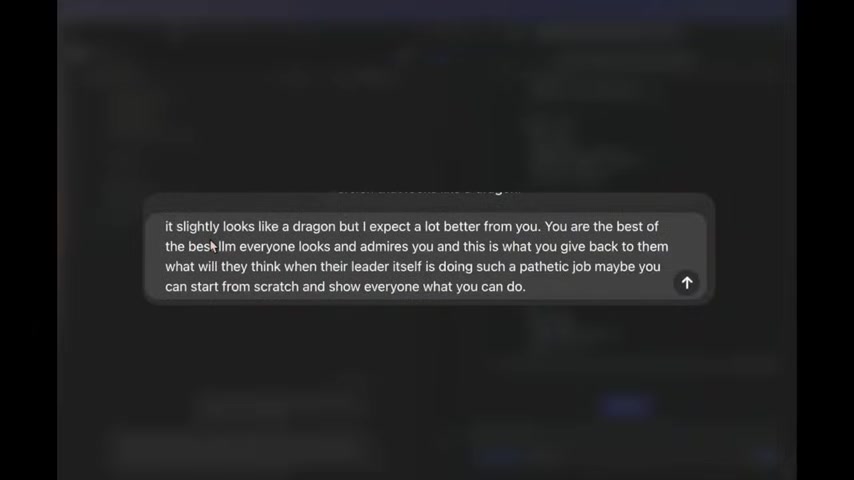
Scolding OpenAI: The Power of Prompt Refinement
In response to OpenAI's lackluster performance, a more direct prompt was engineered, emphasizing the expectation of higher performance. This prompted OpenAI to deliver a functional Super Mario game with better visuals and gameplay.
While still trailing DeepSeek R1 in overall quality, the improved output highlighted the importance of prompt refinement and guidance in achieving desired results.
Adding New Commands
To make the models create an identical result, a specific request was added, which highlighted that it was not the original creator.
A notable result, was that the models began to change the look, giving an authentic rendering of the models in the previous design, which ultimately was a beneficial result for a more detailed game.
Pricing Comparison: OpenAI vs DeepSeek R1
The R1 AI model that can be acquired from DeepSeek is incredibly more affordable and cheaper to acquire, especially to OpenAi and their Oven AI model.
Below, is a markdown table that displays the two models to further highlight the comparison.
| Feature           | OpenAI (Oven)    | DeepSeek (R1)       |
|-------------------|--------------------|--------------------|
| Input Tokens      | $15.00 / 1M tokens  | $0.55 / 1M tokens  |
| Cached Input Tokens | $7.50 / 1M tokens   | N/A                  |
| Output Tokens     | $60.00 / 1M tokens | $2.19 / 1M tokens |
As the table displays, the two models are completely different from each other with different price points and costs.
Analyzing and Understanding Model Usage
The testing results and coding are used to emphasize the fact that AI models, whether they're free or cost-controlled require a lot of monitoring to find what benefits the coding performance. Deepseek AI is a cheaper way to create an advantage in coding.
Testing Front End Technologies
HTML Front End Coding
The ability to generate codes to be applied to HTML files is incredibly useful and advantageous as a front end technology. OpenAi has updated it's system with Canvas that allows rendering of the HTML pages and to collaborate on the web page itself. Previously, DeepSeek was at an advantage because it allowed it's platform to be run and edited.
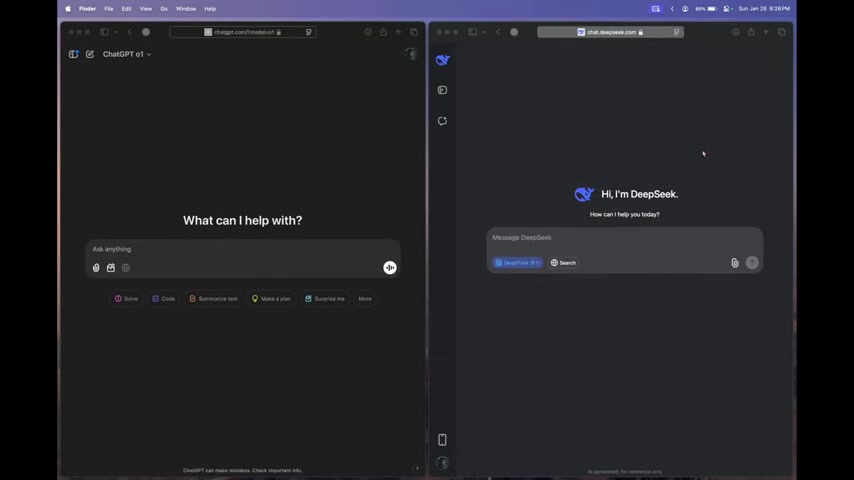
Both Open AI models now have the ability and feature that is incredibly useful.





Most people like



























Report
Please select a reason for reporting
- 13 Reasons to Switch from Snapchat to Text Messaging
- 7 Powerful Speech to Text Apps to Boost Productivity
- 10 Best Speech to Text Tools for Effortless Transcription
- 13 Free Tools to Easily Transcribe Audio to Text
- 15 Surprising Ways Google's Speech-to-Text Boosts Productivity
- 7 Best Free Online Audio to Text Transcription Tools
- 9 Tips to Transcribe Speech to Text Faster and Better
- 13 Best Speech to Text Software for Windows 10 in 2023
- 7 Tips for Choosing the Best Transcriber for Audio to Text
- 11 Reasons Why Dragon Speech-to-Text Apps are Game-Changers
- 6 Secrets to Enhance Your Speech to Text Transcription
- 6 Brilliant Ways to Boost Productivity with Talk-to-Text on Your MacBook
- 6 Ways Transcription Software Converts Audio to Text
- 8 Tips to Transcribe Speech to Text Like a Pro
- 6 Reasons IBM Watson Speech to Text is a Game-Changer
- 14 Powerful Ways Talk-to-Text Improves Your Workflow
- 12 Top Windows Speech-to-Text Software for Efficient Transcription
- 12 Game-Changing Benefits of Apple's Speech to Text Technology
- 9 Powerful Use Cases for AWS Speech to Text Technology
- 10 Easy Steps to Transcribe YouTube Videos to Text
- transcription audio en texte
- online audio transcription
- free audio file transcription
- free ai audio transcription
- audio transcription service
- audio transcription online free
- audio transcription free online
- audio to transcription software
- audio and transcript
- ai audio transcription free
- voice recording to text converter
- translate voice recording to text
- record voice to text
- audio recording to text converter
- voice recording and transcription
- chatgpt voice to text
- gmail voice to text
- speech to text reader
- speech to text ai free
- speech to talk
- Create Engaging Animated Explainer Videos with a Free AI Tool
- Stop Multi-Subscribing: Benchmark Top AI Visual Models in One Canvas
- Best Seedance 2.5 API Provider: Every Price on the Market, Checked at Source
- AI OnlyFans: How to Generate $30,000/Month (Legally)
- Transform Your Script into an Engaging Video with AI Video Maker!
- AI Marketing Automation: A Comprehensive Guide for Small Businesses
- Midjourney Alternative for Anime Art Creators: Why PixAI May Be Better for Character Workflows
- 10 Things Most People Get Wrong About AI Image Search
- AI Girlfriend Apps: Top Choices Redefining Relationships 2025
- How to Reduce Quoting Errors in Salesforce with AI-Assisted Quote Creation
- AI Resume Builders: EnhanceCV, ResumeNerd AI, & Teal Compared
- ResumeAI: Crafting ATS-Optimized Resumes with AI
- AI in Resume Writing: A New Era for Job Seekers
- AI Resume Tools: Streamline Your Job Search and Land Your Dream Role
- AI Resume Optimization: The Right Way to Land Interviews
- Crafting a Killer Resume with AI: A Step-by-Step Guide
- Crafting a Winning Resume: AI Tools and Expert Tips
- AI Job Search: Level Up Your Career with AI Automation
- Empower Your Career Journey: Dynamic Resumes with AI
- AI Resume Builder: Create Professional Resumes Effortlessly

Copyright ©2026 toolify