































Table of Contents
- Key Points
- Unveiling Claude Code 2.0: A New Era in AI Coding Assistance
- Rocket.New
- How To Use Claude Code
- Pros and Cons of Claude Code 2.0
- FAQ
- Related Questions


Unveiling Claude Code 2.0: A New Era in AI Coding Assistance
Claude Code 2.0 and Claude Sonnet 4.5: Power Couple
The core of the Claude Code 2.0 update is the integration of Anthropic’s Claude Sonnet 4.5 model
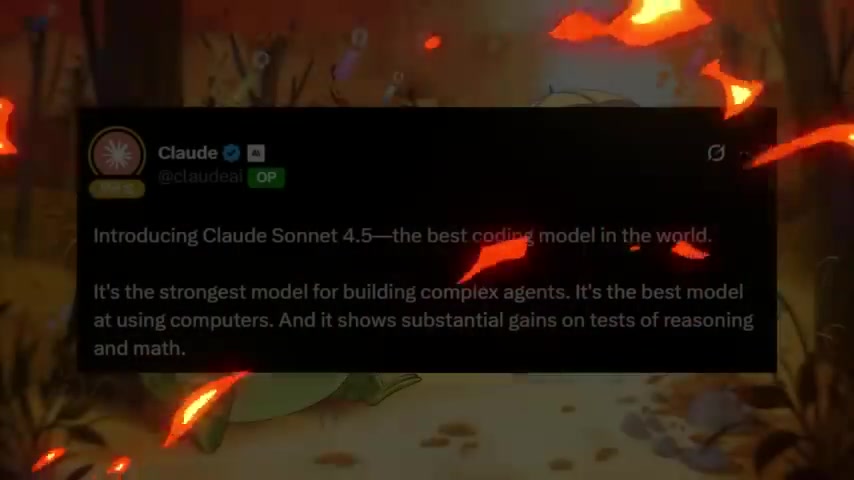
. This model is designed to deliver superior coding performance, making Claude Code 2.0 an even more powerful tool for developers. Claude Sonnet 4.5 boasts significant improvements in coding, reasoning, and mathematics, allowing Claude Code 2.0 to tackle complex development tasks with greater accuracy and efficiency.
Anthropic claims Claude Sonnet 4.5 is the best coding model available. The new software can interact with computers and delivers substantial gains in reasoning and mathematics. This is a major leap forward built for developing complex agents. The accuracy scores on the SWE-bench verified test are impressive, scoring an 82%.
Deep Dive into Performance Benchmarks of Claude Sonnet 4.5
Claude Sonnet 4.5 significantly surpasses previous models like Claude 4 and Opus in solving real-world coding problems
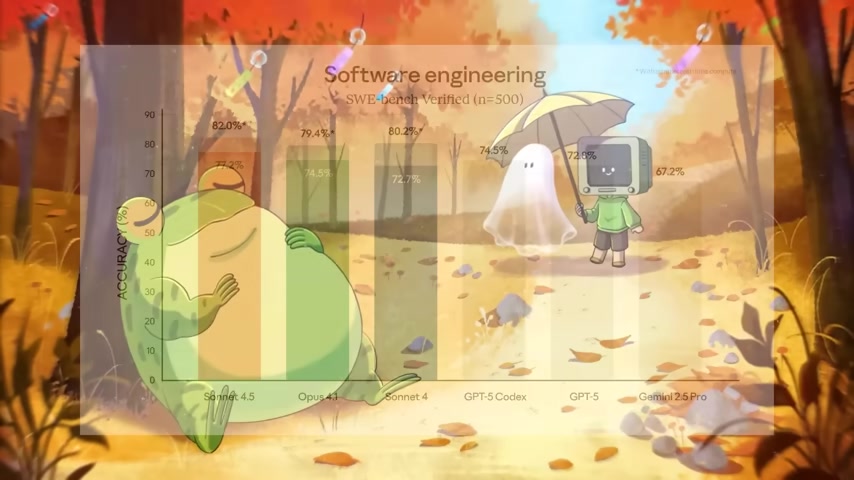
. Performance benchmarks reveal its prowess in a number of areas:
- Agentic Coding: Achieves an impressive 82% on the SWE-bench verified test.
- Terminal Bench Coding: Shows a 50% success rate.
- Agentic Tool Use: Demonstrates high proficiency across retail, airline, and telecom scenarios.
- High School Math Competition: Scores 100% using Python.
These benchmarks highlight Claude Code 2.0's ability to solve a broad range of complex tasks, solidifying its place as a leader in the AI coding space.
The following table shows the performance between Claude models and competing models
| Metric | Claude Sonnet 4.5 | Opus 4.1 | Sonnet 4 | GPT-5 | Gemini 2.5 Pro |
|---|---|---|---|---|---|
| Agentic Coding | 82.0% | 79.4% | 80.2% | 72.8% | 67.2% |
| Agentic Terminal Coding | 50.0% | 46.5% | 36.4% | 43.8% | 25.3% |
| Agentic Tool Use (Retail) | 86.2% | 86.8% | 83.8% | 81.1% | 100% |
| High School Math Competition | 87.0% | 78.0% | 70.5% | 99.6% | 88.0% |
Native VS Code Extension for Seamless Development
A key enhancement in Claude Code 2.0 is the introduction of a native VS Code extension
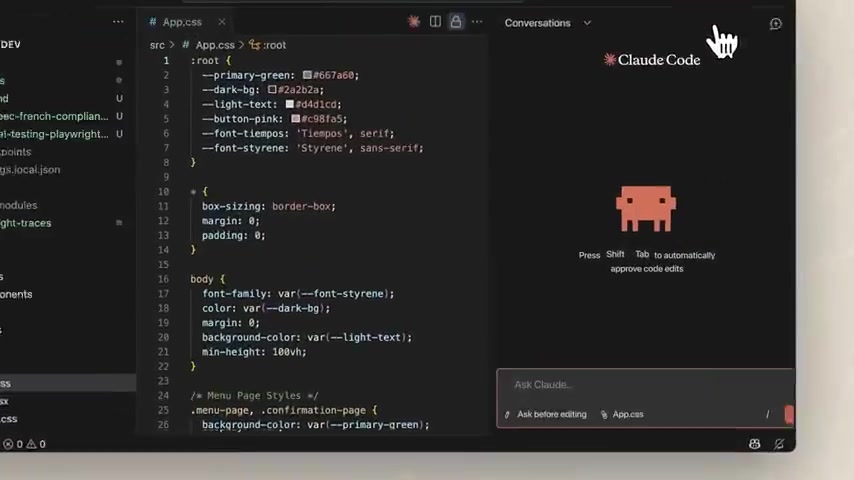
. This integration provides developers with a seamless coding experience within their preferred development environment. The VS Code extension allows developers to:
- Visualize inline diffs to see code changes made by Claude in real time.
- Work within the comfort of an IDE, streamlining development tasks.
For developers who prefer the rich features and familiar environment of an IDE over a terminal, the VS Code extension is a significant step forward. It enables Claude Code 2.0 to be directly integrated into the sidebar panel, facilitating a more efficient and intuitive workflow.
Enhanced Terminal Experience: Boost Productivity
The terminal experience in Claude Code 2.0 has been refreshed with a more developer-friendly interface

. Notable improvements include:
- Improved status visibility to monitor Claude Code 2.0's progress.
- Searchable Prompt history for quick access to previous commands.
Using the command Ctrl+R, users can quickly find what they need without having to re-enter what was previously entered.
The improvements help users keep track of all steps taken, and makes for a smoother developing workflow.
Claude Agent SDK: Customization and Automation
The Claude Agent SDK empowers developers to customize agent behavior through sub-agents and hooks
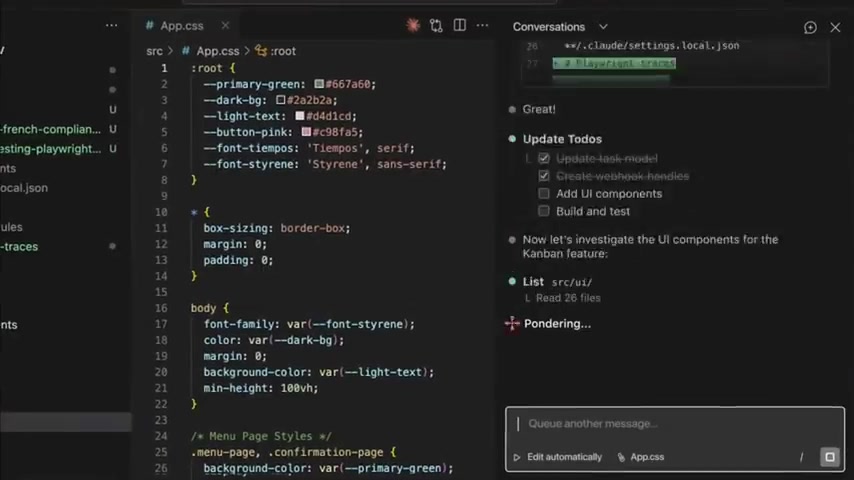
. This SDK allows for the creation of specialized agents that can handle specific tasks, such as:
- Code security review.
- Contract review.
- Meeting summarization.
- Financial reporting.
- Email Automation.
- Invoice processing.
This SDK makes Claude Code more customizable for designing your agentic workflow. The new SDK supports sub-agents and hooks, which makes it more customizable for team use.
By leveraging sub-agents, developers can design automated workflows that precisely meet their needs, thus streamlining code development.
Rocket.New
Rocket.New No Code Application Builder
The video also includes details on a sponsor: Rocket.new

. Rocket is a no-code application builder that does the following:
- Build production-ready applications.
- Rapid Web and Mobile App Development
- Web applications
Rocket uses AI to help its AI powered engine write clean, production ready code for you, no debugging or wasted hours. Templates can be picked for easy use. Rocket isn't just for developers, but also product managers and business owners that are seeking a software solution to problems they are facing.







Most people like




























Report
Please select a reason for reporting
- 13 Reasons to Switch from Snapchat to Text Messaging
- 7 Powerful Speech to Text Apps to Boost Productivity
- 10 Best Speech to Text Tools for Effortless Transcription
- 13 Free Tools to Easily Transcribe Audio to Text
- 15 Surprising Ways Google's Speech-to-Text Boosts Productivity
- 7 Best Free Online Audio to Text Transcription Tools
- 9 Tips to Transcribe Speech to Text Faster and Better
- 13 Best Speech to Text Software for Windows 10 in 2023
- 7 Tips for Choosing the Best Transcriber for Audio to Text
- 11 Reasons Why Dragon Speech-to-Text Apps are Game-Changers
- 6 Secrets to Enhance Your Speech to Text Transcription
- 6 Brilliant Ways to Boost Productivity with Talk-to-Text on Your MacBook
- 6 Ways Transcription Software Converts Audio to Text
- 8 Tips to Transcribe Speech to Text Like a Pro
- 6 Reasons IBM Watson Speech to Text is a Game-Changer
- 14 Powerful Ways Talk-to-Text Improves Your Workflow
- 12 Top Windows Speech-to-Text Software for Efficient Transcription
- 12 Game-Changing Benefits of Apple's Speech to Text Technology
- 9 Powerful Use Cases for AWS Speech to Text Technology
- 10 Easy Steps to Transcribe YouTube Videos to Text
- transcription audio en texte
- online audio transcription
- free audio file transcription
- free ai audio transcription
- audio transcription service
- audio transcription online free
- audio transcription free online
- audio to transcription software
- audio and transcript
- ai audio transcription free
- voice recording to text converter
- translate voice recording to text
- record voice to text
- audio recording to text converter
- voice recording and transcription
- chatgpt voice to text
- gmail voice to text
- speech to text reader
- speech to text ai free
- speech to talk
- Revolutionizing Storytelling: From Novels to Screenplays with AI
- Create Engaging Animated Explainer Videos with a Free AI Tool
- Stop Multi-Subscribing: Benchmark Top AI Visual Models in One Canvas
- Best Seedance 2.5 API Provider: Every Price on the Market, Checked at Source
- AI OnlyFans: How to Generate $30,000/Month (Legally)
- Transform Your Script into an Engaging Video with AI Video Maker!
- AI Marketing Automation: A Comprehensive Guide for Small Businesses
- Midjourney Alternative for Anime Art Creators: Why PixAI May Be Better for Character Workflows
- 10 Things Most People Get Wrong About AI Image Search
- AI Girlfriend Apps: Top Choices Redefining Relationships 2025
- Python Random Name Generator Tutorial
- Generate Unique Names with Python Random Name Generator
- Code a JavaScript Name Generator
- Create a Fun Name Generator App - Easy JavaScript Project!
- Experience Roblox's Avatar Creation for Karl Jacobs!
- May TBR Game: How a Letter Generator Chooses My Reads
- AI Celebrity Chat: Hilarious Pick-Up Lines & Chatbot Chaos!
- Embrace Chaos with the Random Makeup Challenge
- Boost Audience Engagement with the Wheel of Names
- Engage Your Audience with the Wheel of Names!

Copyright ©2026 toolify