























Clone Your Voice for Free: A Python TTS Tutorial

Updated on Jul 01,2025








Table of Contents
- Key Points
- Introduction to Voice Cloning with Python
- Coqui TTS: Your Free Voice Cloning Solution
- Step-by-Step Guide to Voice Cloning with Coqui TTS
- Coqui TTS: Pros and Cons
- FAQ
- Related Questions


Introduction to Voice Cloning with Python
Why Clone Your Voice?
Voice cloning offers numerous exciting possibilities. It can be used for content creation, accessibility solutions, personalized assistants, and entertainment purposes. The ability to transform text into speech that sounds like you opens up a world of creative potential. Whether you're creating audiobooks, podcasts, or personalized messages, voice cloning allows you to add a personal touch to your projects .
Challenges with Traditional Voice Cloning Services
While services such as ElevenLabs provide convenient Voice Cloning, they often come with significant limitations
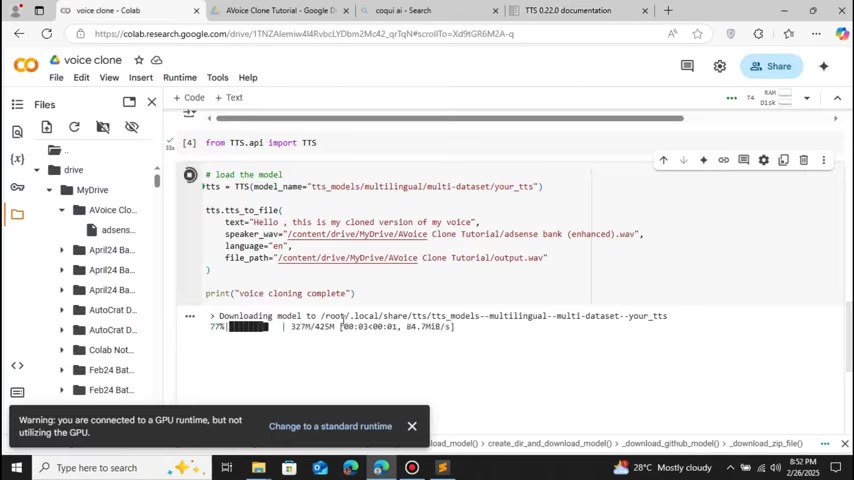
. These may include:
- Subscription Costs: Many services require monthly or annual subscriptions, which can be expensive.
- API Key Dependence: Relying on API keys can introduce complexities and potential security vulnerabilities.
- Feature Restrictions: Free plans may have limited features, restricting the quality and usage of your voice clone.
Fortunately, there's a solution that circumvents these challenges: leveraging Python and Coqui TTS to create your own voice cloning system.
Coqui TTS: Your Free Voice Cloning Solution
What is Coqui TTS?
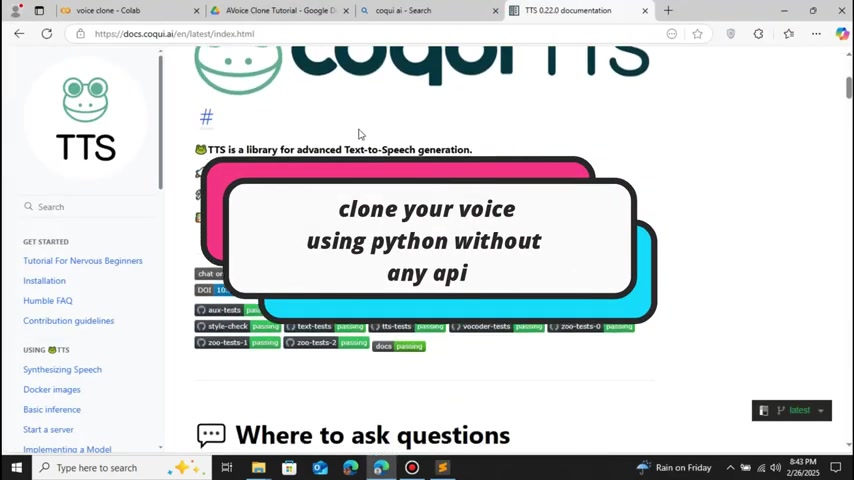
Coqui TTS is an open-source Text-to-Speech library written in Python. It offers a powerful and flexible platform for generating realistic speech from text. What sets it apart is its ability to clone voices, allowing you to create personalized speech outputs that sound like you or anyone else. It is available in multiple languages, allowing to clone your voice in any accent
.
Key Features of Coqui TTS
Coqui TTS boasts a rich set of features that make it an attractive alternative to paid voice cloning services:
-
Free and Open Source: Coqui TTS is completely free to use and modify, making it an ideal choice for budget-conscious users.
-
Python-Based: As a Python library, Coqui TTS is accessible to a wide range of developers and users.
-
Realistic Speech Synthesis: The library utilizes advanced techniques to generate natural-sounding speech.
-
Voice Cloning: Coqui TTS supports voice cloning, enabling you to create personalized voice outputs.
-
Customization Options: You can fine-tune various aspects of the generated speech, including pitch, speed, and intonation.
-
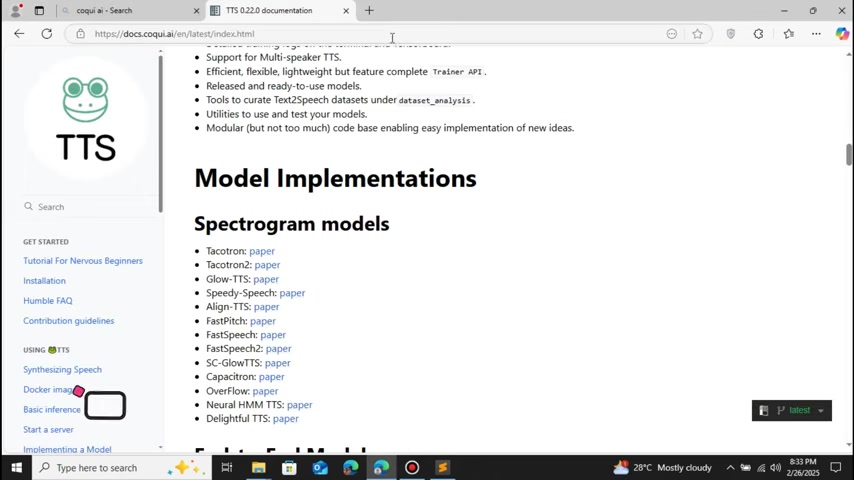
Multi speaker support
-
Supports multiple languages
These features combined make Coqui TTS a flexible and cost-effective solution for voice cloning projects.
Google Colab: Your Free Development Environment
To make this Tutorial even more accessible, we'll leverage Google Colab, a free cloud-based development environment that provides access to powerful computing resources. Google Colab allows you to run Python code without the need for local installation
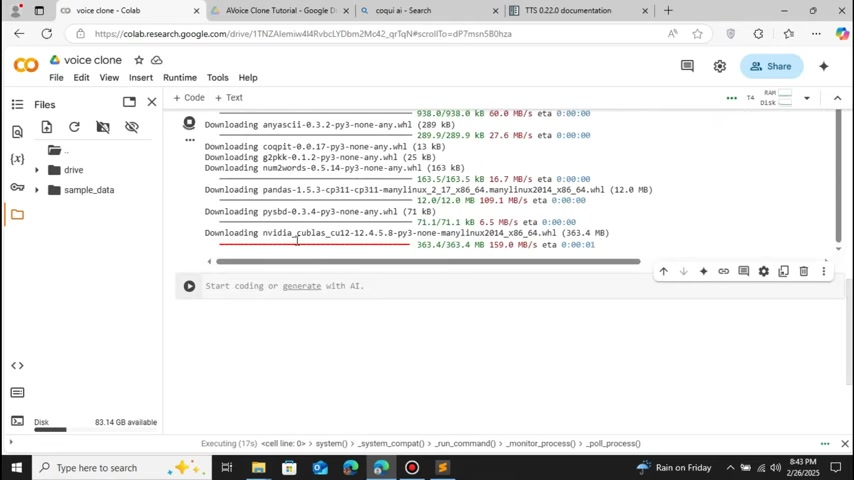
. This is particularly useful for resource-intensive tasks like voice cloning. Since you are connected to GPU Runtime, using it to download and install all of the dependencies required is easy and faster than running locally. Colab does not require any specific GPU to be utilized.
Step-by-Step Guide to Voice Cloning with Coqui TTS
Step 1: Setting up Google Colab and Connecting to Google Drive
- Open Google Colab: Start by opening Google Colab in your web browser
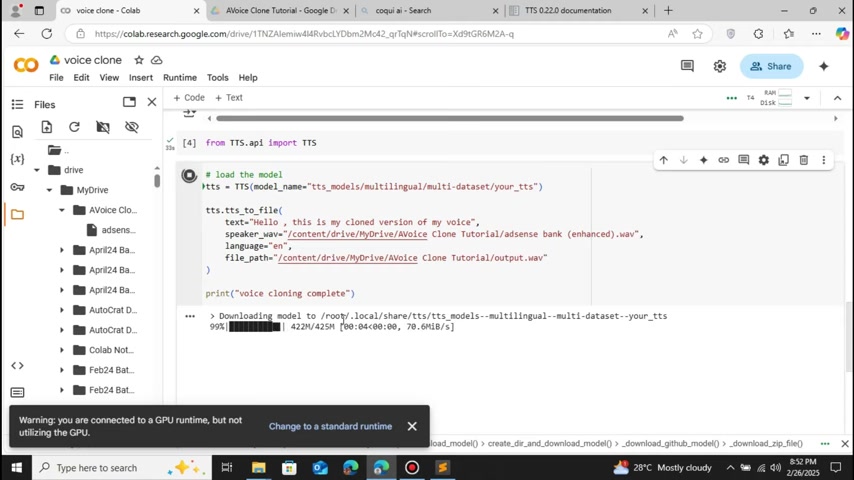
.
- Create a New Notebook: Create a new Python 3 notebook in Google Colab .
- Mount Google Drive: To access your audio files, mount your Google Drive to the Colab environment. This allows you to easily access and store data . To do so is easy, just click on the file icon and click mount drive. After it you will see a folder called drive on the left side of the screen.
Step 2: Preparing Your Audio Sample
To accurately clone a voice, you'll need a high-quality audio sample of the person you want to clone. Here's how to prepare your sample for Coqui TTS:
* **Record Audio:** Record yourself or another person speaking clearly and naturally. Make sure you record with wav format in 5 to 10 minutes audio time 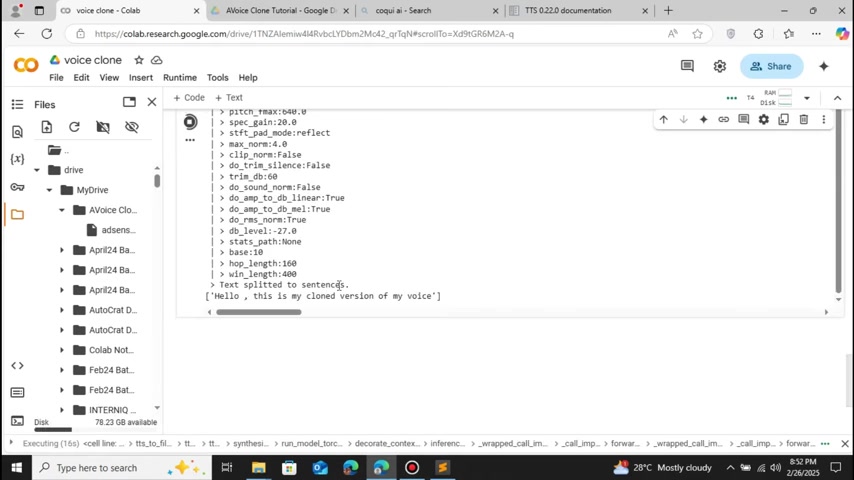
.
- Convert to WAV Format: Make sure the audio file is in WAV format. Coqui TTS works with wav files only. If you have an MP3 or M4A, you can use an online converter tool. Also you can adjust the sample rate. Make sure it's 16 KHz.
- Upload to Google Drive: Upload the audio sample to your Google Drive for easy access from Colab .
Step 3: Installing Coqui TTS and Dependencies
To use Coqui TTS, you'll need to install it and its dependencies in the Colab environment. Follow these steps:
1. **Open a Code Cell:** Create a new code cell in your Colab notebook 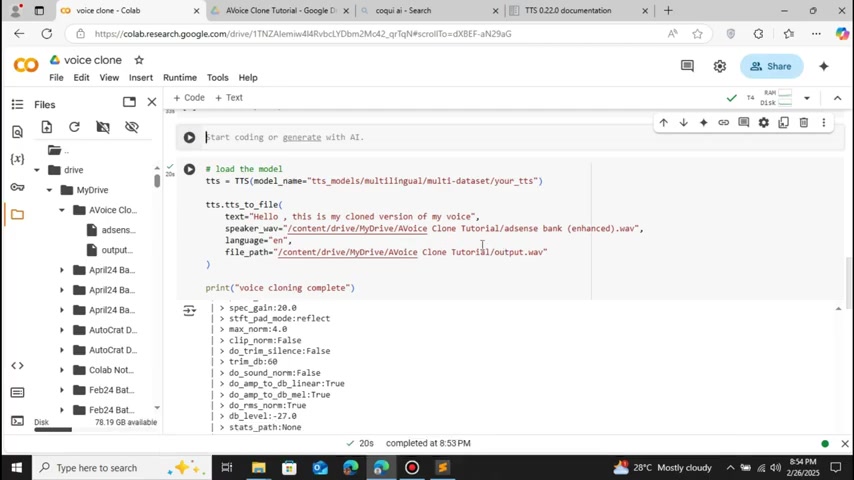
.
- Install Coqui TTS: Use the following command to install Coqui TTS:
Step 4: Preparing for a Potential Pandas Version Error and Installing eSpeak
Since there is a high chance that you will encounter a pandas version error, make sure you are using version 2.2.2:
- Using Correct Pandas Version: Use the following command to download and use the correct version:
!pip install --upgrade pandas==2.2.2- Install eSpeak: You will need to install another dependency library called eSpeak with:
!apt-get install -y espeakStep 5: Loading the Model and Setting up cloning
Now, load your speaker and the library that you want to clone:
from TTS.api import TTS

tts = TTS(model_name="tts_models/en/ljSpeech/vits")Note: If you do not import it, you will face a NameError
Step 6: Performing your Text to Speech and Saving the file
Finally, use tts.tts_to_file to create your audio file:
tts.tts_to_file(text="Hello, in this video we gonna see how to create your own voice using python, an alternative to the eleven labs", file_path="content/drive/MyDrive/AVoice Clone Tutorial/intro.wav")
print ("Voice cloning complete")Note: Make sure you have the right link








Most people like



































Report
Please select a reason for reporting
- 13 Reasons to Switch from Snapchat to Text Messaging
- 7 Powerful Speech to Text Apps to Boost Productivity
- 10 Best Speech to Text Tools for Effortless Transcription
- 13 Free Tools to Easily Transcribe Audio to Text
- 15 Surprising Ways Google's Speech-to-Text Boosts Productivity
- 7 Best Free Online Audio to Text Transcription Tools
- 9 Tips to Transcribe Speech to Text Faster and Better
- 13 Best Speech to Text Software for Windows 10 in 2023
- 7 Tips for Choosing the Best Transcriber for Audio to Text
- 11 Reasons Why Dragon Speech-to-Text Apps are Game-Changers
- 6 Secrets to Enhance Your Speech to Text Transcription
- 6 Brilliant Ways to Boost Productivity with Talk-to-Text on Your MacBook
- 6 Ways Transcription Software Converts Audio to Text
- 8 Tips to Transcribe Speech to Text Like a Pro
- 6 Reasons IBM Watson Speech to Text is a Game-Changer
- 14 Powerful Ways Talk-to-Text Improves Your Workflow
- 12 Top Windows Speech-to-Text Software for Efficient Transcription
- 12 Game-Changing Benefits of Apple's Speech to Text Technology
- 9 Powerful Use Cases for AWS Speech to Text Technology
- 10 Easy Steps to Transcribe YouTube Videos to Text
- transcription audio en texte
- online audio transcription
- free audio file transcription
- free ai audio transcription
- audio transcription service
- audio transcription online free
- audio transcription free online
- audio to transcription software
- audio and transcript
- ai audio transcription free
- voice recording to text converter
- translate voice recording to text
- record voice to text
- audio recording to text converter
- voice recording and transcription
- chatgpt voice to text
- gmail voice to text
- speech to text reader
- speech to text ai free
- speech to talk
- How SEO and Marketing Dashboards Empower Agencies to Drive Results
- How to Use AI Tools to Find Internal Linking Opportunities Across a Business Website
- Discover Your Perfect Haircut with AI Hairstyle Apps
- Free Reputation Calculator Tools: How They're Adapting to Score AI Visibility, Not Just Rankings
- Design Professional Flyers for Free on Your Phone
- Best Free Flyer Maker Apps for Android: Design Like a Pro
- How to Know If Your Business Is Ready for an AI Customer Service Agent
- Revolutionizing Storytelling: From Novels to Screenplays with AI
- Create Engaging Animated Explainer Videos with a Free AI Tool
- Stop Multi-Subscribing: Benchmark Top AI Visual Models in One Canvas
- Revideo.io: The Future of Reverse Video Search Technology
- Top Virtual Assistant Companies in 2026: Reviews, Pricing, and Plans Compared
- AI Photo Generator Remove BG Review: My Experience Testing an AI Background Editing Tool
- Beyond Robotic Narration: My Honest Experience with VideoAI and Its Insane Character Voice Library
- Testing Super-Resolution: An In-Depth Look at Modern Image Upscaling
- AI CRM vs. Traditional CRM: Which Strategy Wins?
- Ultimate Guide: What To Do After Buying A Domain Name
- Non-Human Identities Became the Access-Management Problem Nobody Budgeted For
- Create Your Own Book Store Website for Free with Wordpress
- Why do so many AI tools underdeliver for online stores?

Copyright ©2026 toolify