































Table of Contents
- Key Points
- Understanding the CockroachDB MOLT Schema Conversion Tool
- Preparing Your Schema for Conversion
- Step-by-Step Guide to Using the MOLT Schema Conversion Tool
- CockroachDB Pricing
- Advantages and Disadvantages
- Exploring the Core Features of CockroachDB
- Discovering the Best Use Cases for CockroachDB
- Frequently Asked Questions About CockroachDB
- Related Questions About Database Migration


Understanding the CockroachDB MOLT Schema Conversion Tool
What is the MOLT Schema Conversion Tool?
The MOLT (Migration, Optimization, Load, and Transformation) Schema Conversion Tool is a feature within CockroachDB Cloud designed to streamline the database migration process.
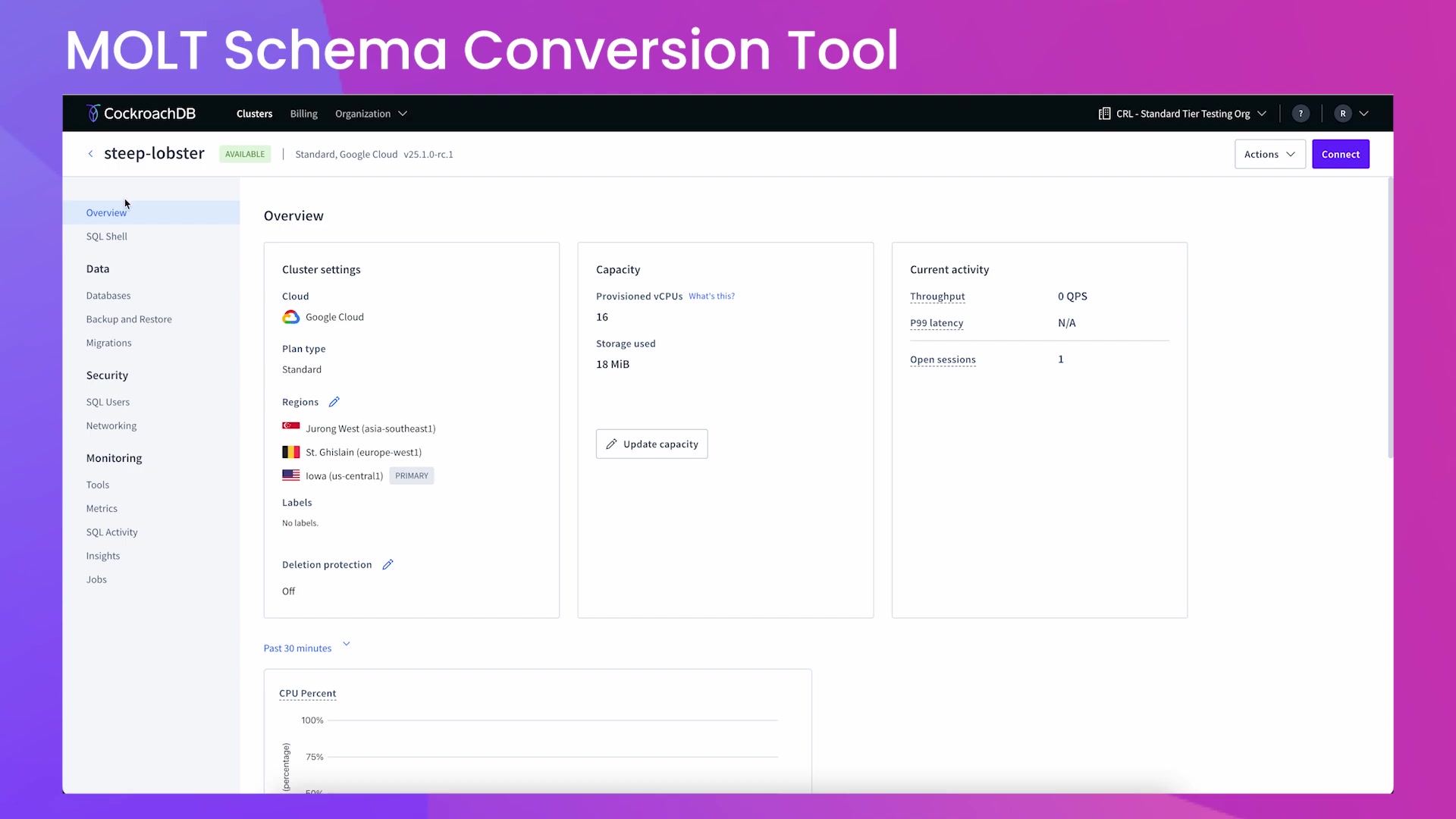
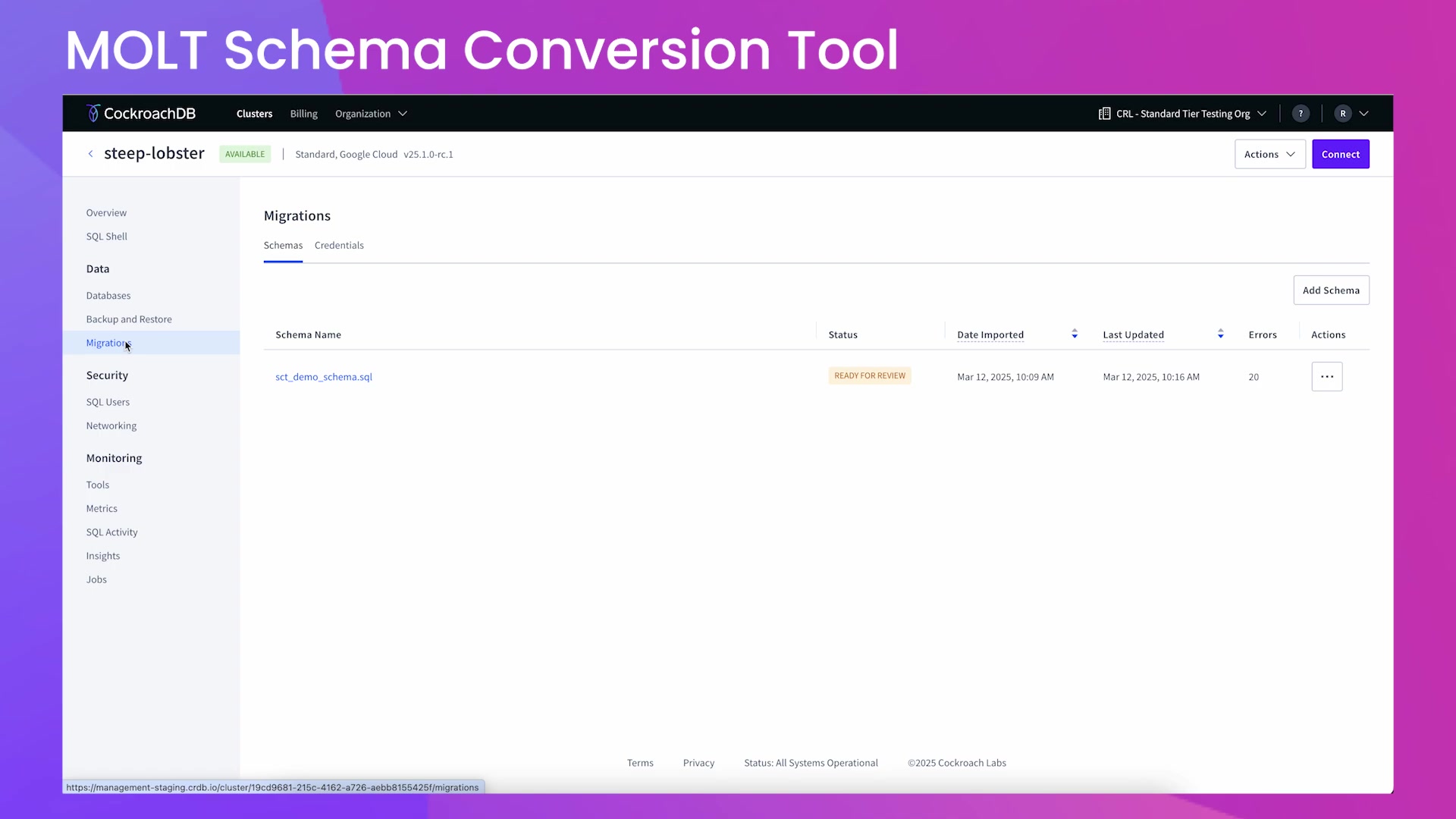
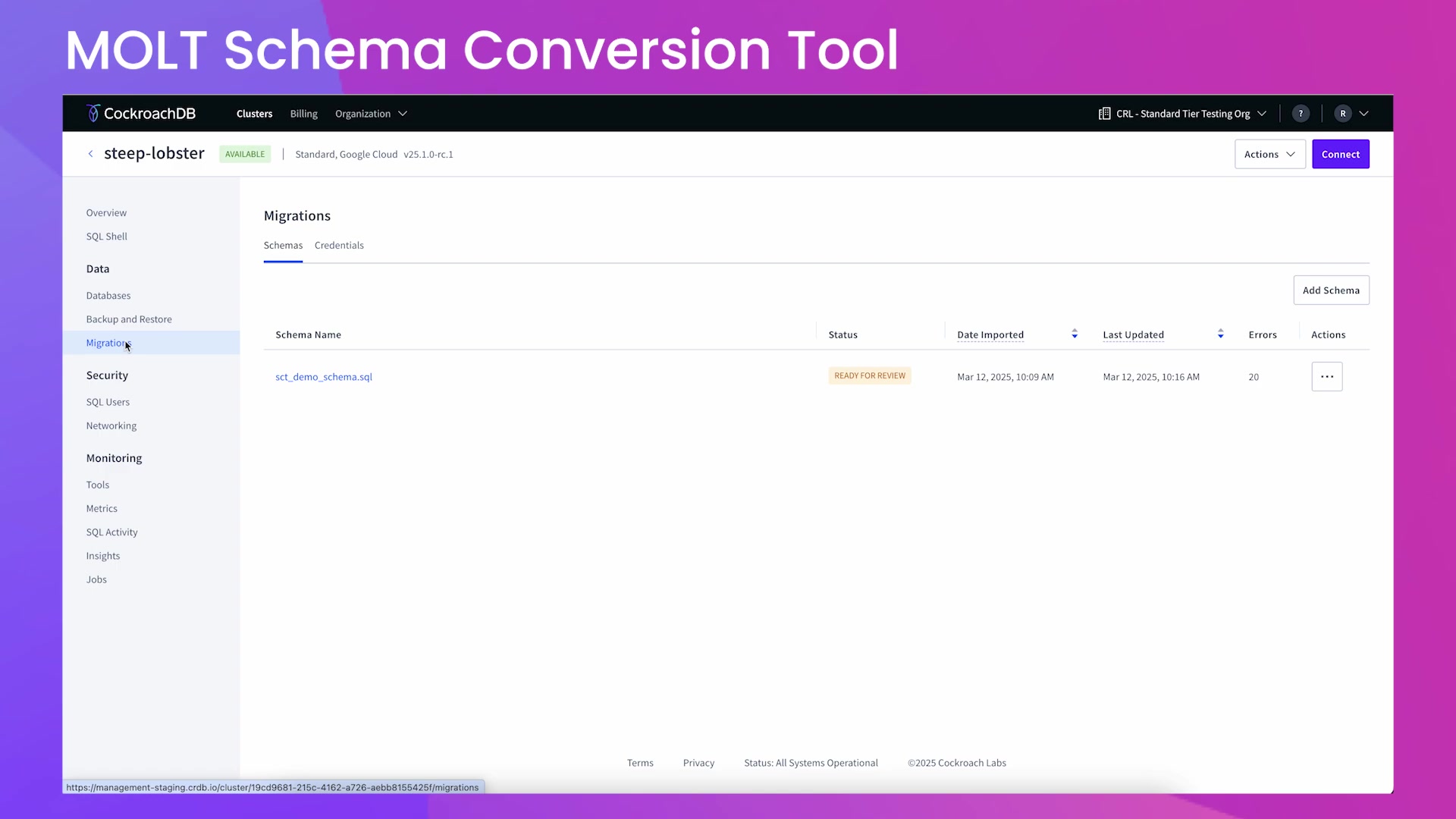
It’s accessible via the Migrations tab, offering a centralized interface for converting and migrating database schemas. This tool not only converts the schema but also identifies potential issues and suggests improvements to align with CockroachDB best practices. The MOLT Schema Conversion Tool supports migrations from several popular database dialects including PostgreSQL, MySQL, Oracle, and SQL Server, making it easier to transition to CockroachDB.
The primary goal of the tool is to simplify what can often be a complex and error-prone task. By automating schema conversion and offering actionable suggestions, the tool minimizes manual intervention, thereby saving time and reducing the risk of introducing errors. It is a critical asset for database administrators and developers looking to take full advantage of CockroachDB’s distributed SQL database capabilities.
Key Benefits of using the MOLT Schema Conversion Tool:
- Simplified Migration: Converts schemas from various dialects to CockroachDB.
- Error Reduction: Identifies and helps resolve potential migration issues.
- Optimization: Offers suggestions to optimize schema for CockroachDB.
- Flexibility: Supports both CockroachDB Cloud and self-hosted cluster deployments.
- Efficiency: Automates much of the conversion process, saving time and effort.
Dialects Supported for Schema Conversion
The MOLT Schema Conversion Tool supports a variety of popular database dialects, making it versatile for different migration scenarios. The primary dialects include:
- PostgreSQL: A robust open-source relational database system known for its standards compliance and extensibility. Migrating from PostgreSQL to CockroachDB is a common scenario, as both share similarities in SQL syntax.
- MySQL: A widely used open-source relational database management system (RDBMS), known for its ease of use and performance. Migrating from MySQL can enable greater scalability and resilience offered by CockroachDB.
- Oracle: A proprietary relational database management system, frequently used in enterprise environments. The MOLT tool aids in transitioning from Oracle's monolithic architecture to CockroachDB’s distributed model.
- SQL Server: A relational database management system developed by Microsoft. Migrating from SQL Server can help modernize legacy systems by leveraging CockroachDB’s cloud-native capabilities.
By supporting these dialects, CockroachDB’s MOLT Schema Conversion Tool ensures broader compatibility and reduces the complexities associated with moving databases from one system to another.
Migration and Export Options Explained
The MOLT Schema Conversion Tool offers distinct options for migrating and exporting schemas, catering to various deployment scenarios. These options provide flexibility in how you manage your database migrations:
- Direct Migration to CockroachDB Cloud: This option allows you to migrate your converted schema directly to a CockroachDB Cloud database. The converted schema is used to create a new database within your CockroachDB Cloud cluster.
- Exporting Converted Schema: This feature provides the ability to export the converted schema as a SQL file. This is particularly useful if you intend to use the schema with a self-hosted CockroachDB cluster. The exported SQL file contains all the necessary data definition language (DDL) statements required to recreate the schema.
By offering both migration and export options, the MOLT tool accommodates different deployment strategies, whether you prefer a fully managed cloud environment or a self-managed setup.
Preparing Your Schema for Conversion
Exporting Your Database Schema
Before using the MOLT Schema Conversion Tool, you need to export your existing database schema. The tool analyzes SQL dump files containing data definition statements.
Here’s how to export your schema from different database systems:
-
PostgreSQL: Use the
pg_dumputility with the--schema-onlyflag to export only the schema:pg_dump -h hostname -U username -d database_name -s -f schema.sql -
MySQL: Use the
mysqldumputility with the--no-dataflag:mysqldump -h hostname -u username -p --no-data database_name > schema.sql -
Oracle: You can use Oracle Data Pump or SQL Developer to export the schema.
-
SQL Server: Use SQL Server Management Studio (SSMS) or the
sqlcmdutility.
Ensure that the exported SQL file contains only data definition statements and is smaller than 4MB. Including data or unsupported statements may cause errors during the conversion process.
Checking Database Compatibility
Ensuring your database is compatible with CockroachDB before migration can save time and prevent errors. Here are some aspects to consider:
- Data Types: Review the data types used in your existing schema and compare them with CockroachDB’s supported data types. Convert any unsupported data types to compatible ones.
- Constraints: Verify that your constraints (e.g., primary keys, foreign keys, unique constraints) are supported in CockroachDB.
- Indexes: Review your indexes and ensure they align with CockroachDB’s indexing strategies. Optimize indexes for performance where necessary.
- Stored Procedures, Functions, and Triggers: Check for stored procedures, functions, and triggers, and assess their compatibility. Some may need to be rewritten or adjusted for CockroachDB.
By performing these checks, you can reduce potential issues during the schema conversion and migration process.
Step-by-Step Guide to Using the MOLT Schema Conversion Tool
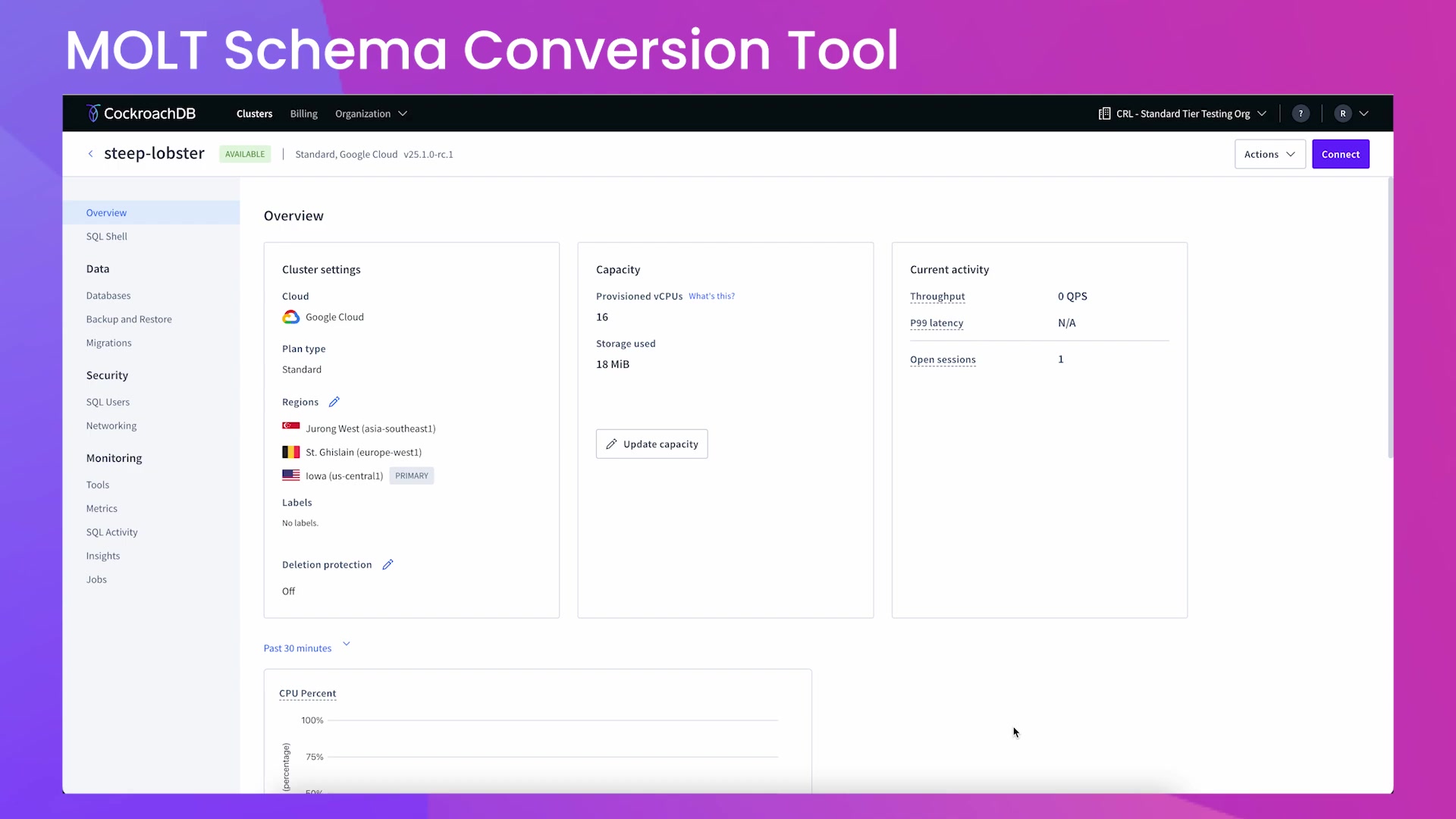
Accessing the Migrations Tab
- Log in to your CockroachDB Cloud account.
- Navigate to your cluster.
- On the left-hand side menu, click on Migrations. This will open the interface where you can manage your schema conversions.
Adding a New Schema
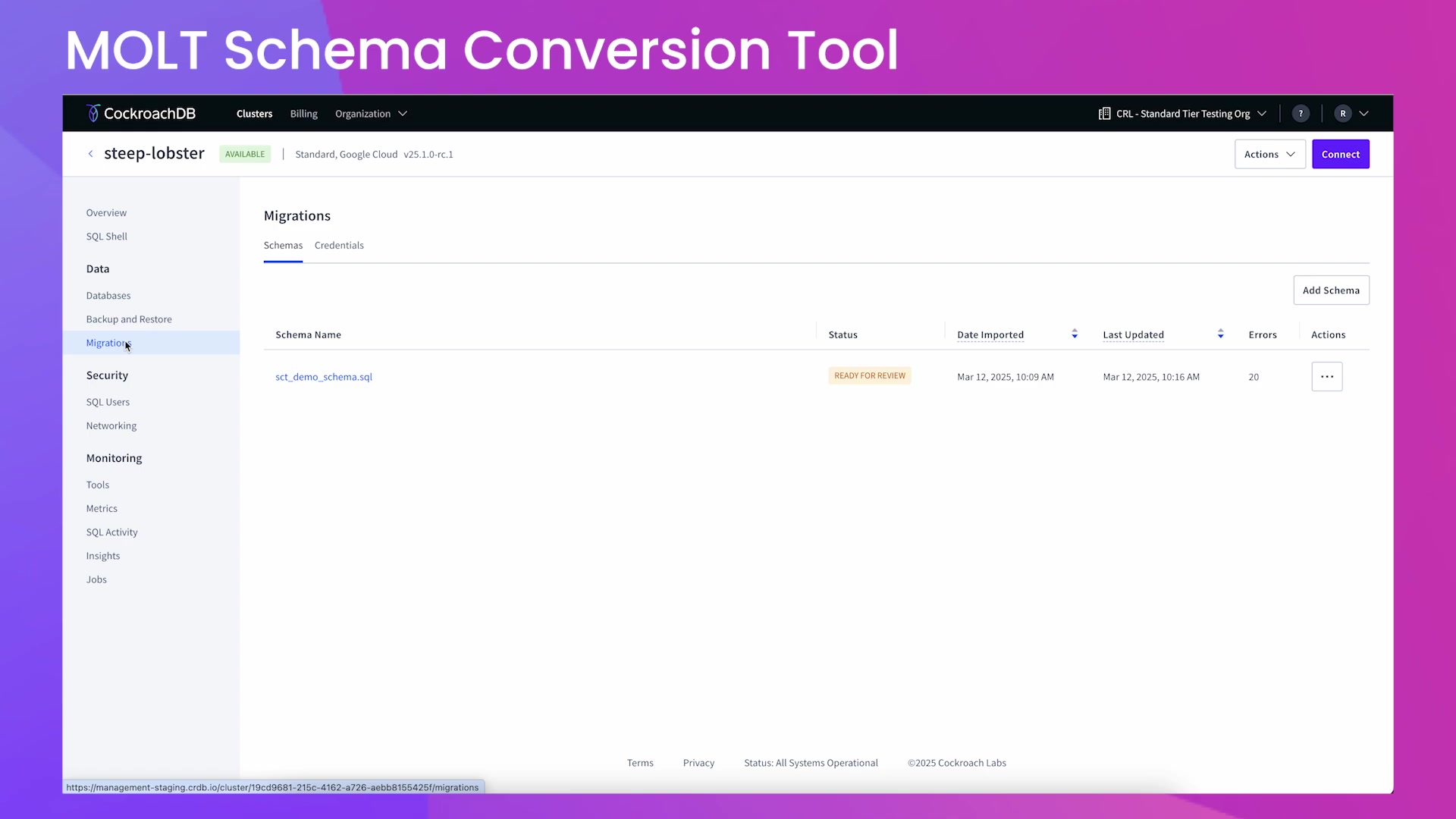
-
In the Migrations tab, click the Add Schema button.
-
Select the dialect of your existing database (e.g., PostgreSQL, MySQL) from the dropdown menu.
-
Choose the appropriate INT type conversion, if prompted.
-
Click Next.
Selecting the Upload Method
You have two options for providing your schema:
- Upload File: Choose this option to upload a SQL file containing your schema.
- Use Credentials: Connect directly to your source database using credentials.
For this example, select Upload File and drag and drop your SQL file or click to upload it. Click Convert. The tool will now process your schema.
Reviewing the Summary Report
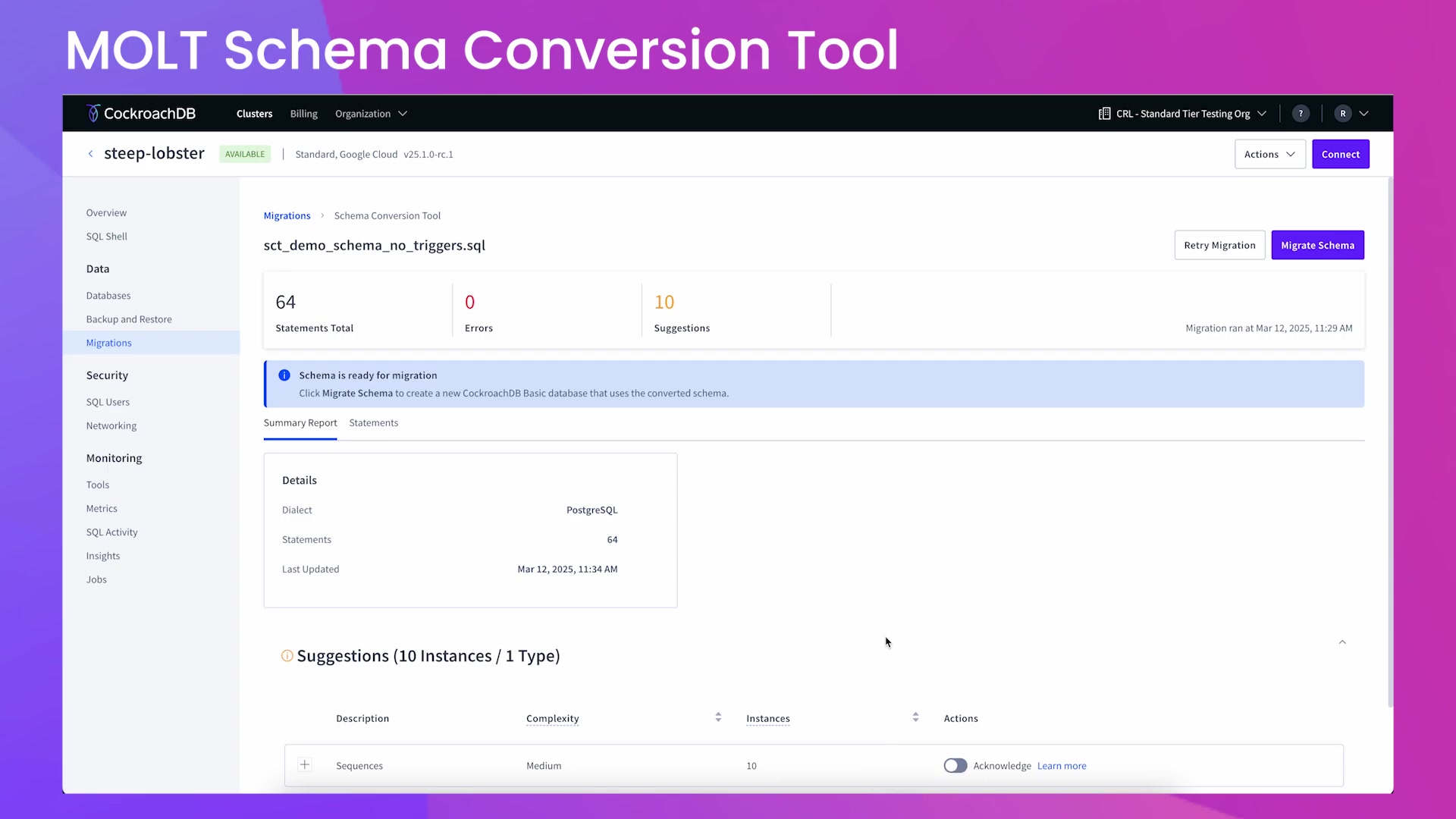
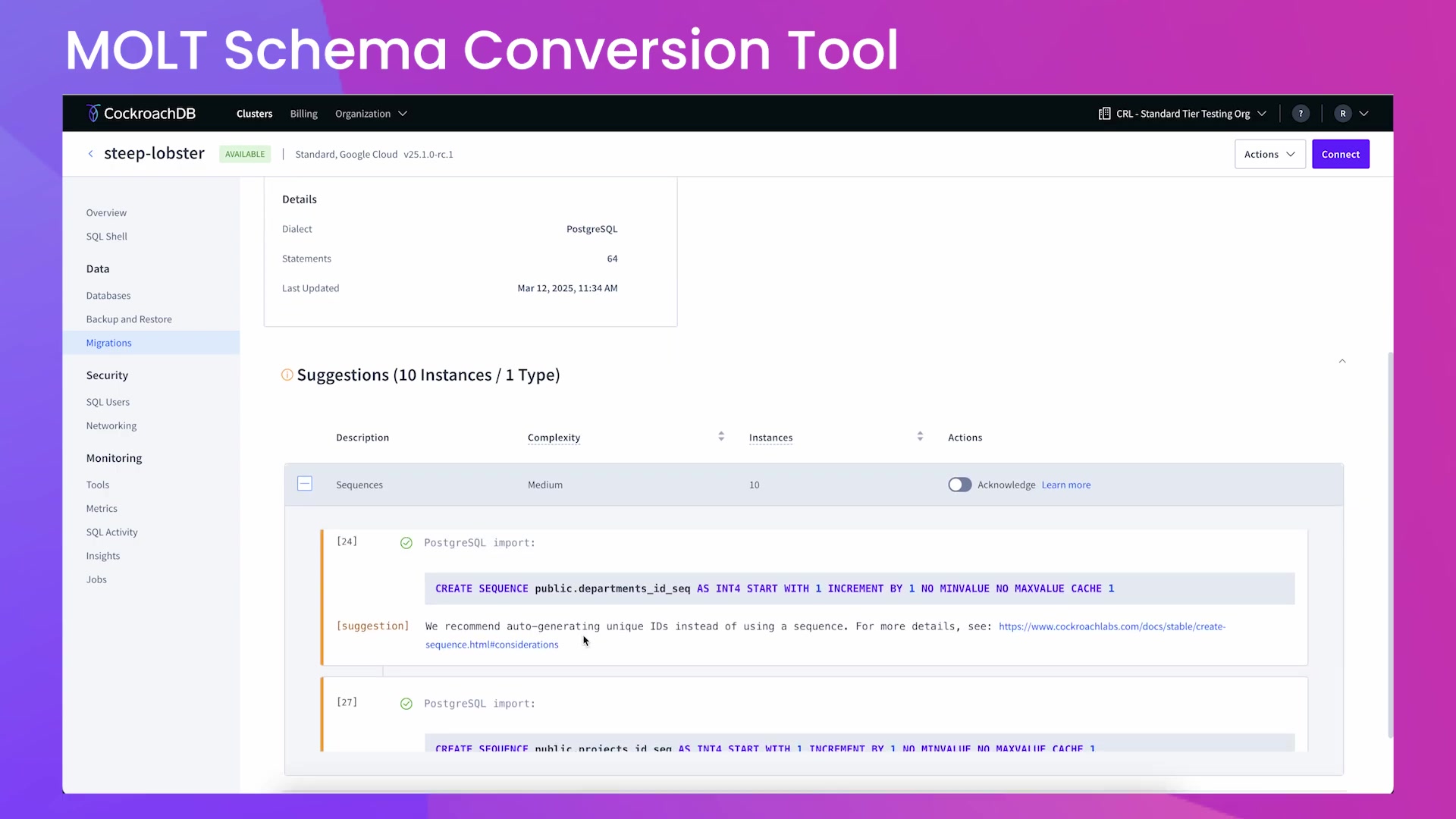
After the conversion process, review the summary report. This report shows:
- Total statements in the SQL file
- Number of errors detected
- Number of suggestions for improvements
Address any errors and review the suggestions to optimize your schema for CockroachDB. Use the Statements tab to review each SQL statement and make inline edits if needed. The interface provides options to find and replace text, download the file, and apply required fixes.
Migrating the Schema
Once you've addressed any errors and optimized your schema:
- Click the Migrate Schema button.
- Enter a database name and select a database owner.
- Click Migrate to complete the migration process.
Your schema is now successfully migrated to CockroachDB Cloud.
Verifying the Migration
To verify that the migration was successful:
- Connect to your CockroachDB Cloud cluster using the CockroachDB SQL client or another SQL client.
- Use the
SHOW TABLEScommand to list the tables in your new database.
Confirm that all the tables you expected are present.
If using the CockroachDB SQL client:
SHOW TABLES FROM rohan_demo;Verify the tables you migrated are now accessible and listed within the SQL client. By following these steps, you can seamlessly convert and migrate your database schemas to CockroachDB using the MOLT Schema Conversion Tool.









Most people like


























Report
Please select a reason for reporting
- 13 Reasons to Switch from Snapchat to Text Messaging
- 7 Powerful Speech to Text Apps to Boost Productivity
- 10 Best Speech to Text Tools for Effortless Transcription
- 13 Free Tools to Easily Transcribe Audio to Text
- 15 Surprising Ways Google's Speech-to-Text Boosts Productivity
- 7 Best Free Online Audio to Text Transcription Tools
- 9 Tips to Transcribe Speech to Text Faster and Better
- 13 Best Speech to Text Software for Windows 10 in 2023
- 7 Tips for Choosing the Best Transcriber for Audio to Text
- 11 Reasons Why Dragon Speech-to-Text Apps are Game-Changers
- 6 Secrets to Enhance Your Speech to Text Transcription
- 6 Brilliant Ways to Boost Productivity with Talk-to-Text on Your MacBook
- 6 Ways Transcription Software Converts Audio to Text
- 8 Tips to Transcribe Speech to Text Like a Pro
- 6 Reasons IBM Watson Speech to Text is a Game-Changer
- 14 Powerful Ways Talk-to-Text Improves Your Workflow
- 12 Top Windows Speech-to-Text Software for Efficient Transcription
- 12 Game-Changing Benefits of Apple's Speech to Text Technology
- 9 Powerful Use Cases for AWS Speech to Text Technology
- 10 Easy Steps to Transcribe YouTube Videos to Text
- transcription audio en texte
- online audio transcription
- free audio file transcription
- free ai audio transcription
- audio transcription service
- audio transcription online free
- audio transcription free online
- audio to transcription software
- audio and transcript
- ai audio transcription free
- voice recording to text converter
- translate voice recording to text
- record voice to text
- audio recording to text converter
- voice recording and transcription
- chatgpt voice to text
- gmail voice to text
- speech to text reader
- speech to text ai free
- speech to talk
- Create Engaging Animated Explainer Videos with a Free AI Tool
- Stop Multi-Subscribing: Benchmark Top AI Visual Models in One Canvas
- Best Seedance 2.5 API Provider: Every Price on the Market, Checked at Source
- AI OnlyFans: How to Generate $30,000/Month (Legally)
- Transform Your Script into an Engaging Video with AI Video Maker!
- AI Marketing Automation: A Comprehensive Guide for Small Businesses
- Midjourney Alternative for Anime Art Creators: Why PixAI May Be Better for Character Workflows
- 10 Things Most People Get Wrong About AI Image Search
- AI Girlfriend Apps: Top Choices Redefining Relationships 2025
- How to Reduce Quoting Errors in Salesforce with AI-Assisted Quote Creation
- AI Resume Builders: EnhanceCV, ResumeNerd AI, & Teal Compared
- ResumeAI: Crafting ATS-Optimized Resumes with AI
- AI in Resume Writing: A New Era for Job Seekers
- AI Resume Tools: Streamline Your Job Search and Land Your Dream Role
- AI Resume Optimization: The Right Way to Land Interviews
- Crafting a Killer Resume with AI: A Step-by-Step Guide
- Crafting a Winning Resume: AI Tools and Expert Tips
- AI Job Search: Level Up Your Career with AI Automation
- Empower Your Career Journey: Dynamic Resumes with AI
- AI Resume Builder: Create Professional Resumes Effortlessly

Copyright ©2026 toolify