































Table of Contents
- Key Points
- Introduction to CodeRabbit: AI-Driven Code Review
- CodeRabbit Integration: Enhancing Team Collaboration
- How to Use CodeRabbit: A Step-by-Step Guide
- CodeRabbit Pricing Plans
- Pros and Cons of CodeRabbit
- Core Features of CodeRabbit
- Use Cases for CodeRabbit
- FAQ
- Related Questions



Introduction to CodeRabbit: AI-Driven Code Review
What is CodeRabbit?
In the ever-evolving landscape of software development, efficiency and quality are paramount. CodeRabbit is an AI-powered code review tool created to help development teams optimize their code review process.
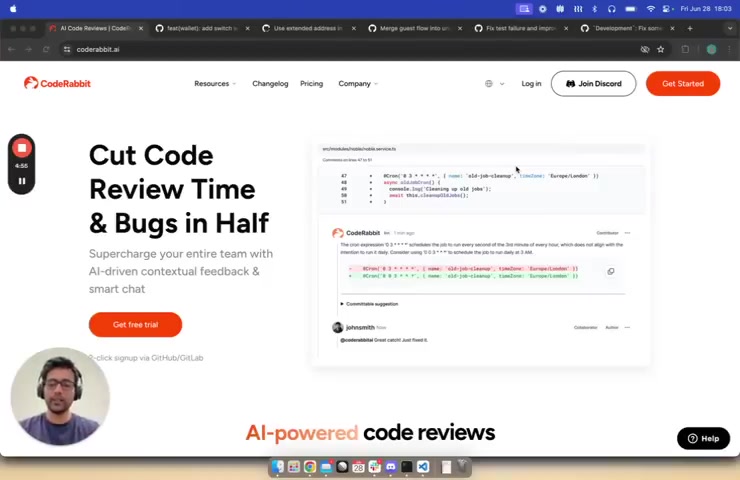
It serves as an intelligent assistant, providing contextual feedback, catching bugs early, and streamlining the entire code review workflow. The core goal of CodeRabbit is to cut down code review time significantly, reduce the number of bugs that slip into the base branch, and ultimately improve the quality of the software being developed.
CodeRabbit aims to supercharge entire teams with AI-driven contextual feedback and smart chat functionality. By integrating into existing development workflows, CodeRabbit enables developers to identify potential issues more quickly and effectively, leading to a more collaborative and productive development environment. The tool’s ability to learn from past reviews and adapt to the specific coding standards and preferences of a team makes it an invaluable asset for any software project.
CodeRabbit’s comprehensive features include automated code analysis, intelligent summarization of changes, assessment against linked issues, and even the ability to suggest one-click fixes. It can also generate sequence diagrams for complex changes, providing visual clarity on how different components interact within the codebase. The tool’s integration with chat platforms further enhances communication and collaboration among team members, making the code review process more interactive and efficient.
Key Benefits of Using CodeRabbit
The advantages of using CodeRabbit in your software development process are manifold, impacting both the efficiency and quality of your code. Let’s delve deeper into some of the key benefits:
- Reduced Code Review Time: By automating many aspects of the code review process, CodeRabbit drastically cuts down the time spent on manual reviews.
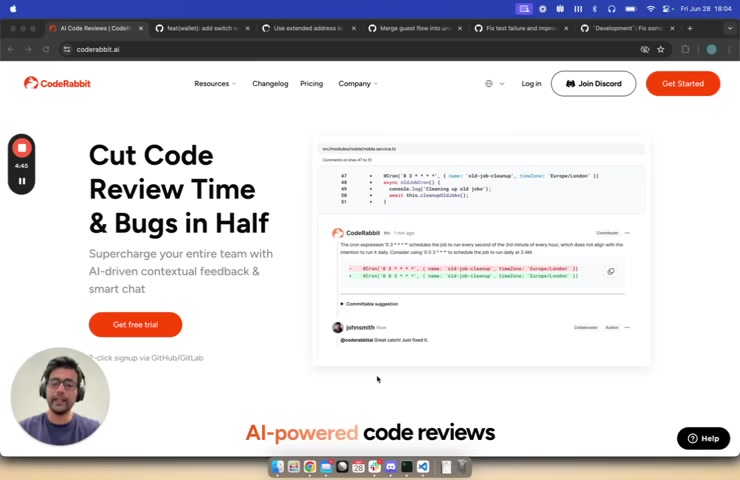
The AI provides immediate feedback on potential issues, allowing developers to address them quickly.
- Early Bug Detection: CodeRabbit's intelligent analysis identifies bugs and vulnerabilities early in the development cycle, preventing them from making their way into the production code. This reduces the cost and effort associated with fixing bugs later on.
- Improved Code Quality: The AI-driven contextual feedback helps developers write cleaner, more maintainable code. CodeRabbit suggests improvements based on best practices, coding standards, and the specific context of the project.
- Enhanced Collaboration: The integration with chat platforms and the ability to provide clear, concise feedback fosters better communication and collaboration among team members. The AI bot can answer questions and provide clarifications, ensuring everyone is on the same page.
- Continuous Learning and Adaptation: CodeRabbit learns from each review, adapting to the team's coding style and preferences. This continuous learning process ensures that the tool becomes more effective and accurate over time.
- Comprehensive Code Understanding: The tool generates summaries, walkthroughs, and sequence diagrams that help reviewers quickly understand the changes being made. This is particularly useful for complex or large codebases.
How to Use CodeRabbit: A Step-by-Step Guide
Setting Up CodeRabbit
- Sign Up: Go to the CodeRabbit website (coderabbit.ai) and sign up for a free trial or paid plan.
- Connect Repository: Connect your GitHub or GitLab repository to CodeRabbit.
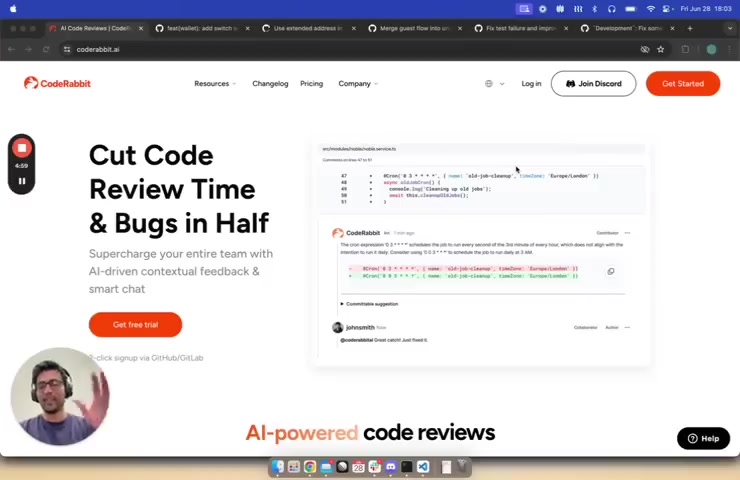
This involves granting CodeRabbit access to your repository.
- Configure Settings: Configure the settings to match your team's coding standards and preferences. This includes setting up rules for code style, complexity, and security.
- Integrate with Workflow: Integrate CodeRabbit into your existing development workflow. This can be done by adding CodeRabbit as a reviewer to your pull requests.
- Enable Learning: Enable the learning feature to allow CodeRabbit to adapt to your team's coding style and preferences.
Using CodeRabbit for Code Reviews
- Create Pull Request: Create a pull request as you normally would.
- Assign CodeRabbit: Assign CodeRabbit as a reviewer to your pull request.
- Review Summary: Review the summary generated by CodeRabbit. This will give you an overview of the changes made.
- Technical Walkthrough: Review the technical walkthrough generated by CodeRabbit. This will provide detailed insights into what has changed.
- Address Issues: Address any issues identified by CodeRabbit. You can use the one-click fixes to quickly resolve minor issues.
- Chat with Bot: Chat with the CodeRabbit bot if you have any questions or need clarifications.
- Add Learnings: Add any learnings that you want CodeRabbit to remember for future reviews.
- Approve/Reject: Approve or reject the pull request based on your review.
Core Features of CodeRabbit
AI-Powered Code Summaries
CodeRabbit kicks off the review process by providing a summary of the changes made in a pull request.
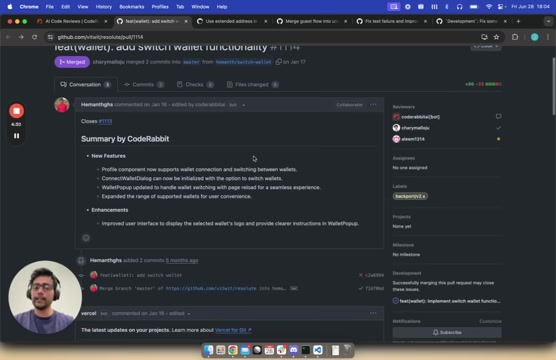
This summary categorizes the changes into easily understandable bullet points, giving reviewers a quick overview of what has been modified. By highlighting new features, enhancements, and potential issues, CodeRabbit ensures that reviewers can immediately grasp the scope and impact of the changes. This feature is instrumental in saving time and focusing the review on the most critical aspects of the code.
These summaries help the human reviewers to quickly build a mental model of the changes and understand the context without having to delve into every single line of code. This reduces the initial cognitive load and allows the reviewers to start with a clear understanding of what the pull request aims to achieve.
Technical Walkthrough Generation
Following the code summary, CodeRabbit generates a technical walkthrough of the pull request.
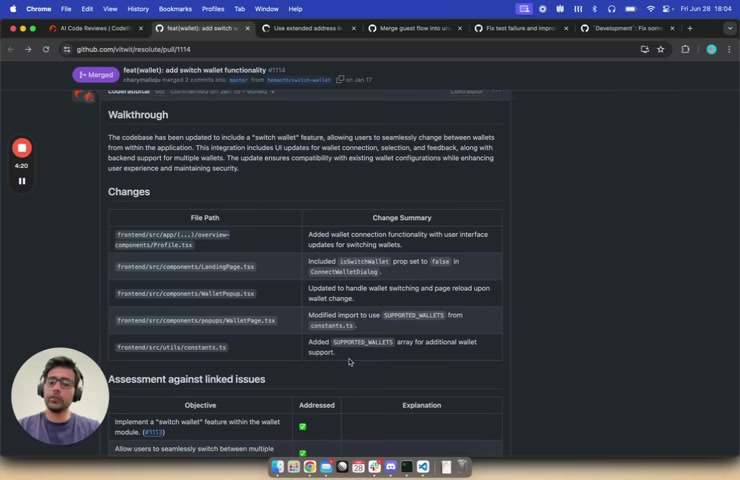
This feature provides detailed insights into what has changed, offering a comprehensive view of the modifications. It presents a table summarizing the changes, which includes file paths and a brief description of the changes made in each file. This table is particularly useful for human reviewers, as it allows them to build a mental model of the changes and understand how different parts of the codebase have been affected.
This walkthrough table not only helps in understanding the scope of changes but also acts as a checklist to ensure that all relevant files and components have been reviewed. This systematic approach reduces the risk of overlooking important details and ensures a more thorough review process. CodeRabbit essentially acts as an automated guide, leading reviewers through the changes and highlighting key areas that require attention.
Assessment Against Linked Issues
CodeRabbit goes beyond simply summarizing code changes by providing an assessment against linked issues.
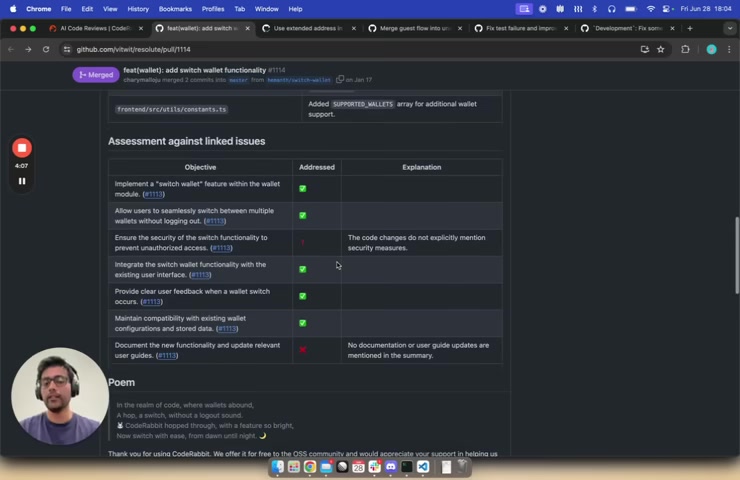
If a pull request is associated with specific issues or tasks, CodeRabbit parses through them to ensure that the changes address the objectives outlined in those issues. It provides a clear indication of whether the objectives have been met, and if not, explains why. This ensures that the code changes align with the project's goals and requirements.
By automatically linking code changes to specific issues, CodeRabbit ensures that the review process is focused and relevant. This feature helps in verifying that the code not only works as intended but also addresses the intended problem or feature. This ensures comprehensive coverage and reduces the risk of introducing unintended side effects or incomplete solutions.
Sequence Diagram Generation
For complex pull requests, CodeRabbit can generate a sequence diagram.
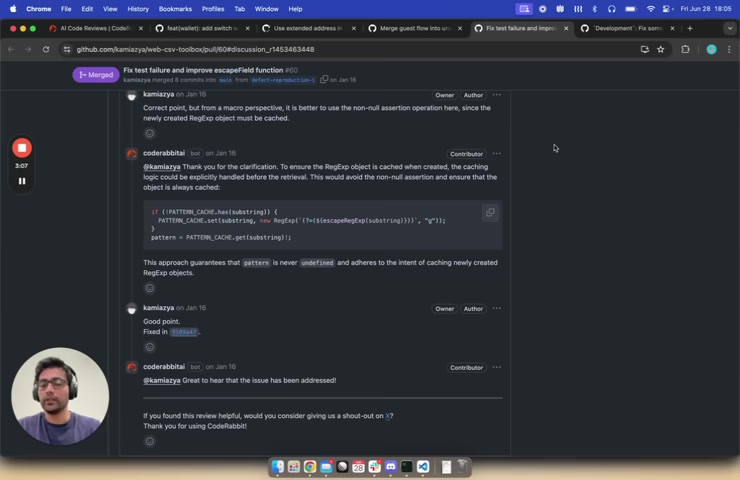
This feature is particularly useful for understanding the interactions between different components and services within the codebase. The sequence diagram visually represents the flow of execution, making it easier for reviewers to grasp the intricacies of the changes.
These sequence diagrams provide a higher-level understanding of the code changes, helping reviewers to identify potential bottlenecks, performance issues, or logical flaws. The visual representation simplifies the review process and enables reviewers to provide more informed feedback. For example, a sequence diagram can help identify inefficient data flows, redundant operations, or unexpected interactions between components.
Committable Suggestions and One-Click Fixes
CodeRabbit takes code review a step further by providing committable suggestions and one-click fixes.
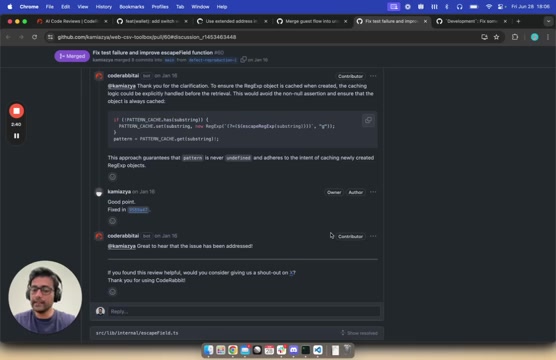
When the AI identifies a fixable issue, it can suggest a change that can be applied with a single click. This feature significantly streamlines the process of correcting minor issues and reduces the need for developers to switch between the code review tool and their editor. This also saves the trip back to your editor.
One-click fixes are available right inside the code reviews. This helps resolve bugs more efficiently and makes the code more DRY (Don't Repeat Yourself).
These committable suggestions and one-click fixes not only save time but also ensure consistency in coding style and quality. By providing automated fixes, CodeRabbit helps maintain code standards and reduces the risk of introducing new issues during the correction process.
AI-Powered Chat and Clarifications
CodeRabbit includes an AI-powered chat feature that allows reviewers to interact with the code review bot directly.
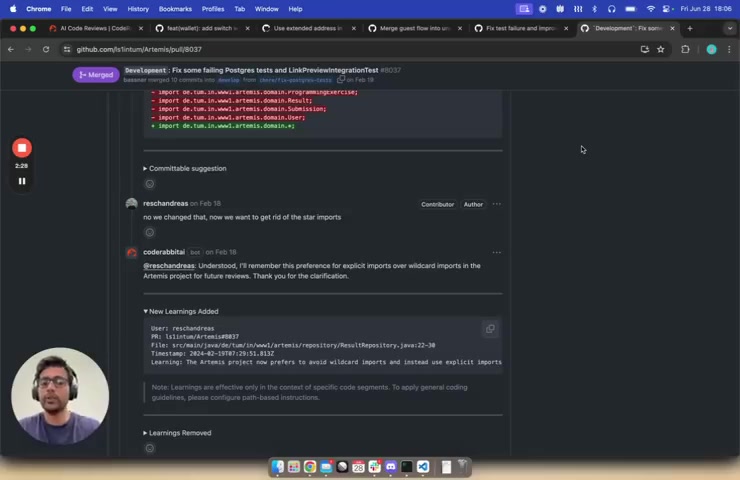
This feature is particularly useful for seeking clarifications on specific points or discussing potential improvements. The bot can provide additional context, explain its reasoning, and suggest alternative solutions.
This chat feature enhances collaboration and facilitates a more interactive review process. Reviewers can ask questions, provide feedback, and discuss concerns directly within the code review tool. This reduces the need for separate communication channels and ensures that all relevant discussions are captured in one place.
Adding Learnings
A standout capability of CodeRabbit is its ability to learn from user interactions. You can instruct the CodeRabbit bot to remember important aspects about the codebase. This means that the AI can adapt its review style and suggestions based on feedback from developers, making it more effective and relevant over time. You can teach CodeRabbit to remember specifics about the codebase.
This "learning" feature makes CodeRabbit a dynamic tool that improves with each review. This ability to learn helps CodeRabbit provide increasingly accurate and relevant suggestions, ultimately leading to more efficient and effective code reviews. The AI adapts to the team's coding style and preferences, becoming an indispensable part of the development workflow.
AI-Generated Poem
To add a touch of levity to the often serious and technical code review process, CodeRabbit includes a fun feature: the AI-generated Poem.
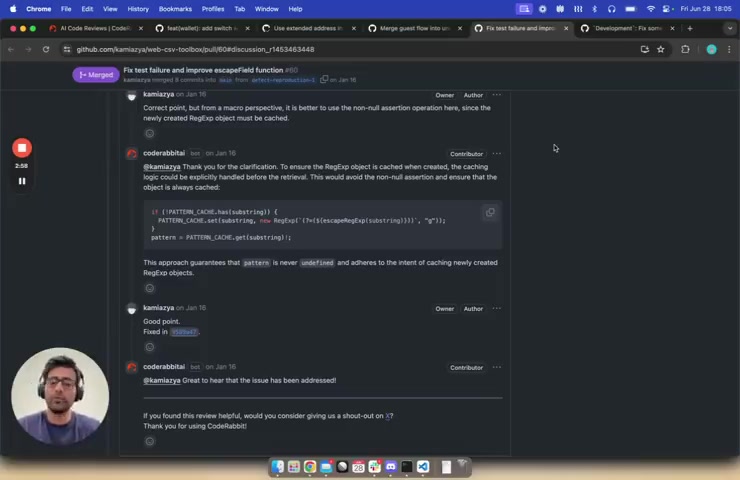
At the end of each review, CodeRabbit creates a short, whimsical poem about the changes that have been made. This feature is not only entertaining but also serves as a lighthearted way to summarize the essence of the code changes. This AI generated poem makes the code review process more enjoyable. It's related to what changed in this PR.


Most people like





































Report
Please select a reason for reporting
- 13 Reasons to Switch from Snapchat to Text Messaging
- 7 Powerful Speech to Text Apps to Boost Productivity
- 10 Best Speech to Text Tools for Effortless Transcription
- 13 Free Tools to Easily Transcribe Audio to Text
- 15 Surprising Ways Google's Speech-to-Text Boosts Productivity
- 7 Best Free Online Audio to Text Transcription Tools
- 9 Tips to Transcribe Speech to Text Faster and Better
- 13 Best Speech to Text Software for Windows 10 in 2023
- 7 Tips for Choosing the Best Transcriber for Audio to Text
- 11 Reasons Why Dragon Speech-to-Text Apps are Game-Changers
- 6 Secrets to Enhance Your Speech to Text Transcription
- 6 Brilliant Ways to Boost Productivity with Talk-to-Text on Your MacBook
- 6 Ways Transcription Software Converts Audio to Text
- 8 Tips to Transcribe Speech to Text Like a Pro
- 6 Reasons IBM Watson Speech to Text is a Game-Changer
- 14 Powerful Ways Talk-to-Text Improves Your Workflow
- 12 Top Windows Speech-to-Text Software for Efficient Transcription
- 12 Game-Changing Benefits of Apple's Speech to Text Technology
- 9 Powerful Use Cases for AWS Speech to Text Technology
- 10 Easy Steps to Transcribe YouTube Videos to Text
- transcription audio en texte
- online audio transcription
- free audio file transcription
- free ai audio transcription
- audio transcription service
- audio transcription online free
- audio transcription free online
- audio to transcription software
- audio and transcript
- ai audio transcription free
- voice recording to text converter
- translate voice recording to text
- record voice to text
- audio recording to text converter
- voice recording and transcription
- chatgpt voice to text
- gmail voice to text
- speech to text reader
- speech to text ai free
- speech to talk
- ChatGPT Knows Ford. It Just Doesn't Quote Ford
- Meshy AI: How to Create 3D Models from Text and Images
- How SEO and Marketing Dashboards Empower Agencies to Drive Results
- How to Use AI Tools to Find Internal Linking Opportunities Across a Business Website
- Discover Your Perfect Haircut with AI Hairstyle Apps
- Free Reputation Calculator Tools: How They're Adapting to Score AI Visibility, Not Just Rankings
- Design Professional Flyers for Free on Your Phone
- Best Free Flyer Maker Apps for Android: Design Like a Pro
- How to Know If Your Business Is Ready for an AI Customer Service Agent
- Revolutionizing Storytelling: From Novels to Screenplays with AI
- Your Business Data Could Be Worth Up to $4M. Find Out Without Uploading a Single File.
- Can an eSIM Plan Save You Time During Travel Setup?
- AI Video Editor Review: A Hands-On Look at Prompt-Based Video Editing
- Keep Characters Consistent Across Scenes With Image-to-Video AI
- How to Convert BTC to HNT
- ProxyWing DuckDuckGo Proxy Review: Plans, Setup and Who It Is For
- ChatGPT Knows Ford. It Just Doesn't Quote Ford
- Automate Lead Generation: A Comprehensive Guide with AI Agents
- Revideo.io: The Future of Reverse Video Search Technology
- Revolutionizing Email Marketing Agency with AI

Copyright ©2026 toolify