































Table of Contents
- Key Points
- Copilot vs. Gemini: A Head-to-Head Comparison
- Key Considerations and Areas for Improvement
- Microsoft Copilot: Image Interpretation - Pros and Cons
- Frequently Asked Questions
- Related Questions


Copilot vs. Gemini: A Head-to-Head Comparison
Setting the Stage for AI Image Analysis
The objective is to compare Microsoft COPILOT and Google Gemini in terms of their ability to interpret images, particularly graphs. The goal is to determine which AI performs better at extracting data and insights from visual representations. This helps users in 2025 to choose the more appropriate AI Tool for data analysis and decision-making based on visual input.
It's important to establish a baseline by setting the conversation style to 'More Precise' in Copilot
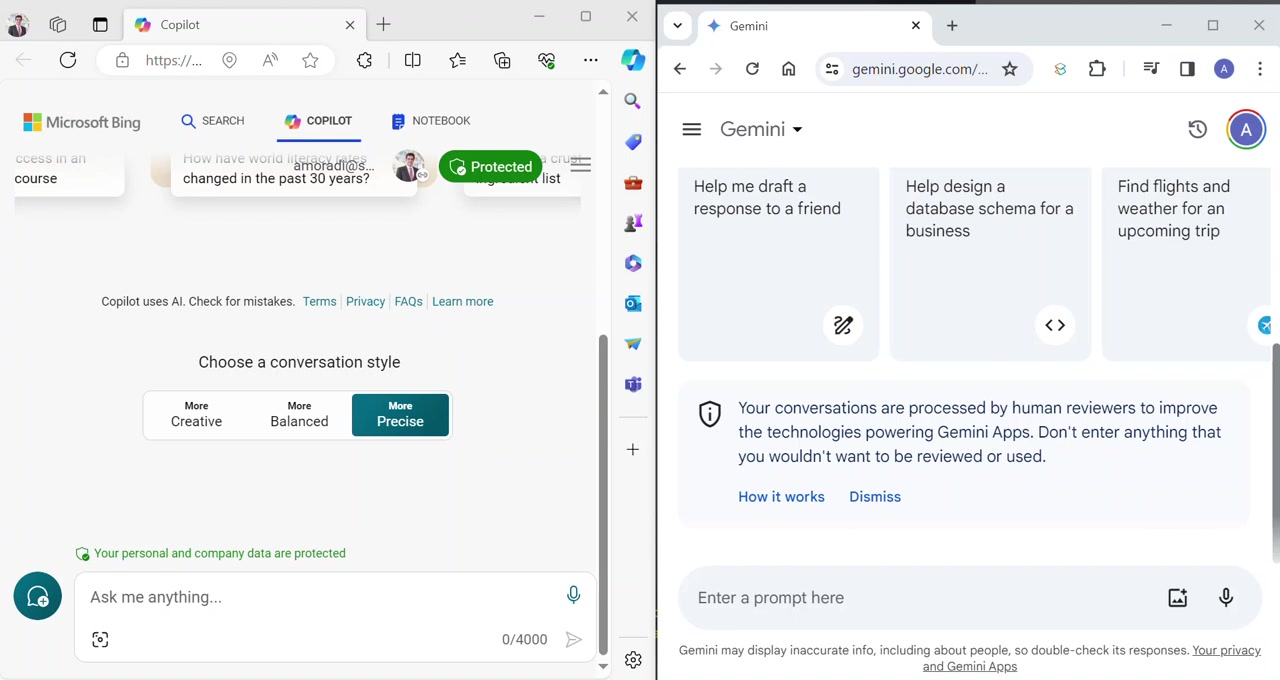
. This ensures a focus on accuracy and detail, facilitating a fair comparison with Gemini. The AI should accurately show what each access represents. Setting it to ‘More Precise’ is key to image interpretation. By 2025, this will be a must for all AI technologies.
Initial Image Interpretation: Graph Analysis
An image of a bar graph is introduced to both Copilot and Gemini. The immediate task is to assess how each AI interprets the visual information, including the axes, data points, and overall trends depicted in the graph.
Both Copilot and Gemini are prompted to interpret the graph. The speed and accuracy of their responses are closely monitored to gauge their efficiency and reliability in 2025. Understanding which product can perform the task more quickly and accurately is key to efficiency. The following is a table of their initial interpretation times:
| AI Tool | Time to Respond (Seconds) |
|---|---|
| Gemini | 8 |
| Copilot | 15 |
As the table shows, in this intial test, Gemini responded much quicker than copilot.
Copilot identifies the axes and products, specifying Alpha 5, Alpha 7, and Beta 5, but the numerical values and statistics will need to be accurate
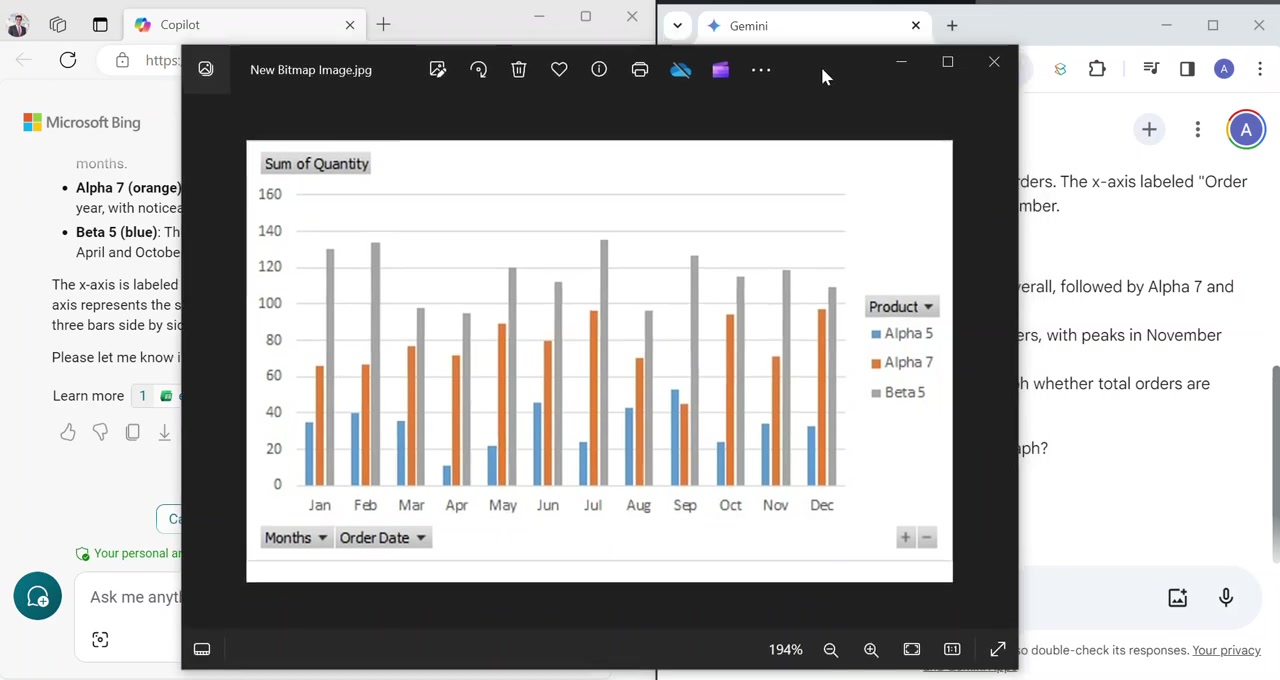
. Gemini is also accurate at identifying x and y axes but has some flaws. Both Gemini and Copilot provide an interpretation based on the upload of visual data.
Providing Background Information for Enhanced Analysis
Background context helps to understand the intent of the graph. This involves providing additional details such as company names, time periods, and any specific metrics being tracked. By incorporating this information, the AI's analysis will become more focused and Relevant.
Both Copilot and Gemini are given background information stating that the graph shows the monthly sales of three products by Hawthorn Manufacturing in 2023. It is important to see how each AI adjusts its interpretation based on the additional context.
While Gemini provides results much quicker it also notes ‘Unfortunately the kind of graph you described showing only units sold doesn’t provide enough information to determine which product has the highest sales amount
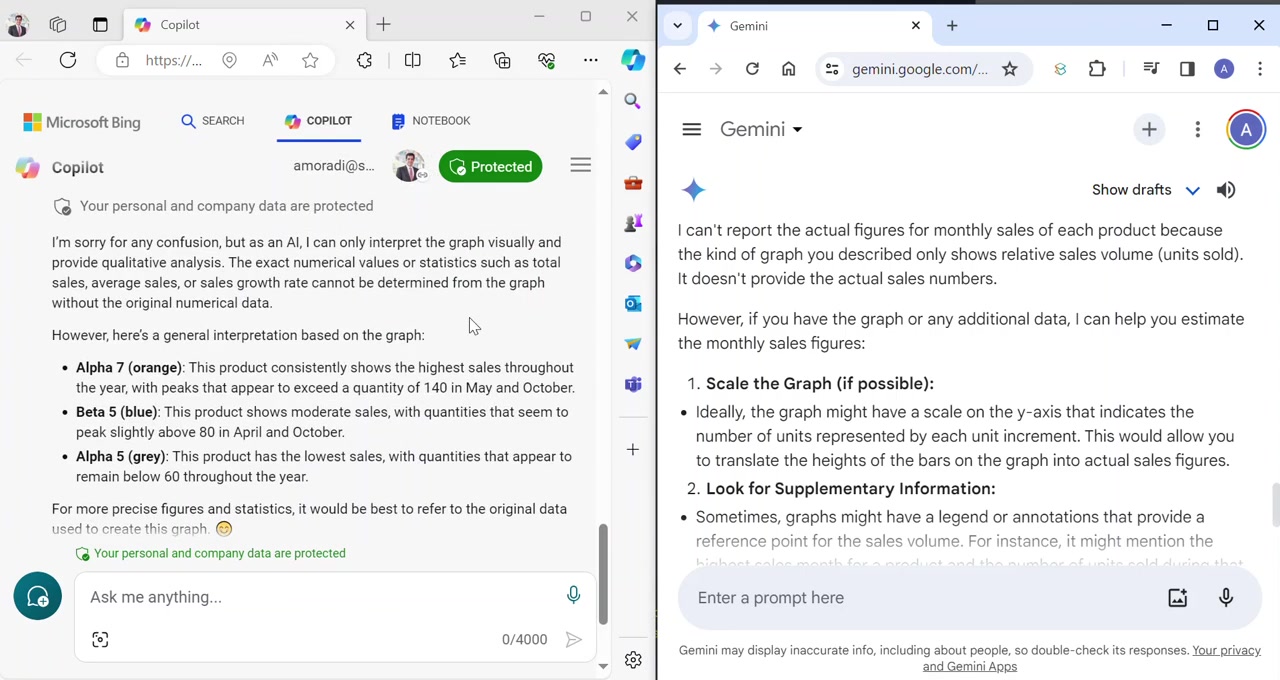
.’ As the AI evolves over time, they will learn to become more accurate.
Key Considerations and Areas for Improvement
Trusting AI Interpretations: Proceed with Caution
One key takeaway is the importance of verifying AI-generated interpretations, especially when dealing with numerical data
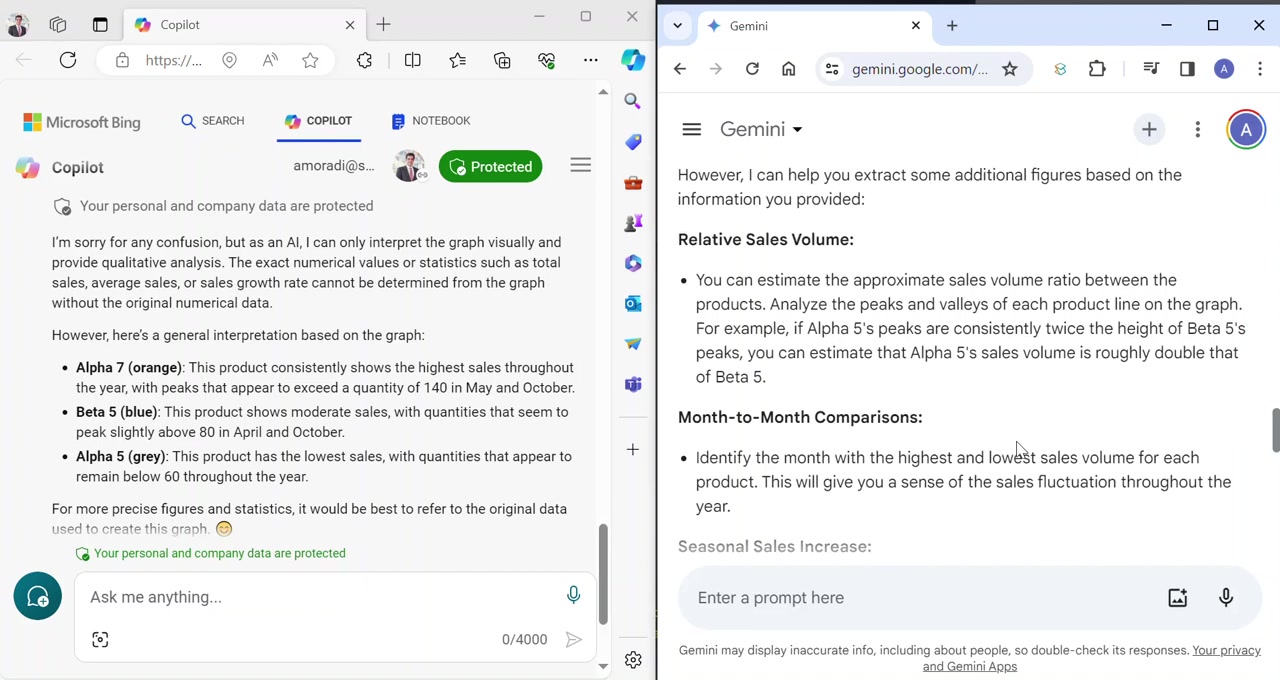
. The comparison highlights that while AI can provide valuable insights, accuracy remains a crucial aspect. It's essential to cross-reference AI's analysis with original data sources to ensure reliability. This can be very time-consuming, but will only improve overtime. By 2025, this will be something that is still improving. Be sure not to trust all information output. Verify and analyze.
Providing specific instructions for enhanced output.
When prompting both AI for assistance on the image, the information delivered back was very limited
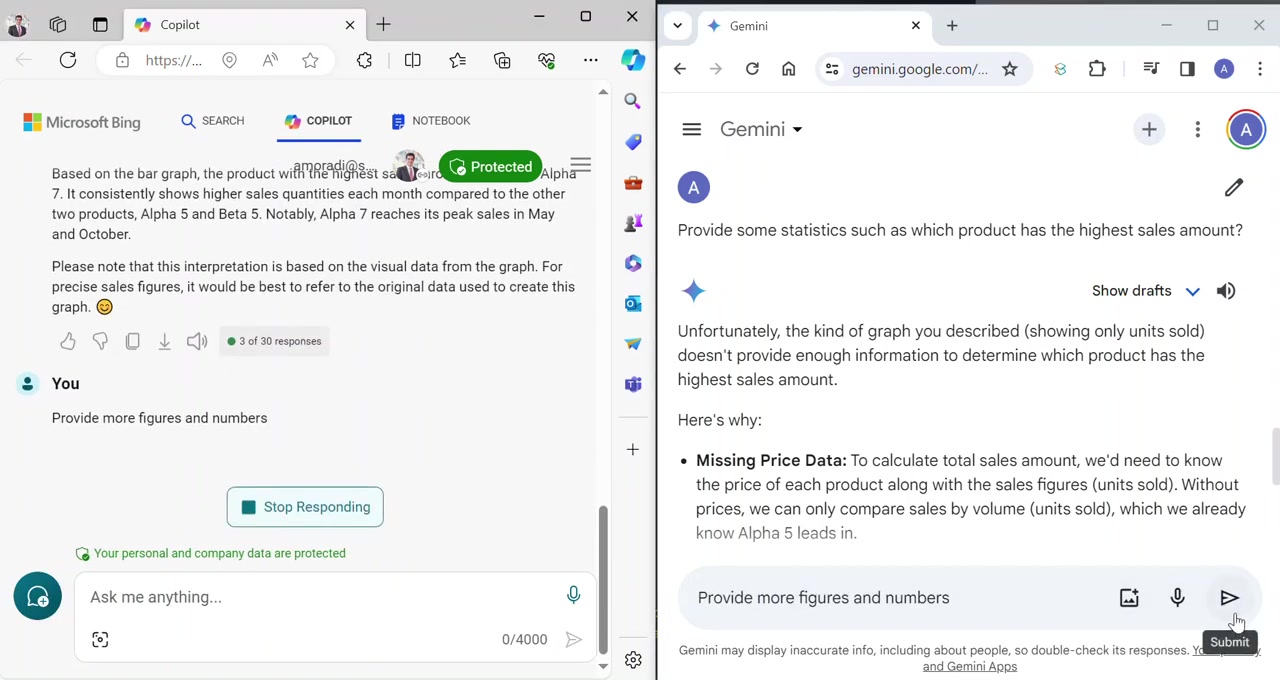
. By providing background information about what you would like to extract, you can retrieve this in the output. However, always be aware, that the interpretation might be wrong.


Most people like




































Report
Please select a reason for reporting
- 13 Reasons to Switch from Snapchat to Text Messaging
- 7 Powerful Speech to Text Apps to Boost Productivity
- 10 Best Speech to Text Tools for Effortless Transcription
- 13 Free Tools to Easily Transcribe Audio to Text
- 15 Surprising Ways Google's Speech-to-Text Boosts Productivity
- 7 Best Free Online Audio to Text Transcription Tools
- 9 Tips to Transcribe Speech to Text Faster and Better
- 13 Best Speech to Text Software for Windows 10 in 2023
- 7 Tips for Choosing the Best Transcriber for Audio to Text
- 11 Reasons Why Dragon Speech-to-Text Apps are Game-Changers
- 6 Secrets to Enhance Your Speech to Text Transcription
- 6 Brilliant Ways to Boost Productivity with Talk-to-Text on Your MacBook
- 6 Ways Transcription Software Converts Audio to Text
- 8 Tips to Transcribe Speech to Text Like a Pro
- 6 Reasons IBM Watson Speech to Text is a Game-Changer
- 14 Powerful Ways Talk-to-Text Improves Your Workflow
- 12 Top Windows Speech-to-Text Software for Efficient Transcription
- 12 Game-Changing Benefits of Apple's Speech to Text Technology
- 9 Powerful Use Cases for AWS Speech to Text Technology
- 10 Easy Steps to Transcribe YouTube Videos to Text
- transcription audio en texte
- online audio transcription
- free audio file transcription
- free ai audio transcription
- audio transcription service
- audio transcription online free
- audio transcription free online
- audio to transcription software
- audio and transcript
- ai audio transcription free
- voice recording to text converter
- translate voice recording to text
- record voice to text
- audio recording to text converter
- voice recording and transcription
- chatgpt voice to text
- gmail voice to text
- speech to text reader
- speech to text ai free
- speech to talk
- ChatGPT Knows Ford. It Just Doesn't Quote Ford
- Meshy AI: How to Create 3D Models from Text and Images
- How SEO and Marketing Dashboards Empower Agencies to Drive Results
- How to Use AI Tools to Find Internal Linking Opportunities Across a Business Website
- Discover Your Perfect Haircut with AI Hairstyle Apps
- Free Reputation Calculator Tools: How They're Adapting to Score AI Visibility, Not Just Rankings
- Design Professional Flyers for Free on Your Phone
- Best Free Flyer Maker Apps for Android: Design Like a Pro
- How to Know If Your Business Is Ready for an AI Customer Service Agent
- Revolutionizing Storytelling: From Novels to Screenplays with AI
- ChatGPT Knows Ford. It Just Doesn't Quote Ford
- Automate Lead Generation: A Comprehensive Guide with AI Agents
- Revideo.io: The Future of Reverse Video Search Technology
- Revolutionizing Email Marketing Agency with AI
- Breaking the Character Drift Dilemma: A Practical Test of Smart Shot
- Meshy AI: How to Create 3D Models from Text and Images
- ASOMobile Helps Teams Benchmark App Store Screenshots Against Competitors
- How to Match LMS Software With Your Organization's Training Plan
- How to Convert BTC to HNT
- Unleashing the Power of AI: Cognizant's Roadmap for Transformation

Copyright ©2026 toolify