































Table of Contents
- Key Points for High Converting Websites
- Essential Elements of a High-Converting Website
- Unlocking Website Potential with Hostinger's AI Website Builder
- Steps to Build
- How Much Does It Cost?
- Pros and Cons of building a high converting website
- Frequently Asked Questions (FAQ)
- Related Questions



Essential Elements of a High-Converting Website
The Power of Simplicity
The most effective websites are often the simplest. In a world inundated with information, clarity and ease of use are paramount. Websites that are too cluttered, confusing, or slow to load often drive visitors away, leading to lost opportunities and decreased conversions. It's not just about making a website visually appealing, it's about crafting an experience that guides users seamlessly toward your desired outcome.
Many websites fall victim to 'kitchen sink syndrome', cramming every possible detail about their business, products, and services onto a single page. This overload can overwhelm visitors, leaving them unsure where to start or what to do. On the other hand, some websites offer so little information that visitors are left wondering if they've landed on the right page. A vague mission statement or generic promises of 'excellence' won't cut it.
So, how do you achieve simplicity?
- Prioritize Clarity: Ensure your website's content and navigation are crystal clear. Visitors should immediately understand what you offer and how to find what they need.
- Streamline Navigation: Limit your main navigation to a few essential pages (Home, About, Services, Contact, Blog). Too many options create confusion.
- Avoid Jargon: Use plain language that everyone can understand. Technical terms and industry jargon can alienate potential customers.
Remember, simplicity doesn't mean sacrificing quality. It means focusing on what's most important and presenting it in a way that resonates with your target audience. The goal is to guide visitors straight to the gold – the action you want them to take. This might be booking a call, filling out a form, or making a purchase. By making the path clear and easy to follow, you significantly increase your chances of conversion.
Think about some of the most successful websites you use regularly. They're likely clean, intuitive, and focus on delivering value quickly. Emulate this approach, and you'll be well on your way to building a high-converting website that works for your business. Emphasizing simplicity will help increase conversions and improve user experience.
SEO Structure: Optimizing for Search Engines and User Experience

In the early days of the internet, Search Engine optimization (SEO) often involved tactics like keyword stuffing and link farming. While these methods might have provided temporary gains, they ultimately led to a poor user experience and were eventually penalized by search engines like Google. Today, SEO is about more than just tricking the algorithm; it's about creating valuable, relevant content that satisfies both search engines and your target audience.
Here's how to structure your website for maximum SEO impact:
- Keyword Research: Identify the keywords your target audience is using to find businesses like yours. Use tools like Google Trends and Google Keyword Planner to find relevant, high-volume keywords.
- Strategic Keyword Placement: Incorporate your target keywords naturally into key areas of your website, including:
- URLs:
https://www.example.com/your-keyword - Page Titles: 'Your Keyword | Brand Name'
- Headings: Use H1, H2, and H3 tags to structure your content and incorporate keywords.
- Body Copy: Weave keywords naturally into the text of your pages.
- URLs:
- High-Quality Content: Create informative, engaging, and original content that provides value to your visitors. Avoid 'thin content' that lacks substance or relevance.
- Mobile Optimization: Ensure your website is responsive and provides a seamless experience on all devices.
- Internal Linking: Link related pages within your website to improve navigation and distribute link equity.
| Feature | Description |
|---|---|
| Keyword Research | Identifying relevant and high-volume keywords for your target audience. |
| Strategic Placement | Incorporating keywords into URLs, page titles, headings, and body copy in a natural way. |
| Quality Content | Creating informative, engaging, and original content that provides value. |
| Mobile Optimization | Ensuring your website is responsive and provides a seamless experience on all devices. |
| Internal Linking | Linking related pages within your website to improve navigation and distribute link equity. |
While incorporating keywords is important, remember that user experience should always be your top priority. Search engines are constantly evolving to reward websites that provide the best possible experience for their visitors. Optimize your website for search and user experience
The Call to Action: Guiding Visitors Toward Conversion
Every page on your website should have a purpose, and that purpose should be to guide visitors toward a specific action. This action is known as your Call to Action, or CTA. Your CTA is the main thing you want visitors to do when they land on your website. It should be clear, concise, and impossible to miss. A call to action is one of the primary features that will guide your user to an conversion.
What makes a good CTA?
- Visibility: Place your main CTA prominently at the top of your homepage. Make it the first thing visitors see.
- Clarity: Use clear, action-oriented language. Examples include: 'Book a Call,' 'Get a Free Quote,' 'Download Now,' 'Start Your Free Trial.'
- Compelling Design: Use contrasting colors and a visually appealing design to make your CTA stand out.
- Value Proposition: Highlight the benefits of taking action. What will visitors gain by clicking your CTA?
- Keep it Simple: Avoid overwhelming visitors with too many options. Focus on one primary CTA per page.
Your CTA should be a natural extension of your website's overall design and content. It should feel like a logical next step for visitors who are interested in what you have to offer. A website that has been optimized will convert more users.
It can be a call to action if you follow these tips:
- Ensure your website's content and navigation are crystal clear.
- Visitors should immediately understand what you offer and how to find what they need.
- Limit your main navigation to a few essential pages.
- Technical terms and industry jargon can alienate potential customers.
- Avoid overwhelming visitors with too many options.
Simplicity doesn't mean sacrificing quality. It means focusing on what's most important. Your goal is to guide visitors straight to the gold – the action you want them to take.
Customer Psychology: Priming and Influence
Believe it or not, customer psychology plays a significant role in building a high converting website. The choices you make in terms of design, imagery, and language can subtly influence visitor behavior and guide them toward your desired outcome. One powerful technique to consider is known as priming.
Priming is a psychological phenomenon where exposure to one stimulus influences your response to a subsequent stimulus. In the context of website design, this means that the images and content you present can subtly shape how visitors perceive your brand and make decisions. Marketing is basic psychology so it makes sense to include it. A study by Mandel and Johnson provides a compelling example of how priming can impact buyer behavior.
Participants were shown car listings with different background images:
- Green Background with Money: Visitors who saw this image tended to prioritize price over other factors.
- Red Background with Flames: This image prompted visitors to prioritize safety.
- Plain White Background: The control group showed no significant preference.
Interestingly, when asked if the background image had influenced their decisions, participants overwhelmingly said no. This highlights the subtle, often unconscious, nature of priming.
How can you use priming on your website?
- Choose Images Carefully: Select images that align with the values and emotions you want to evoke. If you're selling luxury goods, use images that convey elegance and sophistication. If you're selling insurance, focus on images that inspire trust and security.
- Use Color Strategically: Different colors evoke different emotions. Use color psychology to your advantage. For example, blue can convey trust and stability, while green can suggest health and sustainability.
- Craft Compelling Headlines: Use headlines that grab attention and prime visitors for the content that follows. A well-crafted headline can pique curiosity and encourage visitors to explore your website further.
- Tell a Story: Use storytelling to connect with visitors on an emotional level. Stories can be incredibly effective at building trust and influencing behavior.
By understanding the principles of customer psychology and incorporating techniques like priming, you can create a website that not only attracts visitors but also guides them toward conversion in a subtle yet powerful way.
Unlocking Website Potential with Hostinger's AI Website Builder
Harnessing AI for Rapid Website Creation

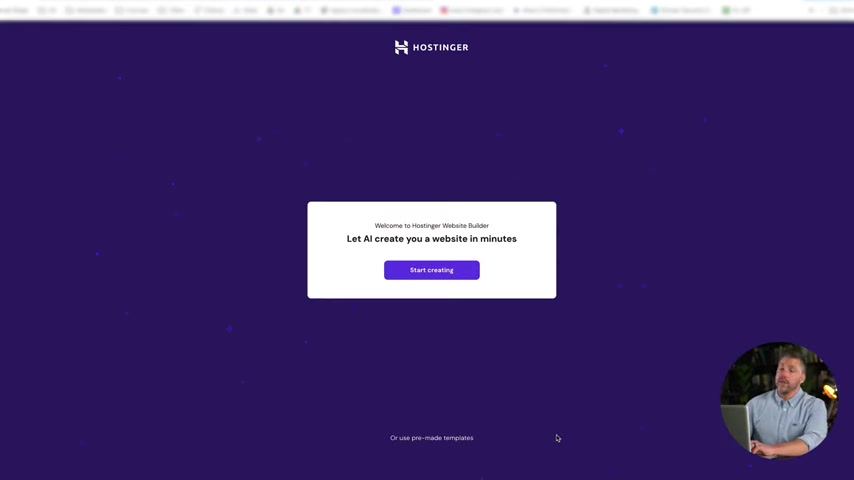
Creating a website from scratch can be time-consuming and technically challenging. This is where AI-powered website builders like Hostinger's AI Website Builder come in. These tools leverage artificial intelligence to streamline the website creation process, allowing you to build a professional-looking website in a matter of minutes.
Here's how Hostinger's AI Website Builder works:
- Sign Up: Visit
hostinger.com/adamand use codeADAMfor a 10% discount. - Choose a Plan: Select the Business Website Builder plan to access AI-powered features.
- Provide Information: Enter your brand name, website type, and a brief description of your business.
- Let AI Work Its Magic: Hostinger's AI will generate a complete website with content and images based on your input.
- Customize Your Website: Use the drag-and-drop editor to customize your website's design and content. Add your own images, text, and branding elements.
Hostinger's AI Website Builder goes beyond simple template customization. Its AI Writer tool helps you generate SEO-friendly content, while its image generation tool can create unique visuals for your website. The goal is to provide you with all the tools you need to build a high-converting website, even if you have no prior experience.
| Feature | Description |
|---|---|
| AI Website Builder | Streamlines website creation using artificial intelligence. |
| Drag-and-Drop Editor | Allows for easy customization of design and content. |
| AI Writer | Generates SEO-friendly content and blog posts. |
| Image Generation | Creates unique visuals for your website. |
| E-commerce Tools | Provides tools for selling products online. |
AI-powered website builders are not just for beginners. They can also be valuable tools for experienced designers who want to quickly prototype new ideas or build landing pages for marketing campaigns.


Most people like



































Report
Please select a reason for reporting
- 13 Reasons to Switch from Snapchat to Text Messaging
- 7 Powerful Speech to Text Apps to Boost Productivity
- 10 Best Speech to Text Tools for Effortless Transcription
- 13 Free Tools to Easily Transcribe Audio to Text
- 15 Surprising Ways Google's Speech-to-Text Boosts Productivity
- 7 Best Free Online Audio to Text Transcription Tools
- 9 Tips to Transcribe Speech to Text Faster and Better
- 13 Best Speech to Text Software for Windows 10 in 2023
- 7 Tips for Choosing the Best Transcriber for Audio to Text
- 11 Reasons Why Dragon Speech-to-Text Apps are Game-Changers
- 6 Secrets to Enhance Your Speech to Text Transcription
- 6 Brilliant Ways to Boost Productivity with Talk-to-Text on Your MacBook
- 6 Ways Transcription Software Converts Audio to Text
- 8 Tips to Transcribe Speech to Text Like a Pro
- 6 Reasons IBM Watson Speech to Text is a Game-Changer
- 14 Powerful Ways Talk-to-Text Improves Your Workflow
- 12 Top Windows Speech-to-Text Software for Efficient Transcription
- 12 Game-Changing Benefits of Apple's Speech to Text Technology
- 9 Powerful Use Cases for AWS Speech to Text Technology
- 10 Easy Steps to Transcribe YouTube Videos to Text
- transcription audio en texte
- online audio transcription
- free audio file transcription
- free ai audio transcription
- audio transcription service
- audio transcription online free
- audio transcription free online
- audio to transcription software
- audio and transcript
- ai audio transcription free
- voice recording to text converter
- translate voice recording to text
- record voice to text
- audio recording to text converter
- voice recording and transcription
- chatgpt voice to text
- gmail voice to text
- speech to text reader
- speech to text ai free
- speech to talk
- ChatGPT Knows Ford. It Just Doesn't Quote Ford
- Meshy AI: How to Create 3D Models from Text and Images
- How SEO and Marketing Dashboards Empower Agencies to Drive Results
- How to Use AI Tools to Find Internal Linking Opportunities Across a Business Website
- Discover Your Perfect Haircut with AI Hairstyle Apps
- Free Reputation Calculator Tools: How They're Adapting to Score AI Visibility, Not Just Rankings
- Design Professional Flyers for Free on Your Phone
- Best Free Flyer Maker Apps for Android: Design Like a Pro
- How to Know If Your Business Is Ready for an AI Customer Service Agent
- Revolutionizing Storytelling: From Novels to Screenplays with AI
- Can an eSIM Plan Save You Time During Travel Setup?
- AI Video Editor Review: A Hands-On Look at Prompt-Based Video Editing
- Keep Characters Consistent Across Scenes With Image-to-Video AI
- How to Convert BTC to HNT
- ProxyWing DuckDuckGo Proxy Review: Plans, Setup and Who It Is For
- ChatGPT Knows Ford. It Just Doesn't Quote Ford
- Automate Lead Generation: A Comprehensive Guide with AI Agents
- Revideo.io: The Future of Reverse Video Search Technology
- Revolutionizing Email Marketing Agency with AI
- Breaking the Character Drift Dilemma: A Practical Test of Smart Shot

Copyright ©2026 toolify