































Table of Contents
- Key Points
- Introduction to Free AI Art Generation
- TensorArt Credit System: How to Generate More Art for Free
- Getting Started with TensorArt: A Step-by-Step Guide
- Advantages and Disadvantages of Using TensorArt for Free AI Art
- Frequently Asked Questions about Free AI Art with TensorArt
- Related Questions on Using AI Art Generators for Free


Introduction to Free AI Art Generation
The Appeal of Consistent AI Characters
The ability to create consistent characters is a Game-changer for digital artists, storytellers, and content creators. In the past, maintaining character consistency across multiple images or scenes required meticulous effort and artistic skill. Now, AI-powered tools offer a shortcut, allowing users to generate numerous variations of a single character with a consistent appearance and style. However, many tutorials demonstrating this capability rely on paid services like DALL-E 3 or Midjourney AI, which can be a barrier for those on a budget. Fortunately, there are free alternatives like TensorArt that deliver comparable results.
Why Choose TensorArt for Free AI Art?
TensorArt stands out as a robust and versatile AI art generation platform that's accessible to everyone. Unlike some platforms with limited free trials, TensorArt provides a generous daily allowance of credits that allow you to create a substantial number of images.

The variety of models available within TensorArt is impressive, ranging from realistic portraits to stylized anime characters and intricate 3D renders. This diverse selection caters to a wide range of artistic preferences and project requirements, making TensorArt a valuable tool for both beginners and experienced artists.
Getting Started with TensorArt: A Step-by-Step Guide
Accessing the TensorArt Platform
The first step is to access the TensorArt platform. Go to Google and search for "TensorArt." This will direct you to the TensorArt website, which serves as the central hub for all your AI art generation endeavors.
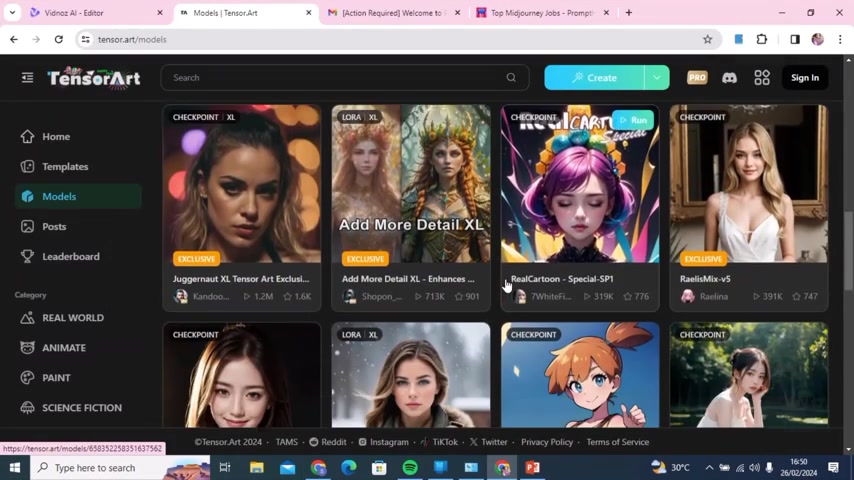
The user interface is designed to be intuitive and easy to navigate, ensuring a smooth experience even for those unfamiliar with AI art tools.
Navigating the Model Selection
Once you're on the TensorArt website, you'll find a wide array of models to choose from. These models define the style and characteristics of the images you generate. The platform categorizes models by type (e.g., Real World, Anime, Paint, Science Fiction), and trending. For this Tutorial, we'll focus on creating a 3D character. Click the "3D" category to filter the model selection and view only 3D-compatible options.
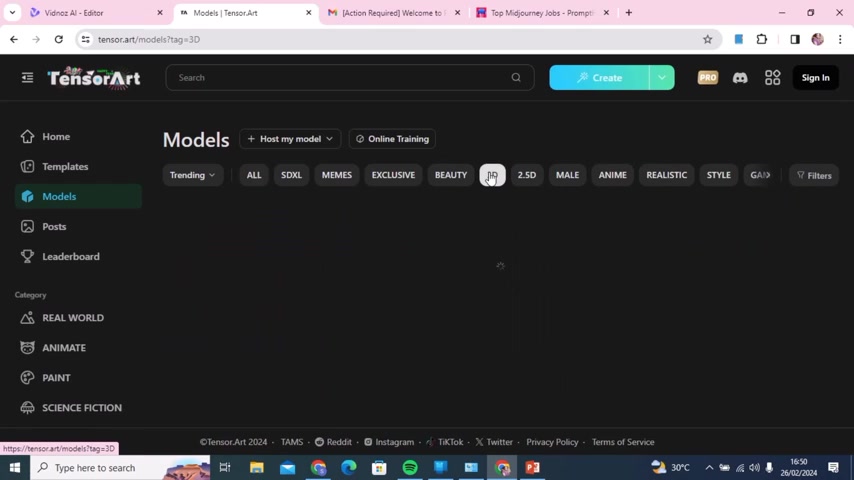
Take your time to browse the available models and select one that aligns with your artistic vision. Don't be afraid to experiment; each model offers a unique aesthetic.
Running Your Chosen Model
After selecting a model, click the "Run" button. This initiates the image generation process. Before you proceed, you'll be prompted to sign in using either your Google or Discord account.
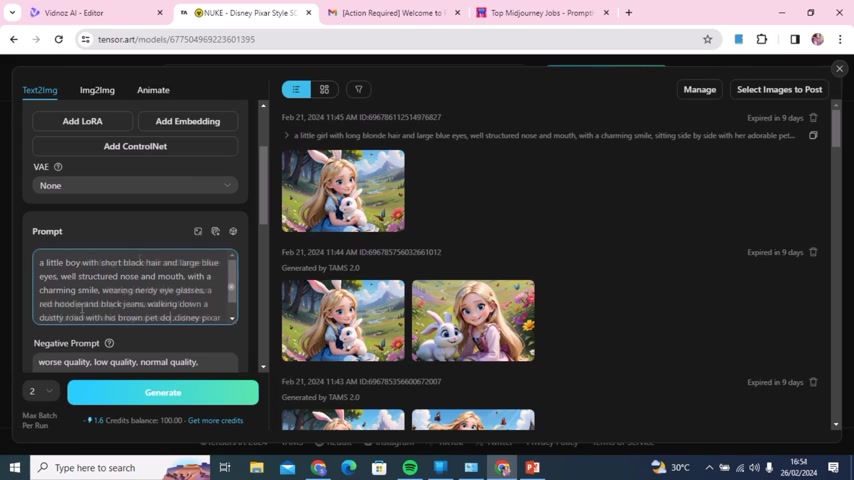
This step is necessary to track your credit usage and manage your generated images. Once you're signed in, the platform will display the interface for customizing your image generation parameters.
Understanding the Image Generation Interface
The image generation interface provides various options for fine-tuning your results. The key element is the prompt field, where you'll enter a text description of the image you want to create. You can also adjust parameters like the number of images to generate, the maximum batch per run, and the VAE (Variational Autoencoder) setting. For beginners, it's recommended to start with the default settings and gradually experiment with different parameters as you gain experience. The interface is sectioned into areas that allow you to add LoRA, Add Embedding, and Add ControlNet
Crafting the Perfect Prompt for Character Consistency
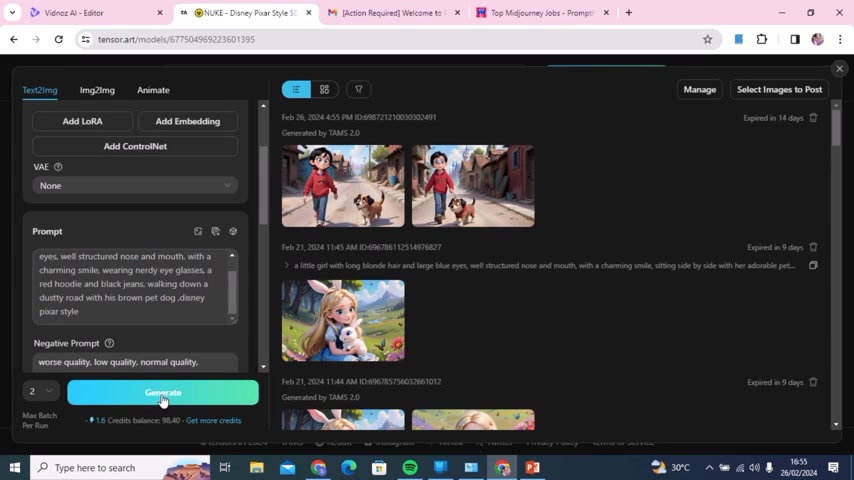
The prompt is the most crucial factor in achieving character consistency. A well-crafted prompt provides the AI with clear and specific instructions, enabling it to generate images that accurately reflect your desired character. A basic prompt can be seen here.
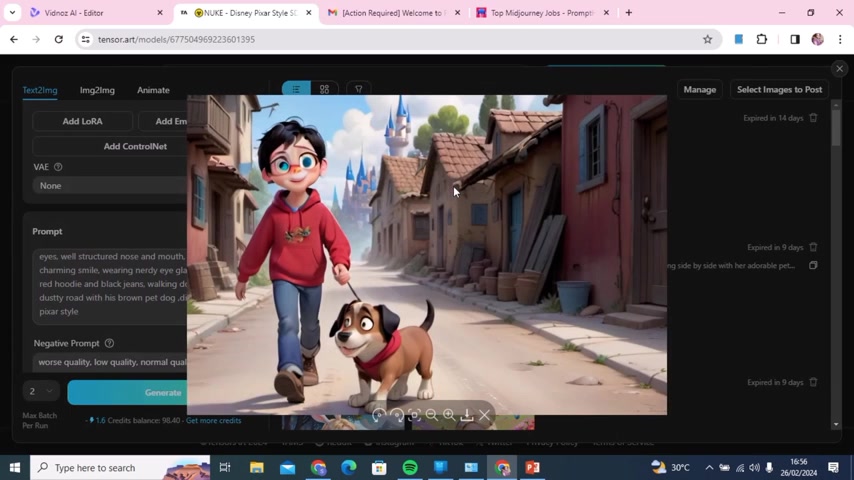
The key is to provide a detailed description of your character's appearance, including features like hair color, eye color, clothing, and facial expression. In addition, consider adding details about the character's personality, background, and environment to further guide the AI's creative process.
Example of how to Adjust a Prompt
In the video, the prompt "a little girl with long blonde hair" generates the same girl with blonde hair, a blue dress, and a bunny. The prompt is then updated to create a boy. The new prompt reads "a little boy with short black hair and large blue eyes wearing glasses a red hoodie and black jeans walking down a dusty road with his brown pet dog in the style of Disney". The model will then generate the same consistent character with the updated features.
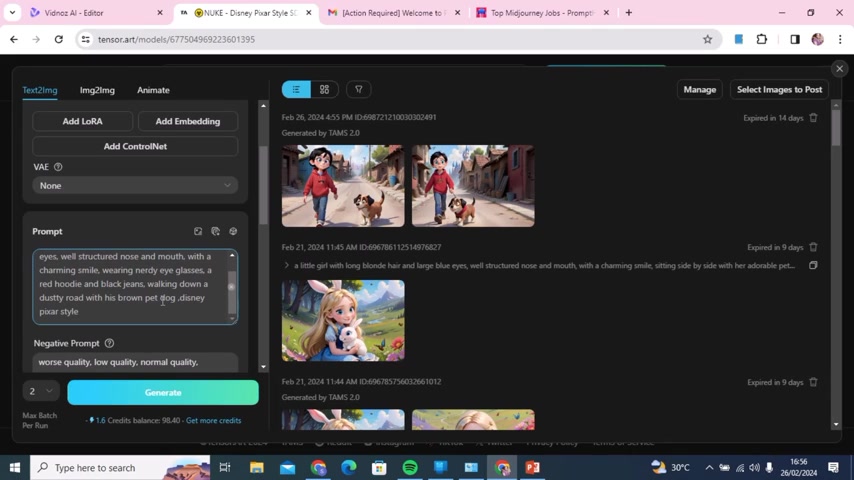
This is a demonstration that the main description of your character must remain consistent.
Generating and Refining Your AI Art
After crafting your prompt, click the "Generate" button to initiate the image creation process. The AI will then work its magic, generating images based on your instructions. Be patient; the generation process can take a few moments, depending on the complexity of your prompt and the capabilities of the selected model. Once the images are generated, review them carefully. If you're not satisfied with the results, tweak your prompt and generate new images until you achieve the desired outcome.
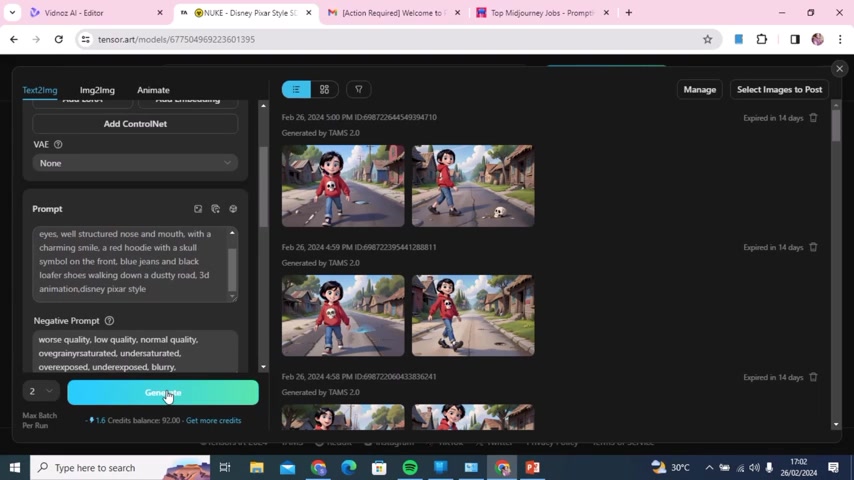
Remember, prompt engineering is an iterative process that requires experimentation and refinement. Don't be discouraged if your initial results aren't perfect; keep adjusting your prompt until you achieve the desired character consistency.
Changing Your Base Model
There are several ways to refine your AI art to the best of your ability. One way to make adjustments is to change the base model. Once you click the base model, you are able to select many models to choose from. This is a great way to drastically change your images to suit your needs. You can access a more stylized character by simply choosing one of the many available base models.




Most people like


































Report
Please select a reason for reporting
- 13 Reasons to Switch from Snapchat to Text Messaging
- 7 Powerful Speech to Text Apps to Boost Productivity
- 10 Best Speech to Text Tools for Effortless Transcription
- 13 Free Tools to Easily Transcribe Audio to Text
- 15 Surprising Ways Google's Speech-to-Text Boosts Productivity
- 7 Best Free Online Audio to Text Transcription Tools
- 9 Tips to Transcribe Speech to Text Faster and Better
- 13 Best Speech to Text Software for Windows 10 in 2023
- 7 Tips for Choosing the Best Transcriber for Audio to Text
- 11 Reasons Why Dragon Speech-to-Text Apps are Game-Changers
- 6 Secrets to Enhance Your Speech to Text Transcription
- 6 Brilliant Ways to Boost Productivity with Talk-to-Text on Your MacBook
- 6 Ways Transcription Software Converts Audio to Text
- 8 Tips to Transcribe Speech to Text Like a Pro
- 6 Reasons IBM Watson Speech to Text is a Game-Changer
- 14 Powerful Ways Talk-to-Text Improves Your Workflow
- 12 Top Windows Speech-to-Text Software for Efficient Transcription
- 12 Game-Changing Benefits of Apple's Speech to Text Technology
- 9 Powerful Use Cases for AWS Speech to Text Technology
- 10 Easy Steps to Transcribe YouTube Videos to Text
- transcription audio en texte
- online audio transcription
- free audio file transcription
- free ai audio transcription
- audio transcription service
- audio transcription online free
- audio transcription free online
- audio to transcription software
- audio and transcript
- ai audio transcription free
- voice recording to text converter
- translate voice recording to text
- record voice to text
- audio recording to text converter
- voice recording and transcription
- chatgpt voice to text
- gmail voice to text
- speech to text reader
- speech to text ai free
- speech to talk
- Meshy AI: How to Create 3D Models from Text and Images
- How SEO and Marketing Dashboards Empower Agencies to Drive Results
- How to Use AI Tools to Find Internal Linking Opportunities Across a Business Website
- Discover Your Perfect Haircut with AI Hairstyle Apps
- Free Reputation Calculator Tools: How They're Adapting to Score AI Visibility, Not Just Rankings
- Design Professional Flyers for Free on Your Phone
- Best Free Flyer Maker Apps for Android: Design Like a Pro
- How to Know If Your Business Is Ready for an AI Customer Service Agent
- Revolutionizing Storytelling: From Novels to Screenplays with AI
- Create Engaging Animated Explainer Videos with a Free AI Tool
- Automate Lead Generation: A Comprehensive Guide with AI Agents
- Revideo.io: The Future of Reverse Video Search Technology
- Revolutionizing Email Marketing Agency with AI
- Breaking the Character Drift Dilemma: A Practical Test of Smart Shot
- Meshy AI: How to Create 3D Models from Text and Images
- ASOMobile Helps Teams Benchmark App Store Screenshots Against Competitors
- How to Match LMS Software With Your Organization's Training Plan
- How to Convert BTC to HNT
- Unleashing the Power of AI: Cognizant's Roadmap for Transformation
- Frame to Video Review: A Practical Look at Turning Two Still Frames Into Motion

Copyright ©2026 toolify