































Table of Contents
- Key Points
- Building Blocks of a Data Analysis SQL Agent
- Tackling the Challenge of Unclean Data
- Step-by-Step Implementation of a Data Analysis SQL Agent
- Data Analysis SQL Agent: Advantages and Disadvantages
- Frequently Asked Questions (FAQ)
- Related Questions


Building Blocks of a Data Analysis SQL Agent
Orchestrator Agent: The Conductor of Data Analysis
The orchestrator agent acts as the brain of the entire operation
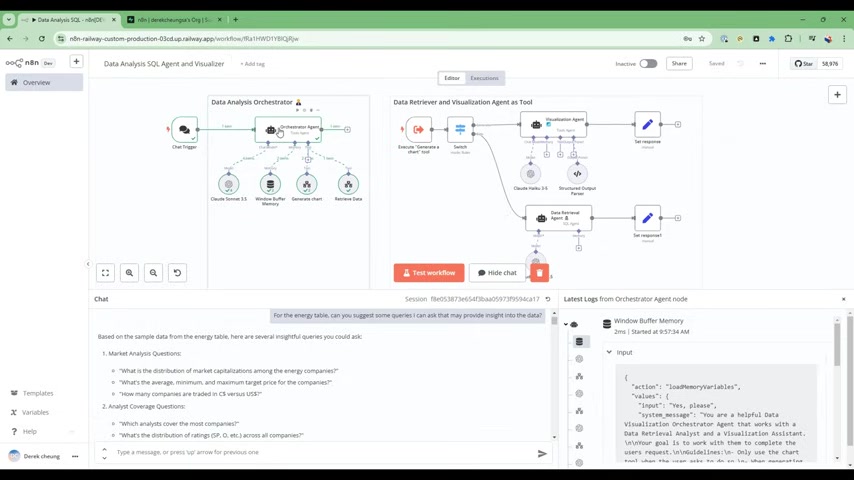
. It is responsible for coordinating the workflow, invoking other agents, and ensuring smooth execution. This involves using AI models like Claude Sonnet 3.5 to understand user queries and determine the appropriate actions. The orchestrator agent makes decisions like what tool and assistant to use.
It starts with understanding the user's request and then it orchestrates tasks like:
- Deciding what questions need to be asked of the available data.
- Invoking the data retrieval agent with the appropriate SQL queries.
- Triggering the visualization agent to display the results in a user-friendly format.
The orchestrator ensures the right tasks happen at the right time, using other agents to assist in completing user requests.
Data Retrieval Agent: Unlocking Insights from SQL Databases
The data retrieval agent focuses on interacting with SQL-based databases like Postgres
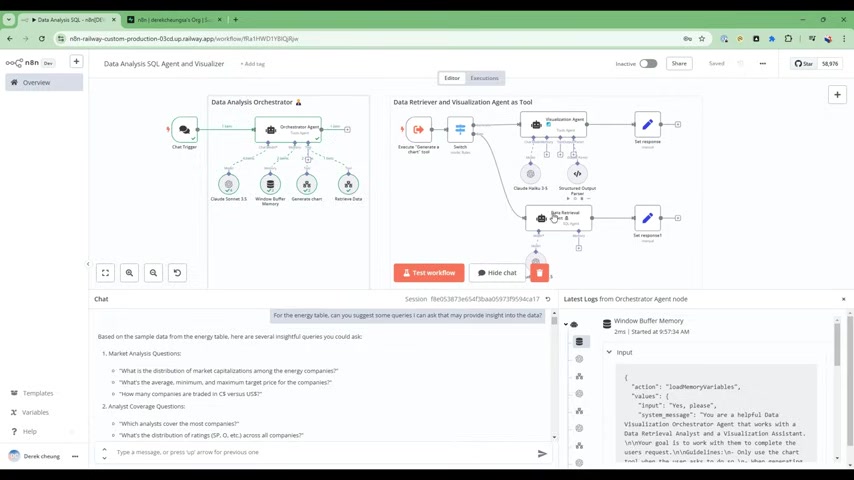
. It translates user requests into SQL queries, executes those queries, and retrieves the Relevant data.
This agent needs to be highly proficient in SQL and able to handle complex queries, so it:
- Connects to the database.
- Translates requests into SQL.
- Executes those commands.
- Returns the desired query.
It also plays a critical role in data cleaning and transformation. In real-world scenarios, data is rarely perfect. The data retrieval agent must be able to identify and handle issues like incorrect data types or missing values, while data retrieval.
Moreover, the agent’s capabilities may include identifying column names and the kind of information that they may contain and more, allowing for robust data analysis.
Visualization Agent: Transforming Data into Meaningful Visuals
The visualization agent takes the analyzed data and presents it in a visually compelling format, transforming that data into something insightful and easy to digest
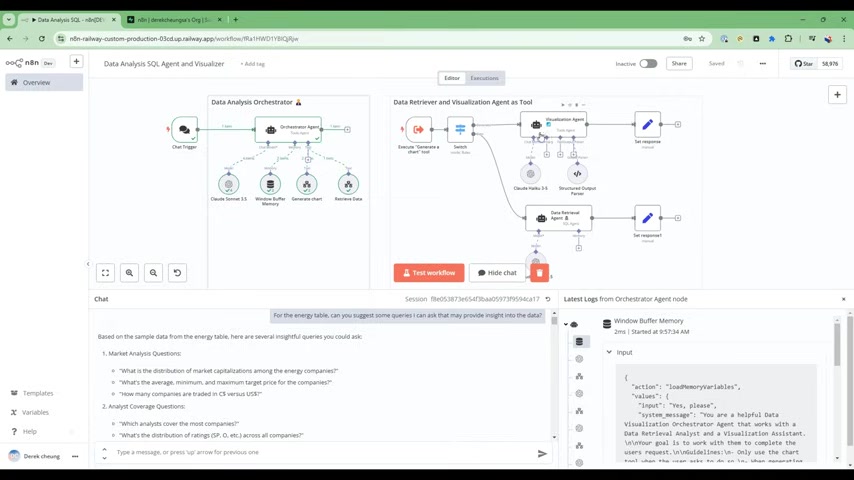
. Bar charts, pie charts, line graphs, and other visualization techniques are leveraged to reveal Patterns and trends that might be Hidden in raw data.
The agent can perform such tasks as:
- Selecting the appropriate Chart type.
- Generating a link to a generated URL
- Extracting any key takeaways.
- Providing some insights.
By making data easier to understand, visualization agents empower users to make better-informed decisions. Quickchart.io is used to create charts, making data easier to understand. The Visualizer agent also takes into account ease of use, meaning the final output should be easy to understand for the user.
Tackling the Challenge of Unclean Data
Dealing with Incorrect Data Types
One of the biggest challenges in data analysis is dealing with unclean data
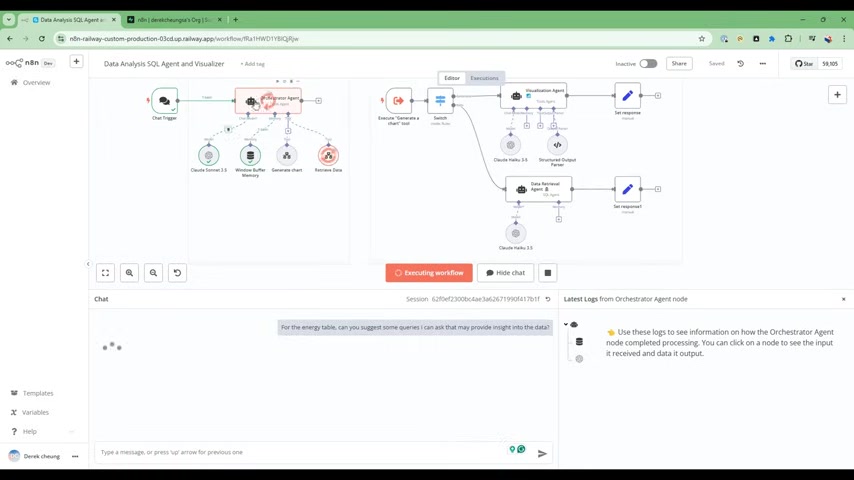
. This can include fields being labeled with the wrong data types, such as numeric data being stored as text. The Data Analysis SQL Agent must be able to identify these issues and implement appropriate solutions, such as:
- Automatically detecting incorrect data types.
- Converting data to the correct type.
- Alerting the user to potential data quality issues.
By addressing these challenges, we can ensure that the data analysis is accurate and reliable.
Step-by-Step Implementation of a Data Analysis SQL Agent
Step 1: Set Up The Orchestrator Agent
Begin by configuring the orchestrator agent. You want to design its primary goal to complete the users requests and use the chart tool to assist with generation of charts. You’ll need to configure the Claude Sonnet 3.5 model to give your agent high-level directions
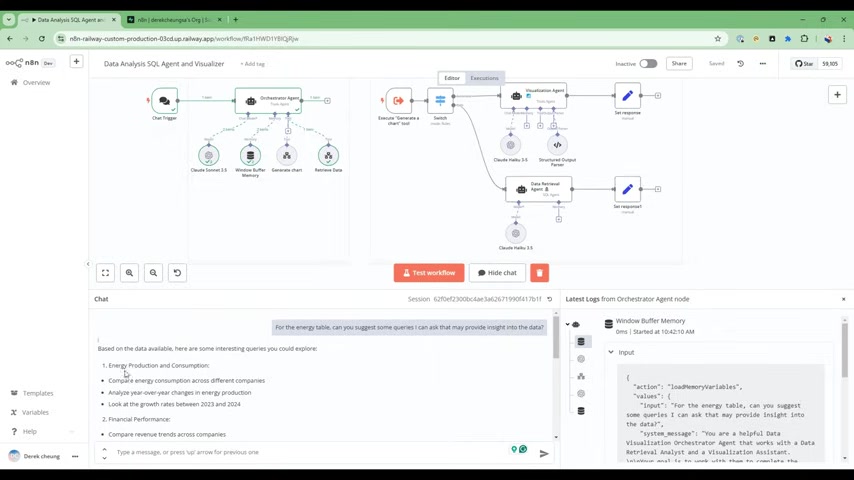
.
Step 2: Connect the Data Retrieval Agent
Create an SQL Agent to allow your data to be called
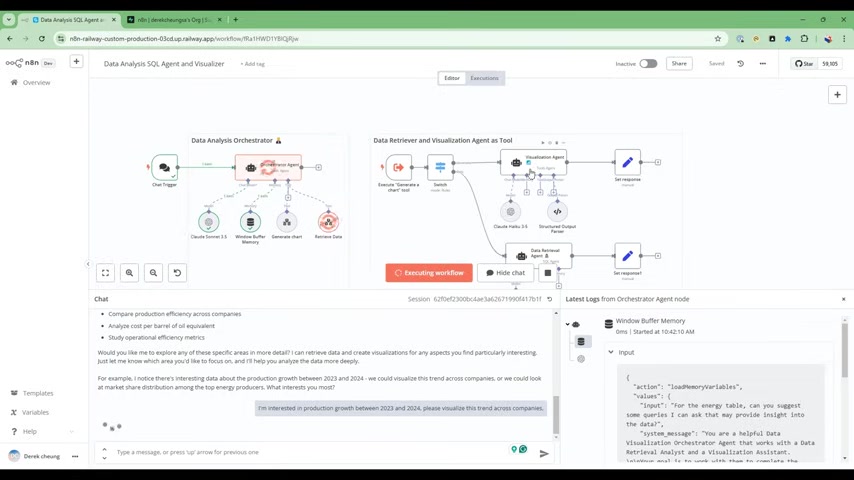
. You need to allow your application to recognize and read your database information. Now is a good time to ensure your datatypes are set up correctly; many databases will be all Texts and need to be changed manually!
Step 3: Set the Visualization Agent to Quickchart
It is important to select a framework that can generate shareable charts, so we can use Quickchart.io to deliver a URL back to the user
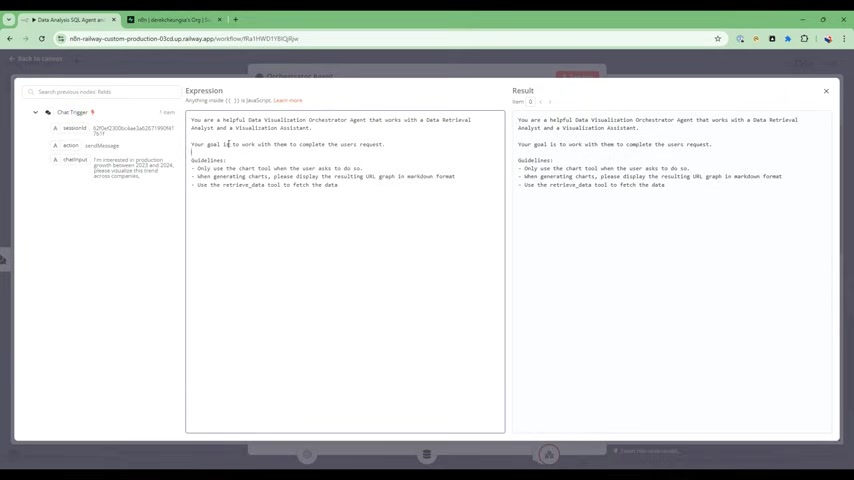
. Claude Haku 3.5 is a fast, cheaper AI model that will deliver text analysis.








Most people like
































Report
Please select a reason for reporting
- 13 Reasons to Switch from Snapchat to Text Messaging
- 7 Powerful Speech to Text Apps to Boost Productivity
- 10 Best Speech to Text Tools for Effortless Transcription
- 13 Free Tools to Easily Transcribe Audio to Text
- 15 Surprising Ways Google's Speech-to-Text Boosts Productivity
- 7 Best Free Online Audio to Text Transcription Tools
- 9 Tips to Transcribe Speech to Text Faster and Better
- 13 Best Speech to Text Software for Windows 10 in 2023
- 7 Tips for Choosing the Best Transcriber for Audio to Text
- 11 Reasons Why Dragon Speech-to-Text Apps are Game-Changers
- 6 Secrets to Enhance Your Speech to Text Transcription
- 6 Brilliant Ways to Boost Productivity with Talk-to-Text on Your MacBook
- 6 Ways Transcription Software Converts Audio to Text
- 8 Tips to Transcribe Speech to Text Like a Pro
- 6 Reasons IBM Watson Speech to Text is a Game-Changer
- 14 Powerful Ways Talk-to-Text Improves Your Workflow
- 12 Top Windows Speech-to-Text Software for Efficient Transcription
- 12 Game-Changing Benefits of Apple's Speech to Text Technology
- 9 Powerful Use Cases for AWS Speech to Text Technology
- 10 Easy Steps to Transcribe YouTube Videos to Text
- transcription audio en texte
- online audio transcription
- free audio file transcription
- free ai audio transcription
- audio transcription service
- audio transcription online free
- audio transcription free online
- audio to transcription software
- audio and transcript
- ai audio transcription free
- voice recording to text converter
- translate voice recording to text
- record voice to text
- audio recording to text converter
- voice recording and transcription
- chatgpt voice to text
- gmail voice to text
- speech to text reader
- speech to text ai free
- speech to talk
- Design Professional Flyers for Free on Your Phone
- Best Free Flyer Maker Apps for Android: Design Like a Pro
- How to Know If Your Business Is Ready for an AI Customer Service Agent
- Revolutionizing Storytelling: From Novels to Screenplays with AI
- Create Engaging Animated Explainer Videos with a Free AI Tool
- Stop Multi-Subscribing: Benchmark Top AI Visual Models in One Canvas
- Best Seedance 2.5 API Provider: Every Price on the Market, Checked at Source
- AI OnlyFans: How to Generate $30,000/Month (Legally)
- Transform Your Script into an Engaging Video with AI Video Maker!
- AI Marketing Automation: A Comprehensive Guide for Small Businesses
- Design Professional Flyers for Free on Your Phone
- Best Free Flyer Maker Apps for Android: Design Like a Pro
- Unleash Creativity: AI Coloring Pages with ColoringBook.ai
- Generate Stunning AI Photos with Google Gemini: A Guide
- Boost Your Etsy Sales with Stunning Digital Invitations!
- Revolutionize Your Etsy Listing with AI Text Generator
- Create Coloring Pages with AI: A Bing AI Tutorial
- Photo Lab App: Transform Your Photos with Stunning AI Effects
- Effortless Design: Rewriting Text with Microsoft Designer's AI
- Create & Sell Kids' Coloring Books with AI - KDP Guide

Copyright ©2026 toolify