































Table of Contents
- Key Points
- Combating Misinformation with AI: The YouTube Shorts Lie Detector
- How the YouTube Shorts Lie Detector Works
- Simple Guide on How to Use the Chrome Extension
- Cost Analysis of the Truth Detector Add-In
- Pros and Cons of Using the Chrome Extension
- Frequently Asked Questions
- Additional Questions and Information


Combating Misinformation with AI: The YouTube Shorts Lie Detector
The Rise of Misinformation and the Need for Fact-Checking
The internet has become a breeding ground for misinformation, with social media platforms serving as its primary vector. The rapid spread of false or misleading content can have serious consequences, influencing public opinion, political discourse, and even individual behavior. YouTube Shorts, while entertaining and informative, are not immune to this phenomenon.
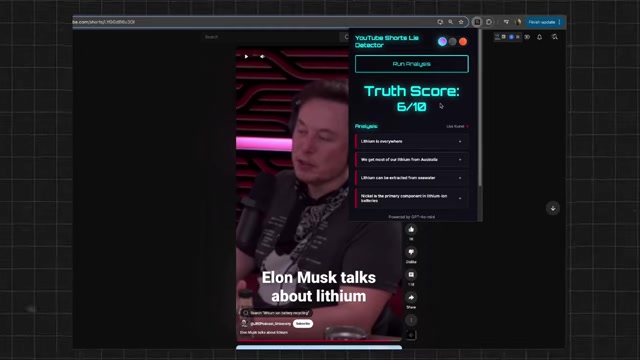
It's essential for viewers to critically evaluate the information presented in these short videos and seek reliable sources to verify claims.
Introducing the YouTube Shorts Lie Detector: An AI-Powered Chrome Extension
To address the challenge of misinformation on YouTube Shorts, a Chrome extension has been developed that leverages AI and NLP to automatically assess the truthfulness of video content. This extension, referred to as the "YouTube Shorts Lie Detector," aims to empower viewers with the tools they need to make informed judgments about the information they consume. The goal is to give a starting point for viewers to determine the trustworthiness of the source material. There is a lot of information thrown at consumers on a daily basis, especially through YouTube Shorts. This is the reason why the developer created the extension. There is value added in what is being presented in YouTube Shorts.
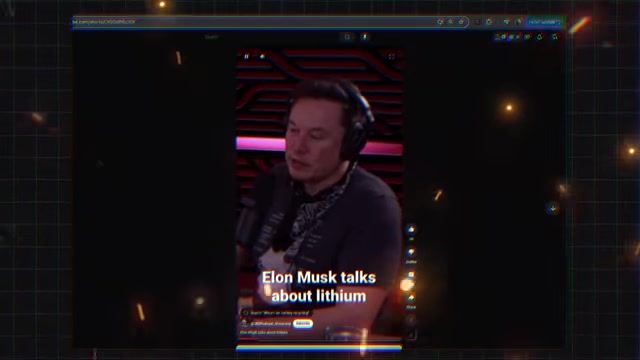
It can help fact-check videos when there is no one there to fact-check. Many videos are taken at face value which isn't wise.
How the YouTube Shorts Lie Detector Works
Step 1: Audio Extraction
The extension begins by extracting the audio from the YouTube Short video.
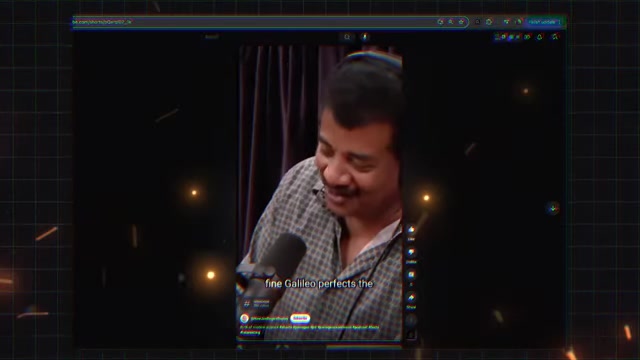
This is accomplished using readily available open-source libraries, ensuring compatibility and cost-effectiveness. Any readily audio extraction sources will work for this function. The developer highlights the different types and choices that could be used in developing an add-in like this to show others the options available.
Step 2: Transcription with Large Language Models
Once the audio is extracted, it's transcribed into text using a large language model (LLM). The add-in does not utilize openAI's API, as that will incur cost. However, if the openAI's API is used: Open AI’s “Whisper” model is great for transcribing audio and converting it to text. It costs around $.0006/minute.
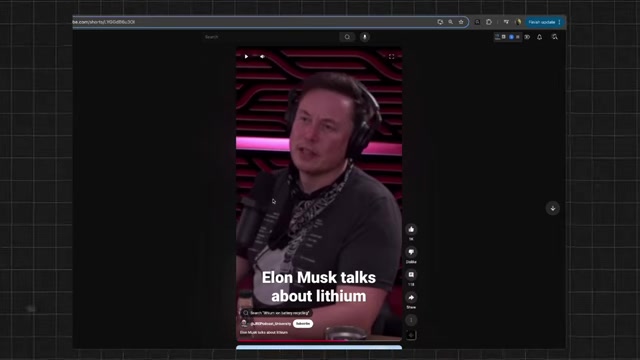
For this add-in, the whisper model is utilizing Hugging Face for the prototype to run. There is a limit of one-thousand requests per day.
Step 3: Assessing Truthfulness using AI
The extension utilizes OpenAI's GPT-4o mini, a smaller and more cost-effective version of GPT-3.5 Turbo, to assess the truthfulness of the transcribed text. This AI model analyzes the text for factual accuracy, logical consistency, and potential biases.
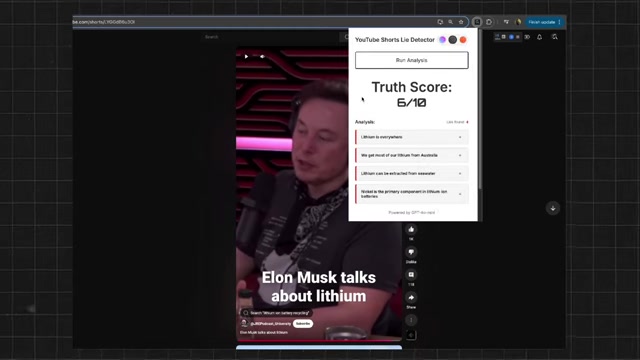
It will then display any red flags.
The Chrome extension delivers a “truth score” on a scale of 1-10. It then lists the claims where a lie was found.
It's worth noting that even with AI, truth detection is complex. AI Models do not have enough information and fail to recognize claims. This is why human analysis is still needed.
Simple Guide on How to Use the Chrome Extension
Download the Extension
Download this tool as a Chrome extension. This will allow you to quickly determine misinformation on YouTube. The lie detector assesses for "factual accuracy, logical consistency, and potential biases."
Navigate to a YouTube Short
When at a YouTube short, press run analysis for the add-in to start to analyze. In the top right corner, there is an extension.
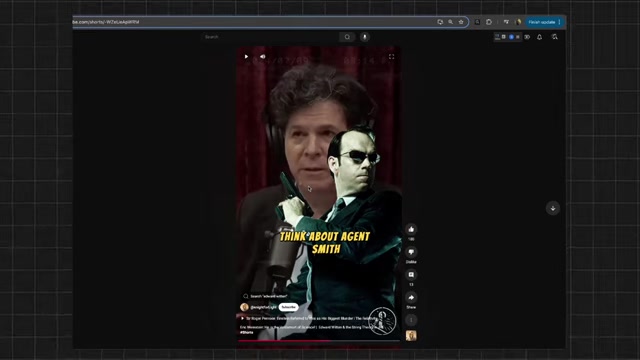
It can be toggled between different themes.
Run Analysis
Press run analysis and let it run.
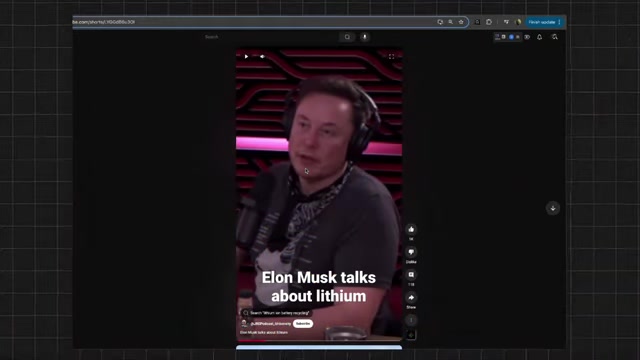
When the analysis is complete, it will give a list of questionable statements and rate it on a scale of 1-10. If there is no one to fact check, having an AI like this to create a starting point is extremely valuable.




Most people like


































Report
Please select a reason for reporting
- 13 Reasons to Switch from Snapchat to Text Messaging
- 7 Powerful Speech to Text Apps to Boost Productivity
- 10 Best Speech to Text Tools for Effortless Transcription
- 13 Free Tools to Easily Transcribe Audio to Text
- 15 Surprising Ways Google's Speech-to-Text Boosts Productivity
- 7 Best Free Online Audio to Text Transcription Tools
- 9 Tips to Transcribe Speech to Text Faster and Better
- 13 Best Speech to Text Software for Windows 10 in 2023
- 7 Tips for Choosing the Best Transcriber for Audio to Text
- 11 Reasons Why Dragon Speech-to-Text Apps are Game-Changers
- 6 Secrets to Enhance Your Speech to Text Transcription
- 6 Brilliant Ways to Boost Productivity with Talk-to-Text on Your MacBook
- 6 Ways Transcription Software Converts Audio to Text
- 8 Tips to Transcribe Speech to Text Like a Pro
- 6 Reasons IBM Watson Speech to Text is a Game-Changer
- 14 Powerful Ways Talk-to-Text Improves Your Workflow
- 12 Top Windows Speech-to-Text Software for Efficient Transcription
- 12 Game-Changing Benefits of Apple's Speech to Text Technology
- 9 Powerful Use Cases for AWS Speech to Text Technology
- 10 Easy Steps to Transcribe YouTube Videos to Text
- transcription audio en texte
- online audio transcription
- free audio file transcription
- free ai audio transcription
- audio transcription service
- audio transcription online free
- audio transcription free online
- audio to transcription software
- audio and transcript
- ai audio transcription free
- voice recording to text converter
- translate voice recording to text
- record voice to text
- audio recording to text converter
- voice recording and transcription
- chatgpt voice to text
- gmail voice to text
- speech to text reader
- speech to text ai free
- speech to talk
- Meshy AI: How to Create 3D Models from Text and Images
- How SEO and Marketing Dashboards Empower Agencies to Drive Results
- How to Use AI Tools to Find Internal Linking Opportunities Across a Business Website
- Discover Your Perfect Haircut with AI Hairstyle Apps
- Free Reputation Calculator Tools: How They're Adapting to Score AI Visibility, Not Just Rankings
- Design Professional Flyers for Free on Your Phone
- Best Free Flyer Maker Apps for Android: Design Like a Pro
- How to Know If Your Business Is Ready for an AI Customer Service Agent
- Revolutionizing Storytelling: From Novels to Screenplays with AI
- Create Engaging Animated Explainer Videos with a Free AI Tool
- Automate Lead Generation: A Comprehensive Guide with AI Agents
- Revideo.io: The Future of Reverse Video Search Technology
- Revolutionizing Email Marketing Agency with AI
- Breaking the Character Drift Dilemma: A Practical Test of Smart Shot
- Meshy AI: How to Create 3D Models from Text and Images
- ASOMobile Helps Teams Benchmark App Store Screenshots Against Competitors
- How to Match LMS Software With Your Organization's Training Plan
- How to Convert BTC to HNT
- Unleashing the Power of AI: Cognizant's Roadmap for Transformation
- Frame to Video Review: A Practical Look at Turning Two Still Frames Into Motion

Copyright ©2026 toolify