































Table of Contents
- Key Points
- Understanding Diffit: An AI Tool for Teachers
- Maximizing Diffit's Potential: Best Practices
- How to Use Diffit Effectively
- Pros and Cons of Using Diffit
- Frequently Asked Questions About Diffit
- Related Questions



Understanding Diffit: An AI Tool for Teachers
What is Diffit?
Diffit is an innovative AI Tool created to assist teachers in differentiating learning resources for their students. It helps educators save time and create materials tailored to various learning needs. The tool enables teachers to convert almost any resource into differentiated resources suitable for diverse learners. Not limited to text, Diffit also works with videos and other media, converting them into student-ready activities.
Differentiation in education means tailoring instruction to meet individual students' needs. This can involve adjusting the content, process, product, or learning environment to match students' readiness, interests, and learning profiles. Diffit streamlines this process, making it easier for teachers to provide personalized learning experiences.
With Diffit, educators can transform existing curriculum, articles, YouTube videos, and PDFs into activities ready for students. This transformation includes adjusting reading levels, adding vocabulary support, and generating comprehension questions. Diffit simplifies the creation of varied resources, allowing teachers to effectively cater to the diverse needs of their classrooms.
Accessing Diffit
To access Diffit, you can navigate to web.diffit.me. This directs you to the platform’s interface where you can begin creating differentiated resources. The website is user-friendly, ensuring teachers can quickly start using the tool. The first step is to sign up for a free account by clicking on the green "Log In" button. This sign-up process grants you access to all of Diffit's features for 60 days

, allowing you to explore and utilize its full potential. After registering, you'll see a "My Resources" tab , where all your previously created resources are stored for easy access and reuse. From this hub, you can continue working on existing materials or start new projects.
Like many online tools, Diffit operates on a freemium model. It offers both a free version and a premium version. The free version provides access to essential features, while the premium version unlocks more advanced capabilities. By signing up for an account, you gain temporary access to all premium features, giving you a chance to determine if the paid version aligns with your long-term needs. Understanding the benefits of each version allows you to make an informed decision about which best fits your teaching requirements.
How to Use Diffit Effectively
Generating Resources
Diffit provides multiple ways to generate differentiated resources, catering to different types of input. These methods include:
-
Literally Anything: Enter a topic, theme, or question, and Diffit will use AI to generate a reading passage and related resources.
-
Article or Video (URL): Paste a URL from an article, PDF, or YouTube video to differentiate existing resources.
-
Any Text or Excerpt: Input your own text, or upload a PDF, to create differentiated materials based on your content.
Each method allows you to tailor the generated resources to your students’ specific needs and learning levels.
Using the 'Literally Anything' Option
The “Literally Anything” option is particularly useful when you don't have specific resources to start with. To use this feature:
-
Select the “Literally Anything” tab on the Diffit homepage.
-
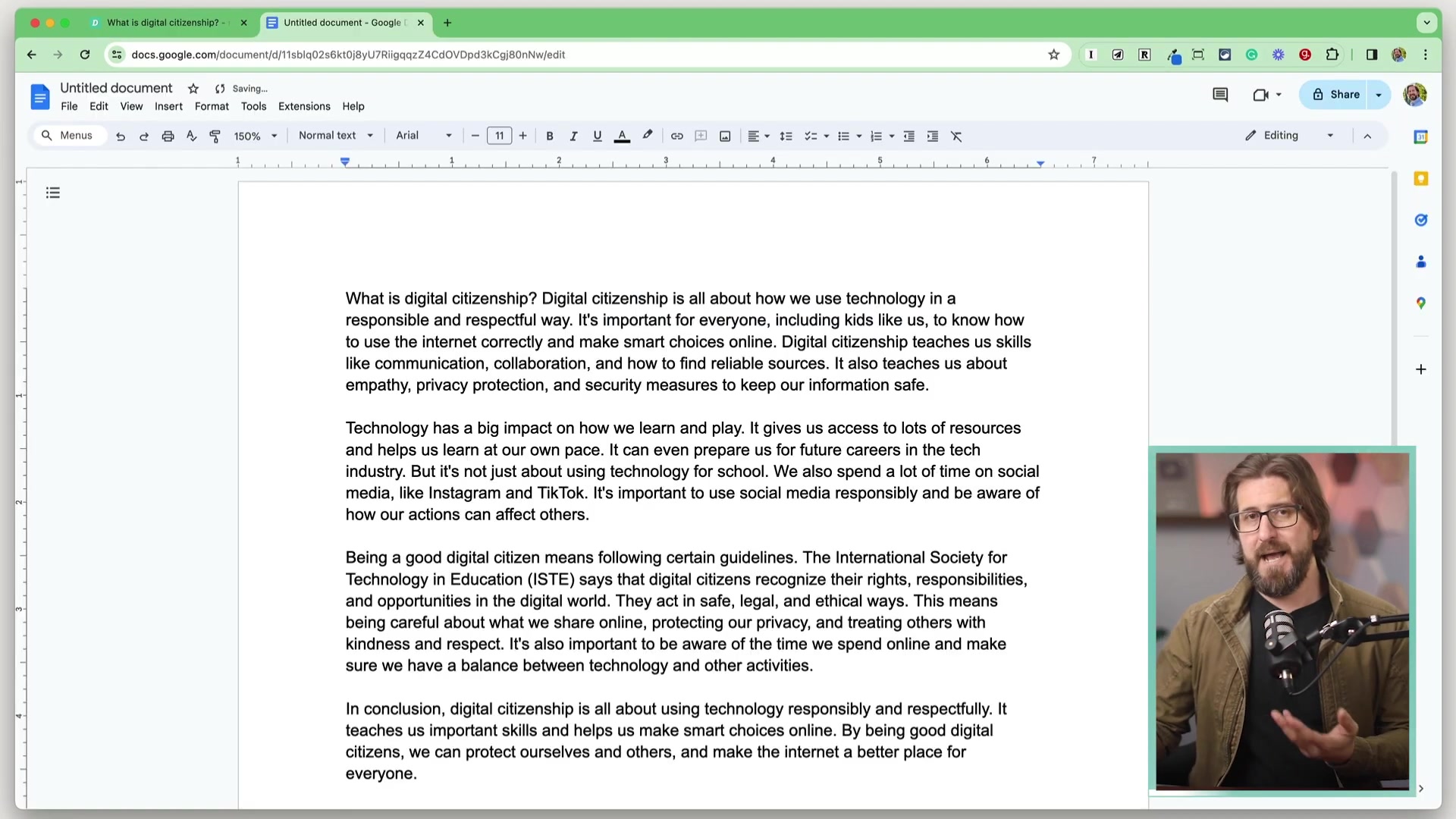
Enter the topic, theme, or question you want to cover. For example, you might enter “What is digital citizenship?”
-
Select an approximate reading level for your students. Diffit supports a wide range of grade levels, allowing you to align the resources with your students’ abilities.
-
Specify the language for the generated content.
-
Click the “Generate Resources” button. Diffit will then use AI to create a reading passage, image, key vocabulary, multiple-choice questions, short answer questions, and open-ended prompts related to your chosen topic.
The tool uses AI to generate an image relevant to the topic, adding a visual element to the resource. While the AI-generated images may vary in quality, you can select from a number of images related to your topic. You also have the option to upload your own image, providing complete control over the visual aspect of the resource.
Customizing and Editing Resources
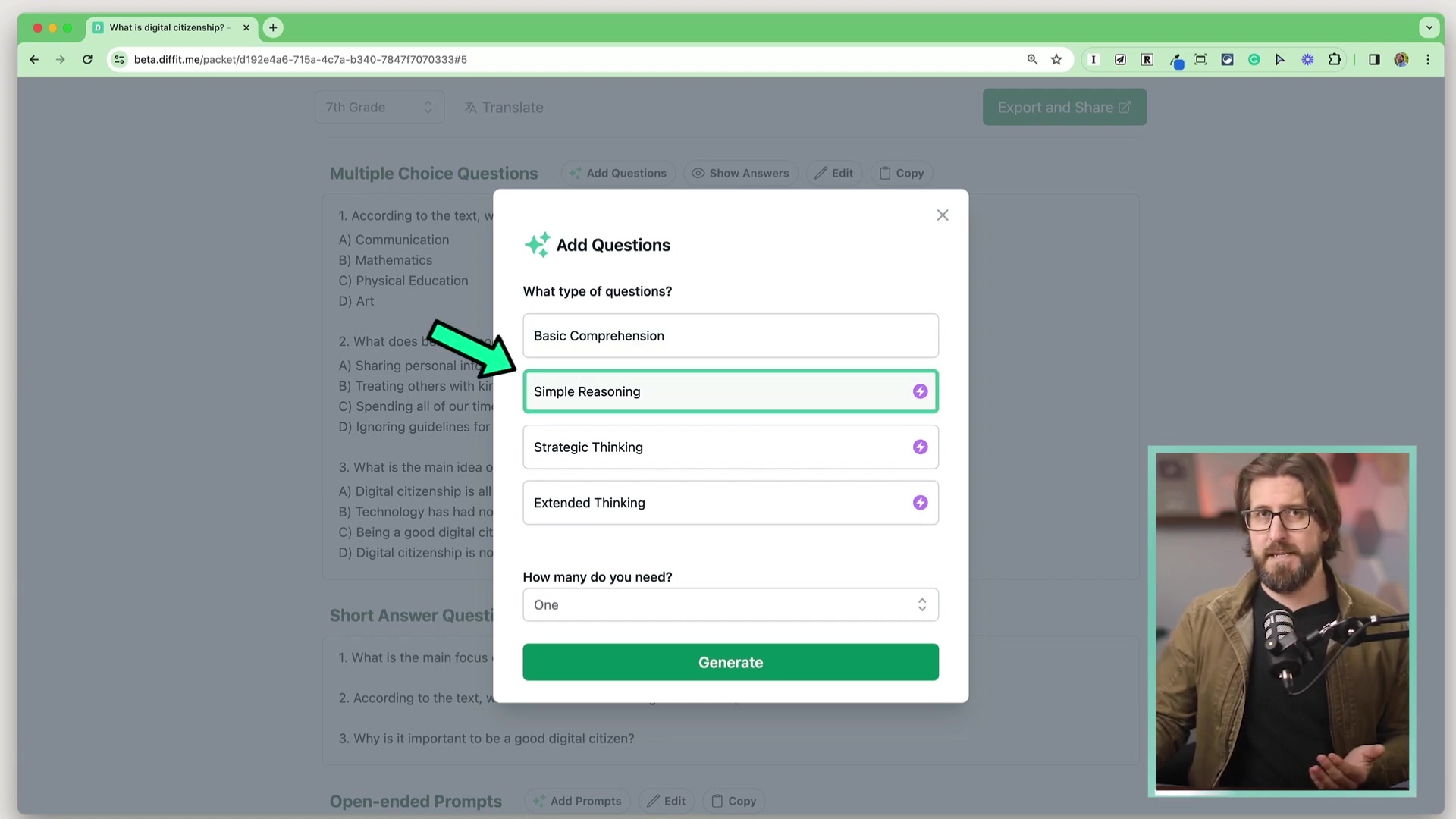
Once Diffit generates the initial resources, you have extensive customization options to refine the materials further. These include:
-
Adjust Length: Use the “Adjust Length” toggle to change the length of the adapted reading passages.
-
Edit Content: Modify the reading passage, summary, key vocabulary, questions, and prompts to align with your teaching style and curriculum.
-
Show Sources: Enable or disable the display of sources for the information presented in the reading passage
.
-
Adding Vocabulary: By adding new vocabulary in the work and making sure definitions are correct, you enhance that key vocabulary skills .
-
Correcting the accuracy: Check whether the AI has correctly determined the answer and correct it.
These customization features ensure that the generated resources perfectly meet the needs of your students and align with your instructional goals.
Exporting and Sharing Resources
Diffit offers several options for exporting and sharing the differentiated resources you create. By selecting the "Export and Share" icon, you can choose to export in various formats, such as Google Docs, PDFs, or Google forms
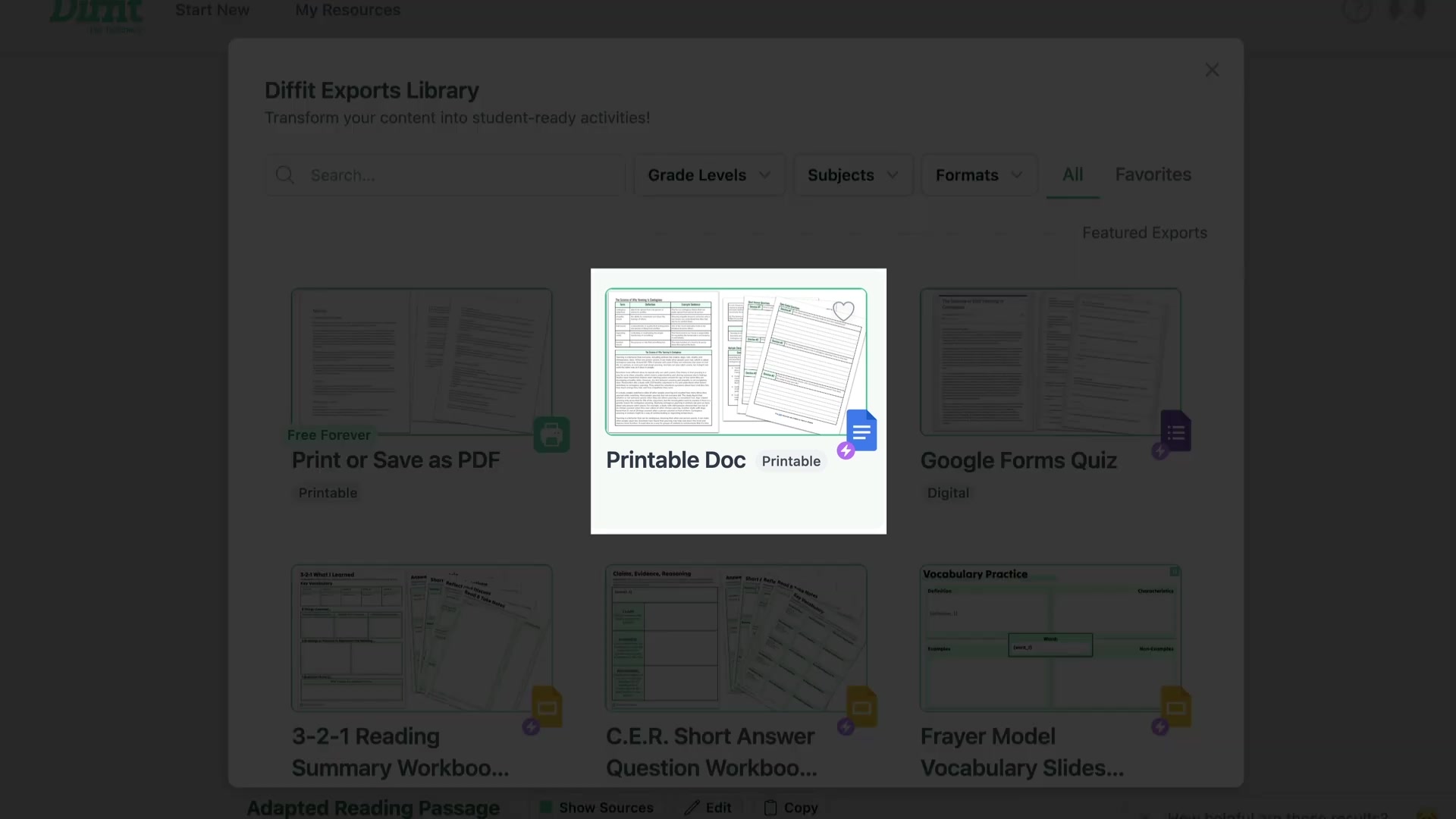
. You can also select which elements to include in the export, such as the title image, adapted reading passage, summary, key vocabulary list, multiple-choice questions, and open-ended prompts.
To generate a Google Forms quiz, select that option and choose which sections to include. Once generated, Diffit automatically creates a Google Forms quiz containing the selected elements. This can be used to test your student, review the information or practice what they are studying.





Most people like



























Report
Please select a reason for reporting
- 13 Reasons to Switch from Snapchat to Text Messaging
- 7 Powerful Speech to Text Apps to Boost Productivity
- 10 Best Speech to Text Tools for Effortless Transcription
- 13 Free Tools to Easily Transcribe Audio to Text
- 15 Surprising Ways Google's Speech-to-Text Boosts Productivity
- 7 Best Free Online Audio to Text Transcription Tools
- 9 Tips to Transcribe Speech to Text Faster and Better
- 13 Best Speech to Text Software for Windows 10 in 2023
- 7 Tips for Choosing the Best Transcriber for Audio to Text
- 11 Reasons Why Dragon Speech-to-Text Apps are Game-Changers
- 6 Secrets to Enhance Your Speech to Text Transcription
- 6 Brilliant Ways to Boost Productivity with Talk-to-Text on Your MacBook
- 6 Ways Transcription Software Converts Audio to Text
- 8 Tips to Transcribe Speech to Text Like a Pro
- 6 Reasons IBM Watson Speech to Text is a Game-Changer
- 14 Powerful Ways Talk-to-Text Improves Your Workflow
- 12 Top Windows Speech-to-Text Software for Efficient Transcription
- 12 Game-Changing Benefits of Apple's Speech to Text Technology
- 9 Powerful Use Cases for AWS Speech to Text Technology
- 10 Easy Steps to Transcribe YouTube Videos to Text
- transcription audio en texte
- online audio transcription
- free audio file transcription
- free ai audio transcription
- audio transcription service
- audio transcription online free
- audio transcription free online
- audio to transcription software
- audio and transcript
- ai audio transcription free
- voice recording to text converter
- translate voice recording to text
- record voice to text
- audio recording to text converter
- voice recording and transcription
- chatgpt voice to text
- gmail voice to text
- speech to text reader
- speech to text ai free
- speech to talk
- Create Engaging Animated Explainer Videos with a Free AI Tool
- Stop Multi-Subscribing: Benchmark Top AI Visual Models in One Canvas
- Best Seedance 2.5 API Provider: Every Price on the Market, Checked at Source
- AI OnlyFans: How to Generate $30,000/Month (Legally)
- Transform Your Script into an Engaging Video with AI Video Maker!
- AI Marketing Automation: A Comprehensive Guide for Small Businesses
- Midjourney Alternative for Anime Art Creators: Why PixAI May Be Better for Character Workflows
- 10 Things Most People Get Wrong About AI Image Search
- AI Girlfriend Apps: Top Choices Redefining Relationships 2025
- How to Reduce Quoting Errors in Salesforce with AI-Assisted Quote Creation
- AI Resume Builders: EnhanceCV, ResumeNerd AI, & Teal Compared
- ResumeAI: Crafting ATS-Optimized Resumes with AI
- AI in Resume Writing: A New Era for Job Seekers
- AI Resume Tools: Streamline Your Job Search and Land Your Dream Role
- AI Resume Optimization: The Right Way to Land Interviews
- Crafting a Killer Resume with AI: A Step-by-Step Guide
- Crafting a Winning Resume: AI Tools and Expert Tips
- AI Job Search: Level Up Your Career with AI Automation
- Empower Your Career Journey: Dynamic Resumes with AI
- AI Resume Builder: Create Professional Resumes Effortlessly

Copyright ©2026 toolify