































Table of Contents
- Key Points
- Understanding Content Streamliner
- A Deep Dive into the Core Functionality
- Step-by-Step Guide: Building Your First Web App
- Pricing Structure: Plans and Features
- Content Streamliner: Core Features and Benefits
- Versatile Use Cases: Real-World Applications
- Frequently Asked Questions
- Related Questions


Understanding Content Streamliner
What is Content Streamliner?
Content Streamliner is a web application provided by Caffeine AI designed to allow users to generate content based on topics or keywords they provide, displaying results as multiple content cards.
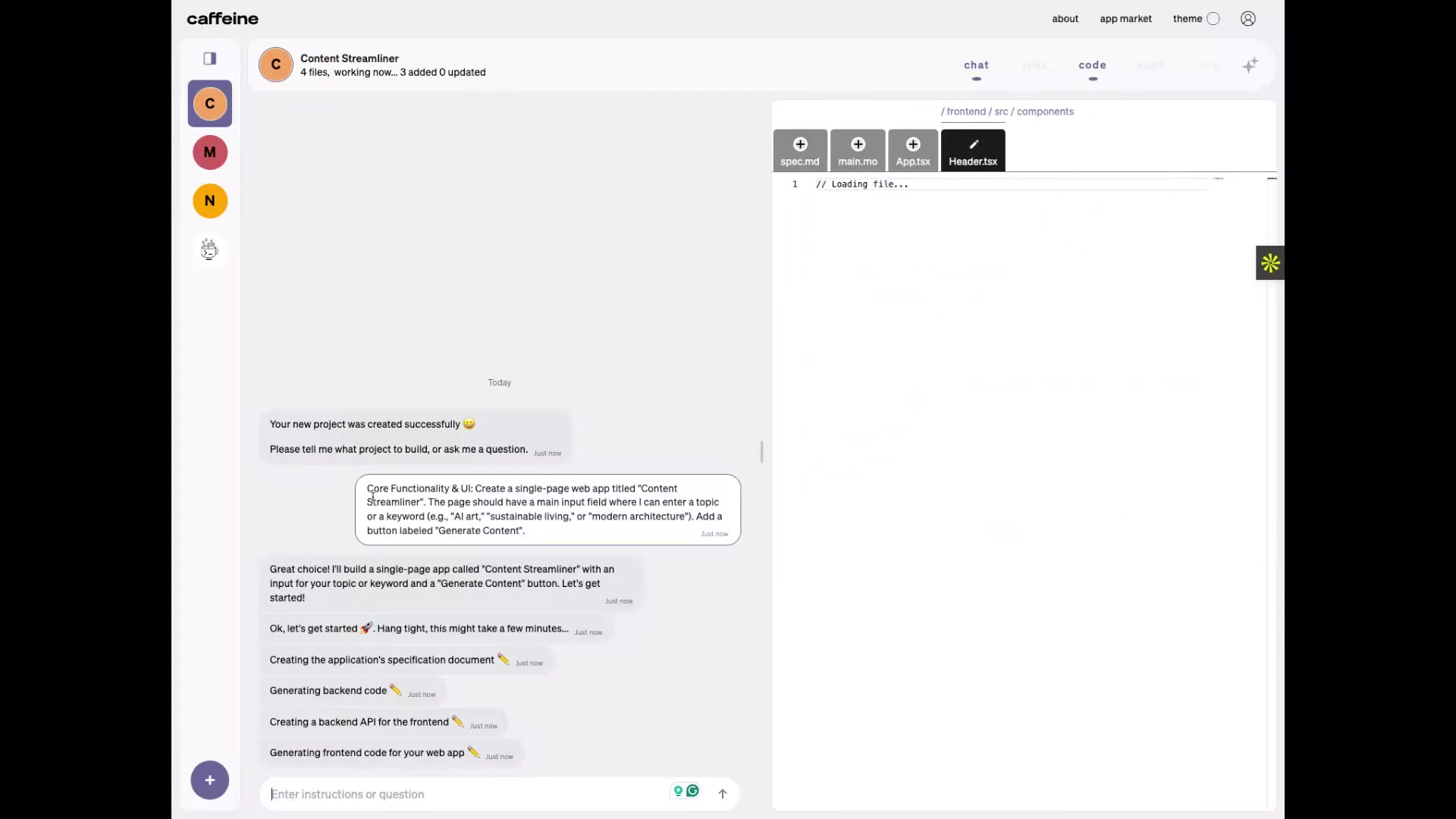
It helps to streamline the process of building single-page web applications by providing a user-friendly interface and tools for both generating content and customizing the application's functionality. This tool aims to be especially beneficial for developers who need to quickly deploy content-rich applications without extensive manual coding. The core functionality includes a main input field where users can enter a topic or keyword, such as AI, art, sustainable living, or modern architecture. It also has a “Generate Content” button to trigger content generation, and display the generated results as multiple content cards. The content cards that it provides will display individual cards in a grid layout below, and each card should have a timestamp indicating when the content was generated.
A Deep Dive into the Core Functionality
Rapid Web App Creation
Caffeine AI simplifies the creation of a functional web app from the get-go. The platform automatically sets up the necessary file structure, dependencies, and configurations. This drastically reduces the initial setup time. The single-page app design ensures a modern, responsive, and user-friendly experience.
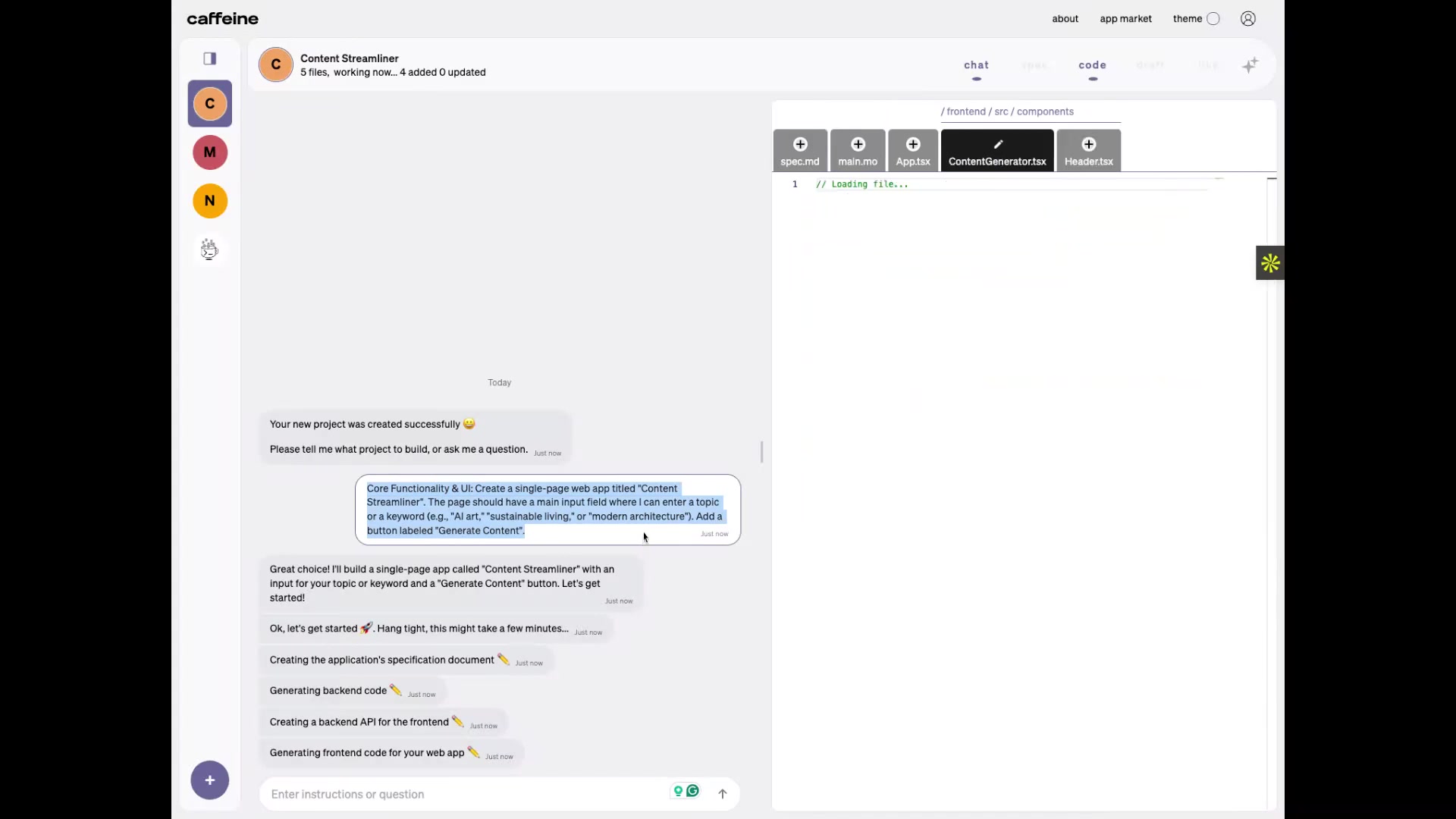
The interface is intuitive, guiding users through the process without requiring advanced technical skills. This is a Game-changer for smaller teams and independent developers looking to quickly establish an online presence. All you have to do is simply provide a few inputs. For example, after choosing a project you can specify you want to “build a single-page web app titled Content Streamliner”, and the platform will automatically prepare the environment for you.
AI-Powered Content Generation
The platform's AI algorithms quickly generate diverse and relevant content based on the user-provided keywords or topics. The generated content is original, engaging, and SEO-friendly, ensuring your app attracts visitors. This feature saves significant time and resources, especially for those who struggle with content creation. The focus of the platform is to reliably generate engaging cards based on your keyword.
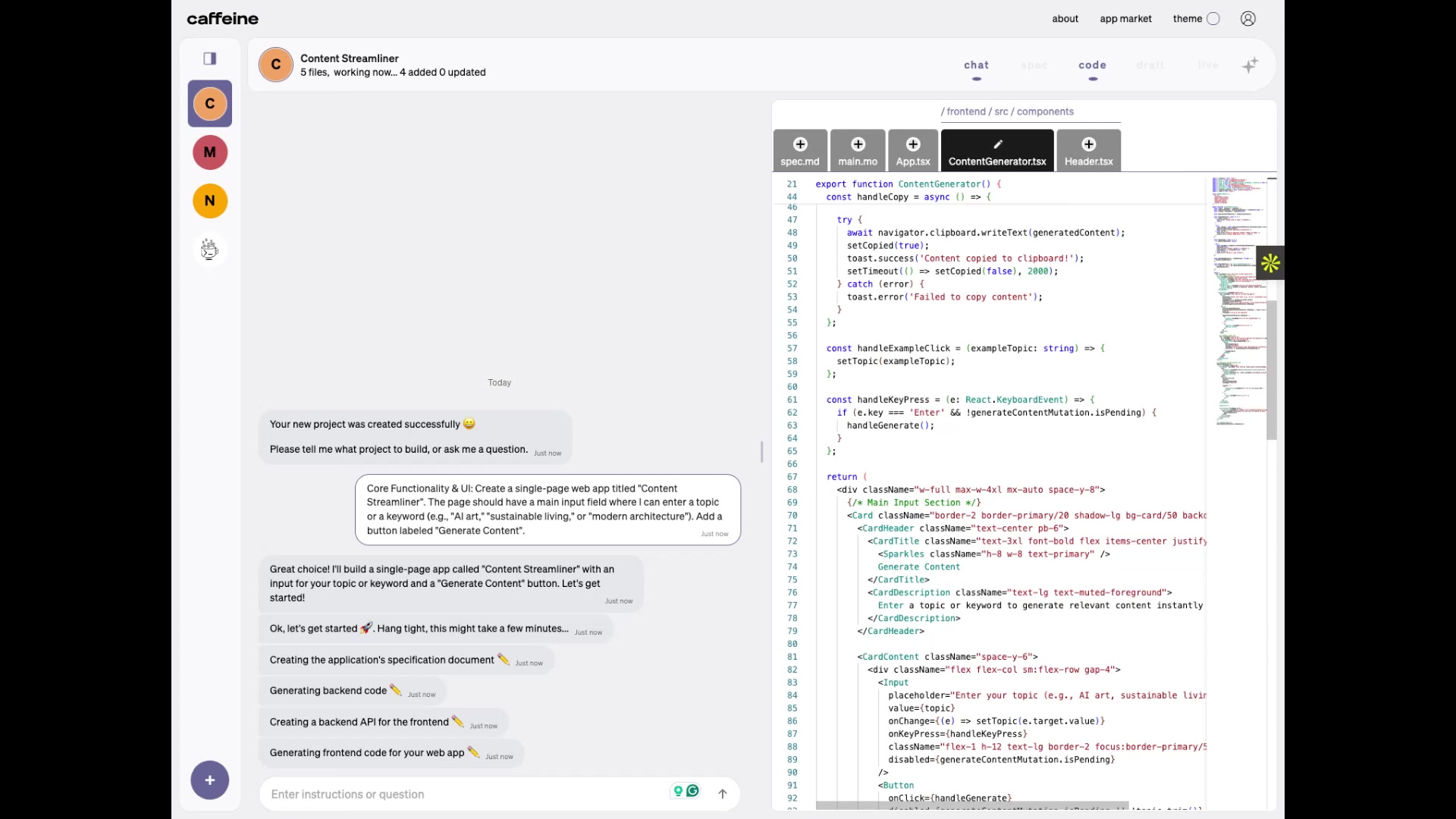
Once updated, clicking the Generate Content button will display fresh, relevant content every time. For the content itself, the application should display three to five curated content cards in a grid, each with a timestamp. Stay tuned for the update!
Customization and Deployment
Content Streamliner allows for extensive customization of the web application's design and functionality. Users can select from various themes, layouts, and features to match their brand and objectives. Once customized, the app can be easily deployed to the network, making it accessible to the target audience. This end-to-end solution simplifies the entire web app development lifecycle. The platform generates the backend and frontend code, taking care to resolve backend code issues and make edits to the frontend as needed.
Step-by-Step Guide: Building Your First Web App
Initialization
The process begins with initializing a new project. Caffeine AI automatically creates the required project structure and installs dependencies, setting the stage for rapid development.
Specification Document
Caffeine AI then creates a specification document, which details everything about the application. It covers:
- Overview of the web application that allows users to generate content based on topics or keywords they provide
- User interface for application title, Content Streamliner
- Core functionality where users enter a topic or keyword in the input field, then click the
Generate Contentbutton to trigger content generation - Each card has a timestamp indicating when the content was generated.
- Backend Requirements to process content generation requests based on user provided topics and keywords.
- Frontend Requirements to handle user input collection and timestamps of generated content.
Backend and Frontend Generation
The platform then generates the backend and frontend code, taking care to resolve backend code issues and making edits to the frontend as needed, leaving you with a fully functional application.
Deployment
After everything is created, Caffeine AI will build and deploy the code to the network.
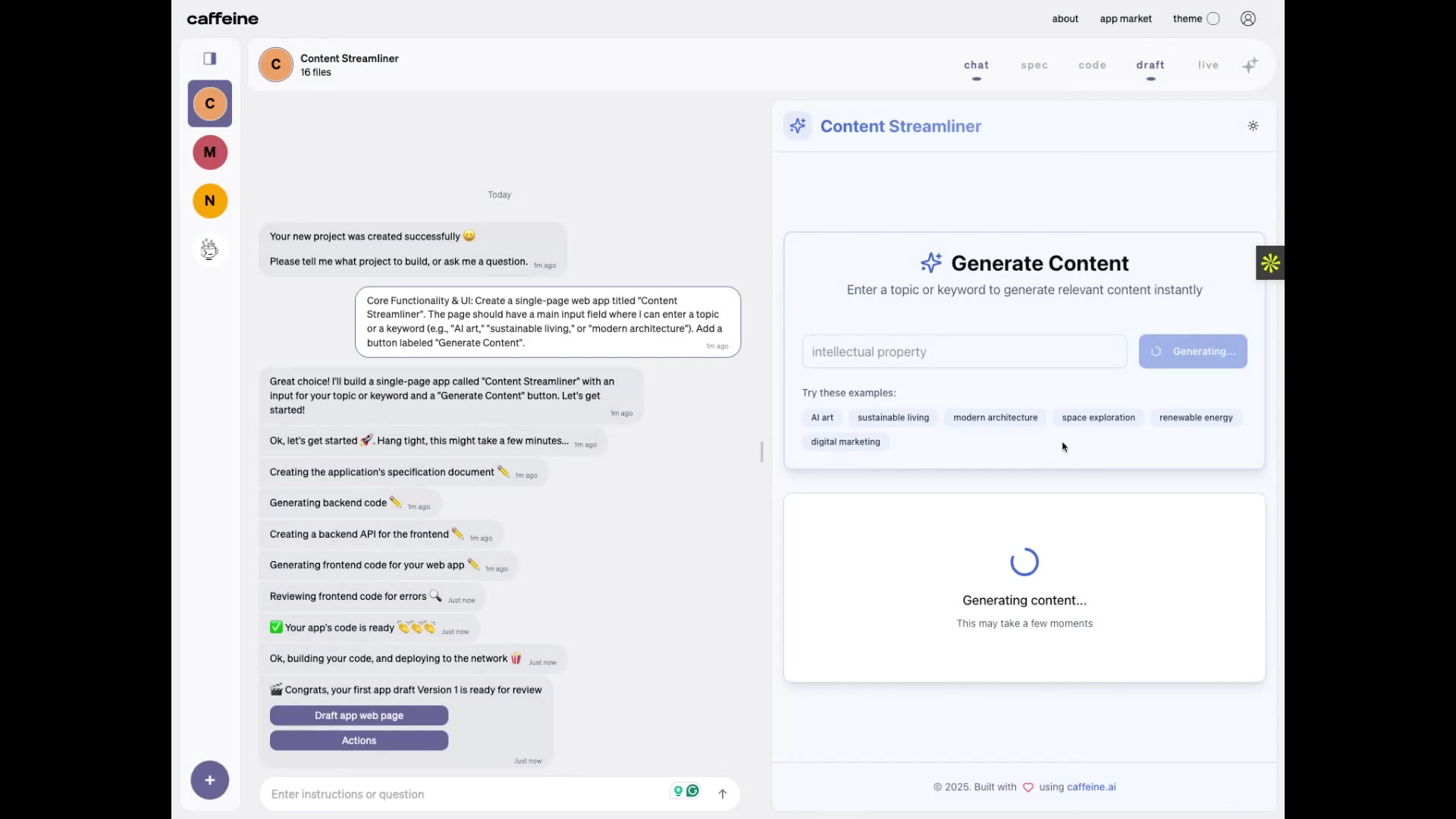
The platform will provide a link for you to view your application, and allow you to view and edit code changes as needed. At this point, the application is fully functional.





Most people like


































Report
Please select a reason for reporting
- 13 Reasons to Switch from Snapchat to Text Messaging
- 7 Powerful Speech to Text Apps to Boost Productivity
- 10 Best Speech to Text Tools for Effortless Transcription
- 13 Free Tools to Easily Transcribe Audio to Text
- 15 Surprising Ways Google's Speech-to-Text Boosts Productivity
- 7 Best Free Online Audio to Text Transcription Tools
- 9 Tips to Transcribe Speech to Text Faster and Better
- 13 Best Speech to Text Software for Windows 10 in 2023
- 7 Tips for Choosing the Best Transcriber for Audio to Text
- 11 Reasons Why Dragon Speech-to-Text Apps are Game-Changers
- 6 Secrets to Enhance Your Speech to Text Transcription
- 6 Brilliant Ways to Boost Productivity with Talk-to-Text on Your MacBook
- 6 Ways Transcription Software Converts Audio to Text
- 8 Tips to Transcribe Speech to Text Like a Pro
- 6 Reasons IBM Watson Speech to Text is a Game-Changer
- 14 Powerful Ways Talk-to-Text Improves Your Workflow
- 12 Top Windows Speech-to-Text Software for Efficient Transcription
- 12 Game-Changing Benefits of Apple's Speech to Text Technology
- 9 Powerful Use Cases for AWS Speech to Text Technology
- 10 Easy Steps to Transcribe YouTube Videos to Text
- transcription audio en texte
- online audio transcription
- free audio file transcription
- free ai audio transcription
- audio transcription service
- audio transcription online free
- audio transcription free online
- audio to transcription software
- audio and transcript
- ai audio transcription free
- voice recording to text converter
- translate voice recording to text
- record voice to text
- audio recording to text converter
- voice recording and transcription
- chatgpt voice to text
- gmail voice to text
- speech to text reader
- speech to text ai free
- speech to talk
- How SEO and Marketing Dashboards Empower Agencies to Drive Results
- How to Use AI Tools to Find Internal Linking Opportunities Across a Business Website
- Discover Your Perfect Haircut with AI Hairstyle Apps
- Free Reputation Calculator Tools: How They're Adapting to Score AI Visibility, Not Just Rankings
- Design Professional Flyers for Free on Your Phone
- Best Free Flyer Maker Apps for Android: Design Like a Pro
- How to Know If Your Business Is Ready for an AI Customer Service Agent
- Revolutionizing Storytelling: From Novels to Screenplays with AI
- Create Engaging Animated Explainer Videos with a Free AI Tool
- Stop Multi-Subscribing: Benchmark Top AI Visual Models in One Canvas
- AI & Elections: Defending Democracy Against Misinformation
- Navigating Political Discourse: AI, Deepfakes, and Reality Checks
- Detecting Political Bias in News Articles: A Powerful AI Algorithm
- AI Bias Unveiled: Political Leanings in ChatGPT & Beyond
- Revolutionize Learning: Discover Quizzes AI for Engaging Interactive Quizzes
- From AI-Generated to Audience-Ready: How Quillbot Humanize AI Is Changing the Content Editing Process
- Building an AI Writing Stack in 2026: LLMs, Detectors, and Humanizers
- 7 Top AI-Powered Database Assistant Platforms
- An Objective Look at Modern Web-Based Visual Modifications
- My Honest Experience with VideoAI: The Secret Weapon for Creators Who Need Character Voices

Copyright ©2026 toolify