































Table of Contents
- Key Points
- Green Screen Effects Revolutionized: The AI Advantage
- Meme Creation and Beyond: Unleashing Creativity
- How to Create Green Screen Effects with RunwayML: A Step-by-Step Guide
- RunwayML Pricing and Accessibility
- The Verdict: RunwayML Pros and Cons
- Key Features That Set RunwayML Apart
- Unlocking Creative Potential: Use Cases for RunwayML
- Frequently Asked Questions
- Related Questions


Green Screen Effects Revolutionized: The AI Advantage
What is RunwayML and why use it for green screen?
RunwayML is a versatile, cloud-based platform that provides a suite of AI-powered tools designed to streamline and enhance video editing workflows. It's particularly useful for creating compelling visual effects without the traditional complexities of professional editing software. For achieving a green screen effect, Runwayml leverages sophisticated AI algorithms to automatically detect and isolate subjects in a video. This process eliminates the need for a physical green screen, chroma keying, or manual masking techniques, simplifying the entire production pipeline.
One of the key reasons to choose RunwayML for green screen effects is its accessibility. Unlike conventional video editing software, which often require extensive training and experience to operate effectively, RunwayML offers an intuitive interface and Simplified workflow that anyone can easily master. This allows creators of all skill levels to produce high-quality, engaging videos with minimal effort. In addition, RunwayML’s cloud-based architecture ensures that users can access their projects and tools from anywhere with an internet connection, offering unprecedented flexibility and convenience.
RunwayML’s automatic masking and subject extraction features make it particularly well-suited for quickly producing content for social media, marketing campaigns, and creative projects. For example, content creators can swiftly create eye-catching memes by placing subjects from various videos against different backgrounds. Marketers can use RunwayML to produce visually appealing ads and promotional videos, showcasing their products in dynamic and engaging ways. Even educators can benefit from RunwayML by creating interactive lessons that bring complex concepts to life with visual aids.
Keywords: AI video editing, green screen software, cloud-based editing, automatic masking, easy video effects.
Meme Creation and Beyond: Unleashing Creativity
Endless Possibilities with Green Screen FX
While RunwayML excels in simplifying video editing tasks, its real power lies in the creative freedom it provides. Imagine a world where you can seamlessly integrate any video clip into a green screen background, creating surreal, humorous, or informative content without the constraints of traditional editing setups. This opens up a vast array of possibilities for various content types.
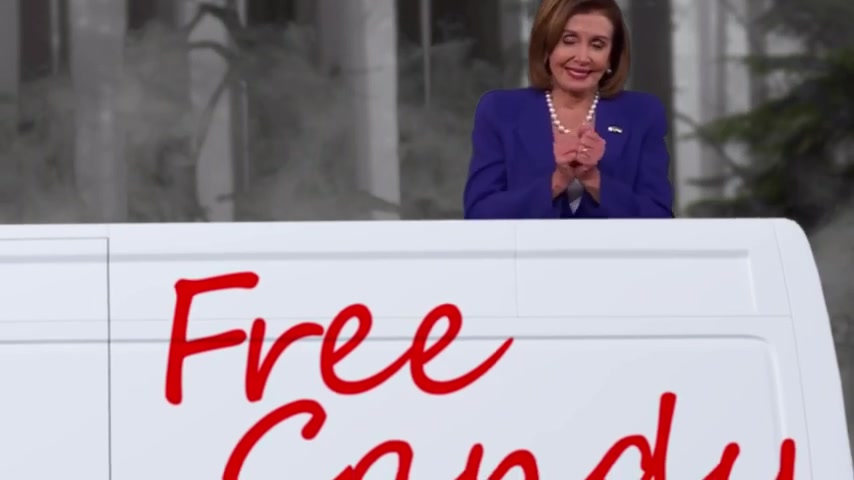
Consider the impact on meme culture, for example. Many popular memes often feature specific scenes from movies, TV shows, or viral videos. With RunwayML, you can quickly isolate these subjects and place them in entirely new contexts, generating fresh and engaging memes that resonate with online audiences. This is especially useful for staying Relevant with current trends and injecting humor into your content strategy.
Beyond memes, RunwayML’s capabilities extend to creating compelling marketing and Advertising materials. Imagine showcasing your products in dynamic environments, adding special effects to highlight key features, or creating visually appealing testimonials. The possibilities are limited only by your imagination.
In the realm of education, RunwayML can transform complex concepts into visually engaging lessons. By integrating various media elements and creating interactive content, educators can enhance student understanding and retention. This approach is particularly effective for subjects that involve visual demonstrations or simulations.
Another compelling application is in the creation of tutorials and how-to videos. By superimposing instructions, demonstrations, or other visual aids onto your footage, you can provide clear and concise guidance to your audience. This approach is especially effective for complex tasks that require visual instructions.
Keywords: meme creation, marketing videos, Tutorial creation, creative content, visual effects, RunwayML use cases
How to Create Green Screen Effects with RunwayML: A Step-by-Step Guide
Uploading and Setting Up Your Project
To begin your green screen adventure with RunwayML, start by uploading your desired video clip to the platform. Once the clip is uploaded, create a new “Green Screen” project within RunwayML’s interface. This will initiate the AI-powered masking process.
Automatic Masking and Extraction
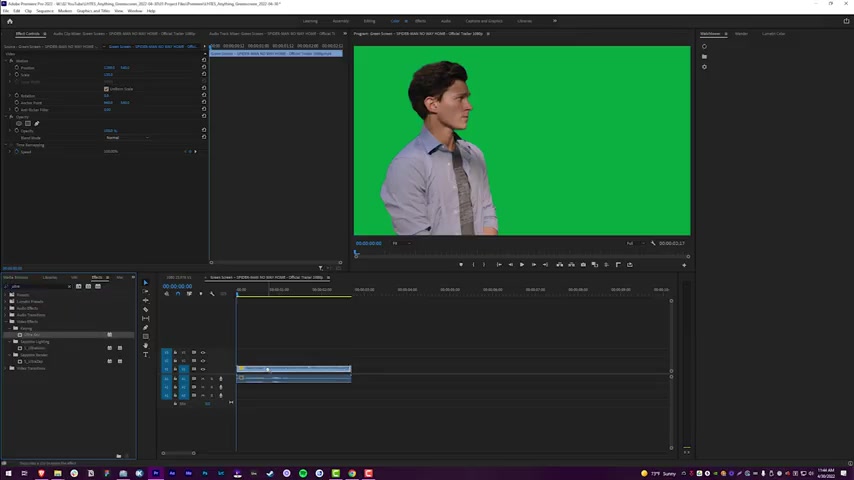
After the project is set up, add your media to the timeline. The magic begins here. Use the platform’s masking tools, which are AI-driven, to automatically detect and isolate the subject(s) you want to extract from the original video. This eliminates manual selection, saving time and effort.

Refining the Mask
While RunwayML’s AI is remarkably accurate, there might be instances where certain adjustments are needed. Use the “include” and “exclude” modes to precisely control what is masked. This allows you to fine-tune the mask for better accuracy. For finer details, the brush tool comes in handy for manual adjustments.

Adding Feathering for a Seamless Blend
To create a more natural and seamless transition between the subject and the new background, apply a few points of feathering to the mask. This softens the edges and helps the subject Blend in seamlessly with its new environment.
Exporting Your Masterpiece
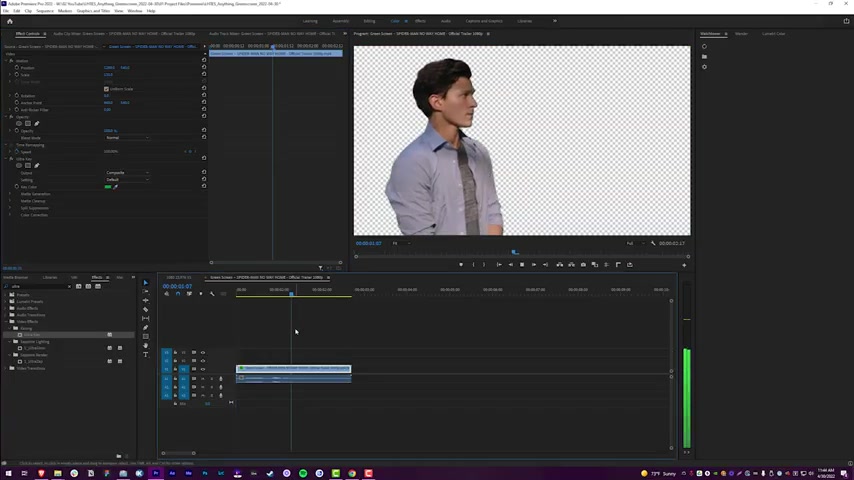
Once the masking is complete and the blending is perfect, it's time to export your creation. Set the background color to green or another color that suits your needs, considering that you may need to key it out later. The software’s options allow you to easily swap the existing background for any backdrop you want. This can range from a simple, flat color to a more complex image or video. After that, export the mask and then upload it.
Keywords: RunwayML tutorial, green screen tutorial, AI masking, video editing steps, free video editing software


Most people like





































Report
Please select a reason for reporting
- 13 Reasons to Switch from Snapchat to Text Messaging
- 7 Powerful Speech to Text Apps to Boost Productivity
- 10 Best Speech to Text Tools for Effortless Transcription
- 13 Free Tools to Easily Transcribe Audio to Text
- 15 Surprising Ways Google's Speech-to-Text Boosts Productivity
- 7 Best Free Online Audio to Text Transcription Tools
- 9 Tips to Transcribe Speech to Text Faster and Better
- 13 Best Speech to Text Software for Windows 10 in 2023
- 7 Tips for Choosing the Best Transcriber for Audio to Text
- 11 Reasons Why Dragon Speech-to-Text Apps are Game-Changers
- 6 Secrets to Enhance Your Speech to Text Transcription
- 6 Brilliant Ways to Boost Productivity with Talk-to-Text on Your MacBook
- 6 Ways Transcription Software Converts Audio to Text
- 8 Tips to Transcribe Speech to Text Like a Pro
- 6 Reasons IBM Watson Speech to Text is a Game-Changer
- 14 Powerful Ways Talk-to-Text Improves Your Workflow
- 12 Top Windows Speech-to-Text Software for Efficient Transcription
- 12 Game-Changing Benefits of Apple's Speech to Text Technology
- 9 Powerful Use Cases for AWS Speech to Text Technology
- 10 Easy Steps to Transcribe YouTube Videos to Text
- transcription audio en texte
- online audio transcription
- free audio file transcription
- free ai audio transcription
- audio transcription service
- audio transcription online free
- audio transcription free online
- audio to transcription software
- audio and transcript
- ai audio transcription free
- voice recording to text converter
- translate voice recording to text
- record voice to text
- audio recording to text converter
- voice recording and transcription
- chatgpt voice to text
- gmail voice to text
- speech to text reader
- speech to text ai free
- speech to talk
- ChatGPT Knows Ford. It Just Doesn't Quote Ford
- Meshy AI: How to Create 3D Models from Text and Images
- How SEO and Marketing Dashboards Empower Agencies to Drive Results
- How to Use AI Tools to Find Internal Linking Opportunities Across a Business Website
- Discover Your Perfect Haircut with AI Hairstyle Apps
- Free Reputation Calculator Tools: How They're Adapting to Score AI Visibility, Not Just Rankings
- Design Professional Flyers for Free on Your Phone
- Best Free Flyer Maker Apps for Android: Design Like a Pro
- How to Know If Your Business Is Ready for an AI Customer Service Agent
- Revolutionizing Storytelling: From Novels to Screenplays with AI
- Your Business Data Could Be Worth Up to $4M. Find Out Without Uploading a Single File.
- Can an eSIM Plan Save You Time During Travel Setup?
- AI Video Editor Review: A Hands-On Look at Prompt-Based Video Editing
- Keep Characters Consistent Across Scenes With Image-to-Video AI
- How to Convert BTC to HNT
- ProxyWing DuckDuckGo Proxy Review: Plans, Setup and Who It Is For
- ChatGPT Knows Ford. It Just Doesn't Quote Ford
- Automate Lead Generation: A Comprehensive Guide with AI Agents
- Revideo.io: The Future of Reverse Video Search Technology
- Revolutionizing Email Marketing Agency with AI

Copyright ©2026 toolify