































Table of Contents
- Key Points
- Unveiling Lemonade: The AI-Powered Melody Generator
- Downloading and Installing Lemonade
- How to Generate Melodies with Lemonade
- Lemonade: Unveiling the Pros & Cons of AI Music Composition
- Frequently Asked Questions
- Related Questions


Unveiling Lemonade: The AI-Powered Melody Generator
What is Lemonade?
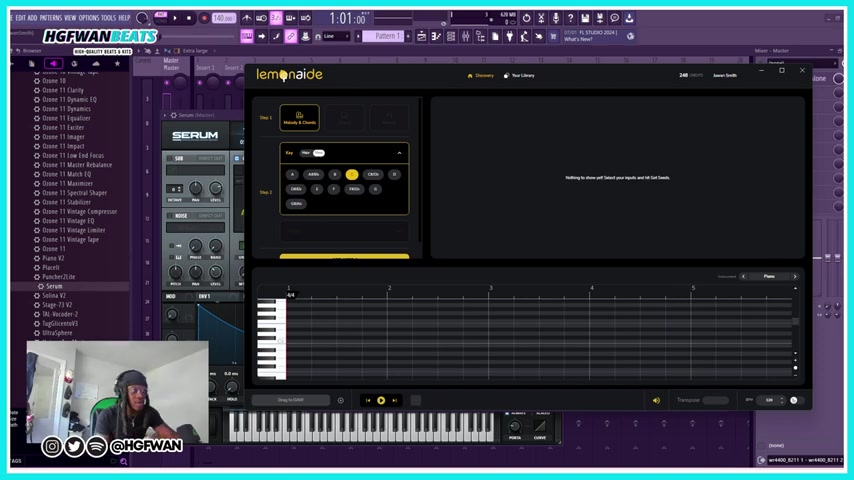
Lemonade is an AI-driven melody ideation tool that promises to revolutionize the way musicians create. Lemonade, designed to empower creators, not replace them. It is an AI Tool that generates millions of inspirational ideas based on your input. Limitless MIDI progressions, there are no boundaries. Innovate and test ideas in ways you never knew you could. The plugin integrates with popular Digital Audio Workstations (DAWs), allowing producers to quickly generate melody ideas and incorporate them into their existing projects. The main point of Lemonade is making melodies easy. It is designed to help kick start your creative process. This tool offers a single click, new ideas are generated that could be the fundamental melodies and chords of your next big hit.
Lemonade: Partnering with Beatstars
One crucial piece of information is that Lemonade is part of the BeatStars subscription
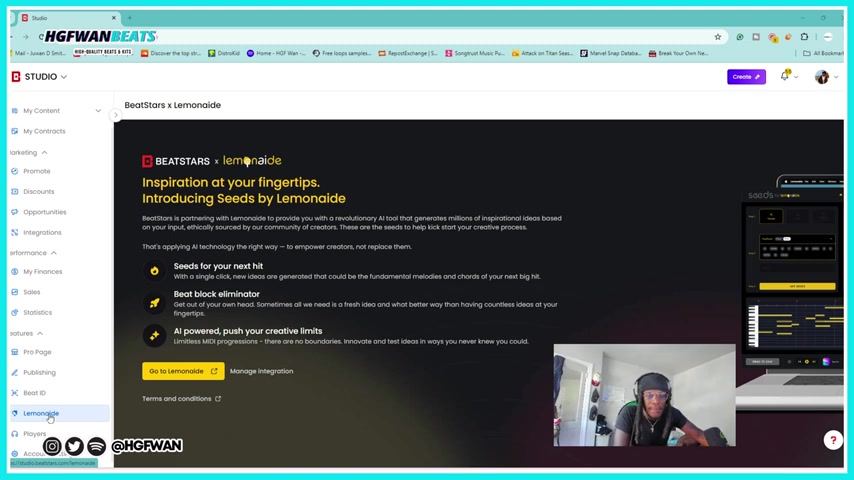
. This means you'll need a BeatStars account with an active subscription to fully utilize the plugin. If you are paying the monthly fee, then you can get Lemonade unlimited access for free you get 250 credits a month.. For those already invested in the BeatStars ecosystem, especially those selling beats on the platform, Lemonade becomes a valuable addition to their toolkit. It integrates directly within the BeatStars Studio environment, offering a streamlined workflow. You'll need to connect your BeatStars account with the Lemonade app to unlock its features. For those who are subscribed with beatstars, in your beatstars Studio, go all the way down and you'll see Lemonade, you go to Lemonade and connect. Go to Lemonade and manage integration. This seamless integration saves time and effort compared to using separate melody generation tools.
Downloading and Installing Lemonade
Getting Started: Download Lemonade
Before diving into melody creation, you will have to download the Lemonade plugin. First, connect your BeatStars to Lemonade.
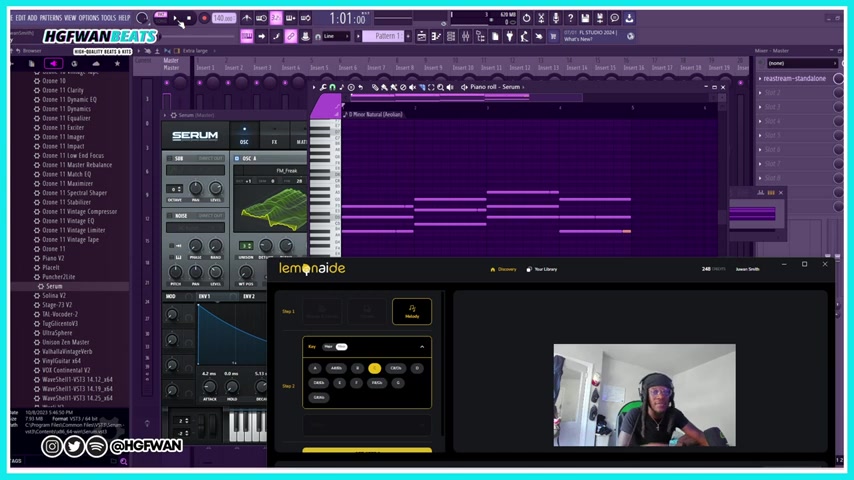
The next step is to download from the Lemonade site: lemonaide.ai To download the app, you will want to click on the ‘download free’ and install it. You can also download from the website. The site will give you the step-by-step instructions so that you have no problems. It’s a stand-alone app so you can open it up. If you don’t see it there, it is very simple to do; just simply follow the instructions, and connect.
How to Generate Melodies with Lemonade
Setting Up Lemonade: The Key and Scale
After successful installation and connection, you are ready to generate melodies.
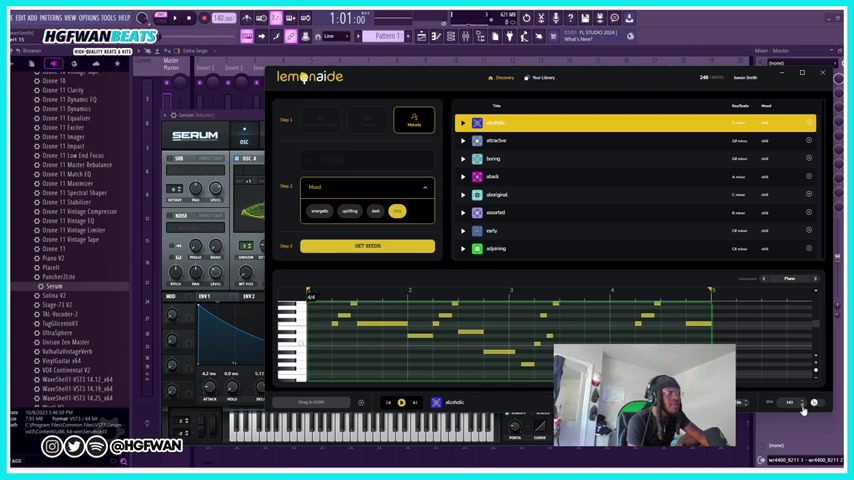
The first thing you’ll do is to select the melody and Chart you want. Then set your key, this will allow you to create a melody over the cord that you already have. The UI is very simple and the user can make a melody for you with the cords or both. Make sure to keep that in the mind that autotune is not included with a preset, but this is an entire VST, that's in effect.
Creating the Melody: Key or Mood
Once you have selected your key, you have the option to focus on the key or the mood
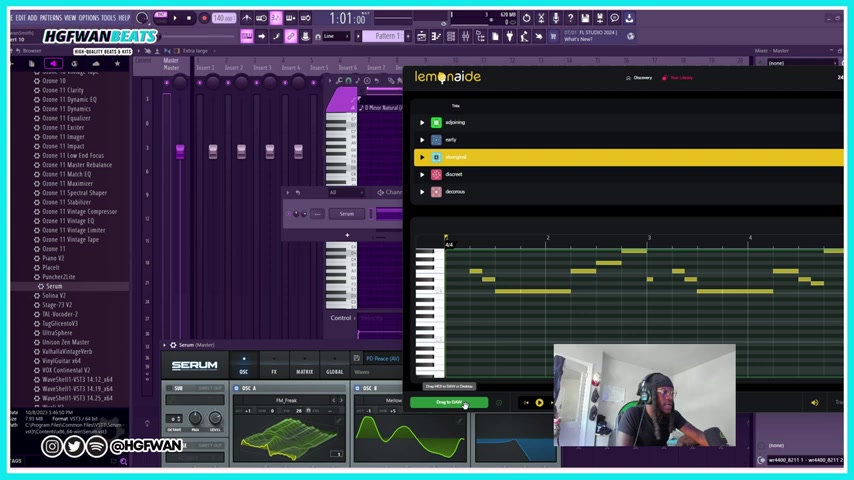
. The UI is very simple, all it does is it’s making the melody for you and cords or both. Then you want to make sure that you hit it in the right key, and so if it’s a D minor, then you hit D minor. However, you can hit the step 2 key for a different key and Scale. Press 'Get Seed' to allow the plugin to perform its magic.
Select the Discovery: Drag to the DAW
After you hit the 'get seeds', the melody will automatically populate and you have an option of different melodies to select. You can use the melodies to bring into your DAW
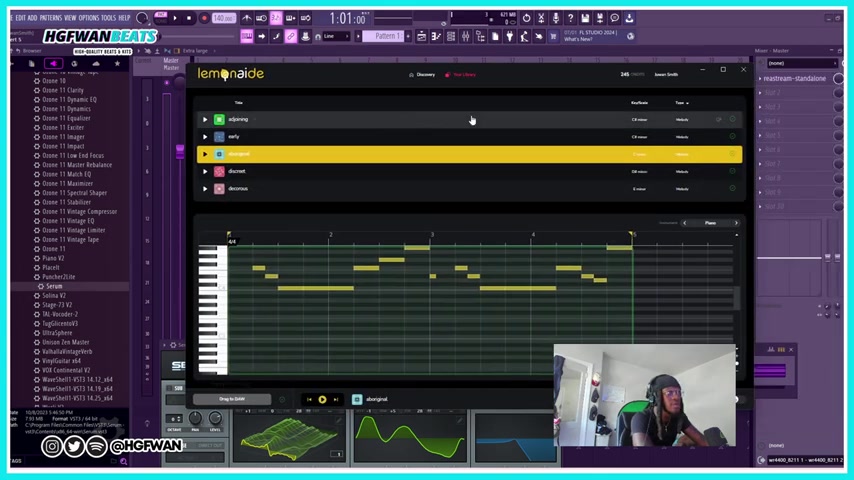
. Then select a track and drag and drop. You can select Blend and drag the data so that everything goes to over the top of the cord. Drag the Music to the DAW. Next, you are going to transpose. You select all of the song. After you are done, make sure you save the melody, and then start again. You also can do it manullay.





Most people like



































Report
Please select a reason for reporting
- 13 Reasons to Switch from Snapchat to Text Messaging
- 7 Powerful Speech to Text Apps to Boost Productivity
- 10 Best Speech to Text Tools for Effortless Transcription
- 13 Free Tools to Easily Transcribe Audio to Text
- 15 Surprising Ways Google's Speech-to-Text Boosts Productivity
- 7 Best Free Online Audio to Text Transcription Tools
- 9 Tips to Transcribe Speech to Text Faster and Better
- 13 Best Speech to Text Software for Windows 10 in 2023
- 7 Tips for Choosing the Best Transcriber for Audio to Text
- 11 Reasons Why Dragon Speech-to-Text Apps are Game-Changers
- 6 Secrets to Enhance Your Speech to Text Transcription
- 6 Brilliant Ways to Boost Productivity with Talk-to-Text on Your MacBook
- 6 Ways Transcription Software Converts Audio to Text
- 8 Tips to Transcribe Speech to Text Like a Pro
- 6 Reasons IBM Watson Speech to Text is a Game-Changer
- 14 Powerful Ways Talk-to-Text Improves Your Workflow
- 12 Top Windows Speech-to-Text Software for Efficient Transcription
- 12 Game-Changing Benefits of Apple's Speech to Text Technology
- 9 Powerful Use Cases for AWS Speech to Text Technology
- 10 Easy Steps to Transcribe YouTube Videos to Text
- transcription audio en texte
- online audio transcription
- free audio file transcription
- free ai audio transcription
- audio transcription service
- audio transcription online free
- audio transcription free online
- audio to transcription software
- audio and transcript
- ai audio transcription free
- voice recording to text converter
- translate voice recording to text
- record voice to text
- audio recording to text converter
- voice recording and transcription
- chatgpt voice to text
- gmail voice to text
- speech to text reader
- speech to text ai free
- speech to talk
- Meshy AI: How to Create 3D Models from Text and Images
- How SEO and Marketing Dashboards Empower Agencies to Drive Results
- How to Use AI Tools to Find Internal Linking Opportunities Across a Business Website
- Discover Your Perfect Haircut with AI Hairstyle Apps
- Free Reputation Calculator Tools: How They're Adapting to Score AI Visibility, Not Just Rankings
- Design Professional Flyers for Free on Your Phone
- Best Free Flyer Maker Apps for Android: Design Like a Pro
- How to Know If Your Business Is Ready for an AI Customer Service Agent
- Revolutionizing Storytelling: From Novels to Screenplays with AI
- Create Engaging Animated Explainer Videos with a Free AI Tool
- Meshy AI: How to Create 3D Models from Text and Images
- ASOMobile Helps Teams Benchmark App Store Screenshots Against Competitors
- How to Match LMS Software With Your Organization's Training Plan
- Revolutionizing Email Marketing Agency with AI
- How to Convert BTC to HNT
- Unleashing the Power of AI: Cognizant's Roadmap for Transformation
- Frame to Video Review: A Practical Look at Turning Two Still Frames Into Motion
- NVIDIA NIM: Revolutionizing Supply Chain Data Analysis with AI
- Top AI Tools That Help Brands Stand Out Offline (Not Just Online)
- Top 5 Cold Email Software: Maximize Your Outreach in 2025

Copyright ©2026 toolify