































Table of Contents
- Key Points
- Setting Up ChatGPT with Apple Intelligence
- Supported Devices and System Requirements
- Using Chat GPT and Image Playground
- Pros and Cons of Integrating ChatGPT with Apple Intelligence
- FAQ
- Related Questions


Setting Up ChatGPT with Apple Intelligence
Understanding Apple Intelligence
Apple Intelligence, currently in beta, is designed to understand and create language and images, prioritize notifications, and simplify everyday tasks. It combines generative models with an understanding of your personal context. Apple Intelligence will draw from the personal information on your device to simplify and accelerate your everyday tasks.
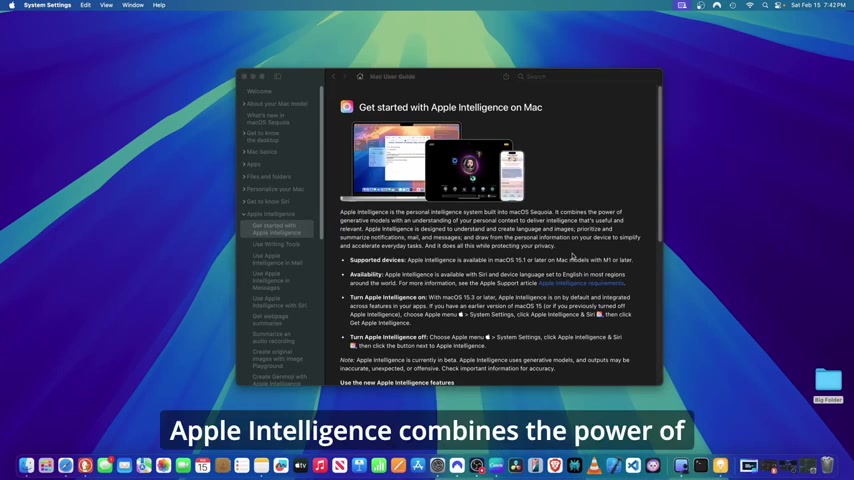
This personalized intelligence system integrates deeply into your Mac, apps, and Siri, tailoring the experience to you and your device usage. Apple is big on privacy, and intelligence is tailored intelligence to you and what you do on your device. It's available in macOS Sequoia version 15.1 or later on Mac models with M1 or later and set to the English language in most regions around the world. The basic language for apple intelligence is the english language. With MacOS 15.3 or later Apple Intelligence is on by default and integrated across your apps. You can also choose to turn Apple Intelligence off if you want.
Enabling Apple Intelligence on Your Mac
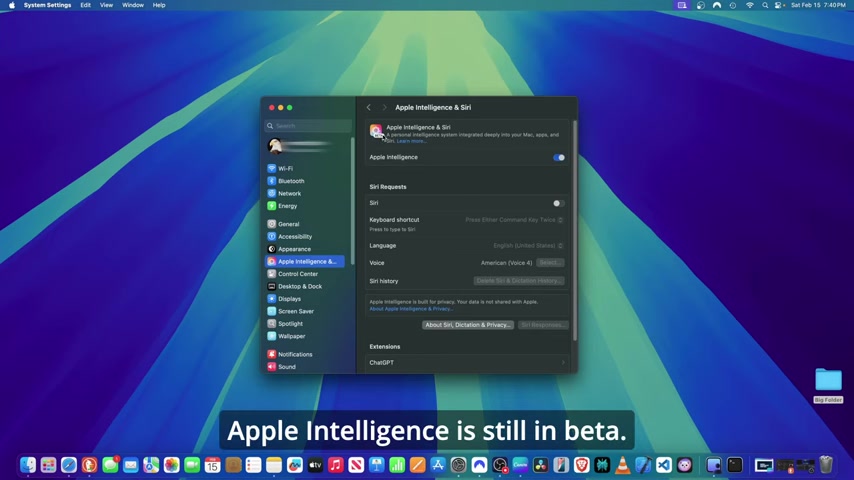
Before you can integrate ChatGPT, you need to ensure that Apple Intelligence is enabled on your Mac. Here's how:
-
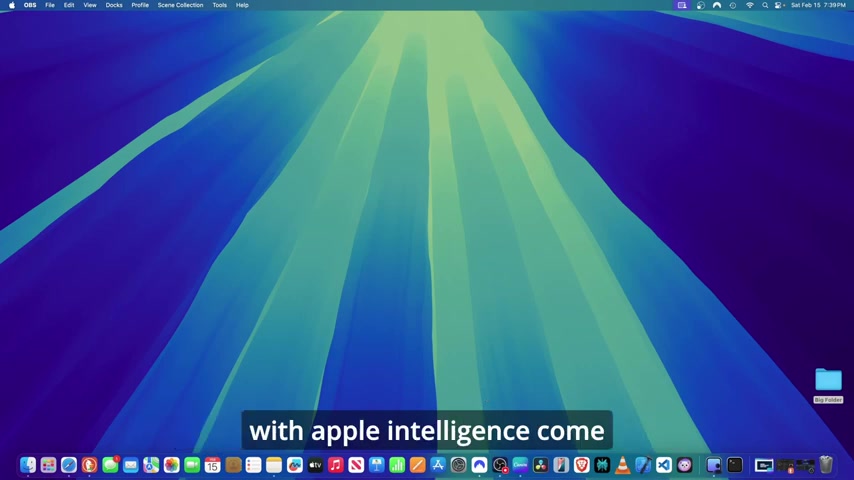
Open System Settings: Go to your Mac's System Settings.
-
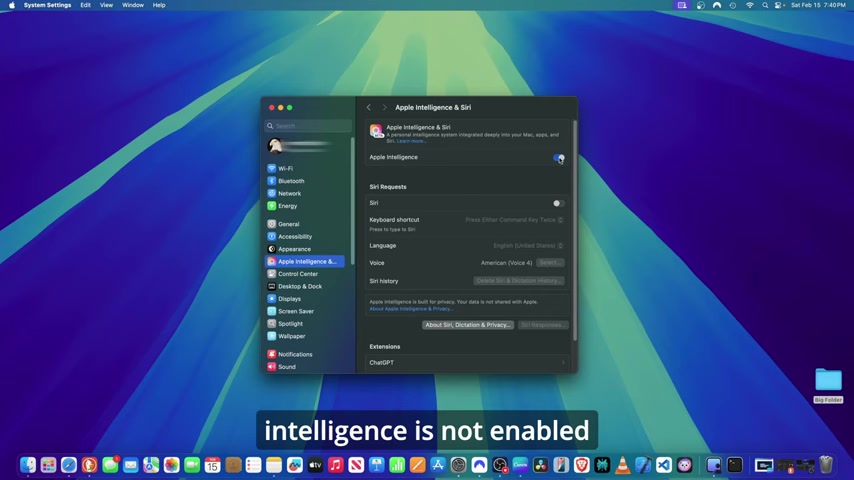
Navigate to Apple Intelligence & Siri: Look for and click on "Apple Intelligence & Siri".
-
Enable Apple Intelligence: If Apple Intelligence is not already enabled, switch the toggle to the "on" position. If Apple Intelligence is not enabled on your machine come to this button and switch it to on. If it is turned off you should switch it on.
-
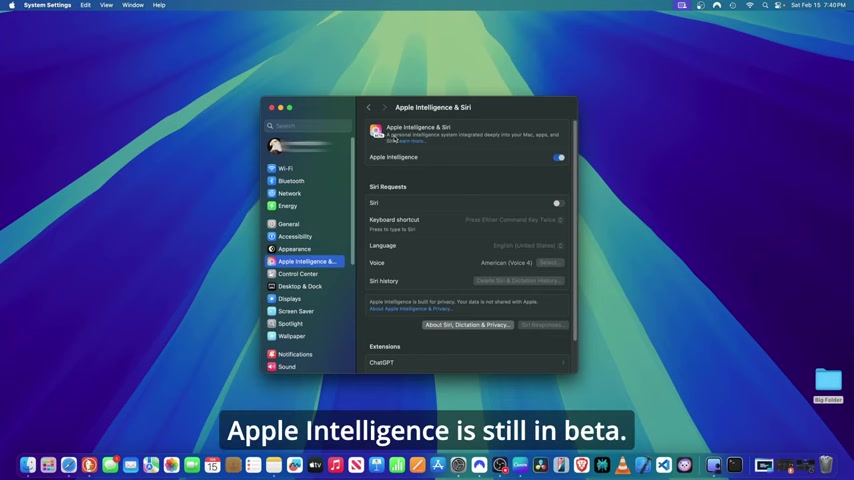
Accessing the User Guide: Click on "Learn more" to open Apple's User Guide which provides documentation on Apple Intelligence.
Installing and Configuring the ChatGPT Extension
With Apple Intelligence enabled, you can now set up the ChatGPT extension:
-
Access Extensions: Within the "Apple Intelligence & Siri" settings, scroll down to the "Extensions" section.
-
Select ChatGPT: You should see "ChatGPT" listed. Click it to configure its settings.
-
Enable Use ChatGPT: Turn this function on. Doing so, you can select to enable ChatGPT on your computer system. It can create images, answer questions and write text.
This provides that the system is available for usage, and allows you to move forward with the steps. You need to click setup to work through the settings.
Privacy and ChatGPT Integration
When setting up the ChatGPT extension, it’s important to be aware of the privacy implications. The Mac works with ChatGPT in a way that preserves your privacy. You’re in control, so you decide what gets shared with ChatGPT, and you can turn ChatGPT off at any time in Settings.
- Using ChatGPT with an Account: If you don’t sign in to ChatGPT, your requests are anonymous and won’t be used to train OpenAI models.
Your free prompts will keep this information hidden from this usage, but to provide better insight into chatGPT to increase usage and benefits, you can also set up a paid version. Sign in to either a free or paid account your requests are subject to Open AI's privacy policy. This means that when providing a paid account and usage, there are options for this to be available.
Using Chat GPT and Image Playground
Text Composition with ChatGPT
ChatGPT can help you write text, create an image, and answer questions within applications like Pages. In this part of the setting, ChatGPT integrates deeply with your app so that there can be better, tailored composition of what the Chat GPT needs to provide in its language. ChatGPT has a wide diversity of abilities, including AI prompts, tailored code and many more capabilities. These features come with the basic version until you have upgraded to the AI paid model. You can rewrite for your words in friendly or professional, and key notes in a summery.
When doing Apple Intelligence using Apple Intelligence with Siri and device language set to English in most regions around the world is what can improve this setting.
Image Creation with Image Playground
Apple's new Image Playground is now integrated within pages.You can add an image or add a suggestion from the list.There are different themes and different types of images here that you can create. In terms of accessories, you also have different accessories that come with this image playground.To create an image with the image playground you can get creative within your own document.


Most people like




































Report
Please select a reason for reporting
- 13 Reasons to Switch from Snapchat to Text Messaging
- 7 Powerful Speech to Text Apps to Boost Productivity
- 10 Best Speech to Text Tools for Effortless Transcription
- 13 Free Tools to Easily Transcribe Audio to Text
- 15 Surprising Ways Google's Speech-to-Text Boosts Productivity
- 7 Best Free Online Audio to Text Transcription Tools
- 9 Tips to Transcribe Speech to Text Faster and Better
- 13 Best Speech to Text Software for Windows 10 in 2023
- 7 Tips for Choosing the Best Transcriber for Audio to Text
- 11 Reasons Why Dragon Speech-to-Text Apps are Game-Changers
- 6 Secrets to Enhance Your Speech to Text Transcription
- 6 Brilliant Ways to Boost Productivity with Talk-to-Text on Your MacBook
- 6 Ways Transcription Software Converts Audio to Text
- 8 Tips to Transcribe Speech to Text Like a Pro
- 6 Reasons IBM Watson Speech to Text is a Game-Changer
- 14 Powerful Ways Talk-to-Text Improves Your Workflow
- 12 Top Windows Speech-to-Text Software for Efficient Transcription
- 12 Game-Changing Benefits of Apple's Speech to Text Technology
- 9 Powerful Use Cases for AWS Speech to Text Technology
- 10 Easy Steps to Transcribe YouTube Videos to Text
- transcription audio en texte
- online audio transcription
- free audio file transcription
- free ai audio transcription
- audio transcription service
- audio transcription online free
- audio transcription free online
- audio to transcription software
- audio and transcript
- ai audio transcription free
- voice recording to text converter
- translate voice recording to text
- record voice to text
- audio recording to text converter
- voice recording and transcription
- chatgpt voice to text
- gmail voice to text
- speech to text reader
- speech to text ai free
- speech to talk
- Meshy AI: How to Create 3D Models from Text and Images
- How SEO and Marketing Dashboards Empower Agencies to Drive Results
- How to Use AI Tools to Find Internal Linking Opportunities Across a Business Website
- Discover Your Perfect Haircut with AI Hairstyle Apps
- Free Reputation Calculator Tools: How They're Adapting to Score AI Visibility, Not Just Rankings
- Design Professional Flyers for Free on Your Phone
- Best Free Flyer Maker Apps for Android: Design Like a Pro
- How to Know If Your Business Is Ready for an AI Customer Service Agent
- Revolutionizing Storytelling: From Novels to Screenplays with AI
- Create Engaging Animated Explainer Videos with a Free AI Tool
- Automate Lead Generation: A Comprehensive Guide with AI Agents
- Revideo.io: The Future of Reverse Video Search Technology
- Revolutionizing Email Marketing Agency with AI
- Breaking the Character Drift Dilemma: A Practical Test of Smart Shot
- Meshy AI: How to Create 3D Models from Text and Images
- ASOMobile Helps Teams Benchmark App Store Screenshots Against Competitors
- How to Match LMS Software With Your Organization's Training Plan
- How to Convert BTC to HNT
- Unleashing the Power of AI: Cognizant's Roadmap for Transformation
- Frame to Video Review: A Practical Look at Turning Two Still Frames Into Motion

Copyright ©2026 toolify