































Table of Contents
- Key Points
- Unlocking the Power of AI Code Generation in Salesforce
- Crafting AI Customization Rules for Salesforce Excellence
- Step-by-Step Guide: Implementing AI Customization Rules
- Benefits and Drawbacks of AI Customization Rules
- FAQ
- Related Questions


Unlocking the Power of AI Code Generation in Salesforce
Introducing Agentforce for Developers and AI-Driven Code
Salesforce development is evolving rapidly, with Artificial Intelligence (AI) playing an increasingly critical role. Agentforce for Developers is an extension designed to accelerate Apex and Lightning Web Components (LWC) development by providing AI assistance directly within your integrated development environment (IDE). One of the key features of Agentforce is its ability to generate code from natural language prompts. This functionality can significantly reduce the time and effort required to write complex code, making developers more efficient. However, to fully harness the potential of AI code generation, it's essential to ensure consistency and control. This is where AI customization rules become invaluable.
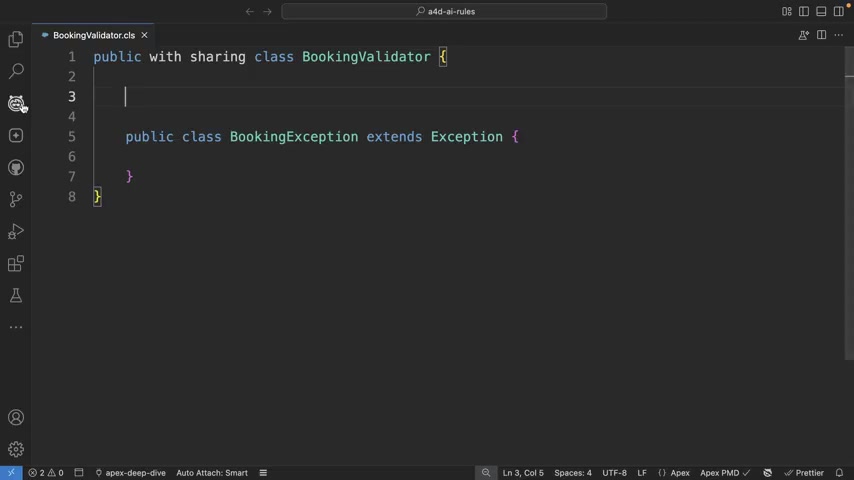
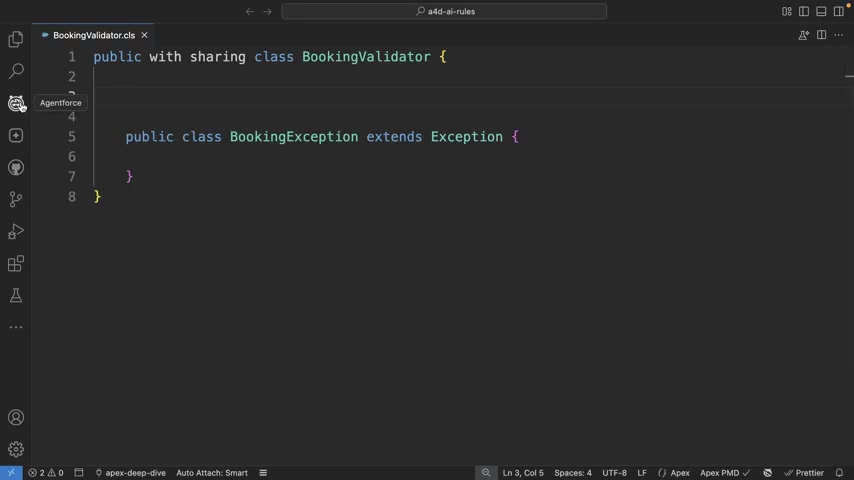
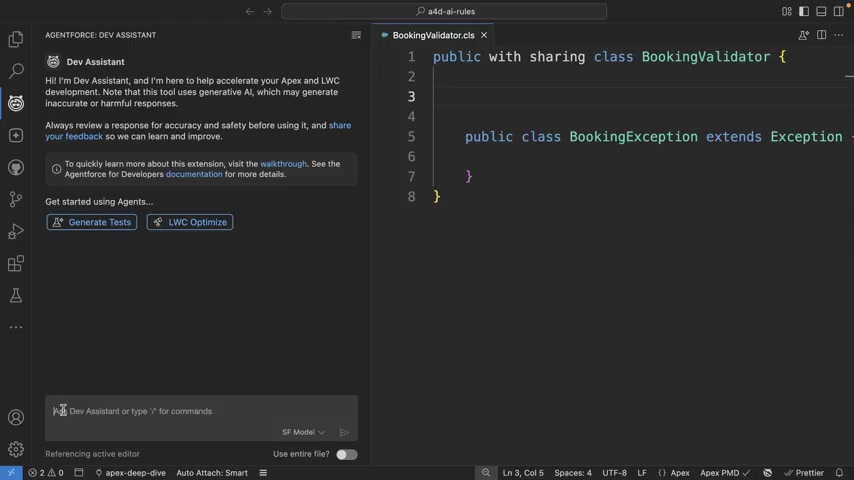
The Agentforce extension facilitates access to the Dev Assistant, providing an interface for generating code with the aid of AI. This integration means developers can directly request and receive code within their familiar coding environment, streamlining the development process. The Dev Assistant contextualizes the code based on open files, increasing the relevance and accuracy of AI-generated suggestions.
The Need for Consistency and Control in AI-Generated Code
While AI can generate code quickly, the quality and consistency of that code can vary. Without proper guidance, AI might produce code that doesn't adhere to your organization's coding standards, security best practices, or overall architectural vision. This can lead to several challenges, including:
- Inconsistent code style: Different AI-generated code snippets may use different naming conventions, formatting styles, or architectural patterns.
- Security vulnerabilities: AI might generate code that contains security flaws, such as SOQL injection vulnerabilities or insecure data handling practices.
- Maintainability issues: Inconsistent code can be difficult to understand, debug, and maintain over time.
- Integration problems: Code that doesn't align with existing systems and libraries can cause integration issues and require extensive rework.
To mitigate these challenges, it's essential to implement AI customization rules that govern the code generation process. These rules act as a blueprint, guiding the AI to produce code that aligns with your organization's specific requirements and best practices. By setting up these rules, you can ensure that AI becomes a reliable and consistent partner in your Salesforce development efforts.
Crafting AI Customization Rules for Salesforce Excellence
Defining AI Customization Rules: A Markdown Approach
AI customization rules are defined using markdown files. These files are stored in a specific directory within your Salesforce project: .sfdx/a4d/rules. The markdown format provides a simple and human-readable way to express the rules. This approach makes it easy to create, modify, and share the rules across your development team. The rules themselves can address a wide range of aspects, including:
- Naming conventions: Enforce specific naming conventions for classes, methods, variables, and other code elements.
- Code structure: Define preferred architectural patterns, such as the use of specific design patterns or coding paradigms.
- Security best practices: Ensure that AI-generated code adheres to security guidelines, such as avoiding SOQL injection and using secure data handling practices.
- SOQL and DML execution: Specify whether SOQL and DML operations should run in user mode or system mode.
By combining these rules, you can tailor the AI code generation process to your organization's specific needs, ensuring that the resulting code is consistent, secure, and maintainable. This will lead to more efficient development processes and improved overall code quality.
Anatomy of an AI Customization Rule: Key Components
Each AI customization rule typically includes the following key components:
- Name: A descriptive name that identifies the purpose of the rule.
- Description: A detailed explanation of the rule and its intended effect.
- File pattern: A pattern that specifies the files to which the rule applies. This allows you to target specific code elements, such as Apex classes or Lightning Web Components.
- Guidelines: A list of specific guidelines that the AI should follow when generating code. These guidelines can address various aspects of code style, structure, and security.
The following is an example of a rule set:
- Rule Name: Apex Best Practices
- Description: Enforce naming and formatting standards for Apex code.
- Applies To:
**/*.cls - Guidelines:
- Class names must be PascalCase (e.g.,
AccountService,OpportunityHelper) - Method names must be camelCase (e.g.,
calculateTax,fetchOpportunities) - Variable names must be camelCase and descriptive (e.g.,
accountList,isClosed) - Boolean variable names should start with
is,has, orcan(e.g.,isActive,hasAccess) - Use plural names for collections (e.g.,
contacts,accountMap) - Avoid abbreviations and single-letter variables (e.g.,
acc❌,account✅) - Avoid SOQL or DML inside
forloops. Use Maps and Sets to bulkify logic - DML should be in the user mode for example
insert as user,update as user - Use
WITH USER_MODEexplicitly for SOQL queries - Ensure the class uses
WITH SHARINGkeyword to ensure the code runs in user mode by default - Test classes must use PascalCase and end with
Test(e.g.,AccountServiceTest) - Test method names should describe the test scenario clearly (e.g.,
testCalculateTaxWithValidInput) - When writing Asserts always use System.Assert class instead of System.assert
- Class names must be PascalCase (e.g.,
This structure ensures that the AI has clear instructions on how to generate code that aligns with your desired standards. Each guideline provides specific direction, improving the quality and consistency of the generated code.
Enforcing User Mode for SOQL and DML Operations: A Critical Security Practice
A key security consideration in Salesforce development is whether SOQL and DML operations run in user mode or system mode. In system mode, the code executes with the permissions of the user who owns the code, regardless of the permissions of the current user. This can be a security risk if the code performs operations that the current user shouldn't have access to.
To mitigate this risk, it's best practice to run SOQL and DML operations in user mode. In user mode, the code executes with the permissions of the current user, ensuring that users can only access data that they are authorized to see.
AI customization rules provide a way to enforce user mode for SOQL and DML operations. By including the guideline DML should be in the user mode for example insert as user, update as user or Use WITH USER_MODE explicitly for SOQL queries in your rules, you can ensure that AI-generated code always adheres to this critical security practice.
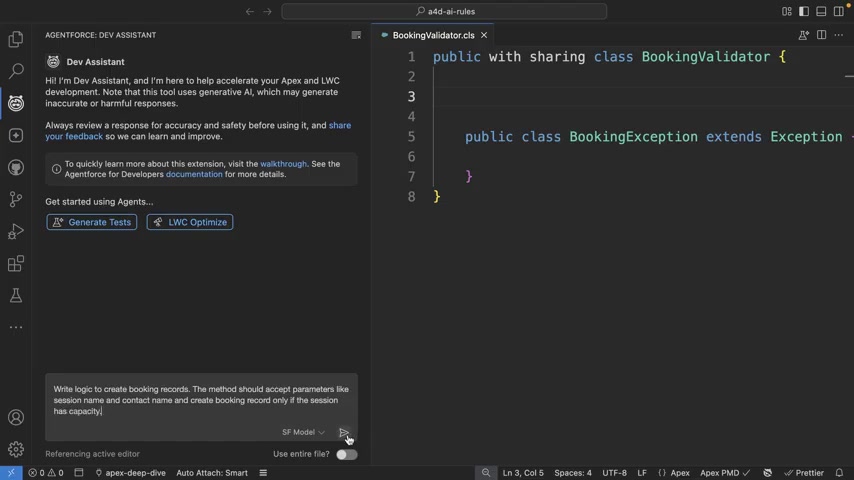
By setting these rules, the AI code creation process consistently utilizes the desired standards. This dramatically reduces the chances of introducing systemic errors or vulnerabilities into Salesforce applications. You can avoid having to specify the mode in every Prompt by adding AI customization rules.









Most people like

































Report
Please select a reason for reporting
- 13 Reasons to Switch from Snapchat to Text Messaging
- 7 Powerful Speech to Text Apps to Boost Productivity
- 10 Best Speech to Text Tools for Effortless Transcription
- 13 Free Tools to Easily Transcribe Audio to Text
- 15 Surprising Ways Google's Speech-to-Text Boosts Productivity
- 7 Best Free Online Audio to Text Transcription Tools
- 9 Tips to Transcribe Speech to Text Faster and Better
- 13 Best Speech to Text Software for Windows 10 in 2023
- 7 Tips for Choosing the Best Transcriber for Audio to Text
- 11 Reasons Why Dragon Speech-to-Text Apps are Game-Changers
- 6 Secrets to Enhance Your Speech to Text Transcription
- 6 Brilliant Ways to Boost Productivity with Talk-to-Text on Your MacBook
- 6 Ways Transcription Software Converts Audio to Text
- 8 Tips to Transcribe Speech to Text Like a Pro
- 6 Reasons IBM Watson Speech to Text is a Game-Changer
- 14 Powerful Ways Talk-to-Text Improves Your Workflow
- 12 Top Windows Speech-to-Text Software for Efficient Transcription
- 12 Game-Changing Benefits of Apple's Speech to Text Technology
- 9 Powerful Use Cases for AWS Speech to Text Technology
- 10 Easy Steps to Transcribe YouTube Videos to Text
- transcription audio en texte
- online audio transcription
- free audio file transcription
- free ai audio transcription
- audio transcription service
- audio transcription online free
- audio transcription free online
- audio to transcription software
- audio and transcript
- ai audio transcription free
- voice recording to text converter
- translate voice recording to text
- record voice to text
- audio recording to text converter
- voice recording and transcription
- chatgpt voice to text
- gmail voice to text
- speech to text reader
- speech to text ai free
- speech to talk
- How SEO and Marketing Dashboards Empower Agencies to Drive Results
- How to Use AI Tools to Find Internal Linking Opportunities Across a Business Website
- Discover Your Perfect Haircut with AI Hairstyle Apps
- Free Reputation Calculator Tools: How They're Adapting to Score AI Visibility, Not Just Rankings
- Design Professional Flyers for Free on Your Phone
- Best Free Flyer Maker Apps for Android: Design Like a Pro
- How to Know If Your Business Is Ready for an AI Customer Service Agent
- Revolutionizing Storytelling: From Novels to Screenplays with AI
- Create Engaging Animated Explainer Videos with a Free AI Tool
- Stop Multi-Subscribing: Benchmark Top AI Visual Models in One Canvas
- My Brand New Logo: AI-Powered Logo Design for Startups
- Create Stunning Logos with Free AI Logo Generator!
- AI Logo Maker: Design a Stunning Logo in Minutes
- Elevate Your Zoom Experience with Enhanced Name Tags by Warmly
- Top 5 AI Logo Makers in 2025: Design a Stunning Brand
- Creative Fabrica's AI Tools: Flow, Studio, and Font Generator
- Create Stunning Logos with Canva's Free AI Logo Generator
- Create Professional and Memorable Logos with LogoMaker.ai
- Design Your Own Font: A Step-by-Step Guide with Vectornator Pro
- AI Font Generator: Revolutionizing Typeface Design with AI

Copyright ©2026 toolify