































Table of Contents
- Key Points
- Understanding Face Swapping and Its Techniques
- Ethical Considerations and Potential Misuses of Face Swapping
- Step-by-Step Guide to Using FaceSwap Software
- FaceSwap Software Details
- Weighing the Benefits and Drawbacks of Face Swapping
- Key Features of FaceSwap Software
- Frequently Asked Questions about Face Swapping
- Related Questions


Understanding Face Swapping and Its Techniques
What is Face Swapping?
Face swapping is a digital technique that enables the exchange of faces between individuals in a video or image. It involves complex algorithms that detect, map, and blend facial features from one face onto another. This technology has evolved significantly, with modern applications capable of creating seamless and often undetectable face swaps.
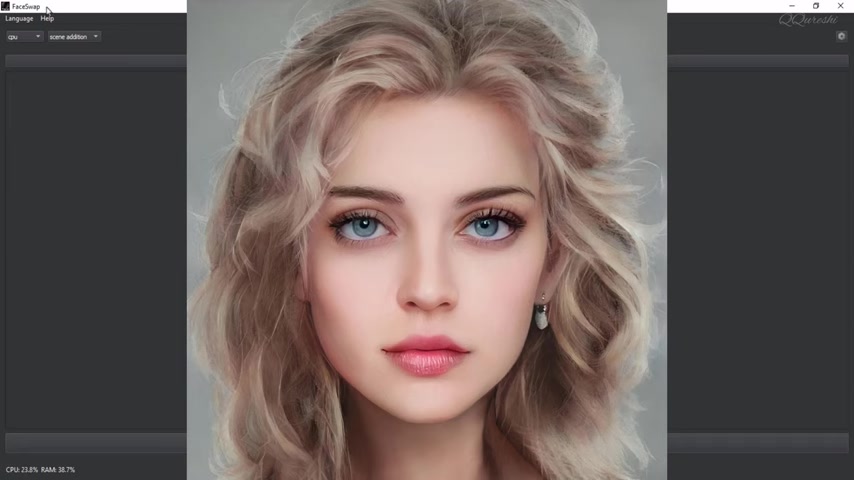
The primary purpose of face swapping is to create realistic and often humorous or entertaining content. It can be used for various creative projects, including parody videos, enhancing special effects in films, and even developing digital avatars for virtual reality applications.
Face swapping is closely related to the concept of deepfakes, which are more advanced and sophisticated digital manipulations. While face swapping typically involves swapping faces in existing media, deepfakes use artificial intelligence to create entirely fabricated videos or images that can be incredibly realistic. Both technologies have raised ethical concerns about their potential misuse, such as creating fake news or impersonating individuals without their consent.
FaceSwap, for example, is a software application specifically designed for performing face swaps. It offers a user-friendly interface and various features to help users create high-quality face swaps. This kind of software handles everything from face detection to seamless blending. FaceSwap and similar applications utilize sophisticated algorithms to achieve convincing results. Understanding how this works will give you a deeper appreciation of the applications we go over later.
Face Swapping in Internet Culture and Social Media
Face swapping has become ubiquitous in internet memes and across various social media platforms. Its ease of use and ability to generate humorous content have made it a popular form of online expression. Face swapping apps and filters are readily available, allowing users to create face swaps with friends, celebrities, or even inanimate objects. These face swaps are often shared on social media, contributing to viral trends and online humor.
Many social media platforms, like Snapchat and TikTok, have integrated face swapping filters directly into their apps. These filters allow users to create real-time face swaps, adding an interactive and engaging element to their content. The simplicity of these tools has made face swapping accessible to a wide audience, contributing to its widespread popularity. The constant evolution of these features ensures that face swapping remains a relevant and entertaining aspect of online culture.
Moreover, face swapping has found its way into marketing campaigns and advertising. Brands often use face swapping to create engaging and shareable content, attracting attention and generating buzz around their products or services. The novelty and humor associated with face swapping can be effective in capturing the audience's interest and creating memorable brand experiences. However, brands must also be mindful of ethical considerations and ensure they have the necessary permissions when using someone's likeness in their Advertising.
Professional Uses of Face Swapping in Photography
Beyond its entertainment value, face swapping has found practical applications in professional Photography. Professional photographers often use face swapping techniques to enhance the aesthetic quality of their images. For instance, if a model has their eyes closed in an otherwise perfect shot, a photographer can replace the closed eyes with open eyes from another photo of the same model. This technique ensures that the final image is flawless and meets the photographer's artistic vision.
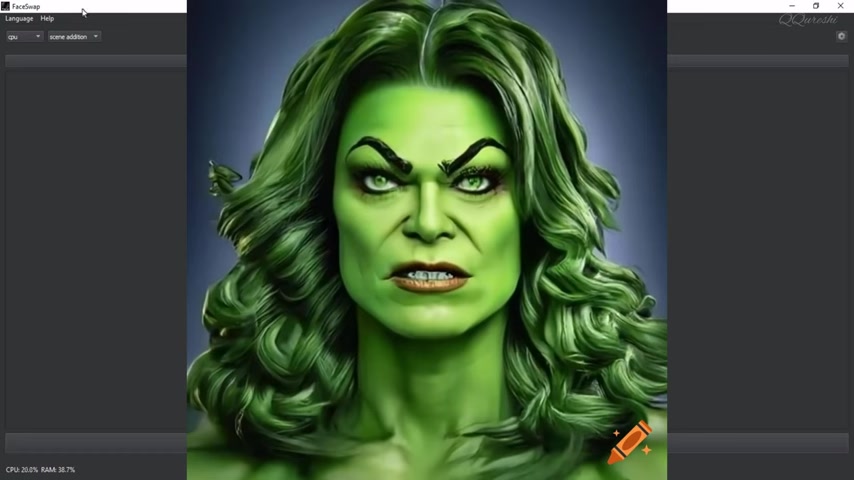
Face swapping can also be used to correct minor imperfections or inconsistencies in a series of photos. If a subject's expression is slightly off in one photo, a photographer can replace it with a more favorable expression from another shot. This level of detail can be crucial in high-stakes photography projects, such as advertising campaigns or professional portraits.
Furthermore, face swapping enables photographers to create composite images that would be impossible to capture in a single shot. For example, a photographer can combine multiple images of a group to ensure that everyone looks their best in the final photo. This technique is particularly useful in group portraits where capturing everyone's perfect expression simultaneously can be challenging.
Ethical Considerations and Potential Misuses of Face Swapping
The Dark Side of Face Swapping: Ethical Implications and Misuse
While face swapping offers numerous creative and professional opportunities, it also raises ethical concerns about its potential misuse. The technology can be used to create fake news, spread propaganda, or impersonate individuals without their consent. These deceptive practices can have serious consequences, including damaging reputations, influencing public opinion, and even inciting violence. The ease with which face swaps can be created and disseminated online makes it essential to address these ethical issues.
Creating fake news is one of the most alarming potential misuses of face swapping. By manipulating images and videos, individuals can create fabricated news stories that appear authentic. These fake news stories can spread rapidly on social media, misleading the public and undermining trust in legitimate news sources. Addressing this issue requires a multi-faceted approach, including media literacy education, fact-checking initiatives, and the development of technologies to detect and flag manipulated content.
Impersonation is another significant concern. Face swapping can be used to create convincing impersonations of individuals, potentially leading to identity theft, financial fraud, or reputational damage. The ability to seamlessly superimpose someone's face onto another person's body can be exploited for malicious purposes, making it crucial to develop robust safeguards to protect individuals from impersonation. This includes stricter regulations on the use of face swapping technologies and increased awareness of the potential risks involved.
Ultimately, responsible use of face swapping technologies requires a commitment to ethical principles and a recognition of the potential harm that misuse can cause. Developers, users, and policymakers must work together to ensure that these technologies are used in a way that respects individual rights and promotes the public good.
Step-by-Step Guide to Using FaceSwap Software
Installing and Setting Up FaceSwap
Before you can start using FaceSwap, you'll need to download and install the software on your computer. The software is designed primarily for NVIDIA graphic cards, but also supports CPU processing if you have an AMD graphics card or lack an NVIDIA card.
Here's a step-by-step guide to get you started:
- Download FaceSwap: Go to the official FaceSwap website or a trusted source to download the software installer. FaceSwap version 2.5.4 shown in the video has a size of more than 3 GB.
- Install the Software: Run the installer and follow the on-screen instructions to install FaceSwap on your computer. Make sure to choose a directory where you have sufficient storage space.
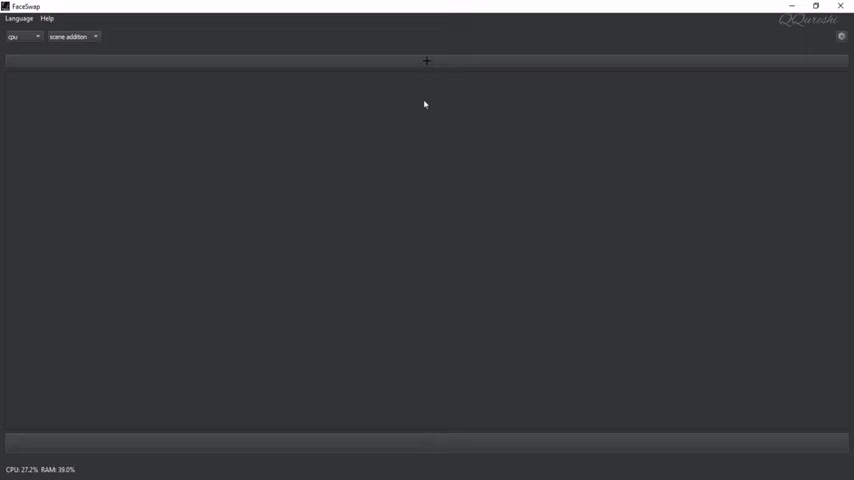
- Launch FaceSwap: Once the installation is complete, launch the FaceSwap software. The main interface should appear, ready for you to start swapping faces.
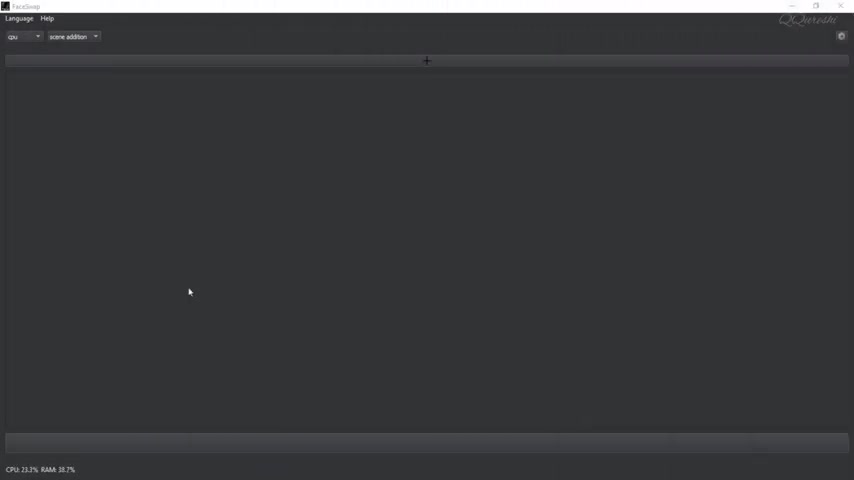
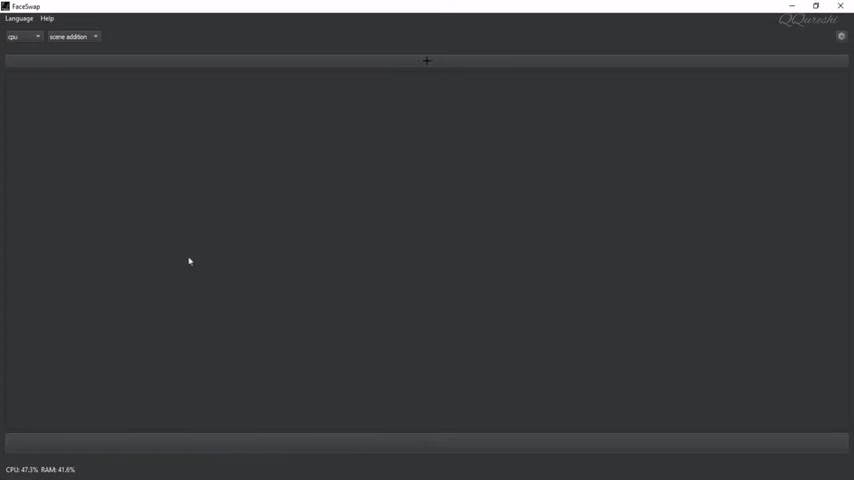
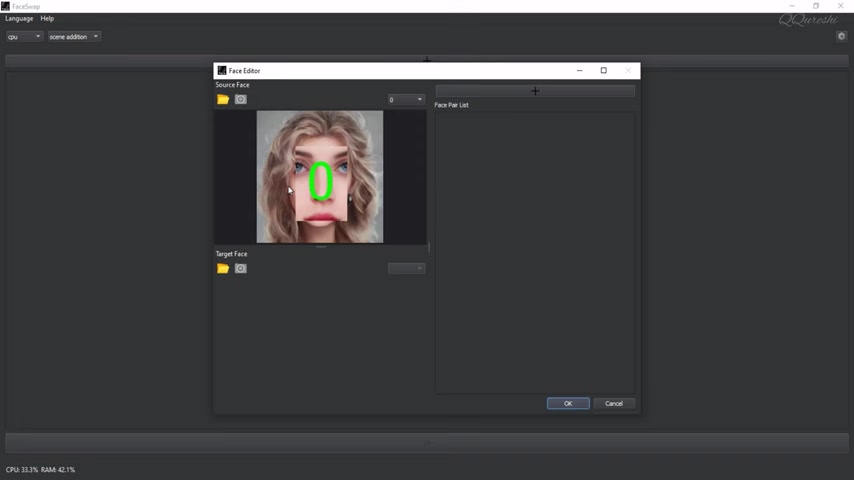
After installation, the software interface looks like this.
Adding Images to FaceSwap
Once you have FaceSwap up and running, you'll need to add the images you want to use for the face swap. Here's how to do it:
-
Click the Plus Icon: In the FaceSwap interface, click on the plus (+) icon to add images. This icon is typically located at the top of the screen.
-
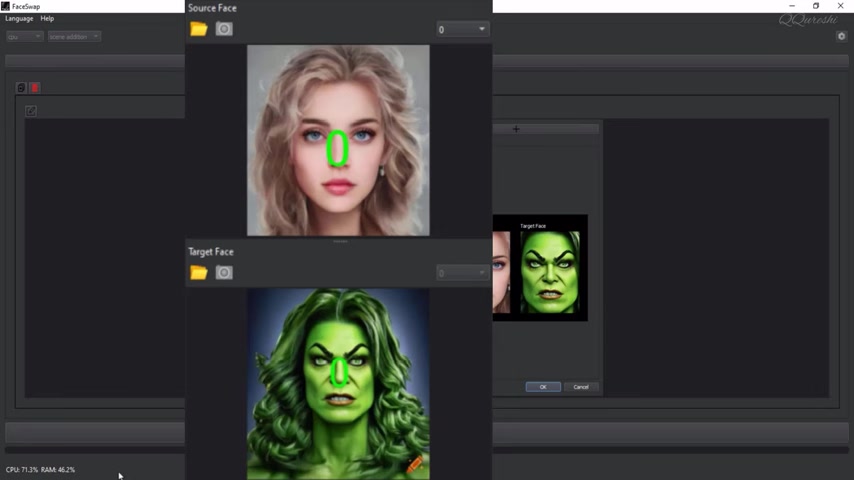
Select the Source Face: A file dialog will appear, allowing you to select the image containing the face you want to use as the source. Choose the image and click "Open."
-
Select the Target Face: Repeat the process to select the image containing the face you want to replace with the source face.
This is mainly for adding images. The green circle will tell you that it has detected the face. The face you want to add for your face swap needs to have the whole face in the picture, otherwise the program will give you errors.
Performing the Face Swap
With your images loaded, you can now perform the face swap. Follow these steps:
-
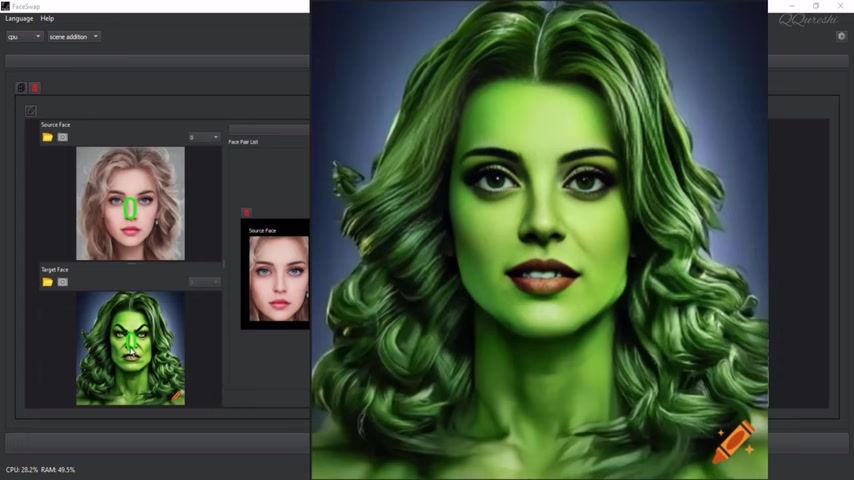
Add Face Pair: After loading the source and target faces, click the plus (+) icon on the right side of the Face Editor window to add the face pair. This tells FaceSwap which faces to swap.
-
Generate the Face Swap: After adding a face pair, click the arrow button below the picture to generate the new face swap. The software will process the images and create the face-swapped version.
-
Review the Results: Once the generation is complete, the face-swapped image will appear in the preview window. Review the results and make any necessary adjustments.
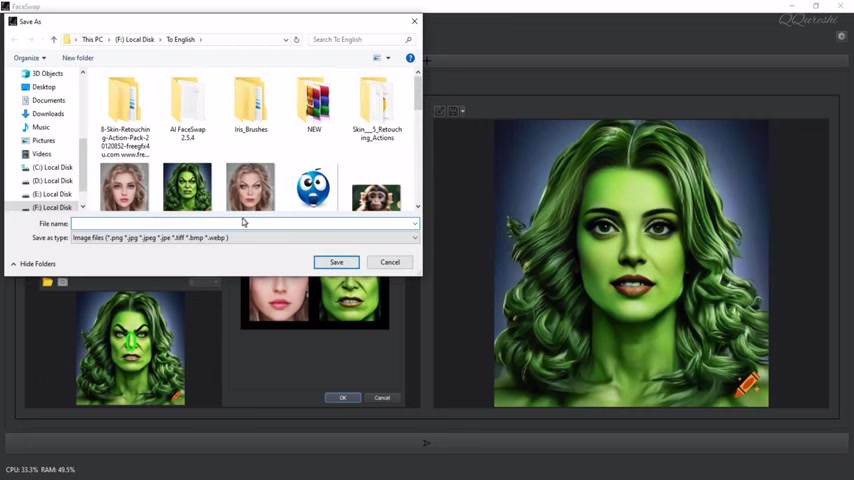
After the generating process, you can save the new image as either an image or a PDF. In FaceSwap, after saving the image, you can also delete it from the project.
FaceSwap Software Details
Software Version and Contact
The FaceSwap software has a version number of 2.5.4. Should you have any problems with the software you can reach out to tuguooba@outlook.com.
Software Size
The FaceSwap software has a size of more than 3 GB. Make sure to have enough room to install it before you start the process.
Key Features of FaceSwap Software
Source Face and Target Face
When you select the Source and Target Face the green circle will help you ensure that it has detected the face that will be swapped. The green circle confirms the location and selection of the face that is part of the face swap.
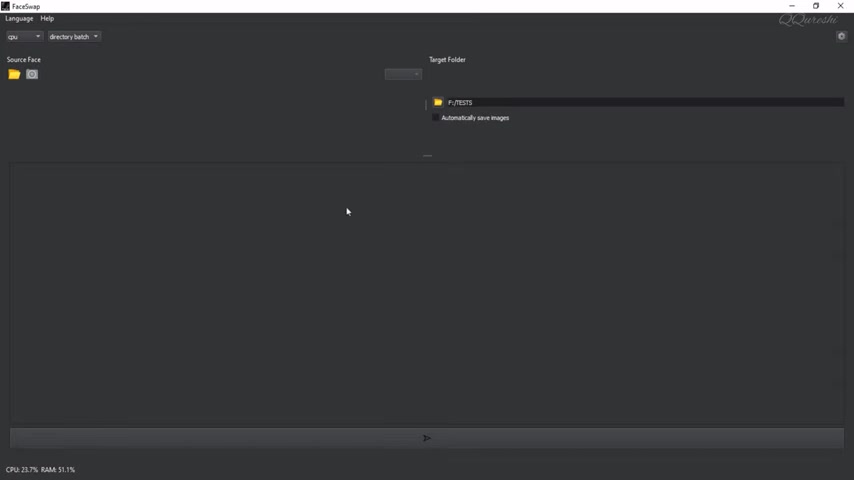
Directory Batch Processing
The directory batch processing option allows you to apply a single face swap to multiple photos at the same time. This is helpful in applying a common source face across a directory.
Format Options
Once the image has been converted, you can save the photo as an image or as a PDF. The choice will depend on your particular need and final application of the face swap.







Most people like

































Report
Please select a reason for reporting
- 13 Reasons to Switch from Snapchat to Text Messaging
- 7 Powerful Speech to Text Apps to Boost Productivity
- 10 Best Speech to Text Tools for Effortless Transcription
- 13 Free Tools to Easily Transcribe Audio to Text
- 15 Surprising Ways Google's Speech-to-Text Boosts Productivity
- 7 Best Free Online Audio to Text Transcription Tools
- 9 Tips to Transcribe Speech to Text Faster and Better
- 13 Best Speech to Text Software for Windows 10 in 2023
- 7 Tips for Choosing the Best Transcriber for Audio to Text
- 11 Reasons Why Dragon Speech-to-Text Apps are Game-Changers
- 6 Secrets to Enhance Your Speech to Text Transcription
- 6 Brilliant Ways to Boost Productivity with Talk-to-Text on Your MacBook
- 6 Ways Transcription Software Converts Audio to Text
- 8 Tips to Transcribe Speech to Text Like a Pro
- 6 Reasons IBM Watson Speech to Text is a Game-Changer
- 14 Powerful Ways Talk-to-Text Improves Your Workflow
- 12 Top Windows Speech-to-Text Software for Efficient Transcription
- 12 Game-Changing Benefits of Apple's Speech to Text Technology
- 9 Powerful Use Cases for AWS Speech to Text Technology
- 10 Easy Steps to Transcribe YouTube Videos to Text
- transcription audio en texte
- online audio transcription
- free audio file transcription
- free ai audio transcription
- audio transcription service
- audio transcription online free
- audio transcription free online
- audio to transcription software
- audio and transcript
- ai audio transcription free
- voice recording to text converter
- translate voice recording to text
- record voice to text
- audio recording to text converter
- voice recording and transcription
- chatgpt voice to text
- gmail voice to text
- speech to text reader
- speech to text ai free
- speech to talk
- How SEO and Marketing Dashboards Empower Agencies to Drive Results
- How to Use AI Tools to Find Internal Linking Opportunities Across a Business Website
- Discover Your Perfect Haircut with AI Hairstyle Apps
- Free Reputation Calculator Tools: How They're Adapting to Score AI Visibility, Not Just Rankings
- Design Professional Flyers for Free on Your Phone
- Best Free Flyer Maker Apps for Android: Design Like a Pro
- How to Know If Your Business Is Ready for an AI Customer Service Agent
- Revolutionizing Storytelling: From Novels to Screenplays with AI
- Create Engaging Animated Explainer Videos with a Free AI Tool
- Stop Multi-Subscribing: Benchmark Top AI Visual Models in One Canvas
- An Objective Look at Modern Web-Based Visual Modifications
- My Honest Experience with VideoAI: The Secret Weapon for Creators Who Need Character Voices
- 5 Data Problems That Stall AI Projects in Financial Compliance
- Master Storyboard Drawing: Expert Tips for Non-artists
- The Future of Smart Glasses: Explained & Assembling Guide
- DeepL Translator: The AI-Powered Translation Tool
- AI Video Upscaling: Top Tools Compared for Enhanced Quality
- Bridging the Gap: How One Indie Developer Solved the "Art Asset Nightmare" Using AI Style Transfer
- How I Direct Consistent AI Clips: A Hands-On Guide to Multi-Model Generation
- My Honest Review of VideoAI: The Ultimate Character Voice Generator I've Been Using Lately

Copyright ©2026 toolify