































Table of Contents
- Key Points
- Unlocking AI Potential: Introducing Free AI Chatbots
- The Power of Open Source LLMs: Customization and Control
- Step-by-Step Tutorial: Building Your Free AI Chatbot
- Cost Considerations: Understanding Free vs. Paid Tiers
- Weighing the Options: Pros and Cons of Free AI Chatbots with DeepSeek R1 and OpenRouter
- Harnessing the Core Features of DeepSeek R1 via API
- Real-World Use Cases: Where Can You Employ Your Free AI Chatbot?
- Frequently Asked Questions
- Related Questions


Unlocking AI Potential: Introducing Free AI Chatbots
What is an API and Why Does it Matter?
An API, or Application Programming Interface, acts as a bridge between different software applications, enabling them to communicate and share data. Understanding APIs is fundamental to leveraging the power of AI in your projects. APIs allow developers to access specific functionalities of a service without needing to delve into its complex inner workings.
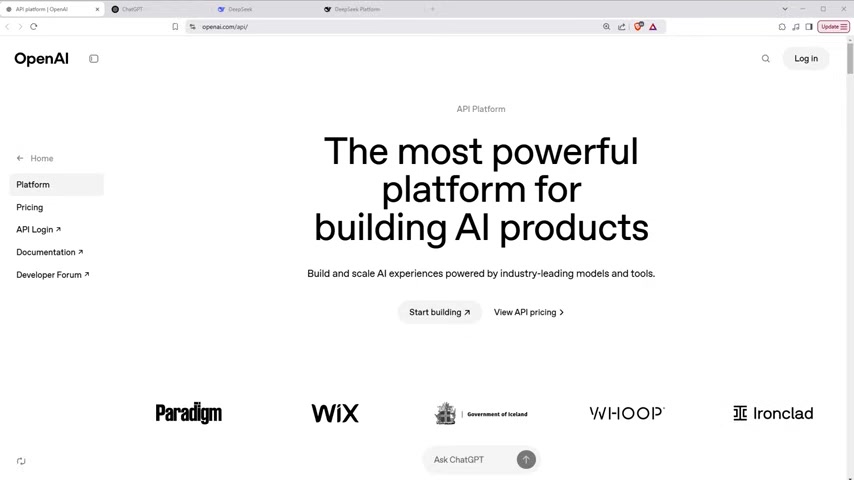
Instead of building AI models from scratch, you can use pre-trained models via APIs to power your applications.
OpenAI API: The Traditional (Paid) Route
The OpenAI API has been a popular choice for developers seeking to integrate AI. Services like ChatGPT offer impressive AI capabilities. However, these APIs typically come with subscription costs that are proportional to usage. As your application scales, so does your expenditure. For individual developers or those working on smaller projects, these costs might be prohibitive.
This can significantly restrict the accessibility of cutting-edge AI.
DeepSeek and OpenRouter: A New Paradigm for Free AI Access
DeepSeek and OpenRouter represent a Game-changer in AI accessibility. DeepSeek offers high-performing open-source LLMs, while OpenRouter acts as an interface allowing access to various LLMs, including DeepSeek R1, often with a free tier. This empowers developers to integrate AI features into their applications without the financial barriers associated with proprietary APIs.
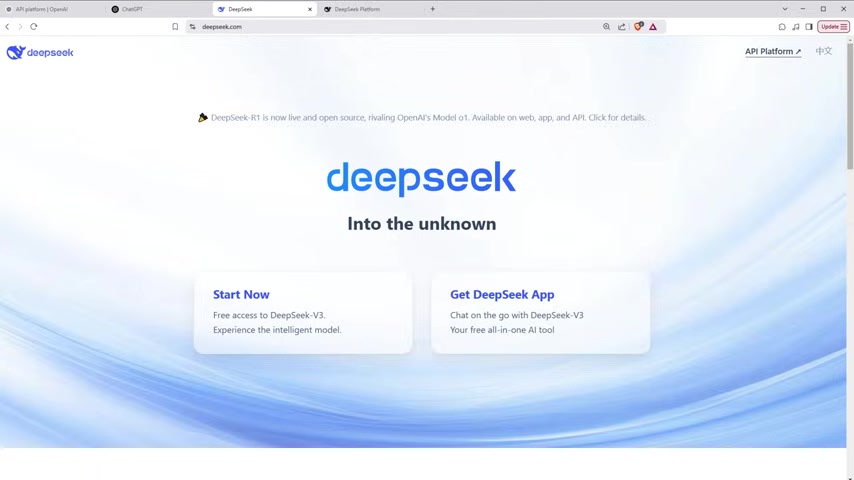
This means leveraging AI for WordPress plugins, React components, or any other software application is now within reach for anyone.
Step-by-Step Tutorial: Building Your Free AI Chatbot
Getting Started with OpenRouter
Begin by navigating to the OpenRouter website (openrouter.ai). This serves as your gateway to accessing the DeepSeek R1 API. You will need to sign up for a free account to obtain your API key.
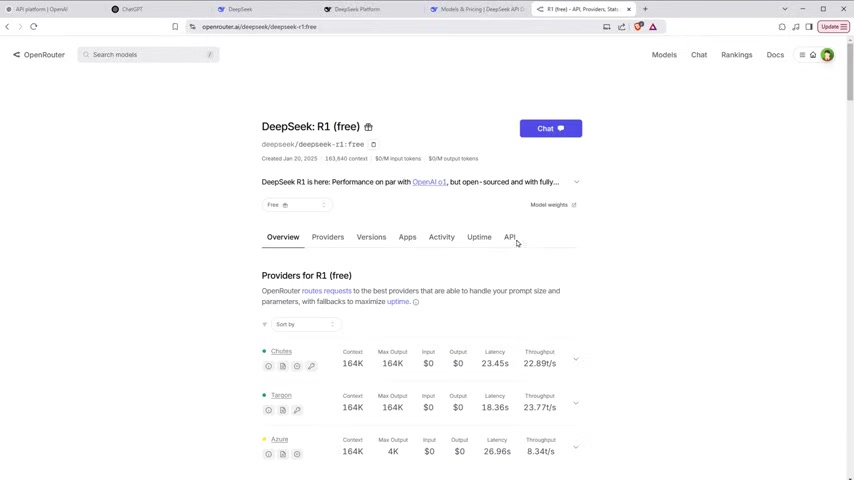
This provides access to multiple LLMs, including the free DeepSeek R1 option. Creating an account is straightforward, typically involving an email address and password.
Obtaining Your Free API Key
After registering, access your OpenRouter account dashboard and navigate to the API Keys section. Generate a new API key. Store this key securely, as it is essential for authenticating your requests to the API.
Be mindful of OpenRouter’s terms of service, as it is important to protect your API key.
Selecting the DeepSeek R1 Model
Within the OpenRouter interface, select the DeepSeek R1 (free) model. Make sure to choose the free tier to avoid incurring charges. Note that some models require whitelisting before usage, which may involve submitting a request to the OpenRouter team.
Look for options such as 'DeepSeek R1 Distill Lama 70B (free)'.
Implementing the Chatbot Code (HTML, CSS, & JavaScript)
Next, create an HTML file with the necessary structure. Include links to Bootstrap for styling and Marked.js for converting Markdown responses to HTML. Use CSS to style the chatbot interface and JavaScript for the core logic. Below is a basic HTML structure. You can link Bootstrap and Marked.js via CDNs.
<!DOCTYPE html>
<html lang="en">
<head>
    <meta charset="UTF-8">
    <meta name="viewport" content="width=device-width, initial-scale=1.0">
    <title>WSP ChatBot</title>
    <link rel="stylesheet" href="https://cdn.jsdelivr.net/npm/bootstrap@4.3.1/dist/css/bootstrap.min.css">
    <script src="https://cdn.jsdelivr.net/npm/marked/marked.min.js"></script>
    <style>
        /* CSS styles here */
    </style>
</head>
<body>
    <!-- HTML content here -->
    <script>
        /* JavaScript code here */
    </script>
</body>
</html>
Creating the HTML Structure
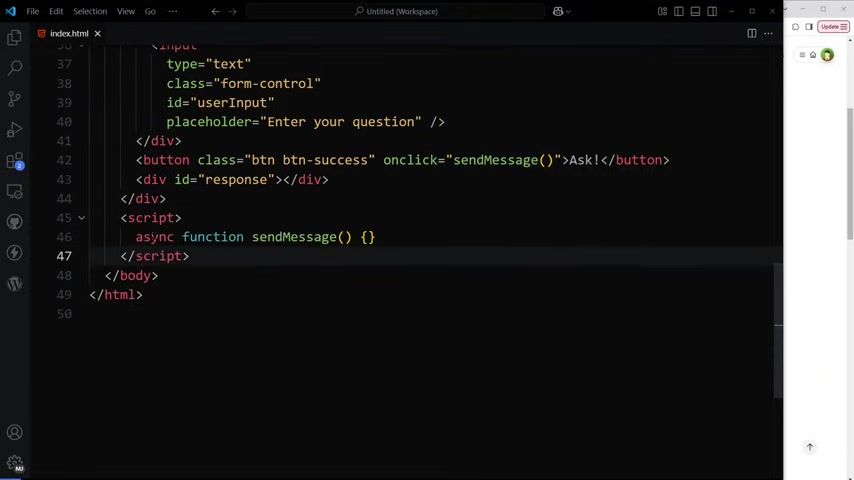
Within the HTML body, construct the elements of the chatbot. Use a container div for structure, an input field for user messages, and a button to send the message. Provide a div with the id 'response' to display the chatbot responses. This example utilizes Bootstrap classes for quick styling:
<div class="container">
    <h2>Free ChatBot</h2>
    <div class="form-group">
        <input type="text" class="form-control" id="userInput" placeholder="Enter your question">
    </div>
    <button class="btn btn-success" onclick="sendMessage()">Ask!</button>
    <div id="response"></div>
</div>
Adding CSS Styling
Enhance the visual appeal of the chatbot using CSS. Style the container, input field, button, and response area for optimal readability and user experience. Here's some example CSS:
<style>
    #response {
        margin-top: 20px;
        padding: 10px;
        min-height: 50px;
    }
    #response h3 {
        color: #333;
        font-size: 1.2em;
    }
    #response strong {
        color: #d9534f;
    }
    #response ul {
        padding-left: 20px;
    }
    #response li {
        margin-bottom: 5px;
    }
</style>
Implementing the JavaScript Logic
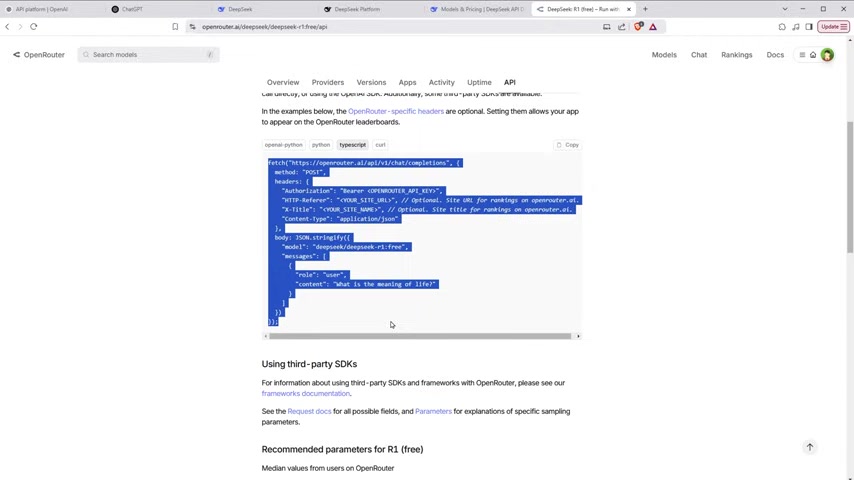
The core functionality resides in the JavaScript code. This function retrieves user input, sends it to the DeepSeek R1 API via OpenRouter, and displays the response in the designated HTML element. The following code snippet contains placeholders for the API key and the API endpoint from OpenRouter:
<script>
async function sendMessage() {
    const input = document.getElementById('userInput').value;
    const responseDiv = document.getElementById('response');

    if (!input) {
        responseDiv.innerHTML = 'Please enter a message.';
        return;
    }

    responseDiv.innerHTML = 'Loading...';

    try {
        const OPENROUTER_API_KEY = 'YOUR_OPENROUTER_API_KEY'; // Replace with your actual API key
        const API_URL = 'https://openrouter.ai/api/v1/chat/completions'; // OpenRouter API endpoint

        const response = await fetch(API_URL, {
            method: 'POST',
            headers: {
                'Authorization': `Bearer ${OPENROUTER_API_KEY}`,
                'Content-Type': 'application/json'
            },
            body: JSON.stringify({
                model: 'deepseek/deepseek-r1:free',  // DeepSeek R1 model
                messages: [{
                    role: 'user',
                    content: input
                }]
            })
        });

        const data = await response.json();
        const markdownText = data.choices?.[0]?.message?.content || 'No response received.';
        responseDiv.innerHTML = marked.parse(markdownText);

    } catch (error) {
        responseDiv.innerHTML = 'Error: ' + error.message;
    }
}
</script>
Important JavaScript Notes
Pay attention to these notes for the JavaScript code:
- Replace
YOUR_OPENROUTER_API_KEYwith the actual API key you obtained from OpenRouter. - The content parameter contains the user's input that is sent to the API.
- The
marked.parse()function converts the Markdown-formatted response from the API into HTML. - Error handling is implemented using a
try...catchblock.
Test and Refine
Open the HTML file in your browser to test the chatbot. Enter a message and click the 'Ask!' button. Verify that you receive a response from the DeepSeek R1 model. If you encounter errors, review the code, check your API key, and ensure that you have correctly selected the free DeepSeek R1 model in OpenRouter.
Troubleshooting Common Issues
Here are several issues developers encounter and the ways to resolve the issues:
- API Key Errors: Make sure the API key is accurate and set correctly in the code.
- No Response: Network connectivity or issues with the OpenRouter service can lead to "No Response" alerts.
- Rate Limits: The free tier might have usage restrictions. Track your API usage to avoid exceeding the limits. You might consider implementing delays or queues if you anticipate high usage.





Most people like


































Report
Please select a reason for reporting
- 13 Reasons to Switch from Snapchat to Text Messaging
- 7 Powerful Speech to Text Apps to Boost Productivity
- 10 Best Speech to Text Tools for Effortless Transcription
- 13 Free Tools to Easily Transcribe Audio to Text
- 15 Surprising Ways Google's Speech-to-Text Boosts Productivity
- 7 Best Free Online Audio to Text Transcription Tools
- 9 Tips to Transcribe Speech to Text Faster and Better
- 13 Best Speech to Text Software for Windows 10 in 2023
- 7 Tips for Choosing the Best Transcriber for Audio to Text
- 11 Reasons Why Dragon Speech-to-Text Apps are Game-Changers
- 6 Secrets to Enhance Your Speech to Text Transcription
- 6 Brilliant Ways to Boost Productivity with Talk-to-Text on Your MacBook
- 6 Ways Transcription Software Converts Audio to Text
- 8 Tips to Transcribe Speech to Text Like a Pro
- 6 Reasons IBM Watson Speech to Text is a Game-Changer
- 14 Powerful Ways Talk-to-Text Improves Your Workflow
- 12 Top Windows Speech-to-Text Software for Efficient Transcription
- 12 Game-Changing Benefits of Apple's Speech to Text Technology
- 9 Powerful Use Cases for AWS Speech to Text Technology
- 10 Easy Steps to Transcribe YouTube Videos to Text
- transcription audio en texte
- online audio transcription
- free audio file transcription
- free ai audio transcription
- audio transcription service
- audio transcription online free
- audio transcription free online
- audio to transcription software
- audio and transcript
- ai audio transcription free
- voice recording to text converter
- translate voice recording to text
- record voice to text
- audio recording to text converter
- voice recording and transcription
- chatgpt voice to text
- gmail voice to text
- speech to text reader
- speech to text ai free
- speech to talk
- Meshy AI: How to Create 3D Models from Text and Images
- How SEO and Marketing Dashboards Empower Agencies to Drive Results
- How to Use AI Tools to Find Internal Linking Opportunities Across a Business Website
- Discover Your Perfect Haircut with AI Hairstyle Apps
- Free Reputation Calculator Tools: How They're Adapting to Score AI Visibility, Not Just Rankings
- Design Professional Flyers for Free on Your Phone
- Best Free Flyer Maker Apps for Android: Design Like a Pro
- How to Know If Your Business Is Ready for an AI Customer Service Agent
- Revolutionizing Storytelling: From Novels to Screenplays with AI
- Create Engaging Animated Explainer Videos with a Free AI Tool
- Meshy AI: How to Create 3D Models from Text and Images
- ASOMobile Helps Teams Benchmark App Store Screenshots Against Competitors
- How to Match LMS Software With Your Organization's Training Plan
- Revolutionizing Email Marketing Agency with AI
- How to Convert BTC to HNT
- Unleashing the Power of AI: Cognizant's Roadmap for Transformation
- Frame to Video Review: A Practical Look at Turning Two Still Frames Into Motion
- NVIDIA NIM: Revolutionizing Supply Chain Data Analysis with AI
- Top AI Tools That Help Brands Stand Out Offline (Not Just Online)
- Top 5 Cold Email Software: Maximize Your Outreach in 2025

Copyright ©2026 toolify