































Table of Contents
- Key Points
- Choosing Your Game Development Engine or Framework
- Getting Started with Game Development
- Learn About the Pricing
- Learn What Coding Fundamentals Are With Brilliant
- Use Cases
- Frequently Asked Questions (FAQ)
- Related Questions


Choosing Your Game Development Engine or Framework
The Importance of Selecting the Right Game Engine for Beginners
The foundation of any successful game development project is the choice of engine or framework. This decision dictates the ease of use, the learning curve, and the types of games you can realistically create. For absolute beginners, the initial choice can be the difference between a fulfilling creative experience and frustrating roadblocks. A game engine is a software framework designed for the creation of video games. It typically includes a rendering engine (''renderer'') for 2D or 3D graphics, a physics engine or collision detection (and collision response), sound, scripting, animation, artificial intelligence, networking, streaming, memory management, threading, localization support, scene graph, and may include video support for cinematics. Game engines implement all these features.
Over years I have consistently been asked how to get started. Now, let's explore the best options tailored for those just starting out in the world of game development to empower anyone with the potential to get started.
Scratch MIT: A Perfect Starting Point for Absolute Beginners
If you're entirely new to coding, programming logic, or even art creation, Scratch MIT is an excellent place to begin.
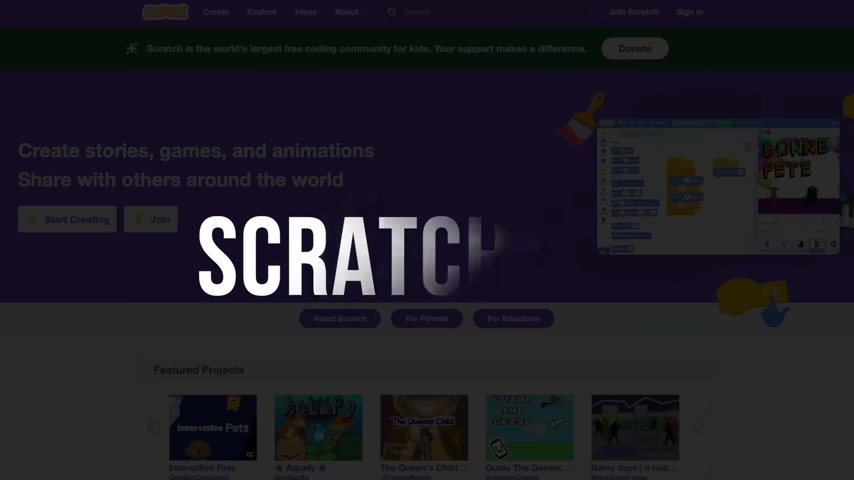
Its block-based visual interface allows you to build games without writing a single line of code. Scratch is a block-based visual programming language and online community where users can create and share interactive media such as games, stories, and animations with people from all over the world. Scratch is designed to be fun, educational, and easy to learn, especially for children.
Here's why Scratch MIT is ideal for rookies:
- Simple and Intuitive: Drag-and-drop blocks make understanding programming concepts easier.
- No Coding Knowledge Required: Focus on game design and logic, not syntax.
- Widely Accessible: Chances are you've already used it in school, reducing the initial learning curve.
However, keep in mind that Scratch's primary downside is the lack of export options, making it unsuitable for selling or distributing your games. It serves primarily as a learning tool to grasp game development fundamentals. Keywords: game development, scratch mit, beginner, coding
Stepping Up with Visual Scripting Engines: Construct 3 and GDevelop
For aspiring game developers with an artistic background or an aversion to traditional coding, visual scripting engines offer a compelling alternative. These engines utilize visual nodes or blocks to represent code, allowing you to create game logic without writing lines of text. Construct 3 and GDevelop are two prominent examples. The best thing about engines with visual scripting is that it allows you to make games without coding at all, making it great for beginners or people with burning passion that hate coding.
-
Construct 3: This polished and user-friendly engine boasts a wealth of quality-of-life features.

Its intuitive interface and browser-based accessibility make it a top choice for indie game development.
-
GDevelop: As a free and open-source alternative to Construct 3, GDevelop shares many similarities while offering a completely free-to-use experience. GDevelop is the fastest, easiest way to create games. It’s also free, open-source, and works on Windows, macOS, Linux and the web! No coding is required to get started with the help of its intuitive event-based system.
| Feature | Construct 3 | GDevelop |
|---|---|---|
| Pricing | Paid (Annual Subscription) | Free |
| Ease of Use | Polished, User-Friendly | User-Friendly |
| Features | Quality-of-Life Features, Browser-Based | Similar Features to Construct 3 |
| Export Options | Comprehensive | Comprehensive |
| Game examples | Small Saga, Mighty Goose, Creature Keeper | App meant to make games unique, easy way to make games |
Construct 3 costs money annually but is recommended because it is polished, easy to use, and has more features. GDevelop is a free option which doesn't have as many features as Construct 3.
Keywords: visual scripting, game engines, Construct 3, GDevelop, indie game development
GameMaker: A Bridge to Traditional Coding
GameMaker offers a unique blend of visual scripting and traditional coding, making it a valuable stepping stone for those aiming to learn code.
While enabling game creation through visual tools, GameMaker also encourages users to transition to its custom scripting language, GML (GameMaker Language). It is the first game engine I ever used, having a soft spot.
This hybrid approach allows beginners to gradually embrace coding concepts while still producing tangible results. GameMaker's strengths lie in 2D game development, offering a smooth pathway to becoming a proficient coder. Keywords: game maker, gml, 2d, transition, coding
Unreal Engine: 3D Powerhouse with a Learning Curve
Unreal Engine stands as a titan in the game development world, particularly renowned for its capabilities in creating hyper-realistic 3D games.
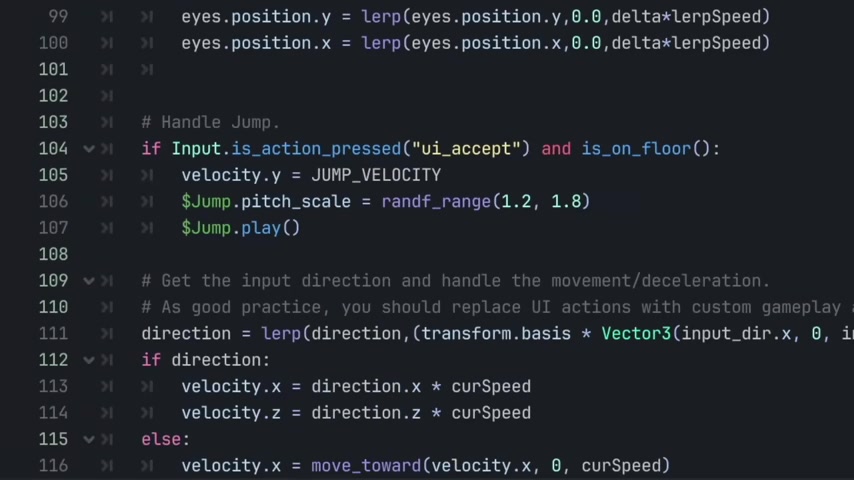
However, its complexity makes it less suitable for beginners. Unreal Engine is a free to use engine but be prepared to have lots of optimization in your game development process.
While visually stunning titles like Kingdom Hearts 3, Final Fantasy VII Remake and Fortnite stand as testaments to Unreal Engine's potential, it also requires a solid understanding of 3D principles and coding proficiency. I am always wary recommending this engine because lots of beginners don't optimize and the games come out chunky and unoptimized.
Keywords: unreal engine, 3d game development, realistic graphics, hyper-realistic, Fortnite
Frameworks: Deep Dive into the Coding World
For developers who enjoy coding and seek complete control over their projects, frameworks provide a barebones foundation upon which to build a game. Frameworks typically lack pre-built features and require extensive coding, but they offer unparalleled customization and a deeper understanding of the underlying game development processes. There are many engines to choose from, ranging from Pygame (Python) to Love2D(Lua).

If you use visual scripting or are a developer, continue reading to find out which game would be best for you.
Pygame: Python Simplicity for Game Development
Pygame, leveraging the simplicity of Python, offers an accessible entry point into framework-based game development. Its clear syntax and extensive documentation make it a fantastic choice for beginners eager to learn coding. Keywords: pygame, python, framework, coding basics
Love2D: Lua's Elegance for Game Creation
Love2D, built upon the Lua scripting language, presents another streamlined option for those seeking a coding-centric approach. Its focus on 2D game development and minimal dependencies make it easy to set up and start experimenting. It also has an elegant code which works great. Keywords: love2d, lua, 2d, framework, coding
raylib and SDL: Power and Control for C/C++ Enthusiasts
If you're comfortable with C or C++, raylib and SDL provide robust and low-level tools for game creation. These frameworks empower you to control every aspect of your game's performance, giving you a profound understanding of system interaction. These provide power and control for languages like C/C++. Keywords: raylib, sdl, c++, framework, coding, challenge
Getting Started with Game Development
Embrace Clone Projects: Recreating the Classics
The first step on this journey is to choose your game engine. Once chosen, use tutorials to recreate classic games such as pong, space invaders or flappy bird. Creating simple games helps you to master game development practices and learn faster.
To start, consider recreating simple games like Pong, Space Invaders, or Flappy Bird.
These projects teach fundamental programming logic, art asset integration, and project completion skills, providing a solid foundation for future endeavors. Start with simple games and then work your way up to something more sophisticated.
Learning Through Tutorials and Game Dev Communities
Learning is always better and easier to do with friends. Take help from online forums and communities to aid in your game development journey. A good way to do this is to watch you tube tutorials and use forms to read your games rules properly. As you work though tutorials, always go back and rewatch something that didn't make sense. As well as making your own dream projects, take inspiration from youtube and use code snippets to build your perfect game.
| Resource | Description |
|---|---|
| YouTube Tutorials | Step-by-step guidance for specific game engines and frameworks. |
| GameDev.net Forums | General game development discussions, Q&A, and community support. |
| Engine-Specific Forums | Dedicated communities for Construct 3, GDevelop, GameMaker, Unreal Engine, Godot, etc. |
| Stack Overflow | A vast Q&A platform for programming-related questions, including game development. |
Keywords: game development, communities, resources, tutorials, you tube tutorials








Most people like































Report
Please select a reason for reporting
- 13 Reasons to Switch from Snapchat to Text Messaging
- 7 Powerful Speech to Text Apps to Boost Productivity
- 10 Best Speech to Text Tools for Effortless Transcription
- 13 Free Tools to Easily Transcribe Audio to Text
- 15 Surprising Ways Google's Speech-to-Text Boosts Productivity
- 7 Best Free Online Audio to Text Transcription Tools
- 9 Tips to Transcribe Speech to Text Faster and Better
- 13 Best Speech to Text Software for Windows 10 in 2023
- 7 Tips for Choosing the Best Transcriber for Audio to Text
- 11 Reasons Why Dragon Speech-to-Text Apps are Game-Changers
- 6 Secrets to Enhance Your Speech to Text Transcription
- 6 Brilliant Ways to Boost Productivity with Talk-to-Text on Your MacBook
- 6 Ways Transcription Software Converts Audio to Text
- 8 Tips to Transcribe Speech to Text Like a Pro
- 6 Reasons IBM Watson Speech to Text is a Game-Changer
- 14 Powerful Ways Talk-to-Text Improves Your Workflow
- 12 Top Windows Speech-to-Text Software for Efficient Transcription
- 12 Game-Changing Benefits of Apple's Speech to Text Technology
- 9 Powerful Use Cases for AWS Speech to Text Technology
- 10 Easy Steps to Transcribe YouTube Videos to Text
- transcription audio en texte
- online audio transcription
- free audio file transcription
- free ai audio transcription
- audio transcription service
- audio transcription online free
- audio transcription free online
- audio to transcription software
- audio and transcript
- ai audio transcription free
- voice recording to text converter
- translate voice recording to text
- record voice to text
- audio recording to text converter
- voice recording and transcription
- chatgpt voice to text
- gmail voice to text
- speech to text reader
- speech to text ai free
- speech to talk
- How SEO and Marketing Dashboards Empower Agencies to Drive Results
- How to Use AI Tools to Find Internal Linking Opportunities Across a Business Website
- Discover Your Perfect Haircut with AI Hairstyle Apps
- Free Reputation Calculator Tools: How They're Adapting to Score AI Visibility, Not Just Rankings
- Design Professional Flyers for Free on Your Phone
- Best Free Flyer Maker Apps for Android: Design Like a Pro
- How to Know If Your Business Is Ready for an AI Customer Service Agent
- Revolutionizing Storytelling: From Novels to Screenplays with AI
- Create Engaging Animated Explainer Videos with a Free AI Tool
- Stop Multi-Subscribing: Benchmark Top AI Visual Models in One Canvas
- ASOMobile Helps Teams Benchmark App Store Screenshots Against Competitors
- How to Match LMS Software With Your Organization's Training Plan
- Revolutionizing Email Marketing Agency with AI
- How to Convert BTC to HNT
- Unleashing the Power of AI: Cognizant's Roadmap for Transformation
- Frame to Video Review: A Practical Look at Turning Two Still Frames Into Motion
- NVIDIA NIM: Revolutionizing Supply Chain Data Analysis with AI
- Top AI Tools That Help Brands Stand Out Offline (Not Just Online)
- Top 5 Cold Email Software: Maximize Your Outreach in 2025
- Magic School AI: Revolutionizing Quiz & Assessment Generation

Copyright ©2026 toolify