































Table of Contents
- Key Points
- Introduction to Chapter Studio
- Using the Checklist Generator
- Advanced Tips and Tricks for Chapter Studio
- Ghostwriter Express Pricing
- Advantages and Disadvantages of Using Chapter Studio
- Ghostwriter Express Core Features
- Diverse Applications of Ghostwriter Express
- Frequently Asked Questions
- Related Questions



Introduction to Chapter Studio
Crafting High-Quality Non-Fiction Chapters
Chapter Studio is your go-to tool for crafting compelling chapters for your book.
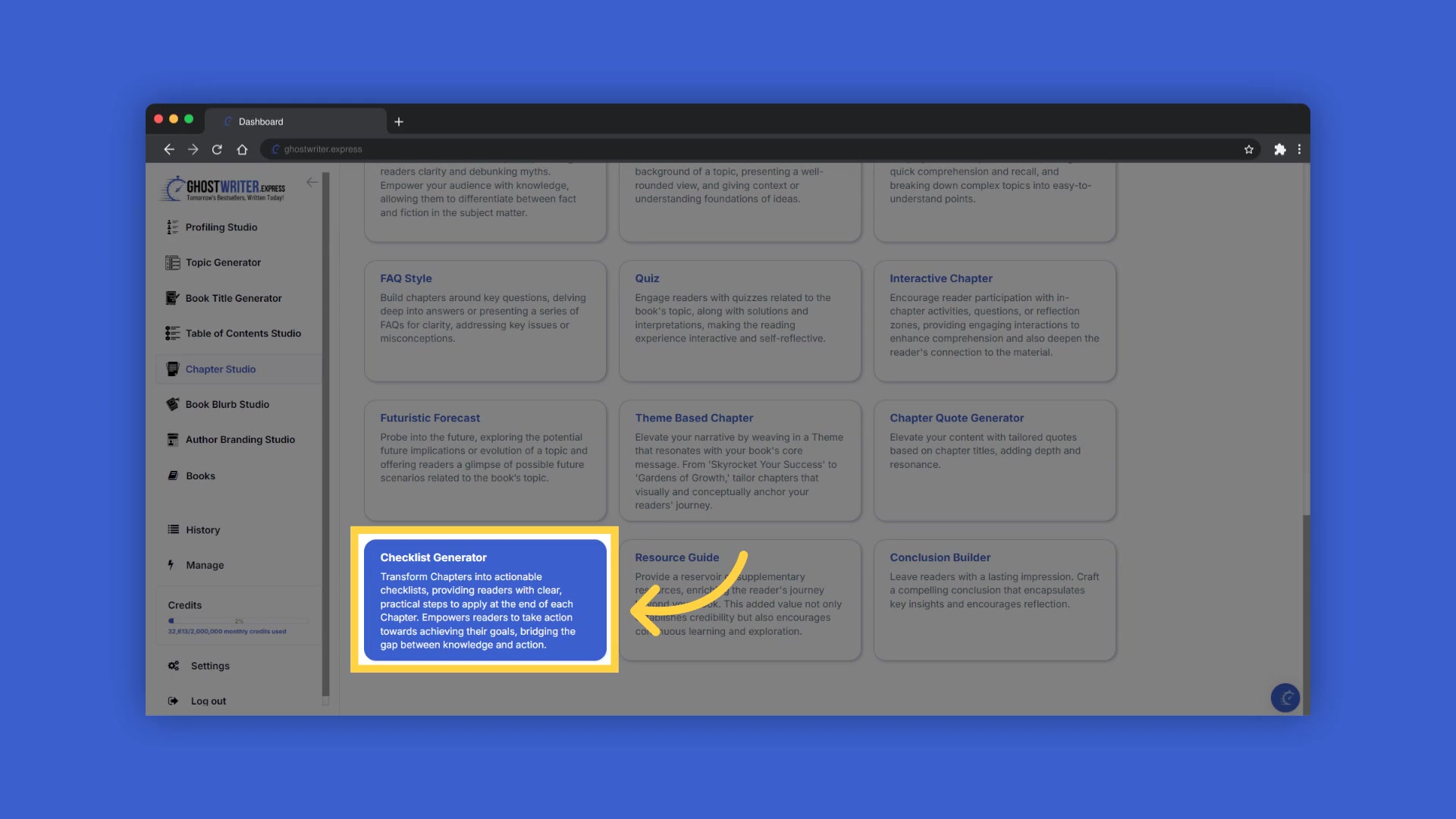
It's designed to help you create high-quality, non-fiction content that readers will love. The goal is to craft chapters that not only inform but also empower readers to take action and achieve their goals. Ghostwriter Express tools provide you with actionable checklists, supplementary resources, and engaging chapter endings. The Checklist Generator turns your chapters into actionable items, providing readers with clear, practical steps at the end of each chapter. It empowers them to take tangible actions toward achieving their objectives and bridges the gap between knowledge and implementation.
Accessing Chapter Studio
To begin, navigate to the Chapter Studio within Ghostwriter Express.
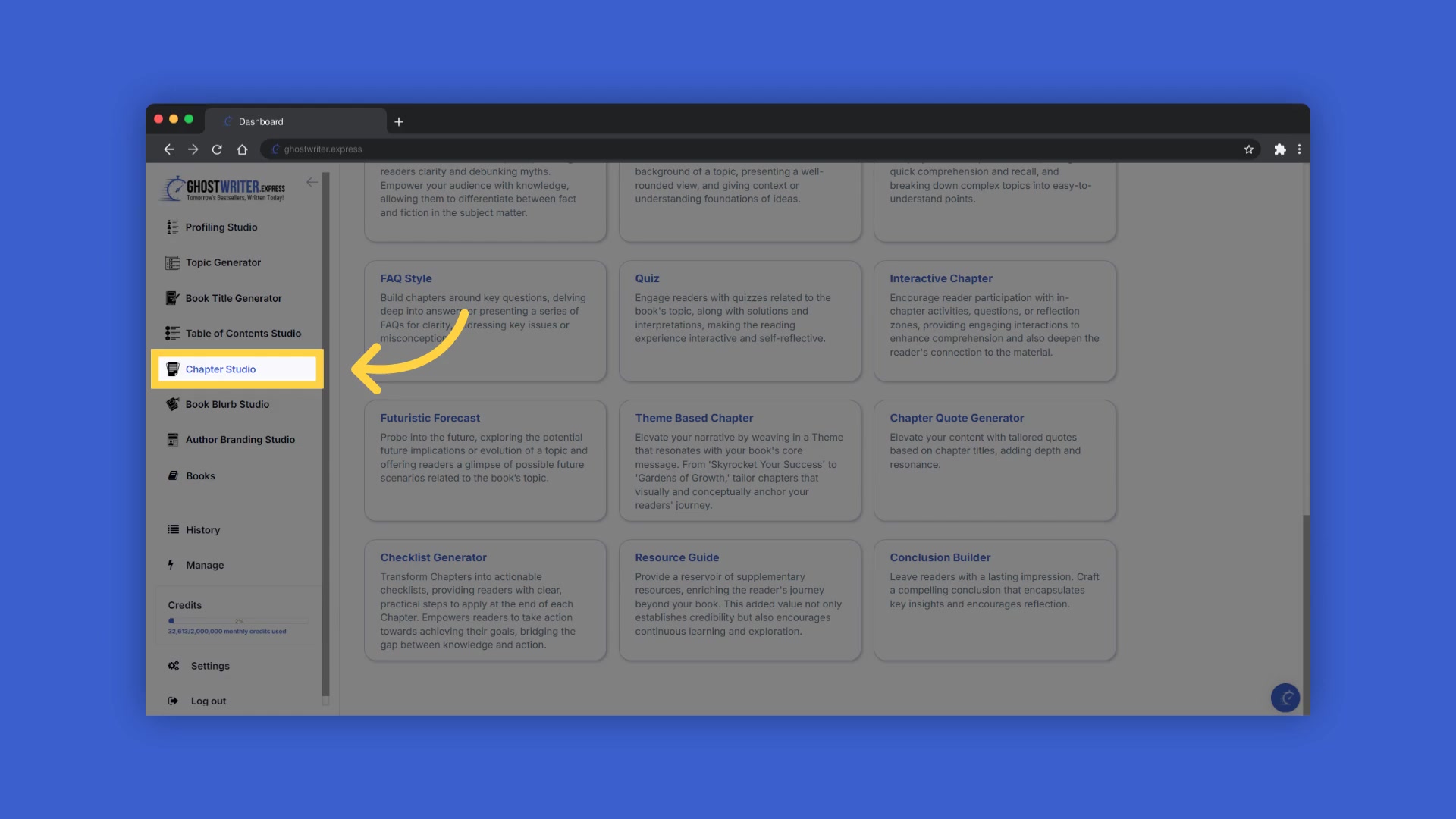
This section is your Ultimate AI tool for crafting compelling chapters. By leveraging its features, you can transform your ideas into structured, actionable content that keeps your readers engaged and motivated.
Using the Checklist Generator
Creating Actionable Checklists
The Checklist Generator is a standout feature within Chapter Studio.
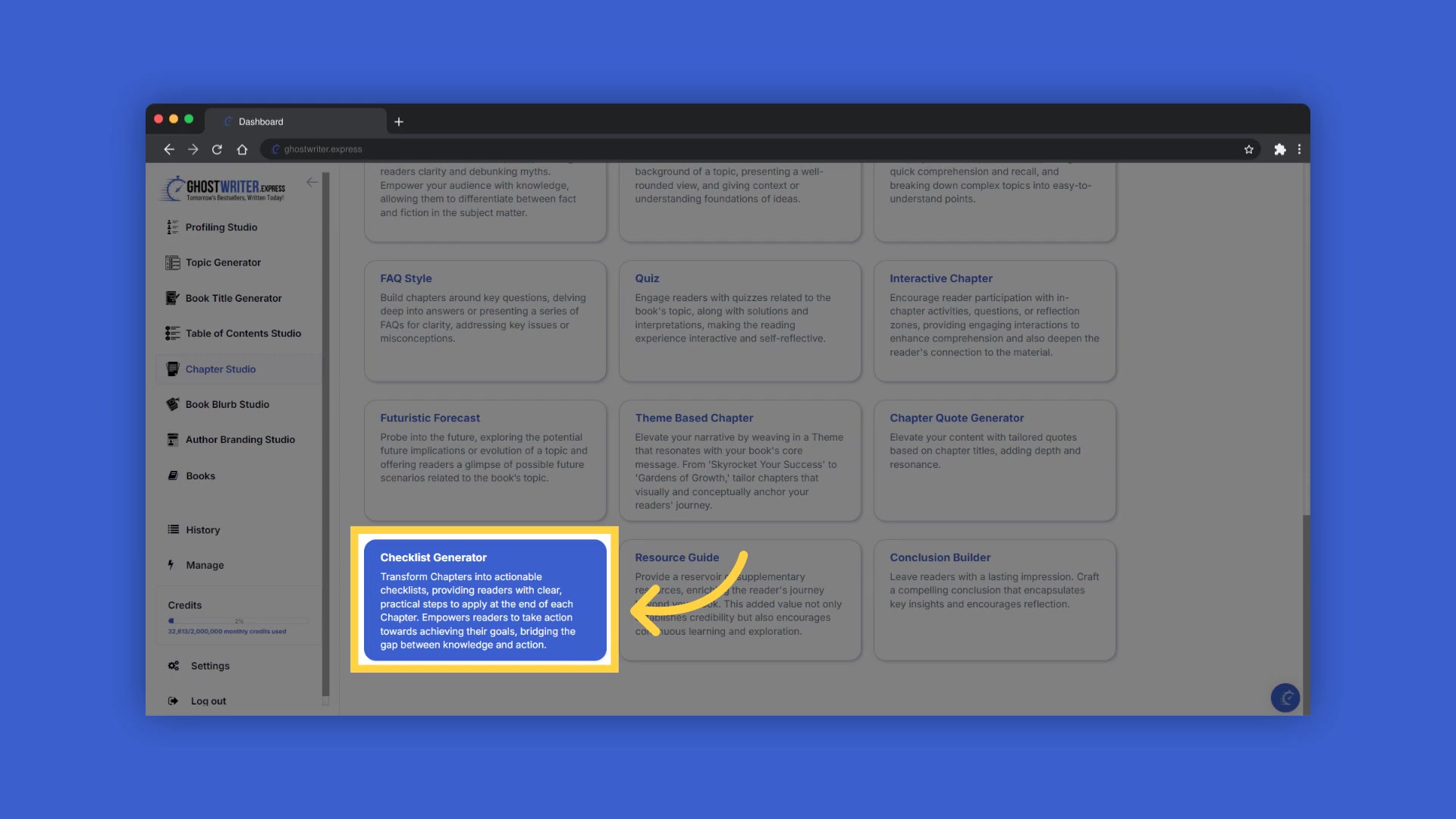
It transforms your chapters into actionable checklists, providing readers with clear, practical steps they can apply at the end of each chapter. This functionality empowers readers to take concrete actions towards achieving their goals, effectively bridging the gap between knowledge and implementation. Every checklist is designed to reinforce the chapter’s key points, ensuring readers can easily follow through and make progress. This approach enhances the practical value of your book, making it an indispensable guide for your audience.
Step-by-Step Guide
Here’s a step-by-step guide on how to make the most of the Checklist Generator within Chapter Studio:
- Create Your Book: Begin by creating your book within the Ghostwriter Express platform.
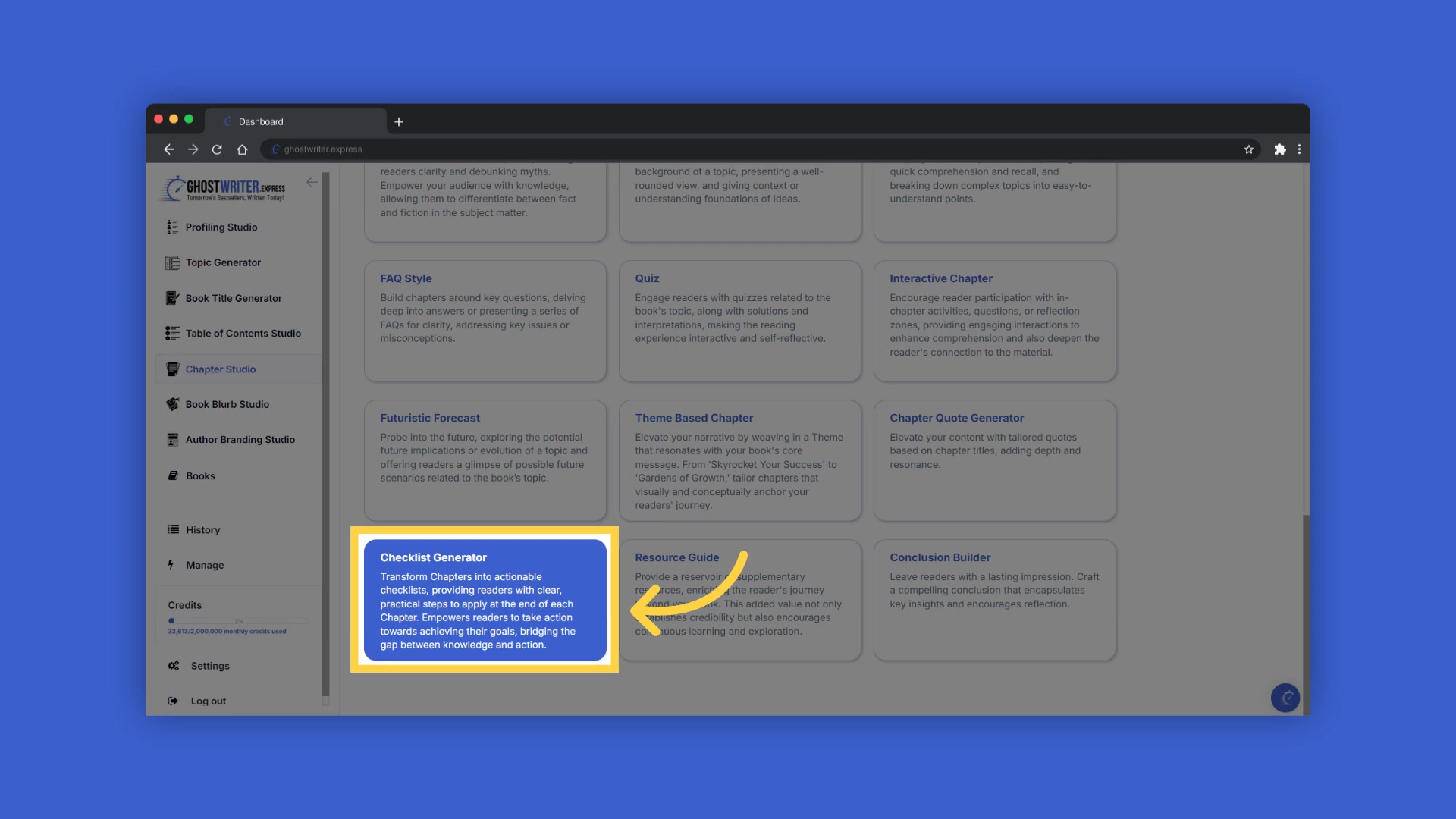
Once created, your table of contents will display on the right side of the interface. This allows you to craft and add content to your chapters and subchapters efficiently.
- Start a New Book: If you haven’t started your book yet, click the “Create New” button in the book builder. Then, click “Generate” to be taken to the Book Title Generator, where you can craft and add titles. After adding your titles, follow the steps in the book builder to create and add the table of contents.
- Select an Existing Book: Alternatively, if you have already created a book and generated the table of contents, you can select your book from the dropdown menu to continue crafting your chapters. This streamlined approach saves time and keeps your workflow efficient.
- Choose a Template: Click on the template name to open the dropdown menu. Here, you can select and change between various templates within the Chapter Studio. This flexibility allows you to tailor the content to suit your specific needs.
- Utilize Tooltips: To craft the perfect content, select the blue tooltip beside each field name. This will provide an explanation and examples of the information you need to enter in that field, making the process intuitive and straightforward.
- Review Input History: After adding information to a field, a folder icon will appear on the right, containing the history of the last 10 entries in that field. Click on the history folder to easily reselect previously entered information.
- Generate Content: Enter the required information to generate content. You can highlight and copy the chapter and subchapter titles from the table of contents on the right to paste them into the corresponding fields on the left.
- Copy Generated Content:
Click “Copy” to duplicate the generated content. You can then paste it into a document on your device. This option is particularly useful if you reach your monthly book export limit, allowing you to continue generating content and manually add updates to an already exported book.
- Access History: Select the “History” button to view and reuse any of the past content you’ve created with the template. This feature ensures that you can easily revisit and repurpose your best ideas.
- Add Content to Chapter: Highlight the chapter or subchapter title by clicking on it. Ensure that the title is highlighted in the table of contents on the right. Then, click “Add to Chapter” to add the generated content. Allow a few seconds without clicking away for the content to transfer.
- Editing Chapters: Click into the chapter editor on the far right to edit your content, or open the book editor for full-screen editing mode.


Most people like




































Report
Please select a reason for reporting
- 13 Reasons to Switch from Snapchat to Text Messaging
- 7 Powerful Speech to Text Apps to Boost Productivity
- 10 Best Speech to Text Tools for Effortless Transcription
- 13 Free Tools to Easily Transcribe Audio to Text
- 15 Surprising Ways Google's Speech-to-Text Boosts Productivity
- 7 Best Free Online Audio to Text Transcription Tools
- 9 Tips to Transcribe Speech to Text Faster and Better
- 13 Best Speech to Text Software for Windows 10 in 2023
- 7 Tips for Choosing the Best Transcriber for Audio to Text
- 11 Reasons Why Dragon Speech-to-Text Apps are Game-Changers
- 6 Secrets to Enhance Your Speech to Text Transcription
- 6 Brilliant Ways to Boost Productivity with Talk-to-Text on Your MacBook
- 6 Ways Transcription Software Converts Audio to Text
- 8 Tips to Transcribe Speech to Text Like a Pro
- 6 Reasons IBM Watson Speech to Text is a Game-Changer
- 14 Powerful Ways Talk-to-Text Improves Your Workflow
- 12 Top Windows Speech-to-Text Software for Efficient Transcription
- 12 Game-Changing Benefits of Apple's Speech to Text Technology
- 9 Powerful Use Cases for AWS Speech to Text Technology
- 10 Easy Steps to Transcribe YouTube Videos to Text
- transcription audio en texte
- online audio transcription
- free audio file transcription
- free ai audio transcription
- audio transcription service
- audio transcription online free
- audio transcription free online
- audio to transcription software
- audio and transcript
- ai audio transcription free
- voice recording to text converter
- translate voice recording to text
- record voice to text
- audio recording to text converter
- voice recording and transcription
- chatgpt voice to text
- gmail voice to text
- speech to text reader
- speech to text ai free
- speech to talk
- ChatGPT Knows Ford. It Just Doesn't Quote Ford
- Meshy AI: How to Create 3D Models from Text and Images
- How SEO and Marketing Dashboards Empower Agencies to Drive Results
- How to Use AI Tools to Find Internal Linking Opportunities Across a Business Website
- Discover Your Perfect Haircut with AI Hairstyle Apps
- Free Reputation Calculator Tools: How They're Adapting to Score AI Visibility, Not Just Rankings
- Design Professional Flyers for Free on Your Phone
- Best Free Flyer Maker Apps for Android: Design Like a Pro
- How to Know If Your Business Is Ready for an AI Customer Service Agent
- Revolutionizing Storytelling: From Novels to Screenplays with AI
- ChatGPT Knows Ford. It Just Doesn't Quote Ford
- Automate Lead Generation: A Comprehensive Guide with AI Agents
- Revideo.io: The Future of Reverse Video Search Technology
- Revolutionizing Email Marketing Agency with AI
- Breaking the Character Drift Dilemma: A Practical Test of Smart Shot
- Meshy AI: How to Create 3D Models from Text and Images
- ASOMobile Helps Teams Benchmark App Store Screenshots Against Competitors
- How to Match LMS Software With Your Organization's Training Plan
- How to Convert BTC to HNT
- Unleashing the Power of AI: Cognizant's Roadmap for Transformation

Copyright ©2026 toolify