































Table of Contents
- Key Points
- Google Bard AI: Revolutionizing Code
- Vertex AI: The Engine Powering Modern Machine Learning
- How to Use Google Bard for Coding
- Pricing Models
- Evaluating Google Bard and Teradata's Partnership
- Core Features of Google Bard AI and Teradata's Integration
- Use Cases of Google Bard AI and Teradata’s Vertex AI
- FAQ
- Related Questions


Vertex AI: The Engine Powering Modern Machine Learning
Teradata and Google Cloud: A Powerful Partnership
Teradata and Google Cloud have formed a strategic partnership aimed at bringing Teradata's robust data analytics capabilities to Google Cloud's infrastructure.
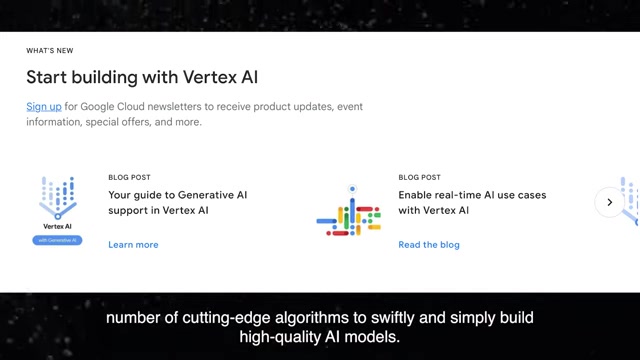
This alliance is set to benefit businesses that are looking to leverage data science and machine learning at scale.
A key component of this partnership is the integration of Teradata VantageCloud with Google Cloud's Vertex AI platform. Vertex AI offers managed tools and services that enable data scientists to build, deploy, and scale machine learning models more quickly. This partnership aims to simplify the adoption of advanced analytics and AI for businesses of all sizes.
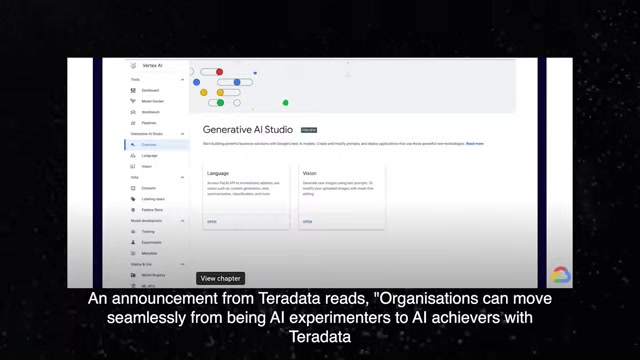
With Google Cloud’s Vertex AI platform, Teradata VantageCloud, and ClearScape Analytics are more widely accessible. An announcement from Teradata emphasizes that organizations can seamlessly transition from being AI experimenters to AI achievers.
Vertex AI: A Comprehensive Machine Learning Platform
Vertex AI is Google Cloud's unified machine learning platform, designed to streamline the entire ML lifecycle. It provides data scientists and machine learning engineers with a suite of tools to:
- Access and prepare data
- Train ML models
- Deploy models
- Manage and monitor models in production
Key features of Vertex AI include:
- Generative AI Studio: Build solutions with Google's latest AI models.
- Model Garden: Build and deploy ML models.
- ML Platform: Data science toolkit.
- End-to-End MLOps: Integration with Google infrastructure.
With Google Cloud’s comprehensive machine learning platform, Teradata VantageCloud and ClearScape Analytics plus Vertex AI will reach enterprise level AI. "Vertex Pipelines" lets companies move faster from ML prototypes to production models. Vertex AI is revolutionizing machine learning. Teradata claims that Vertex AI gives users the power to use a number of cutting-edge algorithms to easily build high-quality AI models.
How to Use Google Bard for Coding
Debugging Code with Bard
- Identify the Problematic Code: Paste the code that requires debugging into the Bard interface.
- Ask for Assistance: Formulate a specific request like, "Find the errors in this Python code." or “Debug this code."
- Review Bard's Suggestions: Carefully examine Bard's suggestions for error correction.
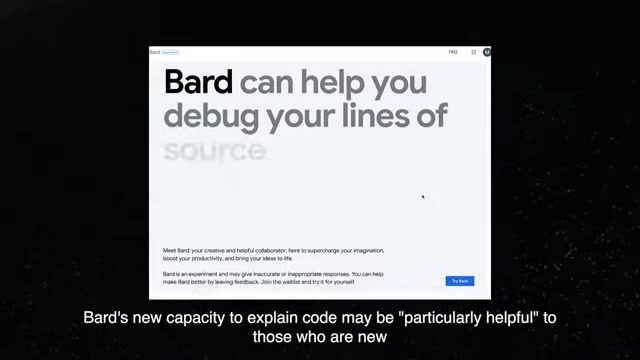
Remember, verify its outputs.
- Implement Changes: Apply the suggested changes and test the code to confirm the errors are resolved.
Explaining Code Functionality
- Paste the Code: Copy and paste the code that you want to understand into Bard.
- Request an Explanation: Ask Bard to explain what the code does step-by-step. For instance, "Explain what this JavaScript function does."
- Analyze the Explanation: Review the explanation to ensure you understand the logic and operations of the code.
Data Preparation
- Connect to Your Data: Connect to various data sets from various settings using VantageCloud on Google Cloud to mix disparate data sets.
- Transform Data: Transform data into reusable analytic datasets using ClearScape Analytics.
- Implement Changes: Leverage vertex AI to develop and train ML models.
Core Features of Google Bard AI and Teradata's Integration
Google Bard AI Features
Google Bard AI offers a range of features aimed at assisting coders and developers:
-
Code Generation: Bard can help you write code snippets.
-
Code Explanation: Bard can explain the functionality of existing code, which is very important for people who have little to no experience in coding.
-
Debugging Assistance: Bard is capable of identifying the problems with codes, and helping to correct the source codes, however this process may need review before finalizing.
-
Multi-Language Support: Bard supports numerous coding languages such as Python, JavaScript, and C++.
-
Spreadsheet Formula Generation: A tool where users may input a number of cutting-edge algorithms to easily build high-quality AI models.
Teradata VantageCloud Features
Teradata VantageCloud, paired with Google Cloud's Vertex AI, provides a range of features designed to revolutionize data processes and machine learning.
- Scalability: VantageCloud and Google Cloud offer organizations scalability to manage large volumes of data and complex machine learning workloads.
- Integration: Teradata VantageCloud can be integrated with other Google Cloud services.
- Data Science Tools: Machine Learning toolkit.
- ClearScape features MLOP capabilities: ClearScape features MLOP capabilities to help data scientists automate the ML lifecycle, which includes capturing, training, deploying, and monitoring ML models.








Most people like


































Report
Please select a reason for reporting
- 13 Reasons to Switch from Snapchat to Text Messaging
- 7 Powerful Speech to Text Apps to Boost Productivity
- 10 Best Speech to Text Tools for Effortless Transcription
- 13 Free Tools to Easily Transcribe Audio to Text
- 15 Surprising Ways Google's Speech-to-Text Boosts Productivity
- 7 Best Free Online Audio to Text Transcription Tools
- 9 Tips to Transcribe Speech to Text Faster and Better
- 13 Best Speech to Text Software for Windows 10 in 2023
- 7 Tips for Choosing the Best Transcriber for Audio to Text
- 11 Reasons Why Dragon Speech-to-Text Apps are Game-Changers
- 6 Secrets to Enhance Your Speech to Text Transcription
- 6 Brilliant Ways to Boost Productivity with Talk-to-Text on Your MacBook
- 6 Ways Transcription Software Converts Audio to Text
- 8 Tips to Transcribe Speech to Text Like a Pro
- 6 Reasons IBM Watson Speech to Text is a Game-Changer
- 14 Powerful Ways Talk-to-Text Improves Your Workflow
- 12 Top Windows Speech-to-Text Software for Efficient Transcription
- 12 Game-Changing Benefits of Apple's Speech to Text Technology
- 9 Powerful Use Cases for AWS Speech to Text Technology
- 10 Easy Steps to Transcribe YouTube Videos to Text
- transcription audio en texte
- online audio transcription
- free audio file transcription
- free ai audio transcription
- audio transcription service
- audio transcription online free
- audio transcription free online
- audio to transcription software
- audio and transcript
- ai audio transcription free
- voice recording to text converter
- translate voice recording to text
- record voice to text
- audio recording to text converter
- voice recording and transcription
- chatgpt voice to text
- gmail voice to text
- speech to text reader
- speech to text ai free
- speech to talk
- How SEO and Marketing Dashboards Empower Agencies to Drive Results
- How to Use AI Tools to Find Internal Linking Opportunities Across a Business Website
- Discover Your Perfect Haircut with AI Hairstyle Apps
- Free Reputation Calculator Tools: How They're Adapting to Score AI Visibility, Not Just Rankings
- Design Professional Flyers for Free on Your Phone
- Best Free Flyer Maker Apps for Android: Design Like a Pro
- How to Know If Your Business Is Ready for an AI Customer Service Agent
- Revolutionizing Storytelling: From Novels to Screenplays with AI
- Create Engaging Animated Explainer Videos with a Free AI Tool
- Stop Multi-Subscribing: Benchmark Top AI Visual Models in One Canvas
- 5 Data Problems That Stall AI Projects in Financial Compliance
- Master Storyboard Drawing: Expert Tips for Non-artists
- The Future of Smart Glasses: Explained & Assembling Guide
- DeepL Translator: The AI-Powered Translation Tool
- AI Video Upscaling: Top Tools Compared for Enhanced Quality
- Bridging the Gap: How One Indie Developer Solved the "Art Asset Nightmare" Using AI Style Transfer
- How I Direct Consistent AI Clips: A Hands-On Guide to Multi-Model Generation
- My Honest Review of VideoAI: The Ultimate Character Voice Generator I've Been Using Lately
- Why do so many AI tools underdeliver for online stores?
- My Brand New Logo: AI-Powered Logo Design for Startups

Copyright ©2026 toolify