































Table of Contents
- Key Points
- Introduction to Jina AI Reader API
- How to Use the Jina AI Reader API
- Jina AI Reader API Pricing
- Key Features of Jina AI Reader API
- Practical Use Cases for Jina AI Reader API


Introduction to Jina AI Reader API
What is Jina AI Reader API?
The Jina AI Reader API is designed to help you extract clean, structured web content and make it compatible with Large Language Models (LLMs). It simplifies the process of turning raw HTML into a format that LLMs can easily understand and process. This eliminates much of the manual effort traditionally required for Web Scraping and data cleaning.
Traditional web scraping can be complex, often blocked, and results in raw HTML cluttered with extraneous elements like markups and scripts. The Jina AI Reader API addresses these issues by extracting core content from a URL and converting it into clean, LLM-friendly text. This ensures high-quality input for your agent and Retrieval Augmented Generation (RAG) systems.
Key benefits of using the Jina AI Reader API include:
- Clean and structured content: Extracts the main content while removing irrelevant elements.
- Reduced token count: Minimizes unwanted tokens, optimizing LLM processing.
- LLM compatibility: Ensures that the extracted data is easily digestible by LLMs.
- Ease of use: Simplifies the extraction process with a straightforward API.
By using Jina AI Reader API, you can significantly reduce the time and effort spent on data preparation, allowing you to focus on building and improving your LLM-powered applications.
How Jina AI Reader API Streamlines Web Content Extraction
The Jina AI Reader API streamlines web content extraction in several key ways:
- Automated Content Extraction: The API automatically identifies and extracts the main content from a given URL.
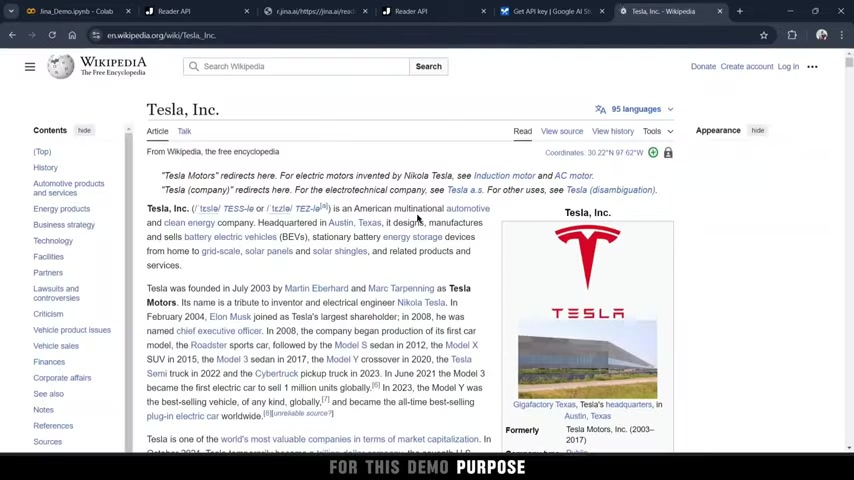
This eliminates the need for manual parsing of HTML code.
- Data Cleaning and Formatting: It removes irrelevant elements such as ads, navigation menus, and scripts, providing a clean and structured output.
- LLM-Friendly Format: The extracted content is formatted to be easily processed by LLMs, reducing the need for additional data preprocessing.
- Simplified Integration: The API can be easily integrated into existing workflows, making it a convenient solution for developers.
This streamlined approach not only saves time but also improves the quality of data used for LLMs, leading to better performance and more accurate results.
For example, instead of spending hours writing custom scraping scripts and cleaning the data, you can use the Jina AI Reader API to achieve the same results in a fraction of the time. This allows you to focus on higher-level tasks, such as developing and fine-tuning your LLM applications.
How to Use the Jina AI Reader API
Setting Up the Environment and Installing Necessary Requirements
Before you can start using the Jina AI Reader API, you need to set up your environment and install the necessary requirements. This involves installing the requests library, which is used to make HTTP requests to the API.
Step-by-step guide:
-
Install the
requestslibrary:Open your terminal or command Prompt and run the following command:
pip install requestsThis command installs the
requestslibrary from the Python Package Index (PyPI).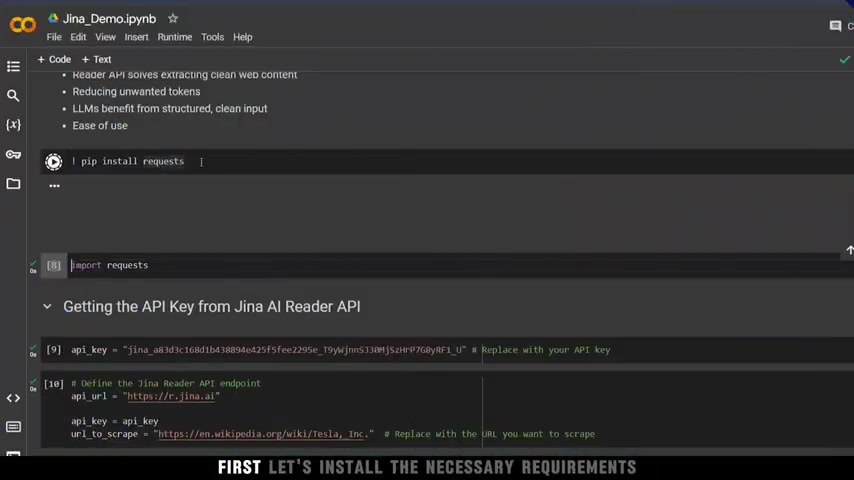
-
Import the
requestslibrary in your Python script:import requestsThis line imports the
requestslibrary into your Python script, allowing you to use its functions.
With these steps completed, you are now ready to start using the Jina AI Reader API in your Python scripts.
Obtaining and Using the Jina AI API Key
To access the Jina AI Reader API, you need an API key. Here’s how to obtain and use it:
Step-by-step guide:
-
Visit the Jina AI Website:
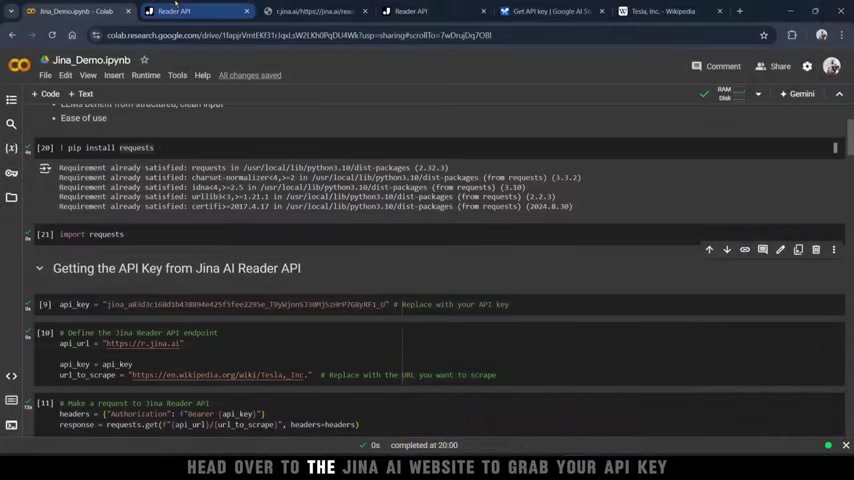
Go to the Jina AI website (Jina.ai) and navigate to the Reader API section.
-
Create an account or log in:
If you don't have an account, create one. If you already have an account, log in.
-
Obtain your API key:
Once logged in, navigate to your dashboard or account settings to find your API key. The API key is a unique identifier that allows you to access the Jina AI Reader API.
-
Store the API key securely:
Store your API key in a safe place. Do not share it with anyone. Consider using environment variables to store the API key instead of hardcoding it in your script.
-
Use the API key in your Python script:
api_key = "YOUR_API_KEY"  # Replace with your actual API key
api_url = "https://r.jina.ai" # Define the Jina Reader API endpoint
url_to_scrape = "https://en.wikipedia.org/wiki/Tesla,_Inc." # Replace with the URL you want to scrape

headers = {
    "Authorization": f"Bearer {api_key}"
}

response = requests.get(api_url, headers=headers)
Replace
"YOUR_API_KEY"with your actual API key. This code defines the Jina Reader API endpoint and the URL you want to scrape. It then creates a dictionary containing the API key as a bearer token and sends a GET request to the API. -
Handle the API response:
if response.status_code == 200:
    content = response.text
    print("Extracted content:", content)
else:
    print("Failed to scrape the content")
This code checks the status code of the API response. If the status code is 200 (OK), it prints the extracted content. Otherwise, it prints an error message.
By following these steps, you can successfully obtain and use your Jina AI API key to access the Reader API and extract content from web pages.
Extracting Data from a Wikipedia Page
In this example, we will extract data from the Wikipedia page for Tesla, Inc. This demonstrates how to use the Jina AI Reader API to obtain structured content from a complex web page.
Step-by-step guide:
-
Define the URL to scrape:
url_to_scrape = "https://en.wikipedia.org/wiki/Tesla,_Inc."This line defines the URL of the Wikipedia page for Tesla, Inc.
-
Make a request to the Jina AI Reader API:
headers = {
    "Authorization": f"Bearer {api_key}"
}

response = requests.get(api_url, headers=headers)
This code sends a GET request to the Jina AI Reader API, including the API key in the headers.
-
Process the API response:
if response.status_code == 200:
    content = response.text
    print("Extracted content:", content)
else:
    print("Failed to scrape the content")
This code checks the status code of the API response. If the status code is 200 (OK), it prints the extracted content. Otherwise, it prints an error message.
-
View the extracted content:
The extracted content will be printed to the console. The content will be structured and cleaned, making it easier to process with LLMs.
By following these steps, you can easily extract data from a Wikipedia page using the Jina AI Reader API.
Using Jina AI Reader API with Gemini LLM
After setting up the Jina AI Reader API to extract structured content from the web, integrating it with Gemini (Google's LLM) involves a series of steps to leverage the extracted data effectively. Below is a detailed guide.
Step-by-step guide:
-
Install the Google Generative AI Library:
First, install the
google-generativeailibrary, which allows you to interact with Google's generative AI models, including Gemini:pip install google-generativeai -
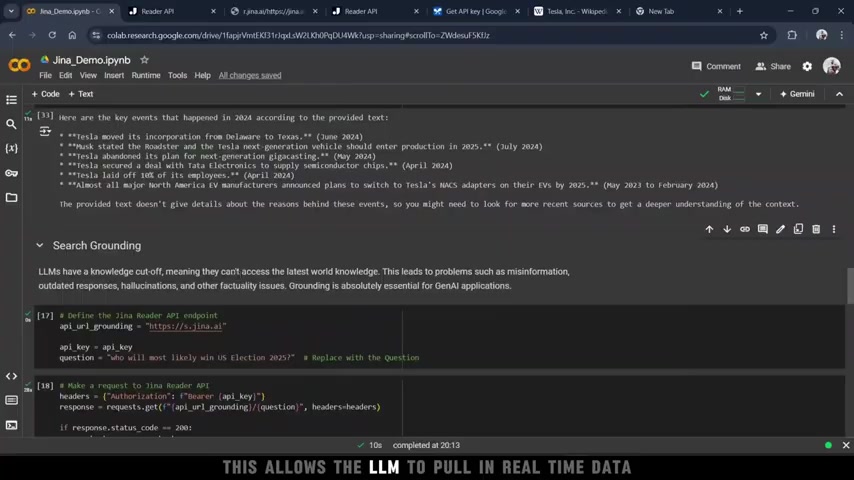
Obtain the Gemini API Key:
Go to the Google AI Studio (ai.google.dev) to get a Gemini API key. If prompted, you may need to agree to Google's terms of service and create a new project.
-
Import Necessary Libraries and Configure the Gemini API:
In your Python script, import the
google.generativeailibrary and configure it with your Gemini API key:import google.generativeai as genai import os # Replace 'YOUR_GEMINI_API_KEY' with your actual API key gemini_api_key = 'YOUR_GEMINI_API_KEY' genai.configure(api_key=gemini_api_key)Replace
YOUR_GEMINI_API_KEYwith your actual Gemini API key. -
Make an API Call to Gemini:
Make a request to the Gemini API to generate content. For example:
# Define the Gemini model
model = genai.GenerativeModel('gemini-1.5-flash')

# Send a prompt to Gemini
response = model.generate_content("What are the things that happened with Tesla in 2024?")
print(response.text)
However, you’ll notice that Gemini often cannot handle real time data.
-
Utilize Extracted Content from Jina AI:
You can provide the relevant data yourself by using the Retrieval Augmented Generation, or RAG. Cut off but with Jina AI, we can provide the relevant data ourselves.
# Define the prompt with extracted content
question = "What are the things that happened in 2024?"

# Use the provided content to answer the question
response = model.generate_content(f"Use the provided content: {content} to answer the following questions. {question}")
print(response.text)
With this setup, you can ask Gemini what happened with Tesla in 2024.
Jina AI Reader API Pricing
Understanding the Token-Based Pricing Model
Jina AI Reader API pricing is structured around the number of tokens in the responses. The token-based pricing model is applicable to all products in Jina AI's search foundation, including Embedding, Reranking, Reader, and Auto Fine-Tuning APIs. The number of tokens depends on factors like content length and complexity. This model helps you scale resources according to usage, making it cost-effective.
Key Considerations:
- Token Usage: Reader API's pricing is structured around the number of tokens sent in the requests, which essentially accounts for the number of tokens in the responses. Monitor your token usage to manage costs effectively.
- Free Tier: Jina AI sometimes offers a free tier with a limited number of tokens for testing and development purposes. Check the Jina AI website for the latest offers.
- Paid Plans: Paid plans are available for production use. These plans offer a higher number of tokens and additional features.
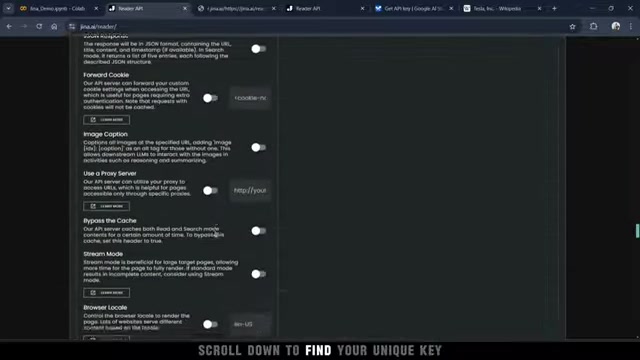
For detailed pricing information, visit the Jina AI website and navigate to the pricing section. Here, you can find a breakdown of the different plans and their associated costs.
Understanding the pricing structure helps you plan your budget effectively and choose the plan that best suits your needs.
Practical Use Cases for Jina AI Reader API
Enhancing Gemini LLM with Real-Time Data
The Jina AI Reader API can be used to enhance the capabilities of the Gemini LLM. By extracting content from web pages and feeding it into Gemini, you can enable the LLM to answer questions about topics that it would otherwise not have knowledge of.
Here’s how it works:
- Data Extraction: The Jina AI Reader API extracts data from a specified URL, such as a Wikipedia page.
- Data Processing: The extracted data is cleaned and structured into a format that Gemini can easily understand.
- LLM Integration: The structured data is fed into Gemini, which uses it to answer user queries.
By providing Gemini with relevant context, the Jina AI Reader API enhances the LLM's ability to provide accurate and informative responses. For instance, you can ask Gemini about specific events or developments that have occurred since its last training update.
Gemini often struggles to provide real-time information due to its inherent knowledge cut-off. However, by leveraging the Jina AI Reader API, Gemini can access the latest information from the web and incorporate it into its responses. This makes Gemini a more versatile and reliable tool for various applications.
Real-Time Election Analysis with Gemini LLM
Using the Jina AI Reader API’s Search Grounding feature, LLMs can be grounded in real-time information to answer questions more comprehensively than if they were just relying on their internal knowledge.
The Process:
- A user asks a question about the 2024 US election: “Who will most likely win the US election in 2024?”
- The Jina AI Reader API crawls the top five highest-ranked websites on Google for that query.
- It extracts the relevant content from those sites.
- The data gets passed to Gemini, which provides a well-informed answer.
This approach ensures access to the most up-to-date information, making the LLM’s response more accurate and relevant. Unlike simple web searches, this method combines multiple trusted sources to give a more balanced and reliable answer, enhancing the LLM's analytical capabilities.









Most people like


























Report
Please select a reason for reporting
- 13 Reasons to Switch from Snapchat to Text Messaging
- 7 Powerful Speech to Text Apps to Boost Productivity
- 10 Best Speech to Text Tools for Effortless Transcription
- 13 Free Tools to Easily Transcribe Audio to Text
- 15 Surprising Ways Google's Speech-to-Text Boosts Productivity
- 7 Best Free Online Audio to Text Transcription Tools
- 9 Tips to Transcribe Speech to Text Faster and Better
- 13 Best Speech to Text Software for Windows 10 in 2023
- 7 Tips for Choosing the Best Transcriber for Audio to Text
- 11 Reasons Why Dragon Speech-to-Text Apps are Game-Changers
- 6 Secrets to Enhance Your Speech to Text Transcription
- 6 Brilliant Ways to Boost Productivity with Talk-to-Text on Your MacBook
- 6 Ways Transcription Software Converts Audio to Text
- 8 Tips to Transcribe Speech to Text Like a Pro
- 6 Reasons IBM Watson Speech to Text is a Game-Changer
- 14 Powerful Ways Talk-to-Text Improves Your Workflow
- 12 Top Windows Speech-to-Text Software for Efficient Transcription
- 12 Game-Changing Benefits of Apple's Speech to Text Technology
- 9 Powerful Use Cases for AWS Speech to Text Technology
- 10 Easy Steps to Transcribe YouTube Videos to Text
- transcription audio en texte
- online audio transcription
- free audio file transcription
- free ai audio transcription
- audio transcription service
- audio transcription online free
- audio transcription free online
- audio to transcription software
- audio and transcript
- ai audio transcription free
- voice recording to text converter
- translate voice recording to text
- record voice to text
- audio recording to text converter
- voice recording and transcription
- chatgpt voice to text
- gmail voice to text
- speech to text reader
- speech to text ai free
- speech to talk
- Create Engaging Animated Explainer Videos with a Free AI Tool
- Stop Multi-Subscribing: Benchmark Top AI Visual Models in One Canvas
- Best Seedance 2.5 API Provider: Every Price on the Market, Checked at Source
- AI OnlyFans: How to Generate $30,000/Month (Legally)
- Transform Your Script into an Engaging Video with AI Video Maker!
- AI Marketing Automation: A Comprehensive Guide for Small Businesses
- Midjourney Alternative for Anime Art Creators: Why PixAI May Be Better for Character Workflows
- 10 Things Most People Get Wrong About AI Image Search
- AI Girlfriend Apps: Top Choices Redefining Relationships 2025
- How to Reduce Quoting Errors in Salesforce with AI-Assisted Quote Creation
- AI Resume Builders: EnhanceCV, ResumeNerd AI, & Teal Compared
- ResumeAI: Crafting ATS-Optimized Resumes with AI
- AI in Resume Writing: A New Era for Job Seekers
- AI Resume Tools: Streamline Your Job Search and Land Your Dream Role
- AI Resume Optimization: The Right Way to Land Interviews
- Crafting a Killer Resume with AI: A Step-by-Step Guide
- Crafting a Winning Resume: AI Tools and Expert Tips
- AI Job Search: Level Up Your Career with AI Automation
- Empower Your Career Journey: Dynamic Resumes with AI
- AI Resume Builder: Create Professional Resumes Effortlessly

Copyright ©2026 toolify