































Table of Contents
- Key Points
- Understanding the API Landscape
- Beyond the Basics: Advanced Postman Features
- Step-by-Step Guide to API Testing with Postman
- Postman Pricing and Plans
- Postman: Evaluating the Pros and Cons of This API Testing Tool
- Key Features of Postman
- Common Use Cases for Postman
- FAQ
- Related Questions


Understanding the API Landscape
What is an API?
An API, or Application Programming Interface, acts as a contract between two software systems, enabling them to communicate and exchange data without needing to know the intricate details of each other's internal workings.

APIs define the methods and data formats that applications use to request services from one another, making software integration much easier and more efficient.
In simpler terms, think of an API as a waiter in a restaurant. You, the customer (application), place an order (request) with the waiter (API), and the waiter takes that order to the kitchen (server) and brings back your food (response). You don't need to know how the kitchen works or how the food is prepared; you just need to interact with the waiter using a defined set of rules (the API contract).
APIs come in various forms, such as REST (Representational State Transfer), SOAP (Simple Object Access Protocol), and GraphQL, each with its own architectural style and messaging protocols. RESTful APIs are often preferred due to their simplicity, scalability, and use of standard HTTP methods.
The Importance of API Testing
API testing is crucial for several reasons:
- Ensuring Functionality: API tests verify that the APIs function as expected, performing the required operations and returning accurate data. Flaws in APIs can lead to catastrophic cascade failures to the application and system processes
- Validating Accuracy: It's vital to confirm that the data returned by APIs is correct and complete, meeting specified criteria.
- Performance Testing: Testing for how fast API's run is important in the sense that the whole application relies on those API results.
- Security Testing: A critical step is verifying that APIs are secure and protected against unauthorized access and data breaches. Security is a key concern for APIs to function, as APIs directly control internal software processes
- Reliability and Scalability: API testing helps to ensure that APIs can handle increasing traffic and maintain stability under various conditions.
API testing should be an integral part of the software development lifecycle, not just an afterthought. By incorporating testing early on, developers can identify and resolve issues more efficiently, leading to higher-quality software.
Beyond the Basics: Advanced Postman Features
Collaboration in Postman
Postman is designed to foster collaboration within development teams. You can share collections, environments, and even individual requests with your teammates, allowing for seamless sharing of knowledge and best practices.
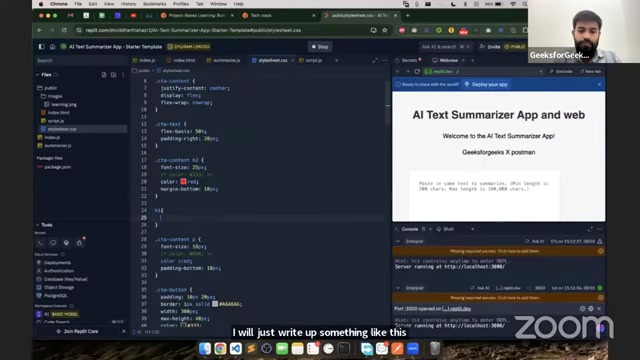
Postman's collaboration features promote efficiency and consistency in API development and testing.
Mock Servers
Mock servers allow you to simulate API endpoints before the actual API is fully implemented. This is incredibly useful for front-end developers who need to work on integrating with APIs before the back-end is ready. Mock servers can be created directly within Postman and configured to return specific responses based on defined requests.
Performance Insights
Postman includes Performance Insights, a feature that allows you to monitor the performance of your APIs. You can track key metrics such as response time, request duration, and error rates. Performance Insights can help you identify bottlenecks and optimize your APIs for better performance.
Step-by-Step Guide to API Testing with Postman
Step 1: Create a New Collection
Click the New button in the top-left corner of the Postman interface and select Collection from the dropdown menu. Give your collection a descriptive name, such as "User Management APIs".
Step 2: Add a New Request
Click the Add a request button in the collection and enter the API endpoint URL in the request URL field. Select the appropriate HTTP method (e.g., GET, POST, PUT, DELETE) from the dropdown menu.
Step 3: Add Headers and Body
In the Headers tab, add any required headers, such as Content-Type and Authorization. In the Body tab, select the appropriate content type (e.g., raw, JSON, XML) and enter the request data in the editor.

Remember to format data properly. Ensure the request is as accurate as possible.
Step 4: Write Test Assertions
In the Tests tab, write test assertions to validate various aspects of the API response, such as status code, headers, and body. Use code snippets or write your own JavaScript code to perform these assertions.
Step 5: Run the Request and Analyze the Response
Click the Send button to execute the API request. Analyze the response in the Response area, including the status code, headers, and body. Check for any errors or inconsistencies and verify that the response meets your test assertions.





Most people like


































Report
Please select a reason for reporting
- 13 Reasons to Switch from Snapchat to Text Messaging
- 7 Powerful Speech to Text Apps to Boost Productivity
- 10 Best Speech to Text Tools for Effortless Transcription
- 13 Free Tools to Easily Transcribe Audio to Text
- 15 Surprising Ways Google's Speech-to-Text Boosts Productivity
- 7 Best Free Online Audio to Text Transcription Tools
- 9 Tips to Transcribe Speech to Text Faster and Better
- 13 Best Speech to Text Software for Windows 10 in 2023
- 7 Tips for Choosing the Best Transcriber for Audio to Text
- 11 Reasons Why Dragon Speech-to-Text Apps are Game-Changers
- 6 Secrets to Enhance Your Speech to Text Transcription
- 6 Brilliant Ways to Boost Productivity with Talk-to-Text on Your MacBook
- 6 Ways Transcription Software Converts Audio to Text
- 8 Tips to Transcribe Speech to Text Like a Pro
- 6 Reasons IBM Watson Speech to Text is a Game-Changer
- 14 Powerful Ways Talk-to-Text Improves Your Workflow
- 12 Top Windows Speech-to-Text Software for Efficient Transcription
- 12 Game-Changing Benefits of Apple's Speech to Text Technology
- 9 Powerful Use Cases for AWS Speech to Text Technology
- 10 Easy Steps to Transcribe YouTube Videos to Text
- transcription audio en texte
- online audio transcription
- free audio file transcription
- free ai audio transcription
- audio transcription service
- audio transcription online free
- audio transcription free online
- audio to transcription software
- audio and transcript
- ai audio transcription free
- voice recording to text converter
- translate voice recording to text
- record voice to text
- audio recording to text converter
- voice recording and transcription
- chatgpt voice to text
- gmail voice to text
- speech to text reader
- speech to text ai free
- speech to talk
- Meshy AI: How to Create 3D Models from Text and Images
- How SEO and Marketing Dashboards Empower Agencies to Drive Results
- How to Use AI Tools to Find Internal Linking Opportunities Across a Business Website
- Discover Your Perfect Haircut with AI Hairstyle Apps
- Free Reputation Calculator Tools: How They're Adapting to Score AI Visibility, Not Just Rankings
- Design Professional Flyers for Free on Your Phone
- Best Free Flyer Maker Apps for Android: Design Like a Pro
- How to Know If Your Business Is Ready for an AI Customer Service Agent
- Revolutionizing Storytelling: From Novels to Screenplays with AI
- Create Engaging Animated Explainer Videos with a Free AI Tool
- Meshy AI: How to Create 3D Models from Text and Images
- ASOMobile Helps Teams Benchmark App Store Screenshots Against Competitors
- How to Match LMS Software With Your Organization's Training Plan
- Revolutionizing Email Marketing Agency with AI
- How to Convert BTC to HNT
- Unleashing the Power of AI: Cognizant's Roadmap for Transformation
- Frame to Video Review: A Practical Look at Turning Two Still Frames Into Motion
- NVIDIA NIM: Revolutionizing Supply Chain Data Analysis with AI
- Top AI Tools That Help Brands Stand Out Offline (Not Just Online)
- Top 5 Cold Email Software: Maximize Your Outreach in 2025

Copyright ©2026 toolify