































Table of Contents
- Key Points
- Understanding OpenAI API Stream Responses
- Implementing OpenAI API Streaming
- Streaming with OpenAI API Pros and Cons
- FAQ
- Related Questions



Understanding OpenAI API Stream Responses
What is Streaming?
In the world of data processing, a stream refers to an ongoing sequence of data elements that can be processed as they arrive
. This is different from waiting for the entire dataset to be available. Streaming is beneficial for many reasons, but primarily because applications can handle large amounts of data efficiently.
Consider a Scenario where you're building a real-time chatbot using the OpenAI API. With traditional request-response, the user would have to wait for the entire response to be generated before seeing any output. With streaming, the chatbot can display the response as it's being generated, character by character, making the interaction much more fluid and responsive.
Key benefits of streaming:
- Improved Responsiveness: Reduces latency, providing a near real-time experience.
- Efficient Resource Usage: Processes data in chunks, minimizing memory footprint.
- Enhanced Scalability: Handles large volumes of data without performance bottlenecks.
- Better User Experience: Offers a more engaging and interactive experience.
Streaming is particularly valuable in scenarios requiring real-time or near real-time data processing, such as live data analytics, financial trading platforms, and, as Mentioned earlier, conversational AI applications.
OpenAI API Stream Support: Completions API and Assistant API
OpenAI provides stream response functionality for both the Chat Completions API and the Assistant API
. The Chat Completions API is ideal for creating conversational interfaces, while the Assistant API enables the development of more complex AI assistants with features like code interpretation and function calling. The ability to stream responses from both APIs opens up a world of possibilities for building dynamic and interactive AI applications.
By default, the stream is set to false, which disables the stream, if you want to start stream, you must set it to true.
With streaming enabled, applications can begin processing and displaying the response as soon as the first chunk of data is received. This dramatically reduces the perceived latency and creates a more engaging user experience. Whether you're building a simple chatbot or a sophisticated AI assistant, understanding how to leverage OpenAI API stream responses is essential for delivering a high-quality user experience.
OpenAI uses the Server-Sent Events (SSE) standard for the transmission of data . We will dive into this further.
Server-Sent Events (SSE): The Standard for OpenAI Streaming
Server-Sent Events (SSE) is a web standard that allows a server to push updates to a client over a single HTTP connection. This is particularly well-suited for streaming data, as it eliminates the overhead of repeatedly establishing new connections for each data chunk. OpenAI leverages the SSE standard for its stream responses, providing a reliable and efficient mechanism for delivering data to client applications. The official Node.js and Python libraries contain the helpers necessary to parse these events.
SSE works by sending a series of text-based events from the server to the client. Each event consists of one or more lines of text, with each line containing a field name and a value, separated by a colon. The key fields in the context of OpenAI streaming are:
data: This field contains the actual data chunk being streamed.event: This field specifies the type of event being sent. For OpenAI streaming, this typically indicates the completion of a data chunk.
Client applications can listen for these events and process the data accordingly. The official OpenAI libraries provide convenient methods for parsing SSE events and extracting the Relevant data. This allows developers to focus on building the application logic, without having to worry about the low-level details of the SSE protocol.
Implementing OpenAI API Streaming
Streaming with an HTTP Client: cURL Example
While the official OpenAI libraries provide a streamlined approach to streaming, it's also possible to implement streaming using a basic HTTP client like cURL
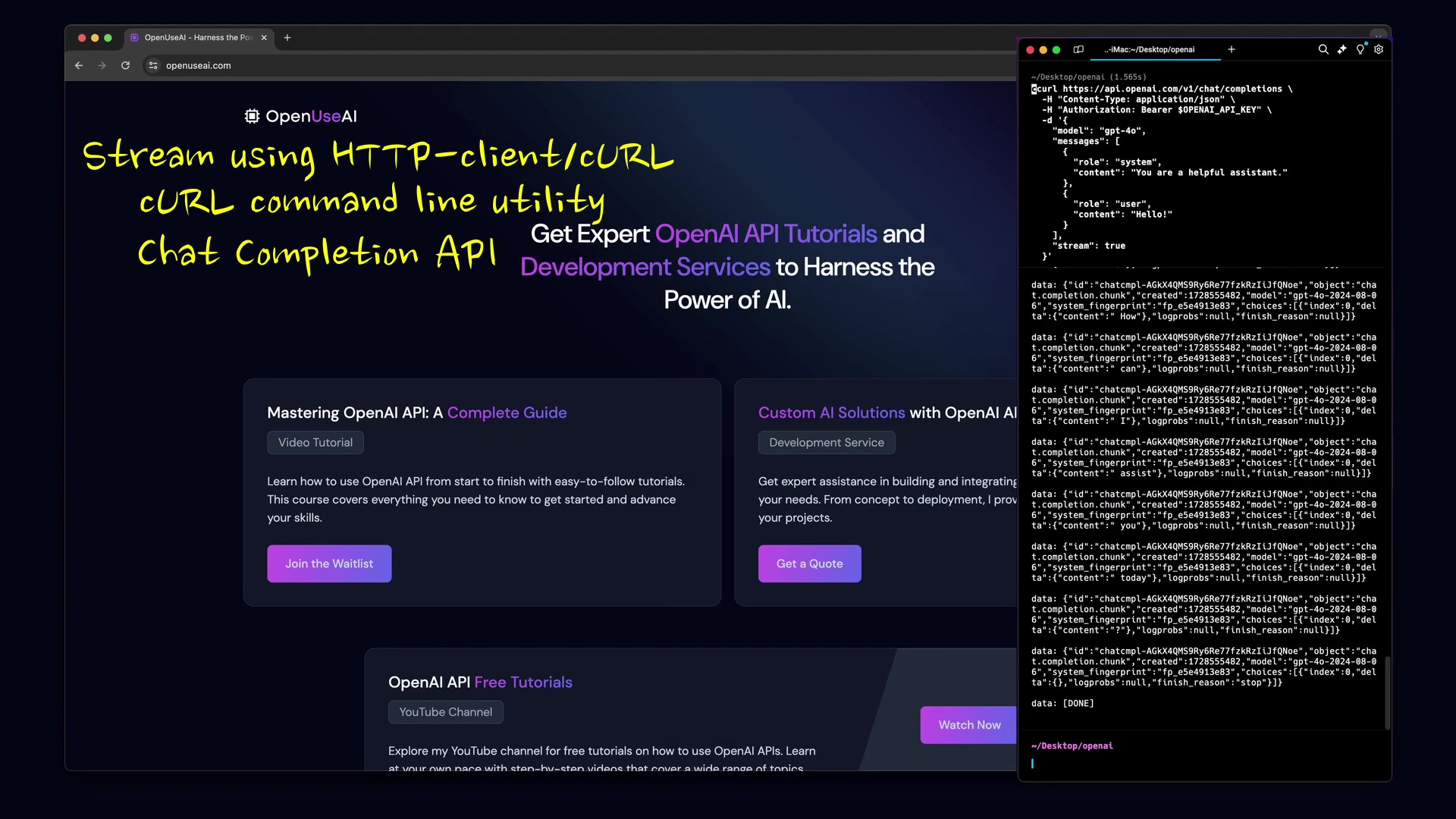
. This can be useful for understanding the underlying mechanics of streaming or for integrating with environments where the official libraries are not available.
Here's an example of how to stream OpenAI API responses using cURL:
curl https://api.openai.com/v1/chat/completions \
  -H "Content-Type: application/json" \
  -H "Authorization: Bearer $OPENAI_API_KEY" \
  -d '{
    "model": "gpt-4o",
    "messages": [{"role": "system", "content": "You are a helpful assistant."}, {"role": "user", "content": "Hello!"}],
    "stream": true
  }'
Key points in the cURL command:
- The
-Hflags set the necessary headers, including theContent-TypeandAuthorizationheaders. TheAuthorizationheader uses your OpenAI API Key as a bearer token. For security, it's recommended to store the API key as an environment variable rather than hardcoding it in the command. - The
-dflag provides the request payload, which includes the model to use (gpt-4oin this example), the messages to send to the API, and thestreamparameter set totrue. This enables streaming for the request.
Upon execution, this command will output a stream of data chunks in SSE format . Each data chunk will be prefixed with data: and will contain a JSON object with the response data. To process the stream, you'll need to parse each data chunk and extract the relevant information. This can be done using a scripting language like Python or Node.js.
While cURL provides a basic mechanism for streaming, it requires manual parsing of the SSE events. The official OpenAI libraries offer a more convenient and robust approach, as they handle the SSE parsing automatically.
Here’s how the cURL parameters are configured:
| Parameter | Description |
|---|---|
Content-Type |
Sets the content type of the request to JSON. |
Authorization |
Includes the API key for authentication. |
model |
Specifies the OpenAI model to use (e.g., gpt-4o). |
messages |
Contains the conversation messages. |
stream |
Enables streaming the API response. |
Streaming with Node.js: Leveraging the Official Library
The official OpenAI Node.js library provides a seamless way to stream API responses
. It handles the complexities of SSE parsing, allowing developers to focus on the application logic. To use the library, you'll first need to install it using npm:
npm install openaiHere's an example of how to stream OpenAI API responses using the Node.js library:
const OpenAI = require("openai");

const openai = new OpenAI({
  apiKey: process.env.OPENAI_API_KEY,
});

async function main() {
  const stream = await openai.chat.completions.create({
    model: "gpt-4o-mini",
    messages: [{ role: "user", content: "Say this is a test" }],
    stream: true,
  });
  for await (const chunk of stream) {
    process.stdout.write(chunk.choices[0]?.delta?.content || "");
  }
}

main();
Key points in the Node.js code:
- The
OpenAIclass is instantiated with your API key. For security, it's recommended to retrieve the API key from an environment variable. - The
openai.chat.completions.createmethod is called with the desired parameters, including the model to use (gpt-4o-miniin this example), the messages to send to the API, and thestreamparameter set totrue. This enables streaming for the request. - The
for await...ofloop iterates over the stream of data chunks. Each chunk contains a fragment of the response. Theprocess.stdout.writemethod is used to write the chunk to the console, effectively displaying the response as it's being generated .
The Node.js library simplifies the process of streaming OpenAI API responses. It automatically handles the SSE parsing and provides a convenient way to access the data chunks. This allows developers to focus on building the application logic, without having to worry about the low-level details of the streaming protocol.
Streaming with Python: Utilizing the Official Library
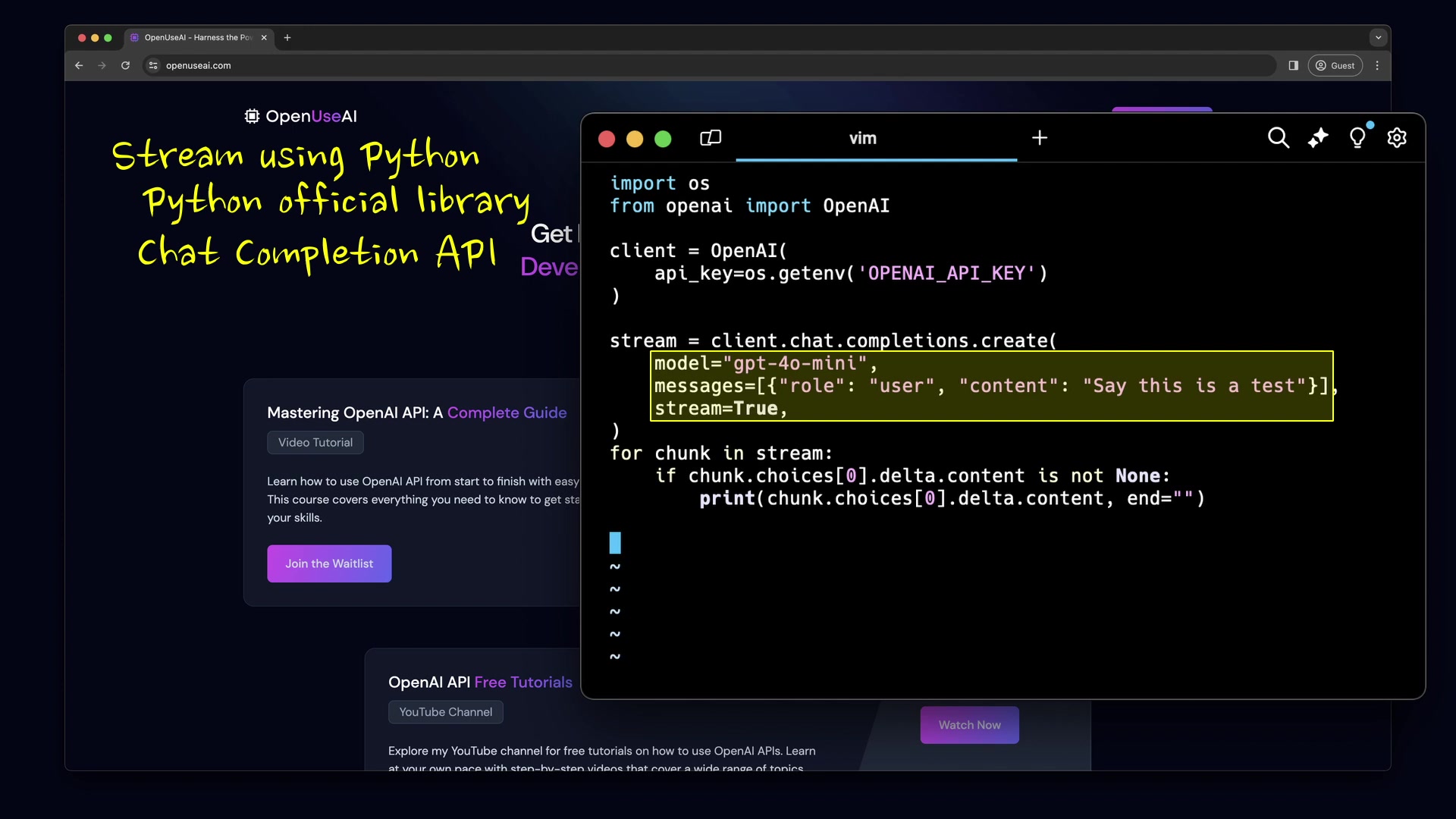
Similar to the Node.js library, the official OpenAI Python library provides a straightforward way to stream API responses . It handles the SSE parsing automatically, making it easy to process the data chunks as they arrive. To use the library, you'll first need to install it using pip:
pip install openaiHere's an example of how to stream OpenAI API responses using the Python library:
import os
from openai import OpenAI

client = OpenAI(
    api_key=os.getenv("OPENAI_API_KEY"),
)

stream = client.chat.completions.create(
    model="gpt-4o-mini",
    messages=[{"role": "user", "content": "Say this is a test"}],
    stream=True,
)
for chunk in stream:
    if chunk.choices[0].delta.content is not None:
        print(chunk.choices[0].delta.content, end="")
Key points in the Python code:
- The
OpenAIclass is instantiated with your API key. As with the Node.js example, it's recommended to retrieve the API key from an environment variable for security. - The
client.chat.completions.createmethod is called with the desired parameters, including the model to use (gpt-4o-miniin this example), the messages to send to the API, and thestreamparameter set toTrue. This enables streaming for the request. - The
for chunk in stream:loop iterates over the stream of data chunks. Each chunk contains a fragment of the response. Theprintstatement is used to display the chunk to the console .
The Python library simplifies the process of streaming OpenAI API responses. It automatically handles the SSE parsing and provides a convenient way to access the data chunks. This allows developers to focus on building the application logic, without having to worry about the underlying streaming protocol.








Most people like


























Report
Please select a reason for reporting
- 13 Reasons to Switch from Snapchat to Text Messaging
- 7 Powerful Speech to Text Apps to Boost Productivity
- 10 Best Speech to Text Tools for Effortless Transcription
- 13 Free Tools to Easily Transcribe Audio to Text
- 15 Surprising Ways Google's Speech-to-Text Boosts Productivity
- 7 Best Free Online Audio to Text Transcription Tools
- 9 Tips to Transcribe Speech to Text Faster and Better
- 13 Best Speech to Text Software for Windows 10 in 2023
- 7 Tips for Choosing the Best Transcriber for Audio to Text
- 11 Reasons Why Dragon Speech-to-Text Apps are Game-Changers
- 6 Secrets to Enhance Your Speech to Text Transcription
- 6 Brilliant Ways to Boost Productivity with Talk-to-Text on Your MacBook
- 6 Ways Transcription Software Converts Audio to Text
- 8 Tips to Transcribe Speech to Text Like a Pro
- 6 Reasons IBM Watson Speech to Text is a Game-Changer
- 14 Powerful Ways Talk-to-Text Improves Your Workflow
- 12 Top Windows Speech-to-Text Software for Efficient Transcription
- 12 Game-Changing Benefits of Apple's Speech to Text Technology
- 9 Powerful Use Cases for AWS Speech to Text Technology
- 10 Easy Steps to Transcribe YouTube Videos to Text
- transcription audio en texte
- online audio transcription
- free audio file transcription
- free ai audio transcription
- audio transcription service
- audio transcription online free
- audio transcription free online
- audio to transcription software
- audio and transcript
- ai audio transcription free
- voice recording to text converter
- translate voice recording to text
- record voice to text
- audio recording to text converter
- voice recording and transcription
- chatgpt voice to text
- gmail voice to text
- speech to text reader
- speech to text ai free
- speech to talk
- Revolutionizing Storytelling: From Novels to Screenplays with AI
- Create Engaging Animated Explainer Videos with a Free AI Tool
- Stop Multi-Subscribing: Benchmark Top AI Visual Models in One Canvas
- Best Seedance 2.5 API Provider: Every Price on the Market, Checked at Source
- AI OnlyFans: How to Generate $30,000/Month (Legally)
- Transform Your Script into an Engaging Video with AI Video Maker!
- AI Marketing Automation: A Comprehensive Guide for Small Businesses
- Midjourney Alternative for Anime Art Creators: Why PixAI May Be Better for Character Workflows
- 10 Things Most People Get Wrong About AI Image Search
- AI Girlfriend Apps: Top Choices Redefining Relationships 2025
- Master the Art of Reaching Out to Brands as a UGC Creator
- Leadership Lessons from Momentive CEO
- Top 4 AI Platforms to Upscale Video: Features, Similarities, and My Honest Verdict
- Top 4 AI Style Transfer Tools to Transform Your Digital Art in 2026
- Python Random Name Generator Tutorial
- Generate Unique Names with Python Random Name Generator
- Code a JavaScript Name Generator
- Create a Fun Name Generator App - Easy JavaScript Project!
- Experience Roblox's Avatar Creation for Karl Jacobs!
- May TBR Game: How a Letter Generator Chooses My Reads

Copyright ©2026 toolify