























Mastering OpenAI API Stream Responses: A Developer's Guide

Updated on Mar 31,2025








Table of Contents
- Key Points
- Understanding OpenAI API Stream Responses
- How to Stream OpenAI API Responses
- OpenAI API Pricing
- Advantages and Disadvantages of OpenAI Stream Responses
- Key Features of OpenAI Stream Responses
- Common Use Cases for OpenAI Stream Responses
- Frequently Asked Questions
- Related Questions


Understanding OpenAI API Stream Responses
What is Data Streaming?
Data streaming is the transmission of data in a continuous flow, allowing you to process information as it arrives
. Instead of waiting for the entire dataset to be available, you can start working with the data immediately. This is particularly useful for applications that require real-time or near real-time data processing. Imagine a Scenario where you're building a chatbot and want the response to appear word by WORD, as it's being generated by the AI. Data streaming makes this possible.
The benefits of data streaming are manifold:
- Efficient handling of large amounts of data: Streaming allows applications to process data efficiently without needing to store everything in memory at once .
- Real-time processing: You can react to incoming data almost Instantly.
- Improved user experience: By delivering data in a continuous flow, you can provide more engaging experiences.
Data streaming offers a significant advantage for AI applications dealing with substantial datasets and real-time interactions. Let's take a closer look at the practical applications.
OpenAI API Stream Responses: Completions and Assistants API
OpenAI provides the ability to stream API responses for both the Chat Completions API and the Assistants API
. This means you can start processing and displaying the AI's output as it is being generated, rather than waiting for the complete response. OpenAI follows the Server-Sent Events (SSE) standard for streaming . This standard defines how the data should be transmitted over HTTP.
Server-Sent Events (SSE) is a protocol that enables a server to push updates to a client over a single HTTP connection. This is different from traditional request-response models, where the client initiates every request.
Key characteristics of SSE:
- Unidirectional: Data flows from the server to the client.
- Text-based: Data is transmitted as plain text.
- Event-driven: The server sends events to the client.
Here's an example of an SSE data structure:
data: {"id":"chatcmpl-8iR9HAPwJv11HvKaN19Q","object":"chat.completion.chunk","created":1717116820,"model":"gpt-4o","system_fingerprint":null,"choices":[{"delta":{"content":"Hello"},"index":0,"finish_reason":null}]}
The official Node.js and Python libraries come with all the necessary helpers to make parsing these events easier . By understanding the SSE standard, we can handle stream responses effectively in any programming environment.
How to Stream OpenAI API Responses
Streaming with HTTP Client (cURL)
You can use any HTTP client to stream OpenAI API responses. For this demonstration, we'll use cURL
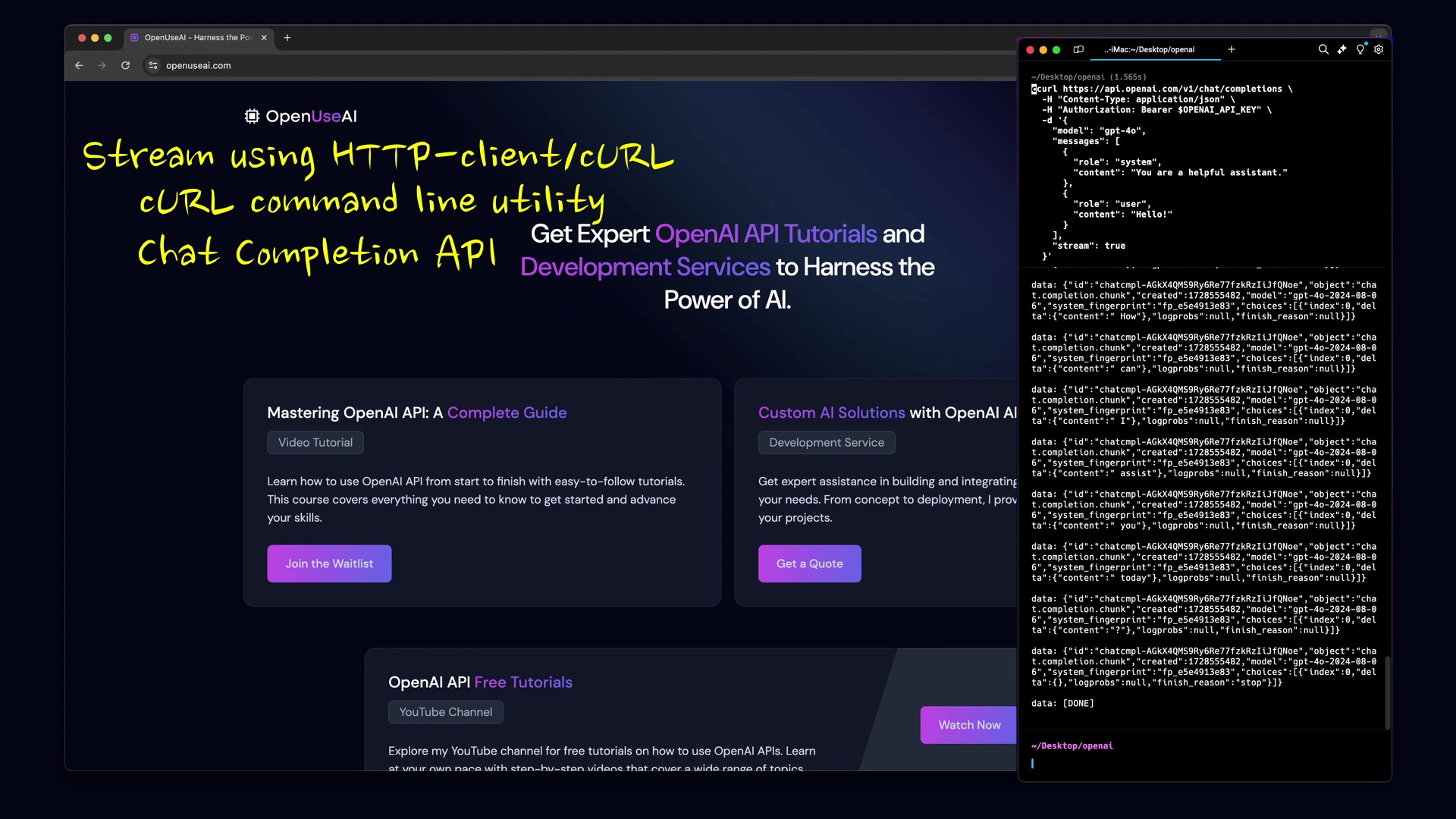
, a command-line tool for making HTTP requests.
First, here's the API URL we'll be working with:
https://api.openai.com/v1/chat/completionsNext, add the authorization header using your API key as a bearer token. It's a best practice to store your API key as an environment variable .
Here's the payload we're sending to the API. Ensure the stream property is set to true to enable streaming:
{
 "model": "gpt-4o",
 "messages": [
 {
 "role": "system",
 "content": "You are a helpful assistant."
 },
 {
 "role": "user",
 "content": "Hello!"
 }
 ],
 "stream": true
}
Now, execute the cURL command. You’ll see the stream data chunks received in real-time .
Streaming with JavaScript (Node.js)
OpenAI offers an official library for Node.js, making the streaming process straightforward
.
First, create an OpenAI instance by passing your API key. Retrieve the API key from environment variables as a security best practice . Here is the sample code:
const OpenAI = require("openai");

const openai = new OpenAI({
 apiKey: process.env.OPENAI_API_KEY,
});

async function main() {
 const stream = await openai.chat.completions.create({
 model: "gpt-4o-mini",
 messages: [{ role: "user", content: "Say this is a test" }],
 stream: true,
 });
 for await (const chunk of stream) {
 process.stdout.write(chunk.choices[0]?.delta?.content || "");
 }
}

main();
We're using the same API, the Chat Completion API, that we explored earlier with cURL.
Here’s the payload we're sending. As with cURL, set the stream property to true to enable streaming . This step is crucial for initiating the stream response.
The stream of data chunks will arrive, and you can write them directly to the console . The above code snippet demonstrates how to accomplish that.
Streaming with Python
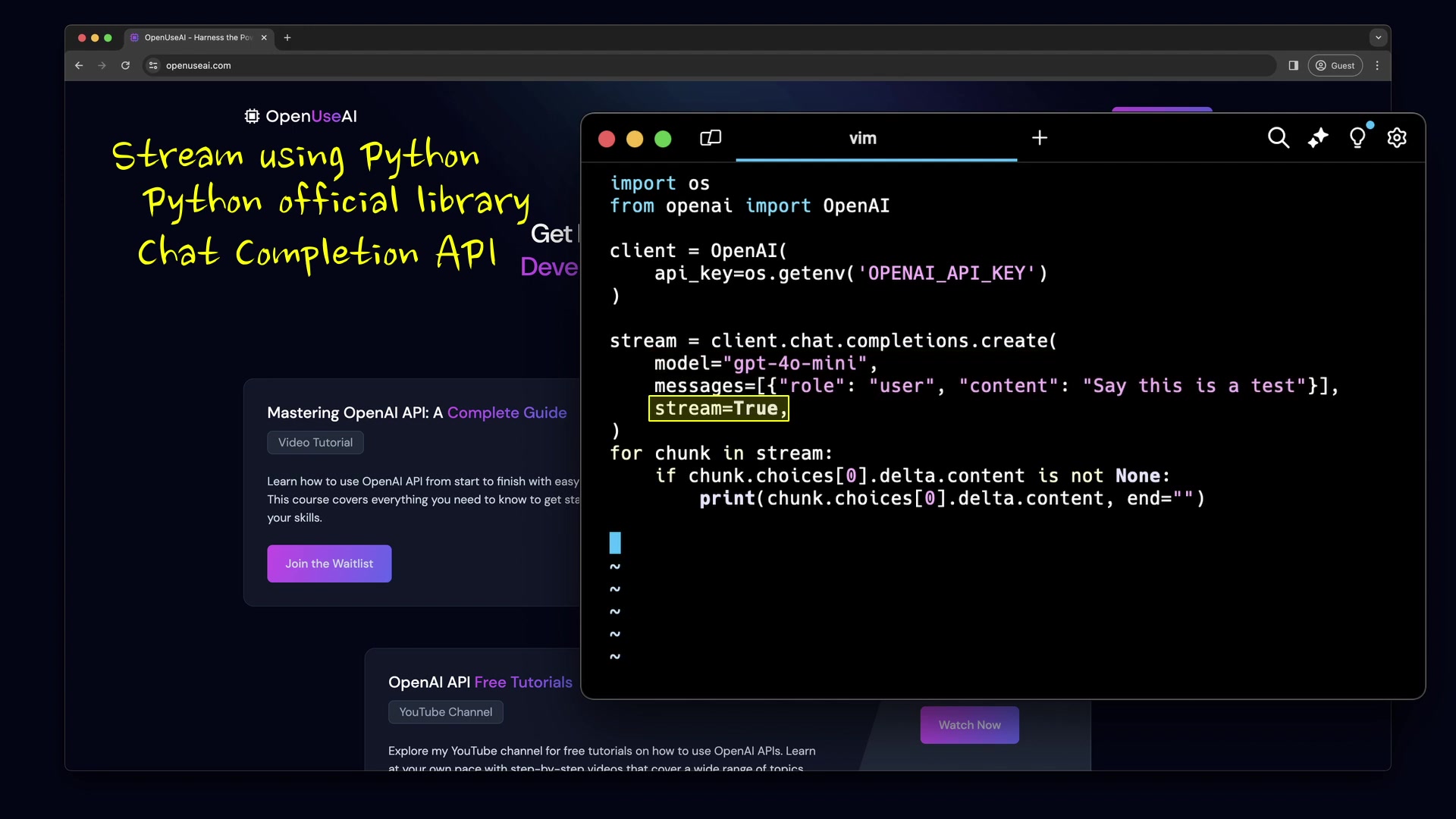
OpenAI provides an official library for Python as well, simplifying the implementation of streaming . Here is a sample python code:
import os
from openai import OpenAI

client = OpenAI(
 api_key=os.getenv("OPENAI_API_KEY"),
)

stream = client.chat.completions.create(
 model="gpt-4o-mini",
 messages=[{"role": "user", "content": "Say this is a test"}],
 stream=True,
)
for chunk in stream:
 if chunk.choices[0].delta.content is not None:
 print(chunk.choices[0].delta.content, end="")
We're using the Chat Completion API, the same one we used with cURL and Node.js.
Create an OpenAI instance by passing your API key. Retrieve the API key from environment variables as a best security practice . Again, This is crucial to ensure that sensitive information is not exposed directly in your code.
Here's the payload we're sending. As with the other examples, we'll set the stream property to True to enable streaming . This ensures that the API sends back responses in chunks.
Wait for the data chunks to arrive and print them to the console . You'll see the output in real-time.






Most people like






























Report
Please select a reason for reporting
- 13 Reasons to Switch from Snapchat to Text Messaging
- 7 Powerful Speech to Text Apps to Boost Productivity
- 10 Best Speech to Text Tools for Effortless Transcription
- 13 Free Tools to Easily Transcribe Audio to Text
- 15 Surprising Ways Google's Speech-to-Text Boosts Productivity
- 7 Best Free Online Audio to Text Transcription Tools
- 9 Tips to Transcribe Speech to Text Faster and Better
- 13 Best Speech to Text Software for Windows 10 in 2023
- 7 Tips for Choosing the Best Transcriber for Audio to Text
- 11 Reasons Why Dragon Speech-to-Text Apps are Game-Changers
- 6 Secrets to Enhance Your Speech to Text Transcription
- 6 Brilliant Ways to Boost Productivity with Talk-to-Text on Your MacBook
- 6 Ways Transcription Software Converts Audio to Text
- 8 Tips to Transcribe Speech to Text Like a Pro
- 6 Reasons IBM Watson Speech to Text is a Game-Changer
- 14 Powerful Ways Talk-to-Text Improves Your Workflow
- 12 Top Windows Speech-to-Text Software for Efficient Transcription
- 12 Game-Changing Benefits of Apple's Speech to Text Technology
- 9 Powerful Use Cases for AWS Speech to Text Technology
- 10 Easy Steps to Transcribe YouTube Videos to Text
- transcription audio en texte
- online audio transcription
- free audio file transcription
- free ai audio transcription
- audio transcription service
- audio transcription online free
- audio transcription free online
- audio to transcription software
- audio and transcript
- ai audio transcription free
- voice recording to text converter
- translate voice recording to text
- record voice to text
- audio recording to text converter
- voice recording and transcription
- chatgpt voice to text
- gmail voice to text
- speech to text reader
- speech to text ai free
- speech to talk
- Design Professional Flyers for Free on Your Phone
- Best Free Flyer Maker Apps for Android: Design Like a Pro
- How to Know If Your Business Is Ready for an AI Customer Service Agent
- Revolutionizing Storytelling: From Novels to Screenplays with AI
- Create Engaging Animated Explainer Videos with a Free AI Tool
- Stop Multi-Subscribing: Benchmark Top AI Visual Models in One Canvas
- Best Seedance 2.5 API Provider: Every Price on the Market, Checked at Source
- AI OnlyFans: How to Generate $30,000/Month (Legally)
- Transform Your Script into an Engaging Video with AI Video Maker!
- AI Marketing Automation: A Comprehensive Guide for Small Businesses
- Design Professional Flyers for Free on Your Phone
- Best Free Flyer Maker Apps for Android: Design Like a Pro
- Unleash Creativity: AI Coloring Pages with ColoringBook.ai
- Generate Stunning AI Photos with Google Gemini: A Guide
- Boost Your Etsy Sales with Stunning Digital Invitations!
- Revolutionize Your Etsy Listing with AI Text Generator
- Create Coloring Pages with AI: A Bing AI Tutorial
- Photo Lab App: Transform Your Photos with Stunning AI Effects
- Effortless Design: Rewriting Text with Microsoft Designer's AI
- Create & Sell Kids' Coloring Books with AI - KDP Guide

Copyright ©2026 toolify