































Table of Contents
- Key Points
- Understanding Starcraft AI Scripts
- Step-by-Step Guide: Implementing AI Scripts
- Step-by-step instructions: AI Area Triggers
- AI Scripting Pros & Cons
- FAQ
- Related Questions



Understanding Starcraft AI Scripts
The Importance of AI Script Choice
Creating a Starcraft map involves more than just terrain and unit placement. The intelligence and behavior of your computer opponents significantly impact the gameplay experience.
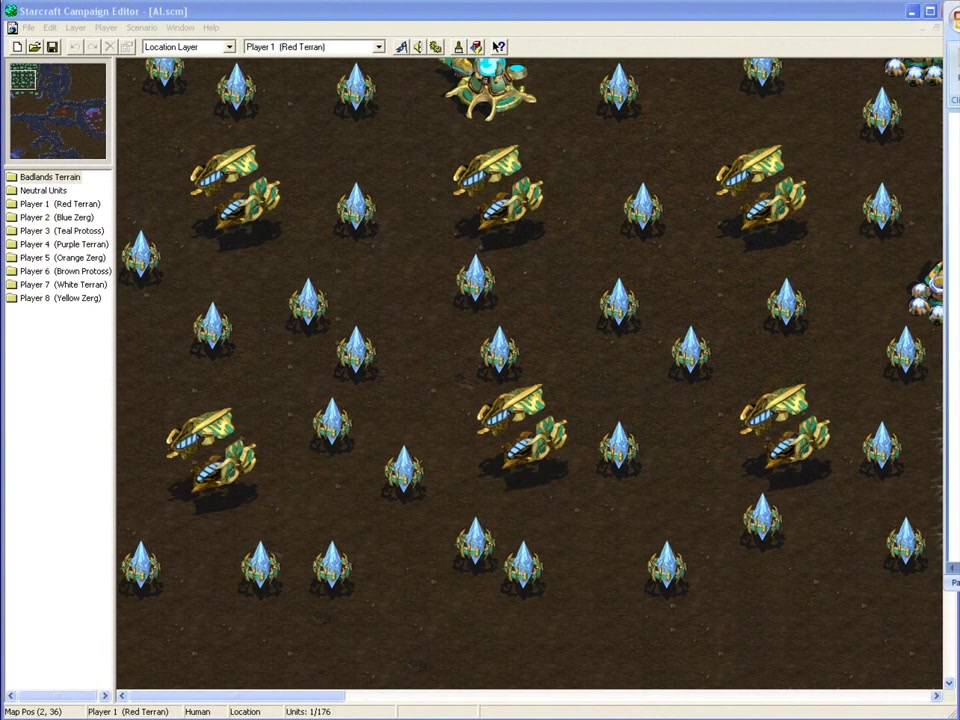
Selecting the appropriate AI script is paramount to achieving the desired difficulty level and ensuring a balanced and enjoyable game. A poorly chosen script can lead to an AI that is either too passive, making the Game trivially easy, or overly aggressive, resulting in an impossible challenge for the player. Carefully consider the resources available to the AI, the map layout, and your intended gameplay flow to determine the best script for your needs.
Think of AI scripts as the personality of your computer opponent. Some scripts might prioritize economic development, focusing on resource gathering and base expansion. Others might favor aggressive military tactics, constantly harassing the player with waves of units. Still others might adopt a defensive posture, fortifying their base and only engaging when threatened. The right script will create an AI that aligns with your vision for the map, providing a satisfying and dynamic opponent.
The Starcraft editor provides a variety of pre-built AI scripts, each with its own unique characteristics. Understanding the differences between these scripts is the first step toward creating compelling AI opponents. In the following sections, we’ll delve into some of the most common and useful AI scripts, explaining their strengths, weaknesses, and ideal use cases. Let's see how to use the Starcraft AI scripts properly.
AI Scripts: Area Town Explained
The Area Town script is an ideal choice for creating a passive or neutral AI presence on your map.
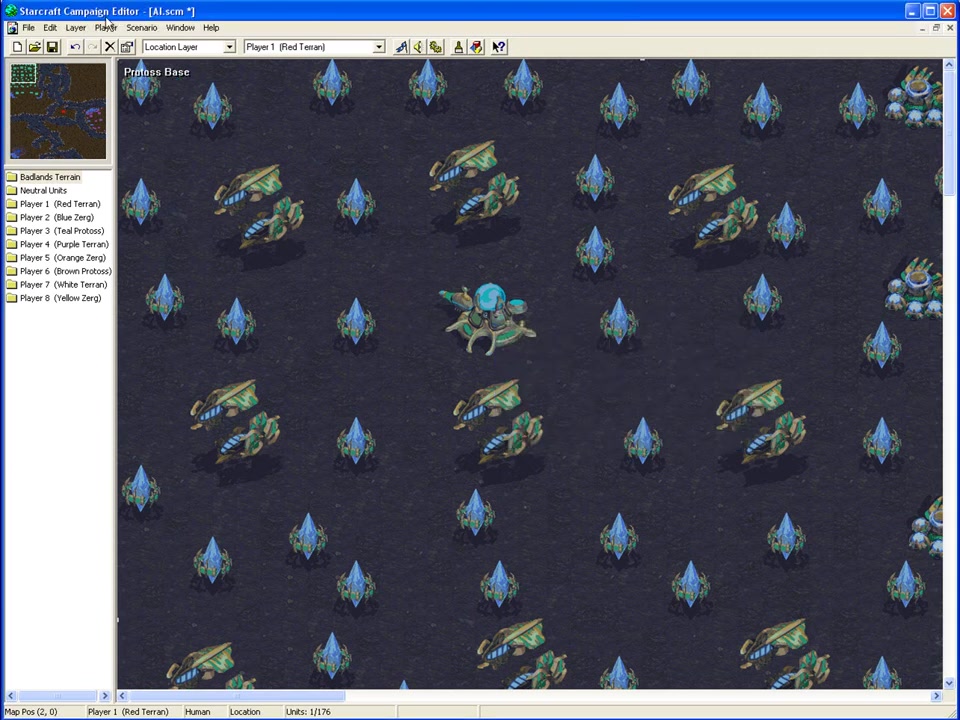
An AI assigned the Area Town script focuses primarily on resource gathering and will not construct any military units. The AI will only use the units it initially starts with to defend its base if attacked. This script is perfect for scenarios where you want to create a non-threatening AI faction that the player can interact with or exploit for resources. Area Town is especially good for maps where the player needs to secure resources from AI controlled areas in order to progress further, adding to the player's campaign.
Custom Levels for Unique Gameplay
The Custom Level scripts are essential to adding skirmish elements to the map. When a custom level AI script is used, you are essentially adding the default AI of any skirmish map to a Starcraft map. Custom Level AI scripts will build a base, tech up, and expand into new territory, becoming an extremely dangerous opponent.
Campaign AI Scripts: Easy, Medium, Difficult, Insane
The Campaign AI scripts provide different levels of campaign difficulty.
Using the wrong campaign level AI script can make your campaign far too easy or impossibly difficult. Consider what type of units your enemy will be using. If the player will be fighting high tier units, the AI script must have high enough campaign AI level. If the AI does not have the correct units, the AI will lose. However, the wrong AI setting can make a campaign very difficult. It's important to ensure your campaign provides a fair challenge to the player.
- Easy level AIs have low level units
- Medium level AIs have mid tier units, such as Scouts (Protoss)
- Difficult AIs have high tier units
- Insane AIs fully upgrade their units and tech to the maximum level possible, providing the most challenging AI experience
Step-by-Step Guide: Implementing AI Scripts
Creating a Trigger for Your AI
Once you've selected your AI script, you need to create a trigger within the Starcraft editor to activate it. Triggers are the mechanism by which you tell the game when and how to execute certain actions, including running AI scripts. Here’s a breakdown of the process:
-
Location Setup: Begin by selecting the 'Location Layer'. Use the location tool to define a specific area on your map that will be associated with the AI script.
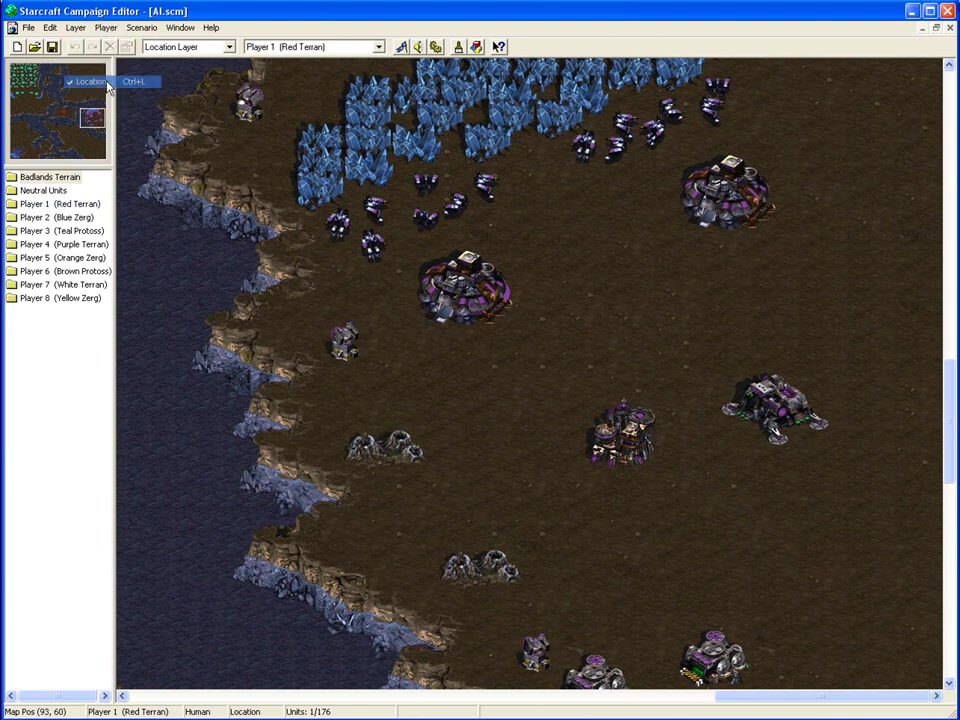
This area typically encompasses the AI's base or starting location. Provide it with a unique identifier.
-
Accessing the Trigger Editor: Navigate to the 'Scenario' menu and select 'Triggers'. This opens the trigger editor, where you'll define the conditions and actions for your AI script.
-
Creating a New Trigger: Click the 'New' button in the trigger editor to create a new trigger. Assign the trigger to the computer player.
-
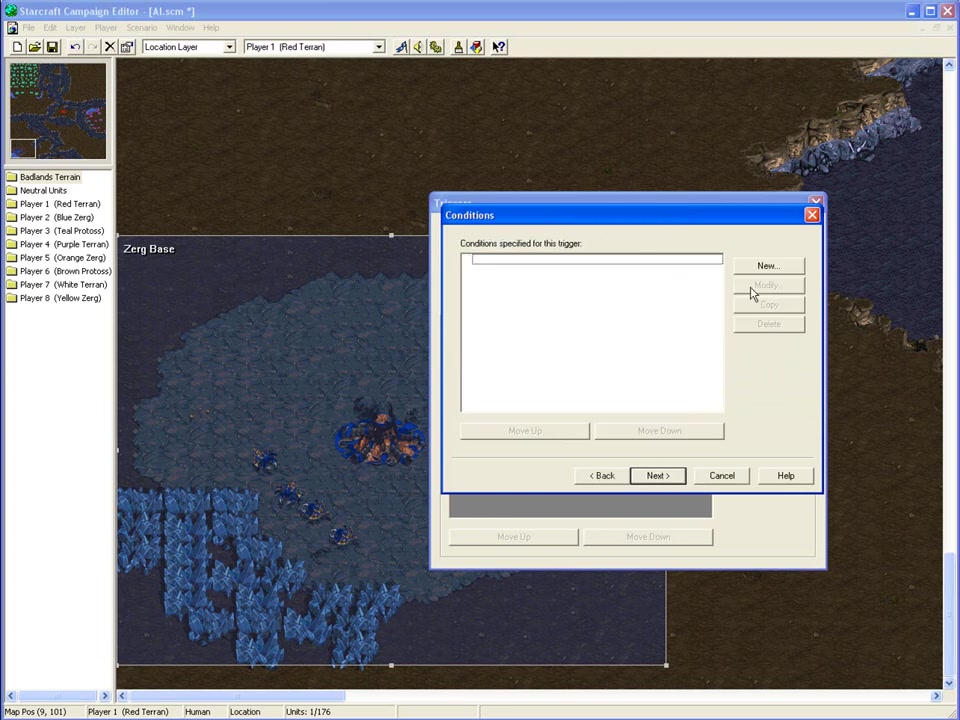
Setting the Condition: Set the trigger's condition to "Always". This will cause the AI script to execute continuously throughout the game. It ensures that the AI maintains its assigned behavior and adapts to changing circumstances.
-
Adding the Run AI Script Action: In the trigger editor, create a new action and find 'Run AI Script at Location'.
-
Configuring the Action: Specify the desired AI script. This links the chosen script to the trigger. Select the location you defined earlier. This ensures that the AI script is executed within the designated area. If you want the AI to expand, then choose Zerg or Terran. If not, do not choose these races.
-
Testing Your Implementation: After creating the trigger, test your map to ensure the AI is functioning as expected. Observe the AI's behavior, resource gathering, unit production, and combat tactics to verify that the script is working correctly and achieving the desired outcome.
By following these steps, you can effectively implement AI scripts within your Starcraft maps, creating dynamic and challenging computer opponents that enhance the overall gameplay experience.


Most people like





































Report
Please select a reason for reporting
- 13 Reasons to Switch from Snapchat to Text Messaging
- 7 Powerful Speech to Text Apps to Boost Productivity
- 10 Best Speech to Text Tools for Effortless Transcription
- 13 Free Tools to Easily Transcribe Audio to Text
- 15 Surprising Ways Google's Speech-to-Text Boosts Productivity
- 7 Best Free Online Audio to Text Transcription Tools
- 9 Tips to Transcribe Speech to Text Faster and Better
- 13 Best Speech to Text Software for Windows 10 in 2023
- 7 Tips for Choosing the Best Transcriber for Audio to Text
- 11 Reasons Why Dragon Speech-to-Text Apps are Game-Changers
- 6 Secrets to Enhance Your Speech to Text Transcription
- 6 Brilliant Ways to Boost Productivity with Talk-to-Text on Your MacBook
- 6 Ways Transcription Software Converts Audio to Text
- 8 Tips to Transcribe Speech to Text Like a Pro
- 6 Reasons IBM Watson Speech to Text is a Game-Changer
- 14 Powerful Ways Talk-to-Text Improves Your Workflow
- 12 Top Windows Speech-to-Text Software for Efficient Transcription
- 12 Game-Changing Benefits of Apple's Speech to Text Technology
- 9 Powerful Use Cases for AWS Speech to Text Technology
- 10 Easy Steps to Transcribe YouTube Videos to Text
- transcription audio en texte
- online audio transcription
- free audio file transcription
- free ai audio transcription
- audio transcription service
- audio transcription online free
- audio transcription free online
- audio to transcription software
- audio and transcript
- ai audio transcription free
- voice recording to text converter
- translate voice recording to text
- record voice to text
- audio recording to text converter
- voice recording and transcription
- chatgpt voice to text
- gmail voice to text
- speech to text reader
- speech to text ai free
- speech to talk
- ChatGPT Knows Ford. It Just Doesn't Quote Ford
- Meshy AI: How to Create 3D Models from Text and Images
- How SEO and Marketing Dashboards Empower Agencies to Drive Results
- How to Use AI Tools to Find Internal Linking Opportunities Across a Business Website
- Discover Your Perfect Haircut with AI Hairstyle Apps
- Free Reputation Calculator Tools: How They're Adapting to Score AI Visibility, Not Just Rankings
- Design Professional Flyers for Free on Your Phone
- Best Free Flyer Maker Apps for Android: Design Like a Pro
- How to Know If Your Business Is Ready for an AI Customer Service Agent
- Revolutionizing Storytelling: From Novels to Screenplays with AI
- Your Business Data Could Be Worth Up to $4M. Find Out Without Uploading a Single File.
- Can an eSIM Plan Save You Time During Travel Setup?
- AI Video Editor Review: A Hands-On Look at Prompt-Based Video Editing
- Keep Characters Consistent Across Scenes With Image-to-Video AI
- How to Convert BTC to HNT
- ProxyWing DuckDuckGo Proxy Review: Plans, Setup and Who It Is For
- ChatGPT Knows Ford. It Just Doesn't Quote Ford
- Automate Lead Generation: A Comprehensive Guide with AI Agents
- Revideo.io: The Future of Reverse Video Search Technology
- Revolutionizing Email Marketing Agency with AI

Copyright ©2026 toolify