































Table of Contents
- Key Points
- Understanding Midjourney's Consistent Character Feature
- Step-by-Step Guide: Implementing Consistent Characters in Midjourney
- Midjourney Subscription Pricing
- Pros and Cons
- Midjourney's Standout Core Features
- Unlocking Creative Potential: Midjourney's Use Cases
- Frequently Asked Questions About Midjourney's Character Consistency
- Related Questions and Advanced Techniques



Understanding Midjourney's Consistent Character Feature
What is Character Consistency in AI Image Generation?
Character consistency in AI image generation refers to the ability to create multiple images of the same character with a consistent appearance. This includes maintaining consistent facial features, hairstyles, clothing, and overall style across different scenes and poses. Achieving character consistency can be challenging because AI image generators often introduce variations in each generated image, making it difficult to maintain a consistent look.
Traditionally, AI image generation platforms struggled with replicating a consistent character. Features were often changed slightly, which caused continuity errors across a series of images. This made it hard to create a comic strip with the same character from panel to panel, or even a group of images with the same subject. Midjourney's latest update aims to solve this issue.
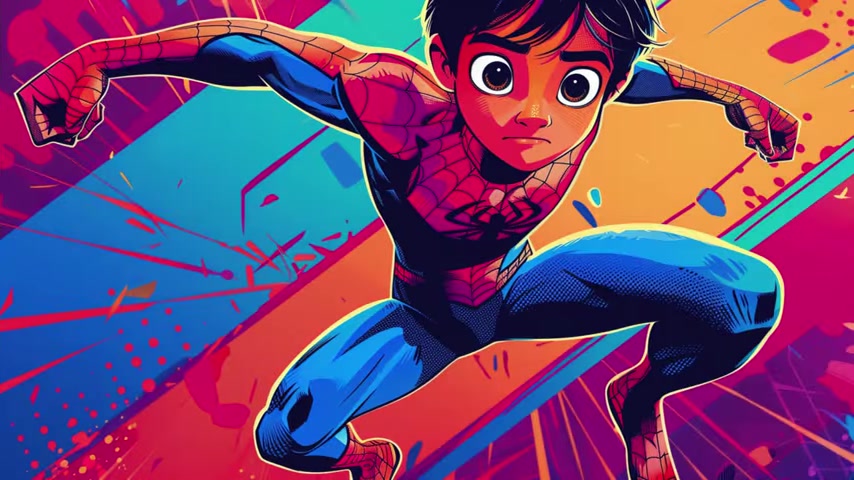
The new consistent character feature uses a reference image as a template to ensure each character matches the specifications of the source image. This consistency is a Game-changer, as it provides more control and predictability.
Maintaining character consistency is important for various creative applications:
- Storytelling: Consistent characters are essential for creating compelling narratives in comic books, animated series, and other visual storytelling mediums.
- Branding: Consistent characters can be used to create memorable and recognizable brand mascots and spokespersons.
- Game Development: Consistent characters are needed to populate game worlds with unique and recognizable non-player characters (NPCs).
- Illustration: Consistent characters can be used to create a series of illustrations with a cohesive style and aesthetic.
How Midjourney's New Feature Addresses Character Inconsistency
Midjourney's new consistent character feature addresses character inconsistency by introducing a character reference parameter. This parameter allows users to specify a base image of a character, which Midjourney then uses as a reference for all subsequent image generations. By using a base image, Midjourney can maintain consistency in facial features, hairstyles, clothing, and overall style.
In addition to the character reference parameter, Midjourney also offers a character weight parameter, which allows users to control the influence of the character reference on the generated images. This parameter can be used to fine-tune the level of consistency, allowing for subtle variations while still maintaining the overall character design.
The two new paramaters that can be used are as follows:
--cw: Stands for “character weight”, and influences the consistency between the reference image and generated characters.--cref: Is used to indicate the reference URL for the character to be used in the output image.
The new character weight parameter gives designers the ability to manage the degree to which the original reference affects the final product. You can now fine-tune images that have consistent faces, but slightly different clothing, or other aspects, to more closely match your overall design needs.
Here's a breakdown of how it works:
- Base Image: You provide Midjourney with a base image of the character you want to use. You’ll first upload the image to Discord, and then copy the link to your image.
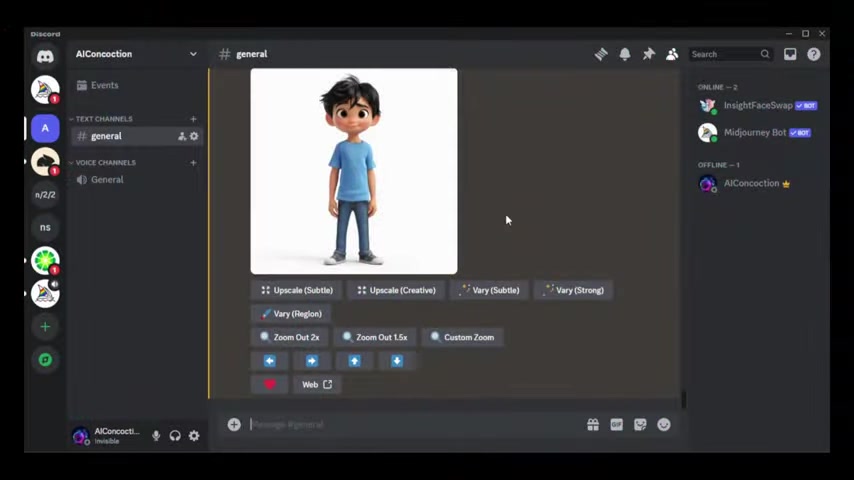
To copy the link to your image, right click, and select “Copy Link”.
- The character reference parameter is used: The new
--crefparameter is the base for this new function. - Character Reference (cref): By adding
--cref <URL of your base image>Midjourney will retain consistent control over faces, hair styles, and overall character appearance. - Character Weight (cw): Add the parameter
--cwto fine-tune Midjourney’s output.
Midjourney's consistent character feature represents a significant step forward in AI image generation, providing users with the tools they need to create consistent and professional-looking characters across multiple images.
Step-by-Step Guide: Implementing Consistent Characters in Midjourney
Step 1: Prepare a Base Image
The first step is to select or create a base image of the character you want to use. This image should be clear, well-defined, and representative of the character's overall design. Consider things such as the overall style of your character. Do they have specific facial features, hair styles, or clothing that can be used as points for the AI to reference? This will be used in your initial Midjourney Prompt.
For optimal results, Midjourney recommends using images generated by Midjourney itself, rather than real photos or illustrations from other sources. It might be tempting to upload your favorite superhero from your childhood, but remember that Midjourney is trained to learn from itself and its users, and is not meant to be used for photos of real people.
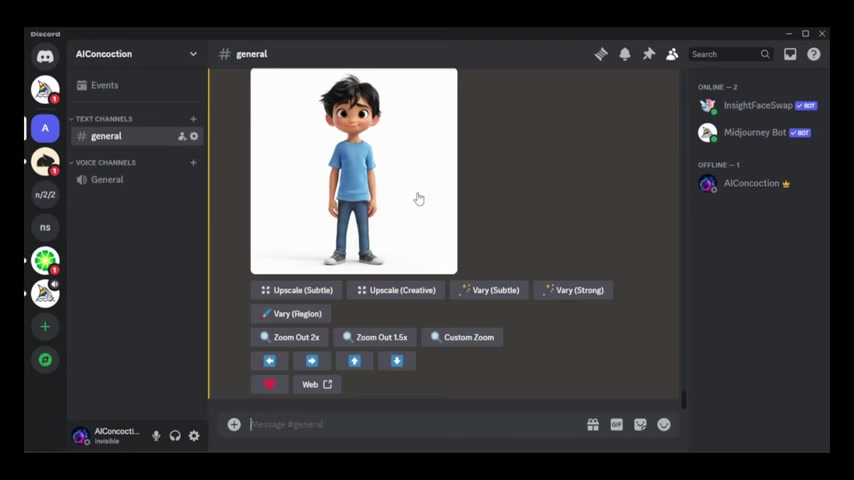
Step 2: Create a Custom Option for the Character Reference Parameter
To make it easier to add the character reference parameter to your prompts, you can create a custom option. Here's how:
- Right-click on the base image in Discord and select "Copy Link."
- Type
/prefer option setin the Midjourney channel. - Click on "+1 more" and then click "Value."
- Type
--crefwhich stands for character reference. Add a space, and paste the URL of the base image. - Enter the name of the option, such as "tom1", and press Enter.
Now you can easily add the character reference parameter to any prompt by typing --tom1. This will automatically insert the full character reference parameter with the base image URL.
Step 3: Incorporating the Character Reference Parameter in your prompts
To use the character reference parameter, simply add it to your Midjourney prompts using the custom option you created.
For example, if you created a custom option called "tom1", you can add the character reference parameter to your prompt by typing:
/imagine a comic book hero --ar 16:9 --tom1
This will generate an image of a comic book hero that is consistent with the character design in the base image. If you do not set the image ratio, the default will be set as 1:1. Also, remember that Midjourney has certain keywords, such as “style” that will conflict with your command. Make sure you remove those from the original prompt.
You can also combine the character reference parameter with other Midjourney parameters, such as style, aspect ratio, and quality, to further customize the generated images. There may be additional adjustments to your prompts, and you may find that you need to use a larger range for --cw.
Step 4: Fine-Tuning Character Consistency with Character Weight
To fine-tune the level of character consistency, you can use the character weight parameter. This parameter allows you to control the influence of the character reference on the generated images. The character weight parameter accepts values from 0 to 100, with a default value of 100. Lower values will result in less consistent characters, while higher values will result in more consistent characters.
For example, to set the character weight to 50, you can add the character weight parameter to your prompt by typing:
/imagine a comic book hero --ar 16:9 --tom1 --cw 50
Experiment with different character weight values to achieve the desired level of consistency.
Step 5: Adding a Second Reference Image for Detailed Tuning
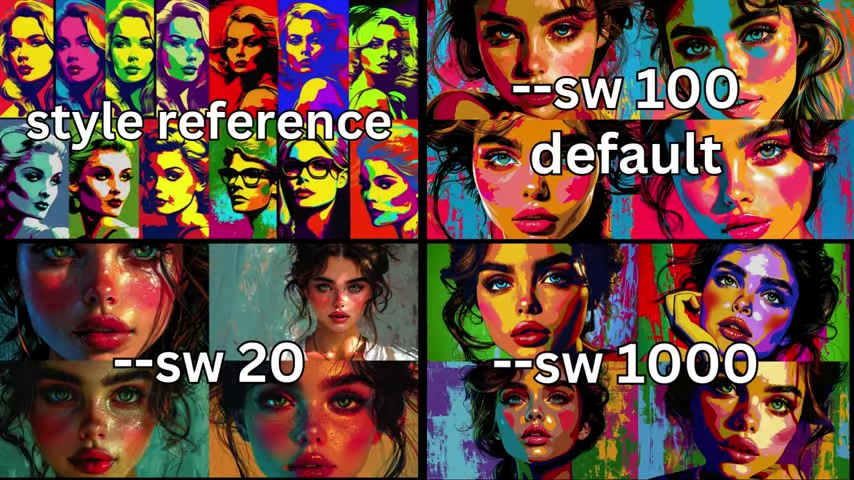
Refining your project using additional reference images allows you to add details to Midjourney's project. You can't simply add two links in the value, but you will instead need to copy the original link into the value box and add an additional URL link next to the first URL. Make sure there is a space between the two links. This is a quick way to add character elements, such as hair or clothing
.





Most people like



































Report
Please select a reason for reporting
- 13 Reasons to Switch from Snapchat to Text Messaging
- 7 Powerful Speech to Text Apps to Boost Productivity
- 10 Best Speech to Text Tools for Effortless Transcription
- 13 Free Tools to Easily Transcribe Audio to Text
- 15 Surprising Ways Google's Speech-to-Text Boosts Productivity
- 7 Best Free Online Audio to Text Transcription Tools
- 9 Tips to Transcribe Speech to Text Faster and Better
- 13 Best Speech to Text Software for Windows 10 in 2023
- 7 Tips for Choosing the Best Transcriber for Audio to Text
- 11 Reasons Why Dragon Speech-to-Text Apps are Game-Changers
- 6 Secrets to Enhance Your Speech to Text Transcription
- 6 Brilliant Ways to Boost Productivity with Talk-to-Text on Your MacBook
- 6 Ways Transcription Software Converts Audio to Text
- 8 Tips to Transcribe Speech to Text Like a Pro
- 6 Reasons IBM Watson Speech to Text is a Game-Changer
- 14 Powerful Ways Talk-to-Text Improves Your Workflow
- 12 Top Windows Speech-to-Text Software for Efficient Transcription
- 12 Game-Changing Benefits of Apple's Speech to Text Technology
- 9 Powerful Use Cases for AWS Speech to Text Technology
- 10 Easy Steps to Transcribe YouTube Videos to Text
- transcription audio en texte
- online audio transcription
- free audio file transcription
- free ai audio transcription
- audio transcription service
- audio transcription online free
- audio transcription free online
- audio to transcription software
- audio and transcript
- ai audio transcription free
- voice recording to text converter
- translate voice recording to text
- record voice to text
- audio recording to text converter
- voice recording and transcription
- chatgpt voice to text
- gmail voice to text
- speech to text reader
- speech to text ai free
- speech to talk
- Meshy AI: How to Create 3D Models from Text and Images
- How SEO and Marketing Dashboards Empower Agencies to Drive Results
- How to Use AI Tools to Find Internal Linking Opportunities Across a Business Website
- Discover Your Perfect Haircut with AI Hairstyle Apps
- Free Reputation Calculator Tools: How They're Adapting to Score AI Visibility, Not Just Rankings
- Design Professional Flyers for Free on Your Phone
- Best Free Flyer Maker Apps for Android: Design Like a Pro
- How to Know If Your Business Is Ready for an AI Customer Service Agent
- Revolutionizing Storytelling: From Novels to Screenplays with AI
- Create Engaging Animated Explainer Videos with a Free AI Tool
- Automate Lead Generation: A Comprehensive Guide with AI Agents
- Revideo.io: The Future of Reverse Video Search Technology
- Revolutionize Learning: Discover Quizzes AI for Engaging Interactive Quizzes
- Revolutionizing Email Marketing Agency with AI
- Breaking the Character Drift Dilemma: A Practical Test of Smart Shot
- Meshy AI: How to Create 3D Models from Text and Images
- ASOMobile Helps Teams Benchmark App Store Screenshots Against Competitors
- How to Match LMS Software With Your Organization's Training Plan
- How to Convert BTC to HNT
- Unleashing the Power of AI: Cognizant's Roadmap for Transformation

Copyright ©2026 toolify