Migrating SQL Server to Aurora PostgreSQL with AWS SCT: A Detailed Guide

Updated on Oct 23,2025

Migrating databases can be a complex undertaking, especially when transitioning from one database engine to another. The AWS Schema Conversion Tool (SCT) simplifies this process, allowing you to convert your existing database schema from SQL Server to Amazon Aurora PostgreSQL. This detailed guide will walk you through each step, from setting up a new project to configuring drivers and ensuring a smooth migration. This article will explore the essential steps of setting up AWS SCT, downloading and configuring necessary drivers, adding a source and target database, generating assessment reports, and applying converted schema to the database.

Key Points

Creating a new project in AWS SCT.

Configuring global settings and JDBC drivers.

Downloading necessary drivers from AWS documentation.

Adding SQL Server as a source database.

Adding Aurora PostgreSQL as a target database.

Generating and reviewing the assessment report.

Applying the converted schema to Aurora PostgreSQL.

Setting Up Your AWS Schema Conversion Tool (SCT) Project

Creating a New Project

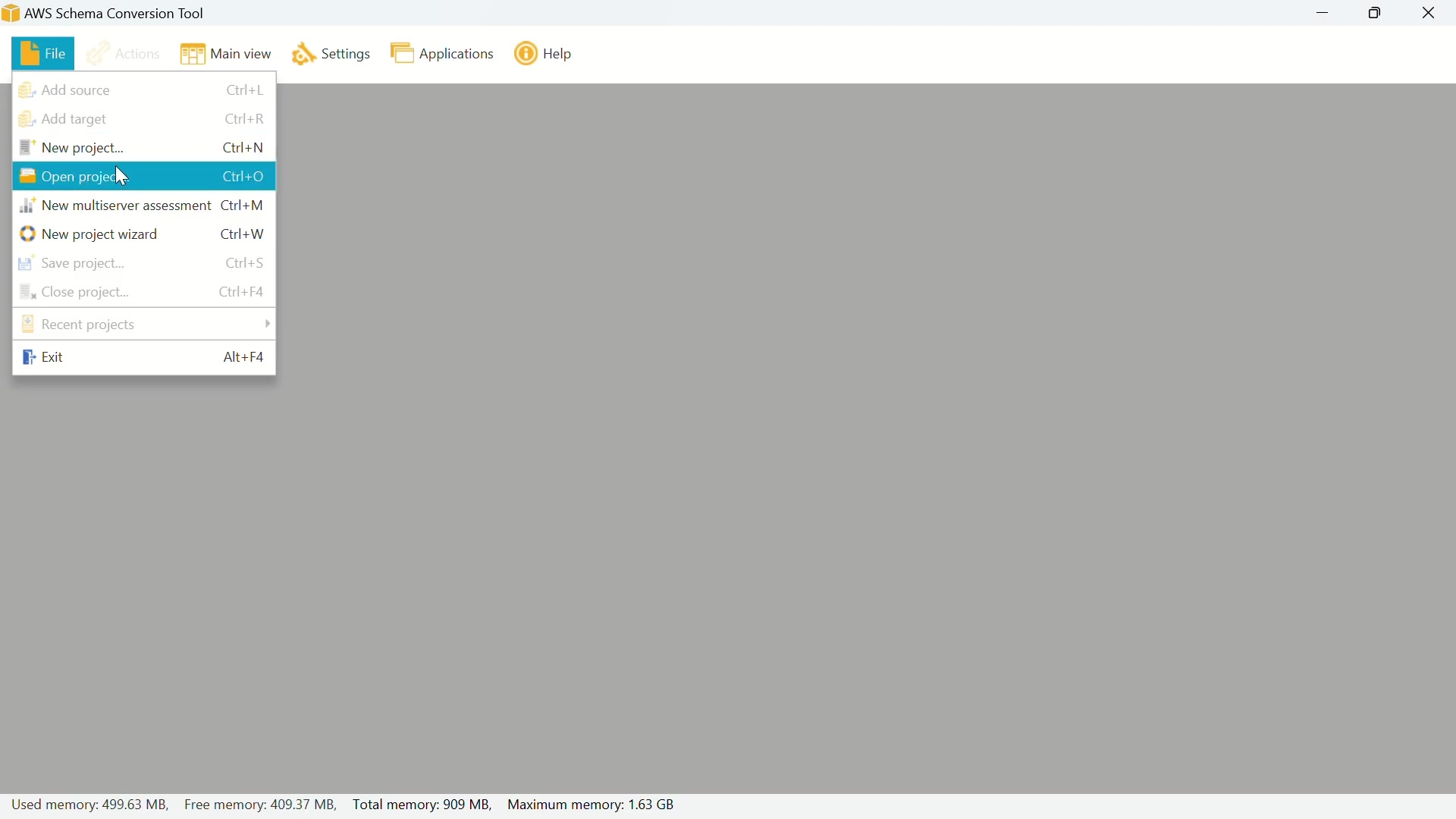
The initial step in any migration project involves creating a new project within the AWS Schema Conversion Tool. Begin by opening the AWS SCT application and navigating to the 'File' menu. Choose 'New Project...' to initiate the project setup.

A dialog box will appear, prompting you to enter the name and location for your new migration project. Give your project a descriptive name, such as 'SQLServerToAuroraMigration,' and specify the directory where the project files will be stored. Click 'OK' to create the project.

This action opens the main AWS SCT interface, preparing you to configure the source and target database connections. Remember that a well-organized project structure is crucial for managing migration tasks effectively and keeping track of progress.

Configuring Global Settings and JDBC Drivers

Before establishing connections to your source and target databases, it's essential to configure the global settings, particularly the JDBC drivers. This configuration enables AWS SCT to communicate with the respective database engines. Navigate to 'Settings' then click 'Global Settings'.

In the Global Settings dialog, select 'Drivers' from the left-hand menu. Here, you’ll specify the paths for the JDBC drivers of both SQL Server and PostgreSQL. These drivers are necessary for AWS SCT to interact with your databases.

Downloading JDBC Drivers: To obtain the required JDBC drivers, refer to the AWS documentation. You can find them by searching 'install aws sct' on Google, and navigating to the Amazon AWS Documentation link. Look for the section on 'Installing JDBC drivers for AWS Schema Conversion Tool'.

From the AWS documentation page, you can download the JDBC drivers for Microsoft SQL Server and PostgreSQL. For SQL Server, click the provided link to be redirected to the Microsoft download page. Choose the appropriate version, download the ZIP file, and extract its contents.

For PostgreSQL, click the link in the AWS Documentation that will download the jdbc jar file.

Adding Driver Paths in AWS SCT: After downloading and extracting the drivers, return to AWS SCT's Global Settings. Browse to the location of the 'mssql-jdbc-13.2.0.jre11.jar' file (or similar, depending on the version) for SQL Server. For PostgreSQL, browse to the downloaded 'postgresql-42.2.19.jar' file. Apply the changes and click 'OK'.

This step ensures that AWS SCT can communicate with both your SQL Server and Aurora PostgreSQL instances, paving the way for schema conversion.

Connecting Source and Target Databases

Adding SQL Server as a Source Database

With the JDBC drivers configured, you can now add SQL Server as the source database in AWS SCT. Click the 'Add Source' button to begin.

From the available options, select 'Microsoft SQL Server' and click 'Next'.

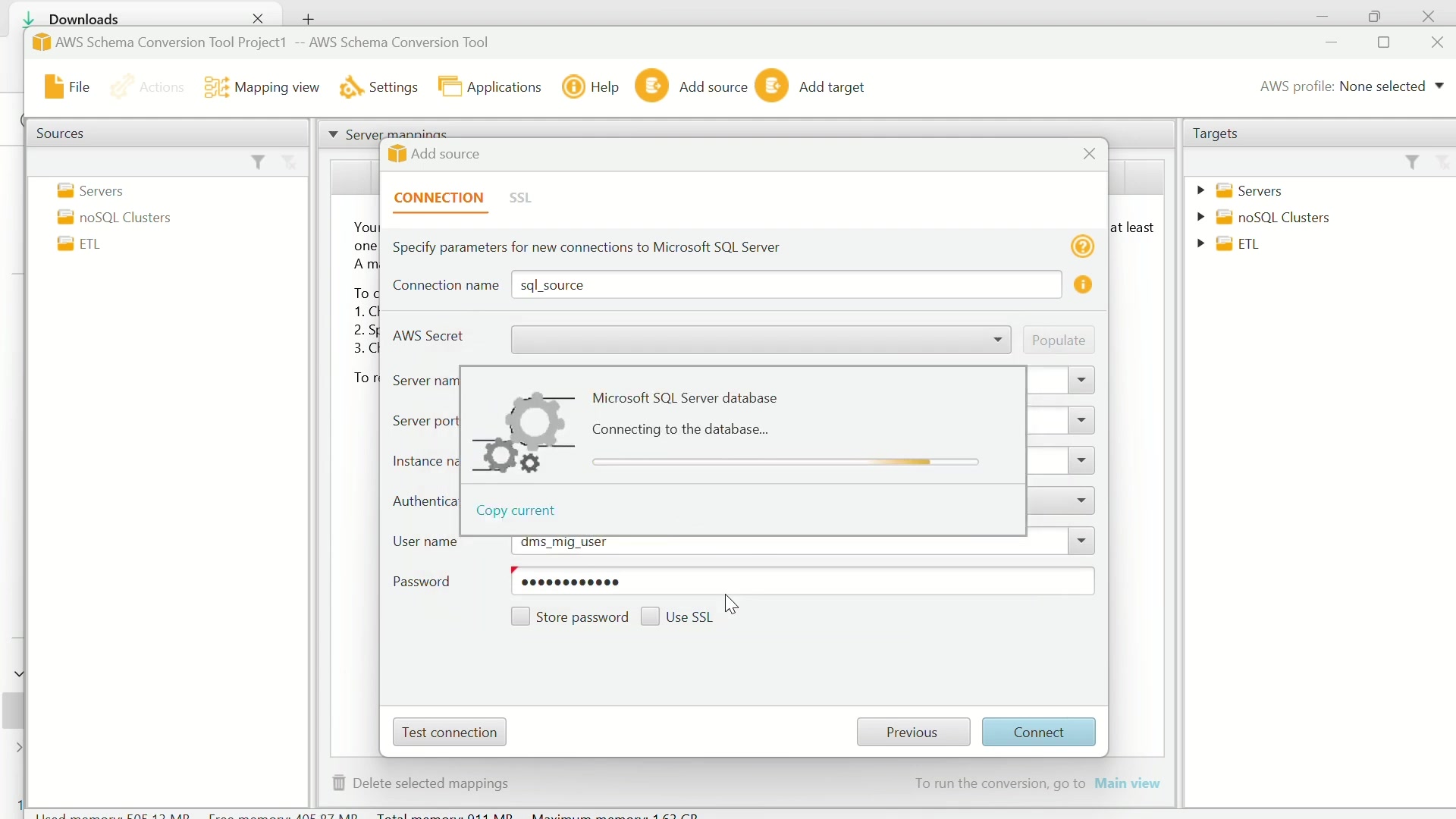
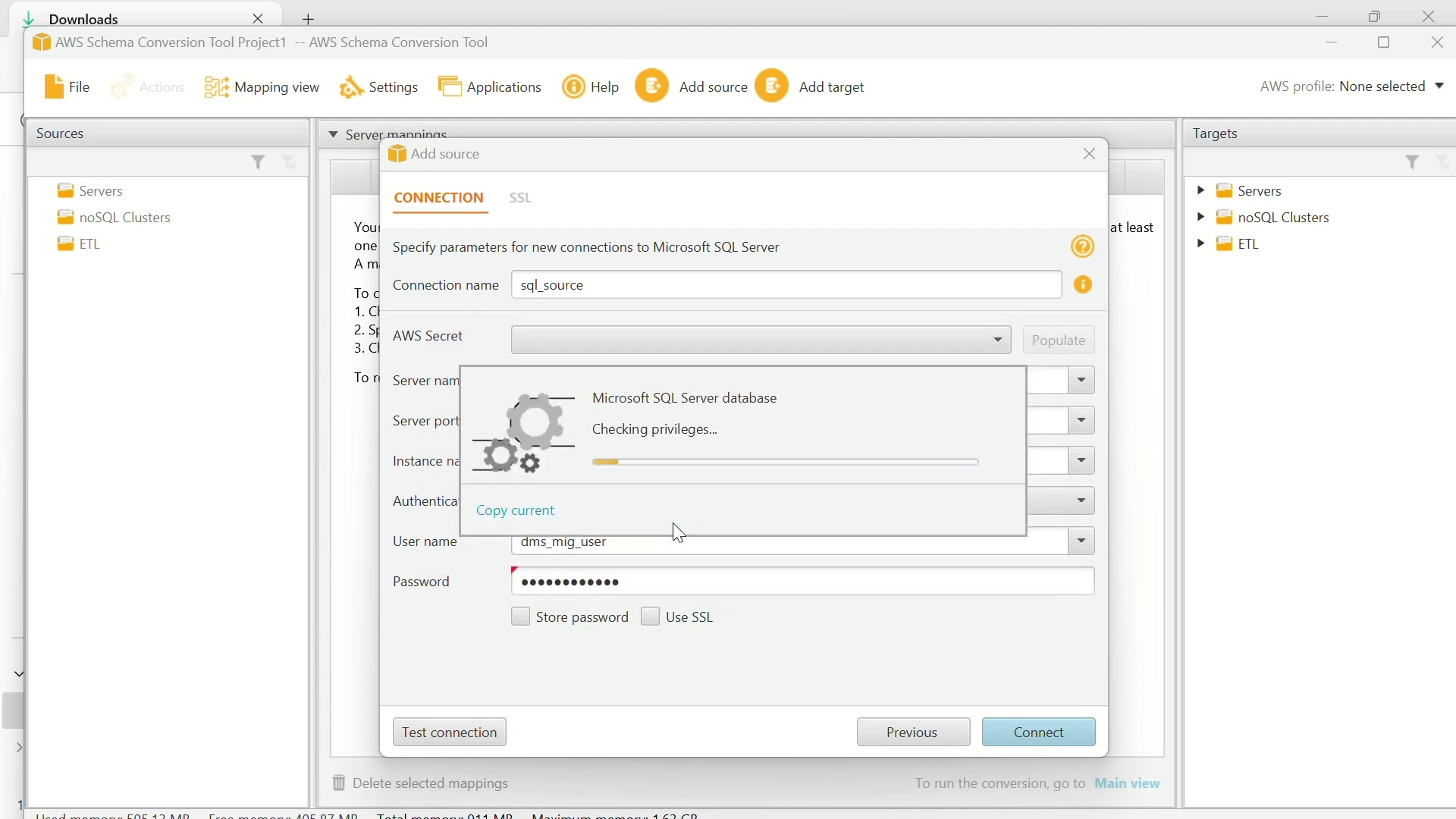
You'll need to provide connection details, including the server name, port, instance name, username, and password. Ensure that 'SQL Server Authentication' is selected. Fill in the credentials for your SQL Server instance. You also need to give connection name as of your choice, such as 'SQL_source'.

After entering the details, click 'Test Connection' to verify connectivity. If the test is successful, click 'OK', and then 'Connect'. This action establishes a connection to your SQL Server database, allowing AWS SCT to access its schema.

Adding Aurora PostgreSQL as a Target Database

Next, you'll add Amazon Aurora PostgreSQL as the target database. Click the 'Add Target' button.

Choose 'Amazon Aurora (PostgreSQL compatible)' and click 'Next'.

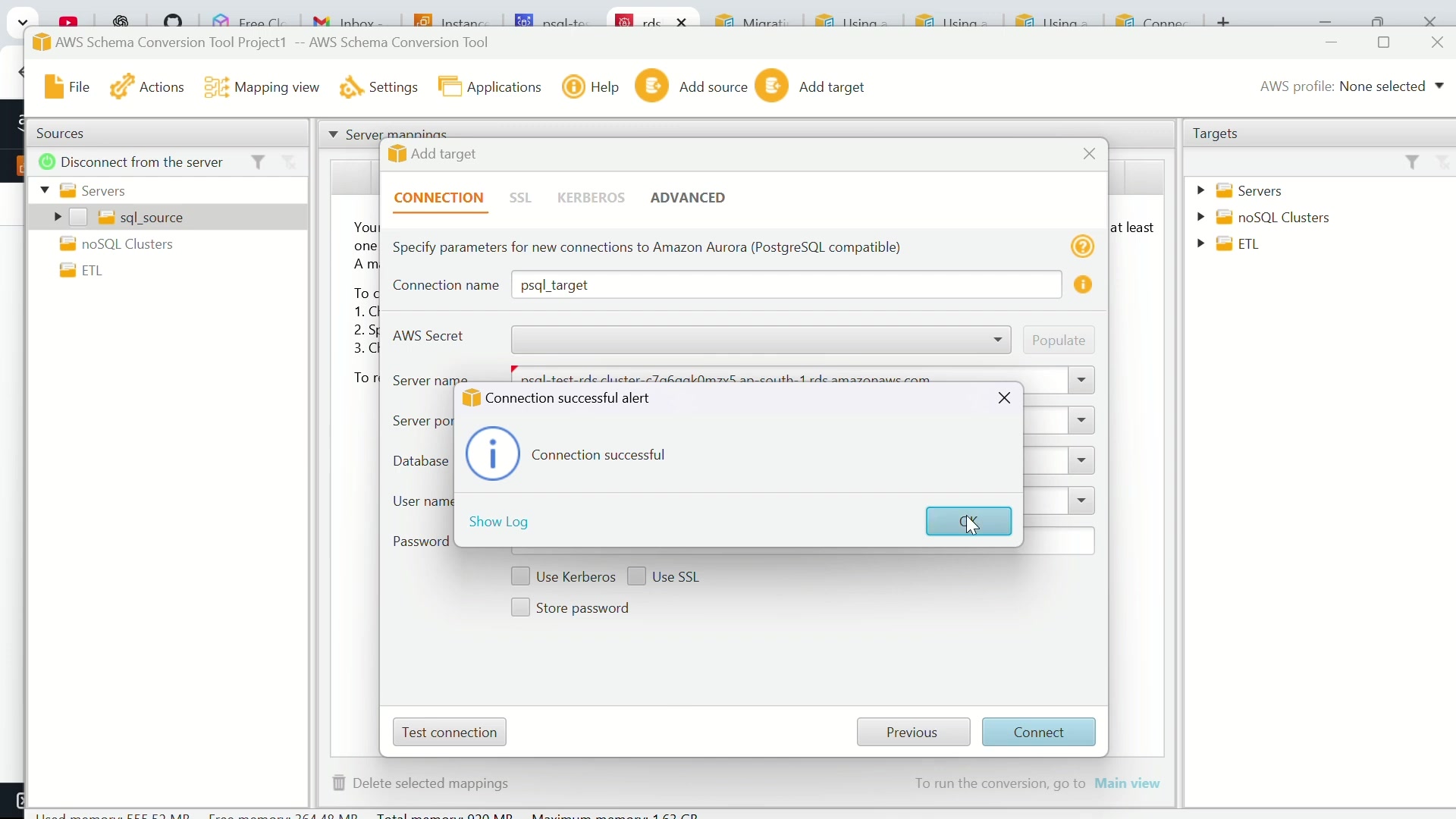
Enter the required connection information, including the server name (RDS endpoint), port, database name, username, and password for your Aurora PostgreSQL instance. Please give connection name as of your choice, such as 'PSQL_target'. I will find the server name which is RDS endpoint from the console.

Test the connection to ensure that AWS SCT can communicate with your Aurora PostgreSQL instance. Upon successful connection, click 'OK' and then 'Connect'. This establishes the target database connection for schema migration.

Generating and Reviewing the Assessment Report

After configuring both source and target databases, generate an assessment report to identify potential conversion challenges. In the AWS SCT interface, you should now see both your SQL Server source and Aurora PostgreSQL target listed.

Expand the SQL Server source database, select the specific database you want to migrate, and right-click. Choose 'Create Report'. This process analyzes the SQL Server schema and identifies any compatibility issues with Aurora PostgreSQL.

Once the report is generated, review it carefully. The report highlights objects that can be automatically converted and those that require manual intervention. It provides valuable insights into the effort required for migration and helps you plan accordingly.

Applying the Converted Schema to Aurora PostgreSQL

With the assessment report reviewed, proceed to apply the converted schema to your Aurora PostgreSQL instance. Right-click on the SQL Server database in AWS SCT and select 'Convert Schema'. Confirm the action when prompted.

AWS SCT will convert the SQL Server schema to a PostgreSQL-compatible format. After the conversion is complete, right-click on the target database and choose 'Apply to Database'. This step creates the converted schema in your Aurora PostgreSQL instance.

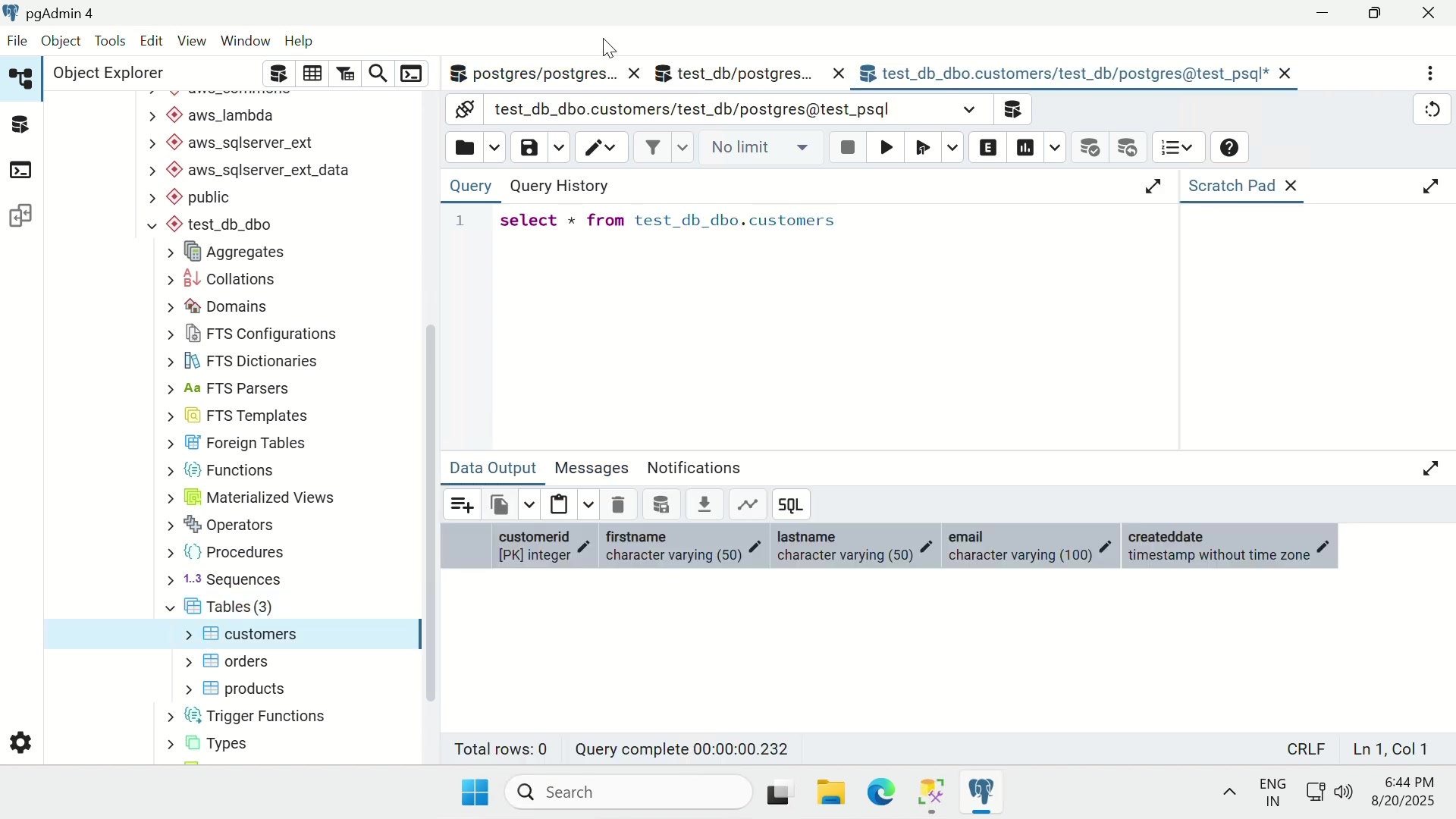
Post-Migration Verification: After applying the schema, verify that all database objects have been successfully migrated. Check tables, views, stored procedures, and other database components to ensure they function as expected.

This comprehensive guide provides a structured approach to migrating your SQL Server database to Amazon Aurora PostgreSQL using AWS SCT. By following these steps, you can streamline the migration process and minimize potential issues. This will help you to easily review your migrated schema.

Steps to Migrate Schema using AWS SCT

Step 1: Configure the AWS SCT environment

Open the AWS SCT and click on file. Then select new project to create a new project.

Specify the project name and project path then click ok.

Before adding a source database and a target database, configure the global setting first. In the global settings, select the drivers. Those drivers are Microsoft SQL and Postgress.

You can get those drivers in AWS documentation. Install the JDBC drivers in the documentation.

Step 2: Adding source and Target database

Then you are ready to add source and target. Microsoft SQL is your source, and you have to specify the parameters for new connection to Microsoft SQL Server such as connection name, server name, server port, user name, and password.

After that, test the connection and you can connect the Microsoft SQL Server.

When your source is added, you can add target. Choose Amazon aurora PostgreSQL and specify the parameters such as connection name, server name, server port, database, user name and password to connect. Then test the connection.

Step 3: Migrate schema from source to target

Finally, choose the source database that you want to migrate. On the left side, you can find SQL server source. Then you can expand the database and select the database you want to migrate.

Create mapping to select the source and target then change the view to main view to convert schema. Convert schema and load the schema to migrate to your target.

AWS Schema Conversion Tool Pricing

No Direct Cost for the Tool

The AWS Schema Conversion Tool (SCT) itself is provided by Amazon Web Services at no direct cost. You can download and use the tool without incurring any license fees or subscription charges. This makes AWS SCT a cost-effective option for organizations looking to migrate their databases to AWS. The primary costs associated with using AWS SCT are related to the AWS resources consumed during the migration process.

Associated AWS Resource Costs

While the AWS SCT is free, be mindful of the AWS resources you use during the migration, which can include:

  • Compute Resources: If you're using Amazon EC2 instances to host the AWS SCT application or to perform data extraction and loading, you'll be charged for the EC2 instance hours consumed.
  • Storage: Temporary storage might be needed for storing extracted data or converted schemas during the migration process. AWS storage services like Amazon S3 or Amazon EBS will incur costs based on the amount of storage used.
  • Data Transfer: Charges can apply for data transfer between your on-premises environment and AWS, as well as between different AWS services.
  • Database Instances: During the migration, you'll likely have both your source and target database instances running, which will incur charges based on the instance type, storage, and other database-related costs.

By keeping these considerations in mind, you can effectively manage and minimize the costs associated with your database migration project using AWS SCT.

AWS Schema Conversion Tool: Weighing the Advantages and Disadvantages

👍 Pros

Cost-Effective: AWS SCT is a free tool, reducing initial migration expenses.

Schema Conversion: Automates schema conversion, saving significant time and effort.

Comprehensive Assessment: Provides detailed reports to identify conversion challenges.

Integration: Seamlessly integrates with other AWS services like DMS for data migration.

Customizable Rules: Allows tailoring conversion rules to meet specific requirements.

👎 Cons

Complexity: Setting up global settings and configuring drivers can be complex.

Data Migration: Limited data migration capabilities; relies on AWS DMS for comprehensive migration.

Manual Intervention: Requires manual intervention for objects not automatically converted.

Resource Costs: AWS resources used during migration incur costs, which can escalate unexpectedly.

Migration Rules: May require some transformation rules

Key Features of AWS Schema Conversion Tool

Automated Schema Conversion

AWS SCT automates the complex task of converting database schemas from one database engine to another. It analyzes the source database schema and creates a compatible schema for the target database engine. This automation significantly reduces the manual effort and time required for schema migration, making the process more efficient and less prone to errors. AWS SCT supports converting database schemas from various sources, such as Oracle, Microsoft SQL Server, MySQL, and more, to various AWS database services like Amazon RDS for PostgreSQL, Amazon Aurora, Amazon Redshift, and others. The tool handles the complexities of syntax and data type differences between database engines, ensuring a seamless conversion process.

Assessment Report Generation

AWS SCT can generate a detailed assessment report that provides insights into the compatibility of the source schema with the target database engine. This report highlights potential conversion challenges and provides recommendations for addressing them. This feature helps you assess the complexity of the migration project and plan accordingly, identifying objects that can be automatically converted and those that require manual intervention. The assessment report includes detailed information on data types, stored procedures, functions, triggers, and other database objects, helping you understand the scope of the migration.

Data Migration Support

AWS SCT simplifies data migration by helping you move data from your source database to the target AWS database service. It supports both online and offline data migration methods, providing flexibility to choose the best approach for your specific requirements. For smaller databases or scenarios with minimal downtime requirements, AWS SCT can perform online data migration. For larger databases or migrations with strict downtime constraints, it supports offline data migration using AWS Database Migration Service (DMS). This integration with DMS simplifies and automates the data migration process.

Customizable Conversion Rules

AWS SCT allows you to customize conversion rules to handle specific migration requirements. You can define rules to rename objects, add or remove prefixes/suffixes, convert data types, and perform other transformations. This customization provides granular control over the migration process, enabling you to tailor the converted schema to meet the specific needs of your application and environment. Customizable conversion rules help you address any compatibility issues that cannot be automatically resolved by AWS SCT. The tool provides a rule editor that allows you to define and manage custom conversion rules with ease.

Integration with AWS Ecosystem

AWS SCT seamlessly integrates with other AWS services, simplifying the overall migration workflow. It can be used in conjunction with AWS DMS to migrate both schema and data, providing a comprehensive migration solution. The tool is compatible with AWS CloudFormation, allowing you to automate the provisioning of resources required for the migration. AWS SCT also supports AWS IAM roles, enabling you to manage access to AWS resources securely. This integration with the AWS ecosystem ensures a consistent and streamlined migration experience.

Use Cases for AWS Schema Conversion Tool

Migrating On-Premises Databases to AWS

AWS SCT is commonly used to migrate on-premises databases to various AWS database services. Organizations looking to reduce infrastructure costs, improve scalability, and enhance reliability often migrate their databases to AWS using AWS SCT as a core component of their migration strategy. With AWS SCT, you can move your existing on-premises databases, such as Oracle, SQL Server, MySQL, and others, to AWS-managed database services like Amazon RDS, Amazon Aurora, or Amazon Redshift. The tool simplifies the migration process, allowing you to take advantage of the benefits of the AWS cloud.

Database Engine Upgrades

AWS SCT can be used to upgrade your database engine. With this migration, you can take advantage of the latest features, performance improvements, and security patches. Whether you're upgrading from an older version of SQL Server to a newer one, or transitioning from MySQL to MariaDB, AWS SCT can help you migrate your schema and data with minimal downtime. This simplifies the upgrade process and helps you keep your database environment up-to-date.

Database Consolidation and Standardization

Organizations with heterogeneous database environments can use AWS SCT to consolidate and standardize their database infrastructure. By consolidating multiple databases onto a single database engine on AWS, you can simplify management, reduce licensing costs, and improve overall operational efficiency. With AWS SCT, you can convert schemas from different database engines to a common target engine, enabling you to consolidate and standardize your database environment. This approach helps you reduce complexity, simplify administration, and optimize resource utilization.

Moving Data Warehouses to Amazon Redshift

AWS SCT is frequently used to migrate data warehouses to Amazon Redshift. Redshift is a fully managed, petabyte-scale data warehouse service in the cloud that is designed for high-performance analytics. If you're migrating an existing data warehouse from an on-premises environment or another cloud provider, AWS SCT simplifies the schema conversion and data migration process. This allows you to take advantage of the scalability, performance, and cost-effectiveness of Amazon Redshift.

Schema Conversion for Application Modernization

When modernizing legacy applications, AWS SCT can be used to convert the database schema to a modern database engine. As applications evolve, the underlying database may need to be modernized to support new features, scalability requirements, or other enhancements. AWS SCT simplifies the schema conversion process, allowing you to migrate your existing database to a modern database engine with minimal disruption. This supports the modernization of your application, and ensures that it can take advantage of the latest database technologies.

Frequently Asked Questions about AWS Schema Conversion Tool (SCT)

Is AWS SCT a free tool?
Yes, the AWS Schema Conversion Tool (SCT) is provided by Amazon Web Services at no direct cost. You can download and use the tool without incurring any license fees or subscription charges. However, you will be responsible for the AWS resources that you consume during the migration process. AWS resource costs may include compute resources, storage, data transfer, and database instances.
Which databases can AWS SCT convert schemas from?
AWS SCT supports converting database schemas from various sources, including Oracle, Microsoft SQL Server, MySQL, IBM Db2, and more. The tool can convert schemas to various AWS database services like Amazon RDS for PostgreSQL, Amazon Aurora, Amazon Redshift, and others. The tool handles the complexities of syntax and data type differences between database engines, ensuring a seamless conversion process.
Can AWS SCT migrate data as well as schema?
AWS SCT can assist with data migration, but it is primarily a schema conversion tool. While AWS SCT can perform limited data migration tasks for smaller databases or when minimal downtime is required, it also supports offline data migration using AWS Database Migration Service (DMS). This seamless integration with DMS simplifies and automates the data migration process, making AWS SCT a comprehensive migration solution.
Does AWS SCT support customizations or rules for schema conversion?
AWS SCT allows you to customize conversion rules to handle specific migration requirements. You can define rules to rename objects, add or remove prefixes/suffixes, convert data types, and perform other transformations. This customization provides granular control over the migration process, enabling you to tailor the converted schema to meet the specific needs of your application and environment. By allowing the migrations to be specified with custom rules, you have complete flexibility over your database.
Can I use AWS SCT to migrate a data warehouse to Amazon Redshift?
AWS SCT is frequently used to migrate data warehouses to Amazon Redshift. If you're migrating an existing data warehouse from an on-premises environment or another cloud provider, AWS SCT simplifies the schema conversion and data migration process. Amazon Redshift is a fully managed, petabyte-scale data warehouse service in the cloud that is designed for high-performance analytics.

Related Questions About Database Migration and AWS Services

What are the key considerations for planning a successful database migration?
Planning a successful database migration involves several key considerations. Begin by clearly defining the goals and objectives of the migration, including performance, scalability, and cost requirements. It's also important to assess the complexity and scope of the existing database schema, and identifying compatibility issues. A well-defined project plan should be made with clear timelines, milestones, and resource allocation. The database needs to be tested for minimal downtown and high reliability.
How does AWS Database Migration Service (DMS) work, and what are its benefits?
AWS Database Migration Service (DMS) is a managed service that helps you migrate databases to AWS quickly and securely. AWS DMS supports migrating databases between various database engines, including homogenous migrations (e.g., Oracle to Oracle) and heterogeneous migrations (e.g., SQL Server to Amazon Aurora). It also replicates ongoing changes to keep the target database in sync with the source during migration. AWS DMS is the go-to tool when you need reliable, secure database migrations.
What is Amazon Aurora, and what are its key advantages over other database engines?
Amazon Aurora is a fully managed, MySQL-compatible and PostgreSQL-compatible relational database engine that combines the performance and availability of high-end commercial databases with the simplicity and cost-effectiveness of open-source databases. Amazon Aurora features a distributed, fault-tolerant, and self-healing storage system that automatically scales up to 64 TB per database instance. It also provides enhanced security, support for various compliance standards, and integration with other AWS services.
What are the best practices for optimizing database performance after migration to AWS?
After migrating your database to AWS, it's essential to follow best practices for optimizing performance. One of the first steps is to right-size database instances and storage volumes to ensure that they meet the performance needs of your application, without over-provisioning. Monitoring database performance metrics, such as CPU utilization, memory consumption, disk I/O, and query latency, can also help. In addition, you can use built-in database performance tools to identify slow-running queries or inefficient database operations.
How can I ensure data security and compliance during and after database migration to AWS?
Ensuring data security and compliance during and after database migration to AWS is paramount. Implement appropriate encryption measures, both in transit and at rest, to protect sensitive data. When migrating data, use secure channels like AWS VPN or AWS Direct Connect to avoid exposing data to the public internet. AWS provides various compliance programs such as SOC, PCI DSS, HIPAA, and others to ensure compliance with industry-specific and regulatory requirements.

Most people like