































Table of Contents
- Key Points
- Understanding NeoApps.AI and Its Code Generator
- Getting Started with the NeoApps.AI Code Generator
- How to Generate APIs with NeoApps.AI Code Generator
- Evaluating the NeoApps.AI Code Generator
- FAQ
- Related Questions



Understanding NeoApps.AI and Its Code Generator
What is NeoApps.AI?
NeoApps.AI
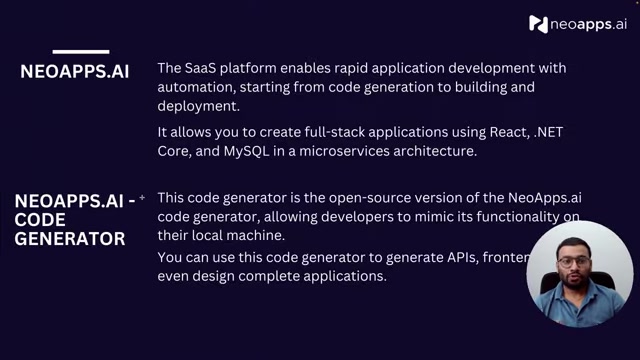
is a SaaS platform that empowers businesses and individuals with rapid application development. It provides automation for tasks ranging from code generation to building and deployment. This streamlines the process, allowing developers to focus on innovation rather than repetitive coding tasks. The NeoApps.AI platform excels in creating full-stack applications with a microservices architecture, making it a versatile solution for a wide range of projects. NeoApps.AI uses React, .NET Core, and MySQL, providing a familiar toolset for many developers. This Blend enables the creation of scalable and maintainable applications, suitable for modern business needs. The platform's focus on automation allows for quicker iteration and faster time-to-market, which can be a significant competitive advantage. Whether you're building a simple application or a complex enterprise solution, NeoApps.AI is equipped to handle the development lifecycle efficiently.
The Power of the NeoApps.AI Code Generator
The NeoApps.ai Code Generator
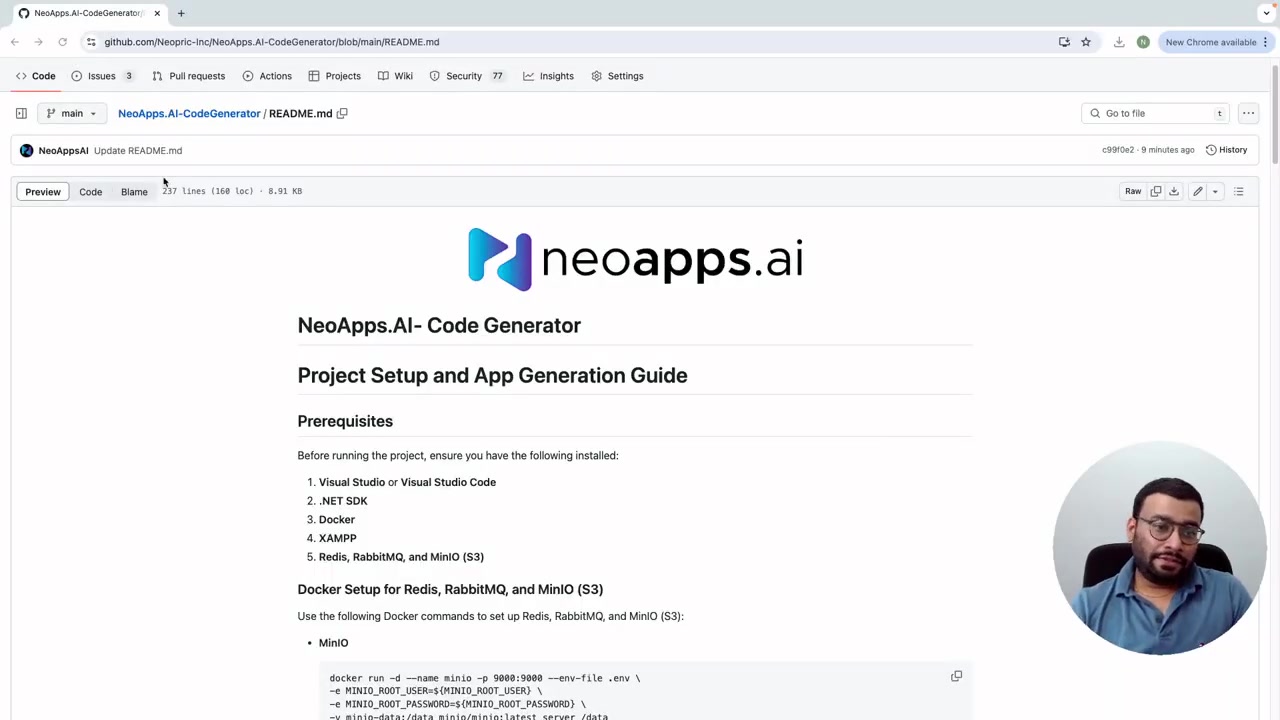
is an open-source version of the NeoApps.AI platform's code generation capabilities. This tool allows developers to replicate the core functionality of NeoApps.AI on their local machines, offering flexibility and control over the development environment. With the NeoApps.AI Code Generator, you can generate APIs, front-end components, and even complete application designs. This flexibility makes it invaluable for rapid prototyping, proof-of-concept development, and accelerating the overall application development lifecycle. The open-source nature of the Code Generator also promotes collaboration and community-driven improvements, ensuring it remains a cutting-edge tool for developers. This allows you to tailor the application development process to your specific needs and constraints.
Getting Started with the NeoApps.AI Code Generator
Prerequisites and Installation
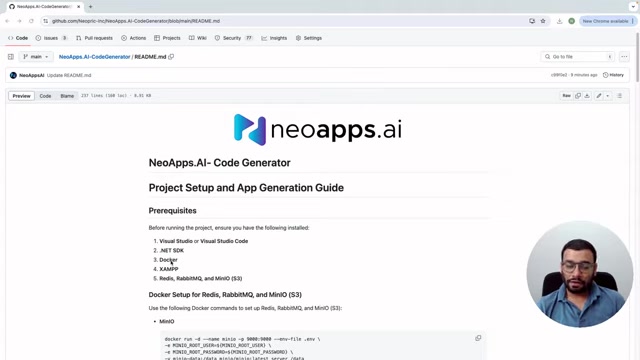
Before diving into using the NeoApps.AI Code Generator, ensure you have the necessary prerequisites installed on your system
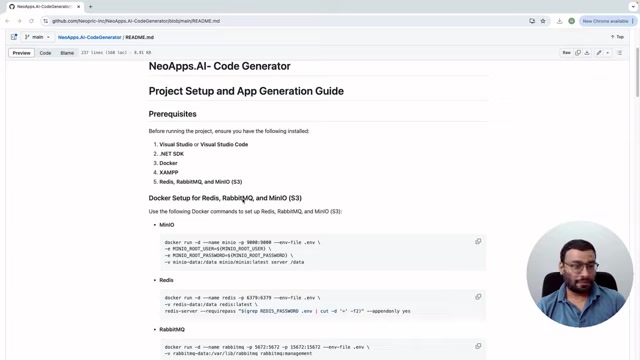
. These include:
- Visual Studio or Visual Studio Code: A powerful IDE for coding and debugging.
- .NET SDK: Essential for running and building .NET Core applications.
- Docker: Used to set up and manage dependencies like Redis, RabbitMQ, and MinIO.
- XAMPP: Provides a local server environment for MySQL databases.
With these components in place, you're ready to proceed. The NeoApps.AI Code Generator uses Docker to simplify dependency management. Docker allows developers to Package applications with all of their dependencies into standardized units for software development, becoming increasingly popular for rapid deployment. The presenter uses the command line to clone the NeoApps.AI code generator from Git Hub. Git Clone is another major piece of code developers should know. This allows for easy deployment and installation on a local machine.
To set up Redis, RabbitMQ, and MinIO, the Tutorial utilizes Docker commands. These commands streamline the setup process, making it easier to manage these critical dependencies. By encapsulating these services in Docker containers, you ensure consistency and portability across different development environments. The combination of these technologies provides a robust foundation for building scalable and reliable applications using the NeoApps.AI Code Generator.
Understanding Code Generation Steps
Now that your environment is set up, let's explore the fundamental steps involved in generating a project using the NeoApps.AI Code Generator. This process typically involves:
- Database Schema Design: Follow the guidelines provided by NeoApps.AI to design your database schema.
Ensure your database schema follows best practices for optimal compatibility and performance. These guidelines help you structure your data in a way that the code generator can understand and leverage effectively.
- Saving the Script: Save your database script in .sql format. This script contains the definition of your database schema, including tables, columns, and relationships. Example scripts are often available on the NeoApps.AI documentation pages, providing a starting point for your project.
- Uploading the Script to XAMPP: Upload your SQL script to XAMPP. This allows it to be accessible via the XAMPP server. By placing the script in the htdocs directory, you make it easily accessible to your application. This step is crucial for initializing the database with your defined schema.
- Setting Up MySQL Database: Set up your MySQL database. This involves defining parameters such as the database name, username, password, and port. These parameters are essential for establishing a connection between your application and the database. Once the script has been uploaded, users will be directed to input Relevant information pertaining to their database (such as server, database, name, password and root). Ensure you have the correct database URL to avoid technical errors.
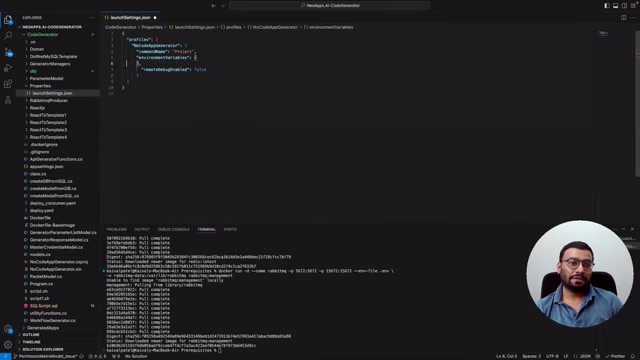
- Navigating React App and adjusting launch settings: These settings contain information such as the Project ID, server, username, root and other data fields that assist in database splitting to make a more secure project.
- Update Launch Settings: Update the launchSettings.json file with the necessary parameters for backend and front-end generation. This file contains configuration information that guides the code generation process. Carefully update these settings to ensure proper execution.
- Run the .NET API: After copying the projects, run the .NET API as needed. This step executes the backend code and sets up the API endpoints for your application. Make sure everything’s uploaded to run your application. By completing these steps, you can successfully use the NeoApps.AI Code Generator to create a robust and functional application.
How to Generate APIs with NeoApps.AI Code Generator
Running the Code Generator
Once you've completed the setup and configuration, you're ready to run the NeoApps.AI Code Generator.
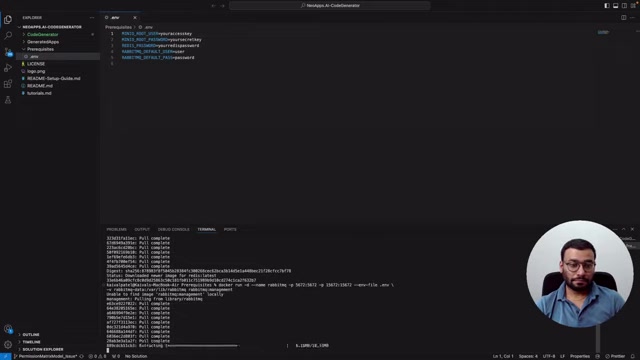
This typically involves executing a command within Visual Studio Code's terminal. The specific command may vary depending on your project and configurations, but it generally involves invoking the .NET runtime to execute the code generator application.
As the code generator runs, it will analyze your database schema and generate the necessary API endpoints to interact with your data. You'll see output in the terminal indicating the progress of the code generation process. Once completed, the generated API code will be available in the designated output directory.
Generating Front-End Components
Following the API generation, the NeoApps.AI Code Generator can also generate the front-end code. This typically involves running a separate command, specifying the front-end framework (e.g., React) and any desired customizations
.
The code generator will then create React components. That integrate with the generated APIs. This process automates the creation of user interfaces, significantly reducing the time and effort required to build a complete application. This allows developers to test their APIs by dragging and dropping data fields. By generating both the back-end and front-end code, NeoApps.AI facilitates a streamlined and efficient development workflow. It also allows for easy no code and low code access using node red








Most people like

































Report
Please select a reason for reporting
- 13 Reasons to Switch from Snapchat to Text Messaging
- 7 Powerful Speech to Text Apps to Boost Productivity
- 10 Best Speech to Text Tools for Effortless Transcription
- 13 Free Tools to Easily Transcribe Audio to Text
- 15 Surprising Ways Google's Speech-to-Text Boosts Productivity
- 7 Best Free Online Audio to Text Transcription Tools
- 9 Tips to Transcribe Speech to Text Faster and Better
- 13 Best Speech to Text Software for Windows 10 in 2023
- 7 Tips for Choosing the Best Transcriber for Audio to Text
- 11 Reasons Why Dragon Speech-to-Text Apps are Game-Changers
- 6 Secrets to Enhance Your Speech to Text Transcription
- 6 Brilliant Ways to Boost Productivity with Talk-to-Text on Your MacBook
- 6 Ways Transcription Software Converts Audio to Text
- 8 Tips to Transcribe Speech to Text Like a Pro
- 6 Reasons IBM Watson Speech to Text is a Game-Changer
- 14 Powerful Ways Talk-to-Text Improves Your Workflow
- 12 Top Windows Speech-to-Text Software for Efficient Transcription
- 12 Game-Changing Benefits of Apple's Speech to Text Technology
- 9 Powerful Use Cases for AWS Speech to Text Technology
- 10 Easy Steps to Transcribe YouTube Videos to Text
- transcription audio en texte
- online audio transcription
- free audio file transcription
- free ai audio transcription
- audio transcription service
- audio transcription online free
- audio transcription free online
- audio to transcription software
- audio and transcript
- ai audio transcription free
- voice recording to text converter
- translate voice recording to text
- record voice to text
- audio recording to text converter
- voice recording and transcription
- chatgpt voice to text
- gmail voice to text
- speech to text reader
- speech to text ai free
- speech to talk
- How SEO and Marketing Dashboards Empower Agencies to Drive Results
- How to Use AI Tools to Find Internal Linking Opportunities Across a Business Website
- Discover Your Perfect Haircut with AI Hairstyle Apps
- Free Reputation Calculator Tools: How They're Adapting to Score AI Visibility, Not Just Rankings
- Design Professional Flyers for Free on Your Phone
- Best Free Flyer Maker Apps for Android: Design Like a Pro
- How to Know If Your Business Is Ready for an AI Customer Service Agent
- Revolutionizing Storytelling: From Novels to Screenplays with AI
- Create Engaging Animated Explainer Videos with a Free AI Tool
- Stop Multi-Subscribing: Benchmark Top AI Visual Models in One Canvas
- Beyond Pure Prompts: Optimizing Production with 'Text With Reference' Generation
- Stop Using Boring TTS: My Honest Deep Dive Into VideoAI and the Hunt for the Perfect Custom Voices
- AI & Elections: Defending Democracy Against Misinformation
- Navigating Political Discourse: AI, Deepfakes, and Reality Checks
- Detecting Political Bias in News Articles: A Powerful AI Algorithm
- AI Bias Unveiled: Political Leanings in ChatGPT & Beyond
- Revolutionize Learning: Discover Quizzes AI for Engaging Interactive Quizzes
- From AI-Generated to Audience-Ready: How Quillbot Humanize AI Is Changing the Content Editing Process
- Building an AI Writing Stack in 2026: LLMs, Detectors, and Humanizers
- 7 Top AI-Powered Database Assistant Platforms

Copyright ©2026 toolify